Note
Access to this page requires authorization. You can try signing in or changing directories.
Access to this page requires authorization. You can try changing directories.
What this feature does
The extension supports data movement operations for local workflows:
- Import documents from JSON files.
- Export documents or query results for validation and sharing.
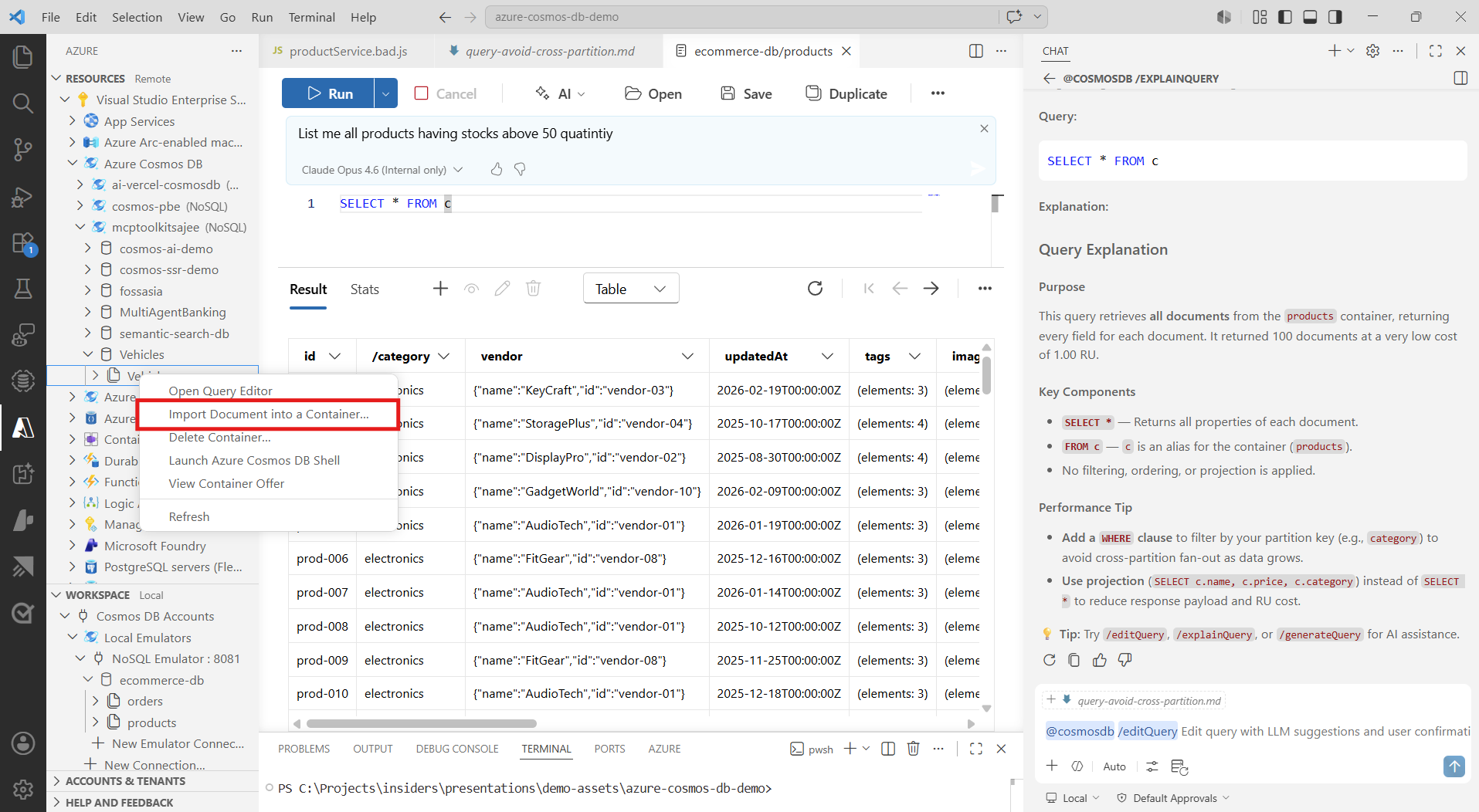
Import documents from JSON
- Open the target container in Visual Studio Code.
- Select the import action.
- Choose a JSON file from your local machine.
- Confirm the import and monitor completion.
- Validate imported items by querying the container.
Export documents from a container
- Open the container documents view.
- Select the export action.
- Choose full container export or current filtered view.
- Save output as JSON.
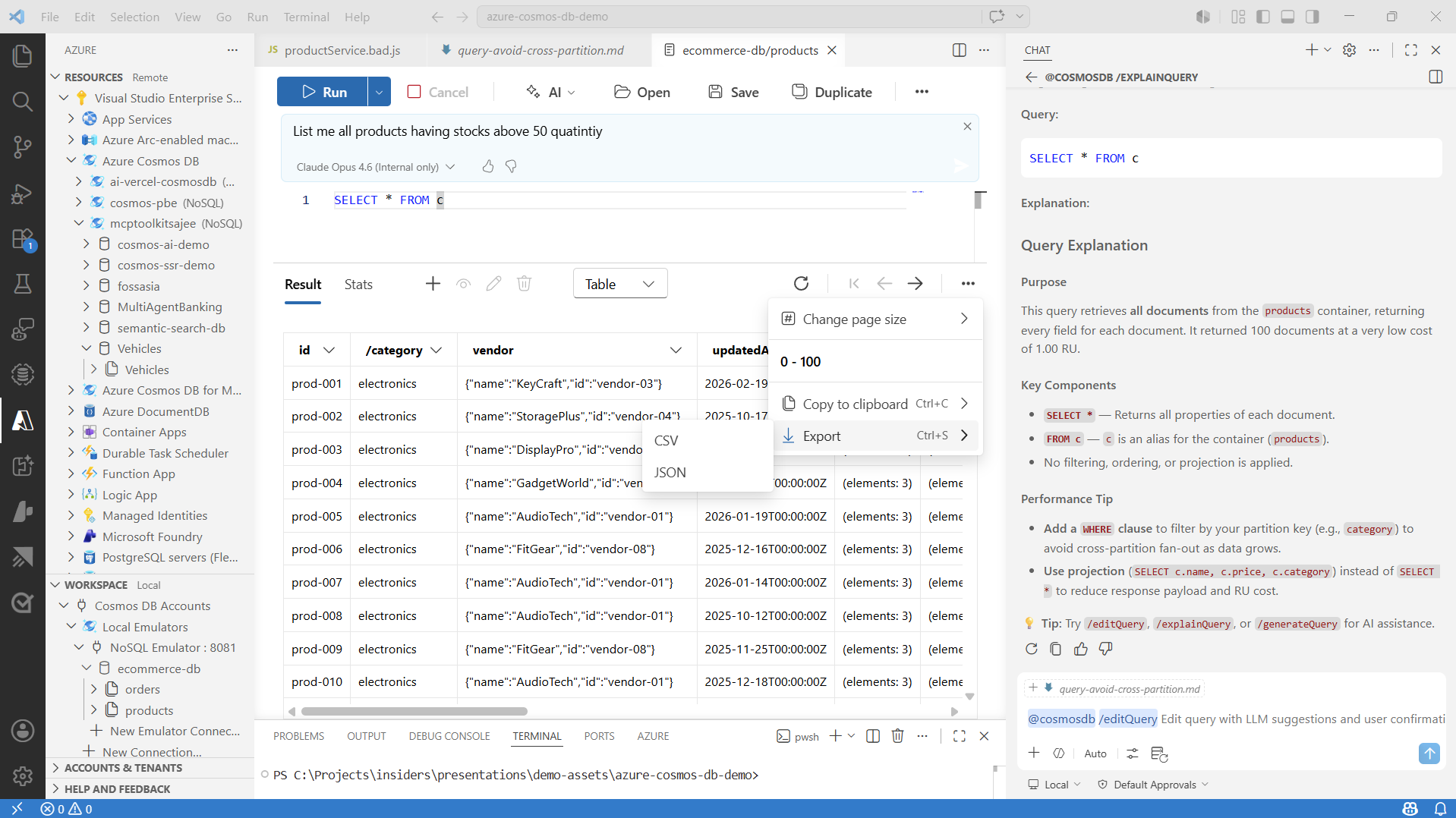
Export query results
- Run a query in the query editor.
- In results view, choose export.
- Save results in the supported output format.
Validation and troubleshooting
- Validate required fields such as
idand partition key after import. - If import fails, verify source JSON validity and document shape.
- If export appears incomplete, confirm whether current filters limit rows.