Note
Access to this page requires authorization. You can try signing in or changing directories.
Access to this page requires authorization. You can try changing directories.
What this feature does
Use the extension to:
- Create and view documents.
- Edit and delete documents.
- Perform collection-level actions from context menus.
Open documents in a container
- In the Azure view, expand your Azure Cosmos DB account.
- Expand the target database and container.
- Open the documents or items view for that container.
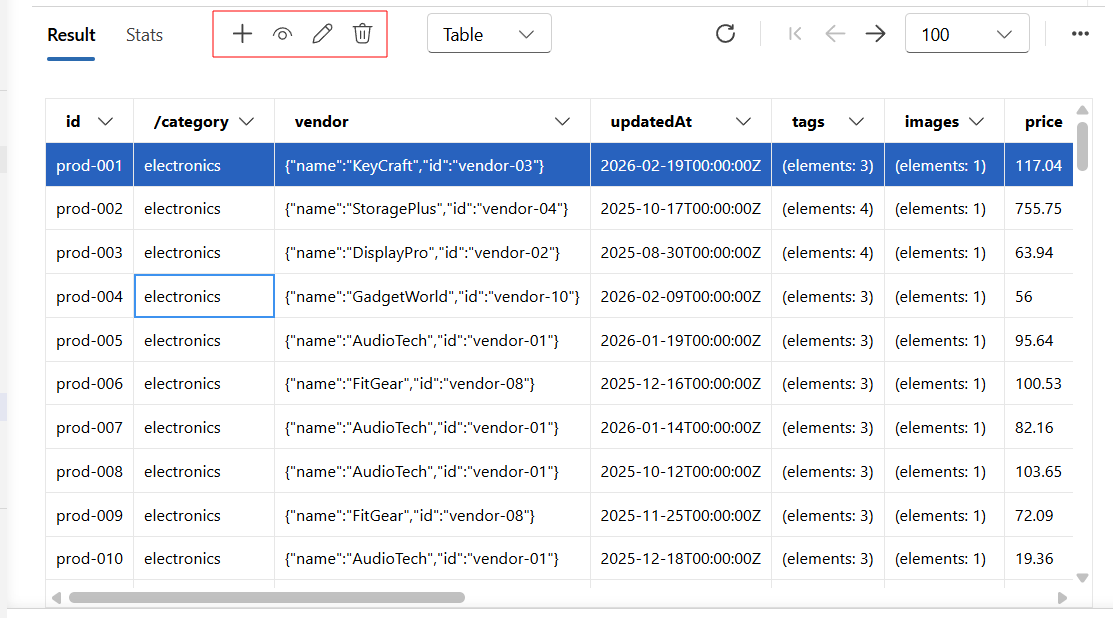
Create a document
- Select the action to add a new document.
- Enter JSON that includes required fields such as
idand partition key. - Save and verify the new item appears in the container list.
Edit a document
- Open an existing document.
- Modify fields in the JSON payload.
- Save changes and verify update behavior in the list or query results.
Delete documents
- Select one or more documents.
- Choose the delete action.
- Confirm deletion and verify results.
Best practices
- Avoid changing partition key values for existing documents.
- Use focused queries to confirm updates before and after edits.
- Make bulk changes through controlled scripts when document count is high.