Note
Access to this page requires authorization. You can try signing in or changing directories.
Access to this page requires authorization. You can try changing directories.
Features
Azure DevOps now available in Microsoft Copilot Cowork
The Azure DevOps Plugin is now available in Microsoft Copilot Cowork, allowing you to interact with your Azure DevOps projects directly from Copilot. You can access work items, pull requests, test plans, pipelines, and more without switching between applications. The plugin also includes built-in skills to help you review your backlog, triage bugs, and turn feature requests into structured work items.
You can also use Azure DevOps alongside other Microsoft 365 content. For example, Cowork can turn a requirements document into a feature with related work items or use meeting notes to add comments to existing work items.
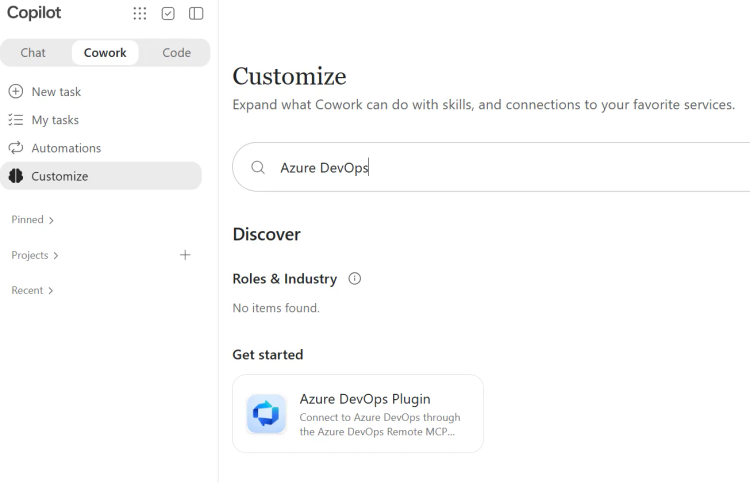
To get started, open Customize in Copilot Cowork, install the Azure DevOps Plugin, and connect it to your Azure DevOps organization.
Note
Availability depends on your organization's access to Copilot Cowork.
Next steps
Note
These features will roll out over the next two to three weeks.
Head over to Azure DevOps and take a look.
How to provide feedback
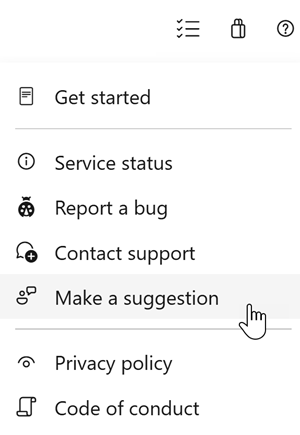
We would love to hear what you think about these features. Use the help menu to report a problem or provide a suggestion.
You can also get advice and your questions answered by the community on Stack Overflow.