Note
Access to this page requires authorization. You can try signing in or changing directories.
Access to this page requires authorization. You can try changing directories.
Features
- CodeQL default setup is now generally available
- CodeQL default setup now supports C/C++
- CodeQL default setup automatically queues an initial run on enablement
- Enable Autofix at the organization, project, or repository level
- Clear failure state and retry for Autofix runs
CodeQL default setup is now generally available
CodeQL default setup is now generally available. Default setup is the fastest way to turn on CodeQL code scanning, it configures and runs CodeQL for your repository automatically, with no pipeline YAML to author or maintain. Enable it from your repository's Settings and Advanced Security handles the rest.
This release also brings improvements that make default setup runs easier to monitor and find:
- Enhanced log viewer for default setup runs — a focused, easy-to-read log view so you can quickly confirm a scan finished and succeeded, and dig into the details when you need to.
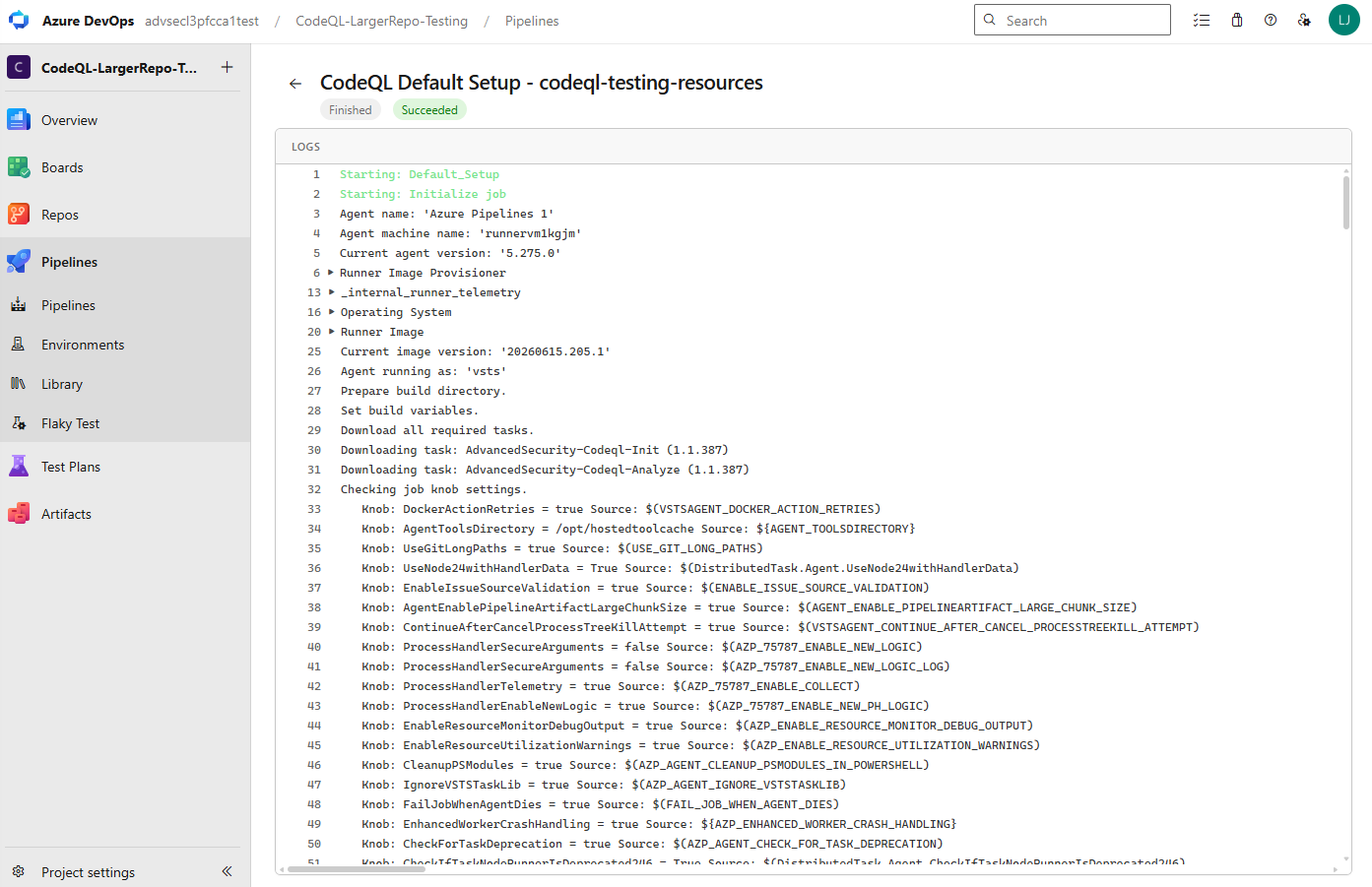
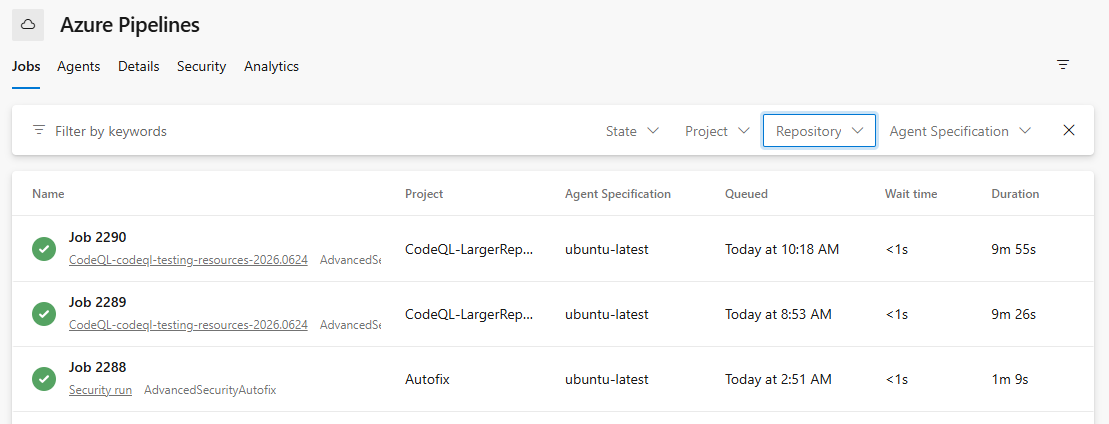
- Clearer run naming — an updated naming convention makes default setup runs easy to identify at a glance in your agent pool job log view.
- New state and repository filters in the agent pool job log view — filter jobs by state and repository to quickly find out what happened to a job across your agent pool. These filters apply to all jobs in the view, not just default setup runs.
CodeQL default setup now supports C/C++
CodeQL default setup now supports C/C++. When you enable default setup, C/C++ appears as a supported language in the additional details panel and is scanned as part of your configured default setup experience. For more information, see set up code scanning.
CodeQL default setup automatically queues an initial run on enablement
When you enable CodeQL default setup at the organization or project level, an initial run is now automatically queued so you don't have to wait for the scheduled weekly run to get your first results. For more information, see set up code scanning.
Enable Autofix at the organization, project, or repository level
You can now enable Copilot Autofix at the organization, project, or repository level. Previously, Autofix could only be configured per repository; with multi-scope enablement you can turn it on once at a broader scope and have it apply across your repositories. For more information, see Copilot Autofix for code scanning.
Clear failure state and retry for Autofix runs
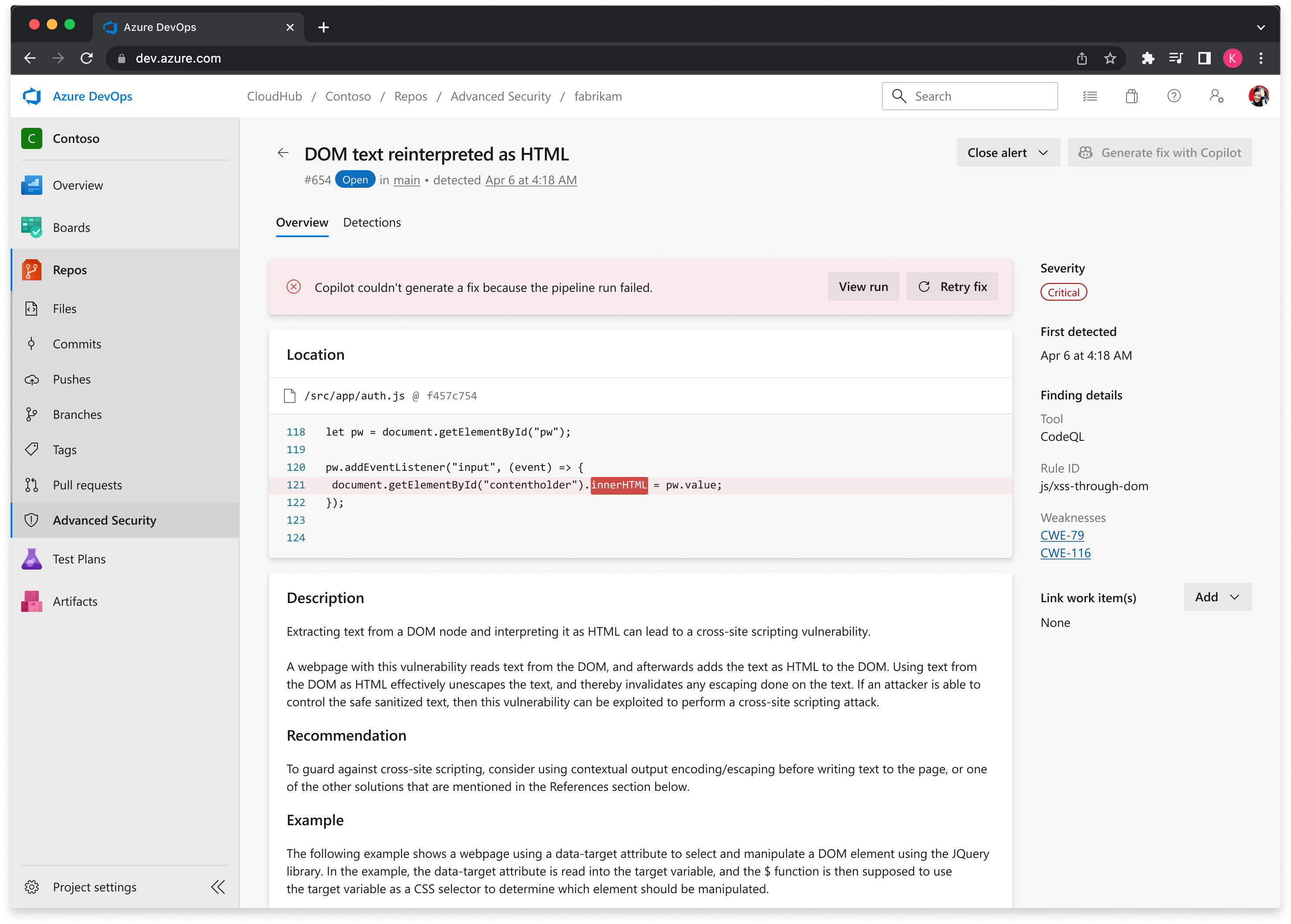
When a Copilot Autofix run fails, the alert detail view now surfaces a prominent failure state so you can quickly see that a run didn't succeed and where to go to investigate, along with a clear option to re-try the run.
For more information on Copilot Autofix, see Copilot Autofix for code scanning.
Next steps
Note
These features will roll out over the next two to three weeks.
Head over to Azure DevOps and take a look.
How to provide feedback
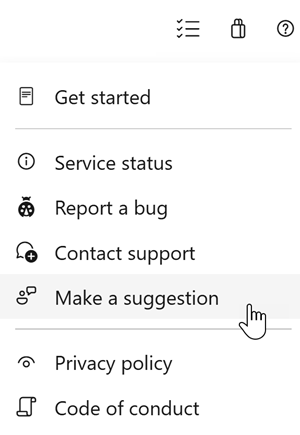
We would love to hear what you think about these features. Use the help menu to report a problem or provide a suggestion.
You can also get advice and your questions answered by the community on Stack Overflow.