Note
Access to this page requires authorization. You can try signing in or changing directories.
Access to this page requires authorization. You can try changing directories.
Azure Copilot Run Oracle Agent gives you a natural-language experience for Oracle workloads that you enrolled in Azure Workload Center for Oracle. For the supported scenarios, see Azure Copilot Run Oracle Agent.
Prerequisites
Access to Azure Copilot, the AI assistant, in the Azure portal. By default, Azure Copilot is available to all users in a tenant unless a tenant administrator restricts it.
The Oracle system enrolled as a Workload Virtual Instance (WVI), so that the agent has workload context.
Permissions on the WVI and on the resources that you want to investigate.
Start a conversation with Azure Copilot Run Oracle Agent
Sign in to the Azure portal and open Azure Workload Center for Oracle.
On the top bar, select Copilot.
In the Copilot pane, select the button at the top to show the list of agents.
Under Agents, select Run Oracle. The Run Oracle page opens with suggested prompts.
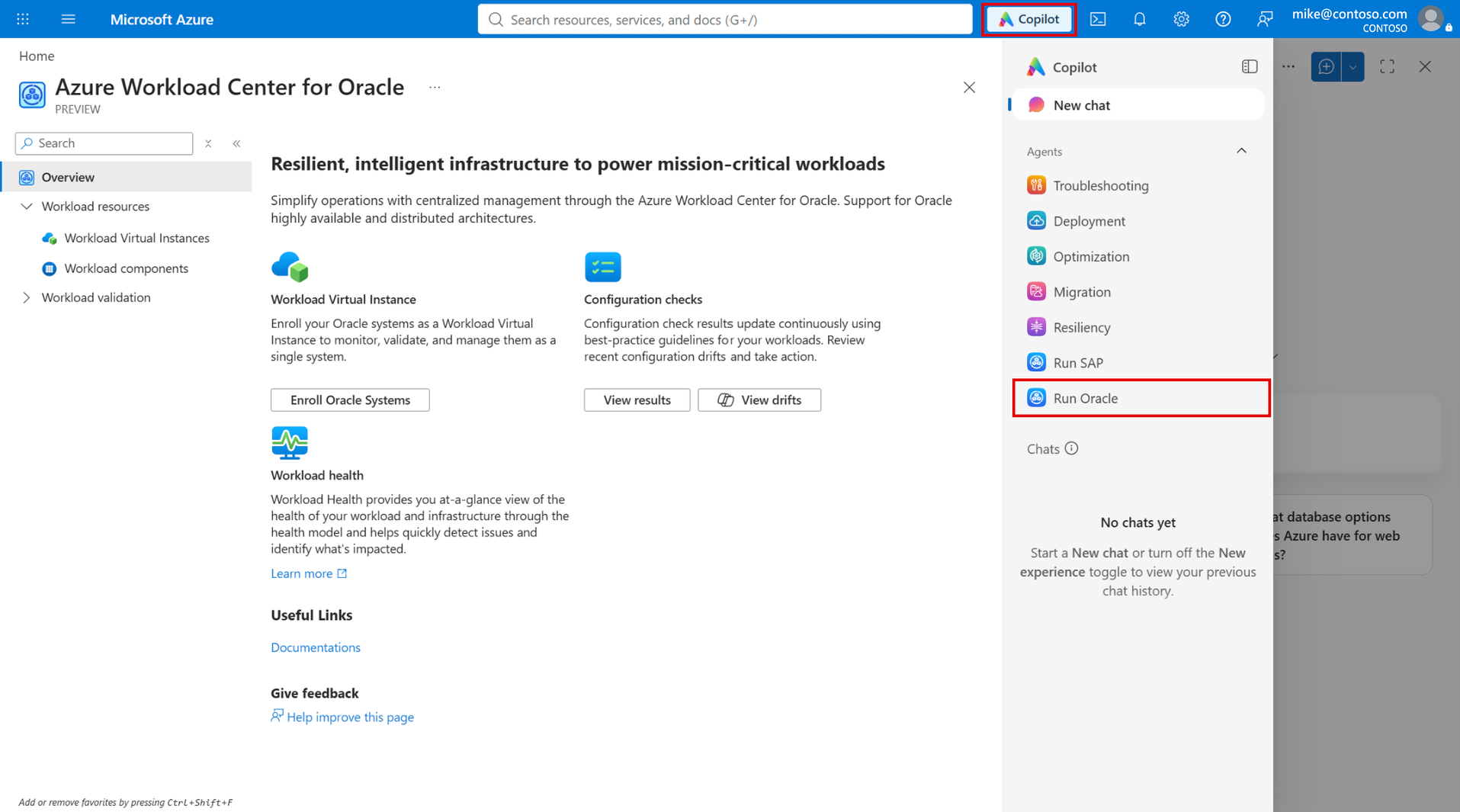
- Enter your request in natural language, or select a suggested prompt. Include the WVI name, and for impact analysis the time of the impact.
Important
Select Run Oracle under Agents each time you start a new Copilot conversation. If you don't, general Azure Copilot answers your request without the context of your Oracle workloads.
You can also open the agent from View drifts on the Overview page, or from Click here for more suggestions on a check result. These entry points open the agent with a prompt filled in.
For scenario steps, see Investigate configuration deviations with Run Oracle Agent and Perform impact analysis with Run Oracle Agent.