Note
Access to this page requires authorization. You can try signing in or changing directories.
Access to this page requires authorization. You can try changing directories.
By using Frontier Tuning, organizations can tailor AI models to reflect their unique terminology, communication style, and business processes. When you fine-tune large language models (LLMs) with your own data, you can improve the accuracy, tone, and relevance of Copilot responses across your tenant.
Frontier Tuning goes beyond retention and retrieval to train tenant-specific LLMs on your organization's data while maintaining robust enterprise security, compliance, governance, and management controls. The LLMs are tuned for specific tasks like document summarization, document writing, expert answer, style editing, document validation, and optimization.
This article explains the Frontier Tuning learning loop and how to choose a focused improvement. It also covers how tools and sample tuning environments support evaluation and training.
Important
Microsoft Copilot Tuning is currently available to a limited set of customers through early access programs. Access through Frontier is planned for April 2026. Features and requirements are subject to change.
The tuning learning loop
The learning loop connects your workflow, evaluation evidence, and improvement decisions:
- Encode the workflow. Capture task instructions, representative samples, quality standards, and the knowledge and tools needed for the work.
- Reveal gaps. Evaluate realistic tasks against explicit criteria to identify successes and failures.
- Choose a change. Use the evidence to select one focused improvement, then compare results.
These aren't mandatory training stages. If the baseline meets your requirements, stopping without a change is a valid outcome.
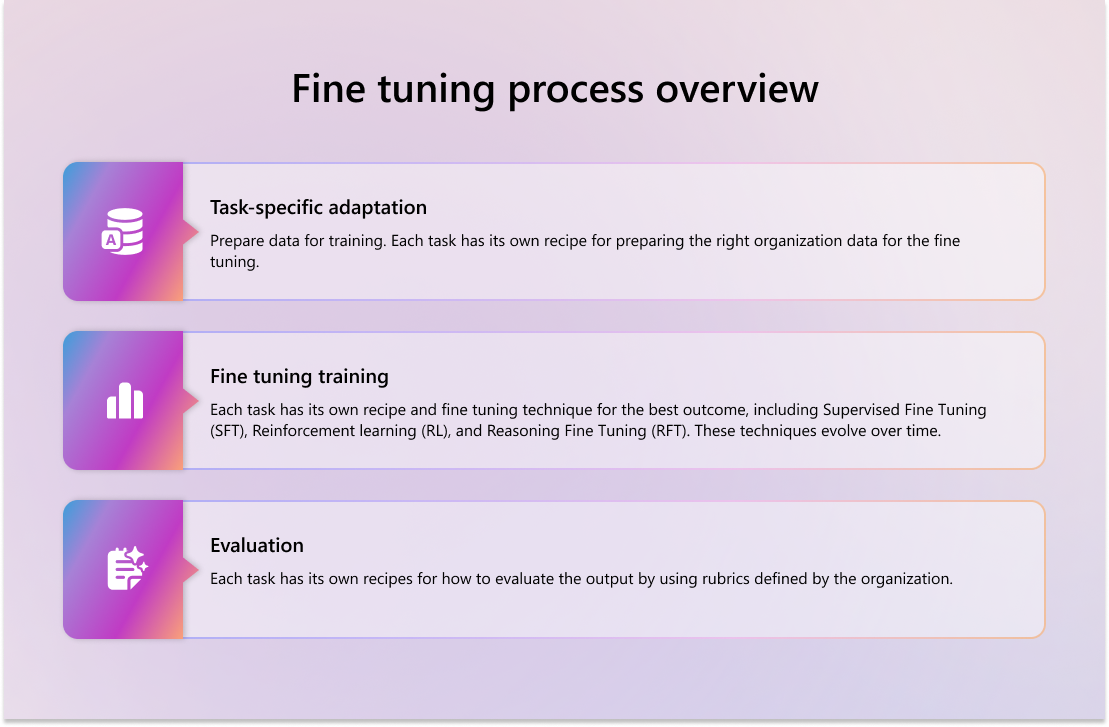
Fine-tuning process overview
To fine-tune AI models for your organization by using Frontier Tuning - Tune model, follow these training and tuning steps:
Task specific adaptation - Prepare data for training. Each task has its own recipe for preparing the right organization data for the fine tuning.
Fine-tuning training - Each task has its own recipe and fine tuning technique for the best outcome by using organization data. These techniques include, but aren't limited to, Supervised Fine Tuning (SFT), Reinforcement learning (RL), and Reasoning Fine Tuning (RFT). These recipes and techniques also evolve over time.
Evaluation - Assess responses against evaluation criteria that reflect your organization's expectations. Compare results before and after tuning rather than assuming that tuning improves every response.
The tools, examples, and evaluation criteria you choose need to fit the task. For example, a sample task that uses mock data needs skills and evaluation criteria that match that data.
Note
The models that you tune are private. Your data isn't used to train general models for other tenants. All processing of your data is done in the tenant that only your authorized users have access to train and use. Specific individuals, typically administrators, have control over the training process.
Tuning environments
A tuning environment brings together the artifacts and tools for a tuning scenario:
- Skills describe what the model should do for a task; their descriptions help route requests.
- Samples provide example inputs for evaluation or training.
- Evaluation criteria define requirements for assessing responses, such as completeness or adherence to instructions.
- Tools provide actions the agent can take, such as searching mail or reading a SharePoint file. A connector groups tools for a service.
Selected knowledge references can include SharePoint sites, SharePoint or OneDrive files and folders, Teams threads, and meetings. Model and inference configuration determine how a skill runs.
Subject matter experts can capture and review expertise or feedback to propose skills, evaluation criteria, or samples for review by the environment owner. Treat this contribution workflow separately from evaluation and tuning jobs; don't assume that approving a contribution trains a model.
Why evaluation criteria matter
Evaluation criteria make your experts' quality standards explicit: what a response needs to include or avoid. They're a measuring instrument for grading and comparing responses, not a replacement for skill instructions or model weights. In supported inference strategies, criteria-based feedback can also influence which candidate response is selected.
Task-specific adaptation
Task-specific adaptation occurs after you ingest your corpora. This adaptation involves processing the organization's content from its original format into a plain text format with one statement per line.
Supervised fine-tuning
Use supervised fine-tuning to adapt a pretrained model to specific tasks or organizational requirements by training it on labeled input-output pairs. This process helps the model learn to produce responses that align with your organization's preferred formats, tone, and compliance needs. Supervised fine-tuning:
- Teaches structure and tone - Models learn how to respond in ways that reflect your organization's voice.
- Improves task accuracy - By training on high-quality examples, the model becomes more reliable for enterprise use cases.
- Supports compliance - You can train models to recognize and respond to regulatory language and internal classifications.
Reinforcement learning
Use reinforcement learning as a post-training technique to tailor LLMs to your organization's unique communication style, tone, and tool usage preferences. Unlike supervised fine-tuning, which teaches the model to produce correct outputs from labeled examples, reinforcement learning optimizes for subjective qualities by learning from feedback signals.
Reinforcement learning is helpful when you want your model to:
- Reflect a specific tone of voice (empathetic, formal, concise).
- Prefer certain tools (such as Microsoft Graph APIs over RAG-based retrieval).
- Avoid retrieving content from sensitive sources (like ACL-tagged documents).
- Learn from user feedback to continuously improve.
Reinforcement learning refines the model by scoring output based on organizational preferences, using both human and automated feedback to guide learning. For example, if Copilot receives positive feedback on a response to a vacation policy question, the model reinforces that response and reuses it in similar contexts. Conversely, if a response is flagged for tone or content, the model learns to avoid that pattern.
Tools in the tuning workflow
Tool choice affects three stages of the workflow:
| Stage | Role of tools |
|---|---|
| Inference. | The agent or tuned model calls tools while handling requests. |
| Evaluation. | The agent calls tools to complete sample tasks, and responses are assessed against evaluation criteria. |
| Training. | The model calls tools while learning from your tasks. |
Real tools call a service and use its data. Virtualized tools still read real data, but intercept supported writes during evaluation and training. Mock tools use their own supplied data instead of your services.
The model learns to work with the tools it encounters during training, including their names, inputs, results, and errors. Differences at inference can affect its behavior. Training also calls tools more often than ordinary use, so consider service load, privacy requirements, and side effects when choosing tools.
For the tool types, stage behavior, and connection lifecycle, see Tools and connectors in Frontier Tuning.
Start with a sample tuning environment
A sample tuning environment gives you a starting point for trying the workflow before preparing your own business data. Creating a tuning environment from a sample template adds ready-made artifacts and mock data for a sample scenario. The contents depend on the template.
You can inspect the included skills and samples, evaluate a model's initial responses, and run tuning to compare the results. Sample results don't establish performance on your business scenarios; evaluate with representative data before production use.
For the sample workflow, see Try Frontier Tuning with a sample tuning environment.
Evaluate before and after tuning
Evaluate an available base model to establish a baseline before starting a tuning job. After tuning completes, evaluate the resulting model with the same evaluation samples and evaluation criteria.
Compare results against the criteria that matter to your task. Check for failed tool calls as well as differences in response quality: throttling or timeouts can affect evaluation results and what the model learns. Tuning doesn't necessarily improve every response.
For an interpretable comparison:
- Keep governed, held-out validation cases and their derivatives out of generation, refinement, and training inputs. Sample labels alone don't establish separation.
- Keep instructions, source and tool state, model and version, inference options, sample content and IDs, evaluation criteria and graders, and repeat conditions fixed. Change only the variable you're testing. Record unavailable controls and drift as limitations.
- After criteria change, score both a fresh baseline and the candidate with the revised criteria before attributing a quality gain.
- Inspect graded coverage, actual outputs, and tool evidence alongside scores. A completed job isn't verified task success.
- Compare latency and consumption with known measurement scope; missing usage isn't evidence of zero consumption.
Choose a focused improvement
Choose by the observed gap, not a mandatory escalation path.
| Improvement target | What changes | Decision to test |
|---|---|---|
| Inference configuration. | How a fixed model runs, without training its weights. | Can a different strategy improve results within acceptable latency and consumption? |
| Skill instructions or evaluation criteria. | Instructions guide execution; criteria change measurement and can affect supported selection. | Does the gap reflect unclear instructions or standards that need expert revision? |
| Model-weight training. | The model itself is adapted through training. | Does the trained model improve on its base model under matched evaluation conditions? |
The public v1 reference describes Simple as one execution, BestOfN as scored candidate selection, and TreeSearch as exploration of alternatives.
Review changes and approvals
Expert review, content acceptance, authorized resource changes, runtime tool permission, paid-operation consent, and publication are separate decisions. Inspect current state before approving a change. Check whether the operation proposes results or saves them immediately; review before authorization for immediate-save operations, and inspect saved state afterward.
The public v1 refinement path uses Training samples. Applying a criteria-refinement result replaces the entire set, rather than selected suggestions.
Advanced adaptation and maintenance
By combining various fine-tuning techniques, you can create models that reflect your organization's tone, task completion patterns, and Microsoft Purview Data Governance requirements. These underlying models apply your organization's unique voice and operational knowledge to:
- Maintain consistent tone and formatting across tasks.
- Embed domain-specific knowledge for tasks such as document writing, summarization, and providing expert answers to questions.
- Respect access controls and data classification policies during training and inference.
- Generate accurate responses aligned with your internal standards and user expectations.
All evaluations are confidential and governed by Microsoft's Responsible AI principles.
You can continue to evolve your agent as new data becomes available and tune the model by:
- Uploading new data.
- Updating your goals and evaluation metrics to adapt to new task types or regulatory changes.
When you change task data, tools, or evaluation criteria, evaluate again to assess the effect. Review results, user feedback, and drift before deciding whether a new training job is needed. Later skill, criteria, or sample edits don't retrain an already-produced model in the public v1 reference.