Note
Access to this page requires authorization. You can try signing in or changing directories.
Access to this page requires authorization. You can try changing directories.
Attack surface reduction (ASR) rules target risky software behavior on Windows devices that attackers commonly exploit through malware (for example, launching scripts that download files, running obfuscated scripts, and injecting code into other processes). For an introduction to ASR rules and their requirements, see Attack surface reduction (ASR) rules overview.
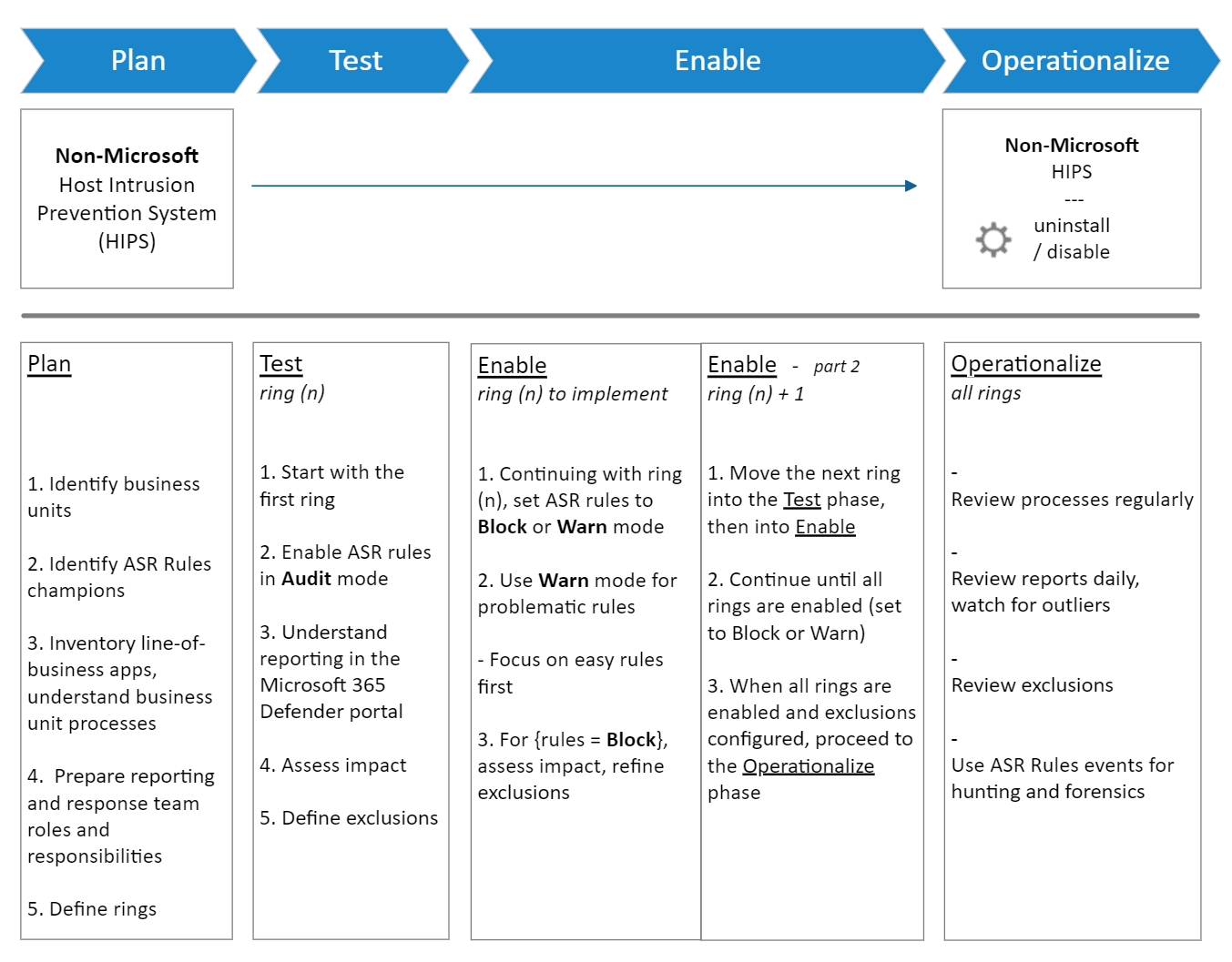
This guide helps you plan, test, implement, and manage your ASR rules deployment to effectively stop advanced threats like human-operated ransomware.
Important
This guide provides images and examples to help you decide how to configure ASR rules. These images and examples might not reflect the best configuration options for your environment.
Important predeployment caveat
Typically, you can enable the standard protection rules in Block or Warn mode without testing. You should test other ASR rules in Audit mode before you switch them to Block or Warn mode.
Before you begin
Before you start the deployment process, review the following documentation:
Deployment steps
Use the following articles to plan, test, implement, and manage your ASR rules deployment:
- Plan ASR rules deployment: Determine infrastructure requirements, select business units and champions, and define team roles.
- Test ASR rules: Configure rules in Audit mode, review reports, and add exclusions.
- Enable ASR rules: Transition rules from Audit to Block mode, and expand to other deployment rings.
- Manage and monitor ASR rules: Monitor ongoing activity, manage false positives, and use advanced hunting.
Related content
- Attack surface reduction (ASR) rules overview
- Attack surface reduction (ASR) rules reference
- Configure attack surface reduction (ASR) rules and exclusions
- Attack surface reduction (ASR) rules report
- Attack surface reduction FAQ
- Demystifying attack surface reduction rules - Part 1
- Demystifying attack surface reduction rules - Part 2
- Demystifying attack surface reduction rules - Part 3
- Demystifying attack surface reduction rules - Part 4