Note
Access to this page requires authorization. You can try signing in or changing directories.
Access to this page requires authorization. You can try changing directories.
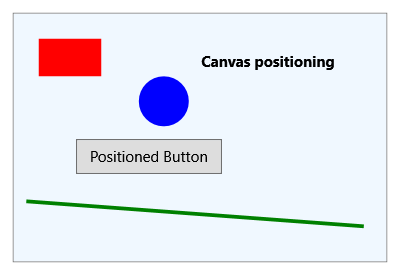
Canvas is a layout control that enables absolute positioning of child elements.
Common tasks
The following table shows common tasks you can accomplish with the Canvas control.
| Title | Description |
|---|---|
| Wrap a Border Around the Content of a Canvas | Learn how to wrap a border around the content of a Canvas. |
| Get or Set Canvas Positioning Properties | Learn how to get or set Canvas positioning properties. |
| Create and Use a Canvas | Learn how to create and use a Canvas control. |
| Use the Attached Properties of Canvas to Position Child Elements | Learn how to use the attached properties of Canvas to position child elements. |
| Resize a Canvas by Using a Thumb | Learn how to resize a Canvas by using a Thumb control. |
Styles and templates
You can modify the default ControlTemplate to give the control a unique appearance. For more information about modifying a control's template, see What are styles and templates? and How to create a template for a control.
Content property
The Canvas control does not define a content property. It's a panel control that hosts child elements positioned using the Left, Top, Right, and Bottom attached properties.
See also
Collaborate with us on GitHub
The source for this content can be found on GitHub, where you can also create and review issues and pull requests. For more information, see our contributor guide.

.NET Desktop feedback