Note
Access to this page requires authorization. You can try signing in or changing directories.
Access to this page requires authorization. You can try changing directories.
Applies to: Dynamics 365 Contact Center only
Quality and coaching skills help improve service interactions by providing real-time guidance to customer service representatives (service representatives or representatives) and post-conversation insights for supervisors. It enables organizations to monitor quality, drive consistent service behavior, and take corrective actions during and after customer interactions.
Important
This feature is intended to help customer service managers or supervisors enhance their team’s performance and improve customer satisfaction. This feature isn't intended for use in making—and shouldn't be used to make—decisions that affect the employment of an employee or group of employees, including compensation, rewards, seniority, or other rights or entitlements. Customers are solely responsible for using Dynamics 365, this feature, and any associated feature or service in compliance with all applicable laws, including laws relating to accessing individual employee analytics and monitoring, recording, and storing communications with end users. This responsibility also includes adequately notifying end users that their communications with representatives may be monitored, recorded, or stored and, as required by applicable laws, obtaining consent from end users before using the feature with them. Customers are also encouraged to have a mechanism in place to inform their representatives that their communications with end users may be monitored, recorded, or stored.
Manage quality and coaching skills as a supervisor
Quality and coaching skills enable supervisors to monitor, evaluate, and improve conversation quality through notifications, scoring insights, and detailed evaluations. It supports both real-time monitoring and post-conversation analysis.
Configure and receive quality notifications: Receive notifications when configured quality conditions are met. For example, get alerted when a conversation quality score drops below a defined threshold.
Monitor conversations: View ongoing conversations to track live interactions and closed conversations to review completed sessions. Use the score column to quickly identify conversations that require attention.
- In site map of Copilot Service workspace, go to Conversations.
- From the dropdown, go to Closed QAA conversations or Ongoing QAA conversations.
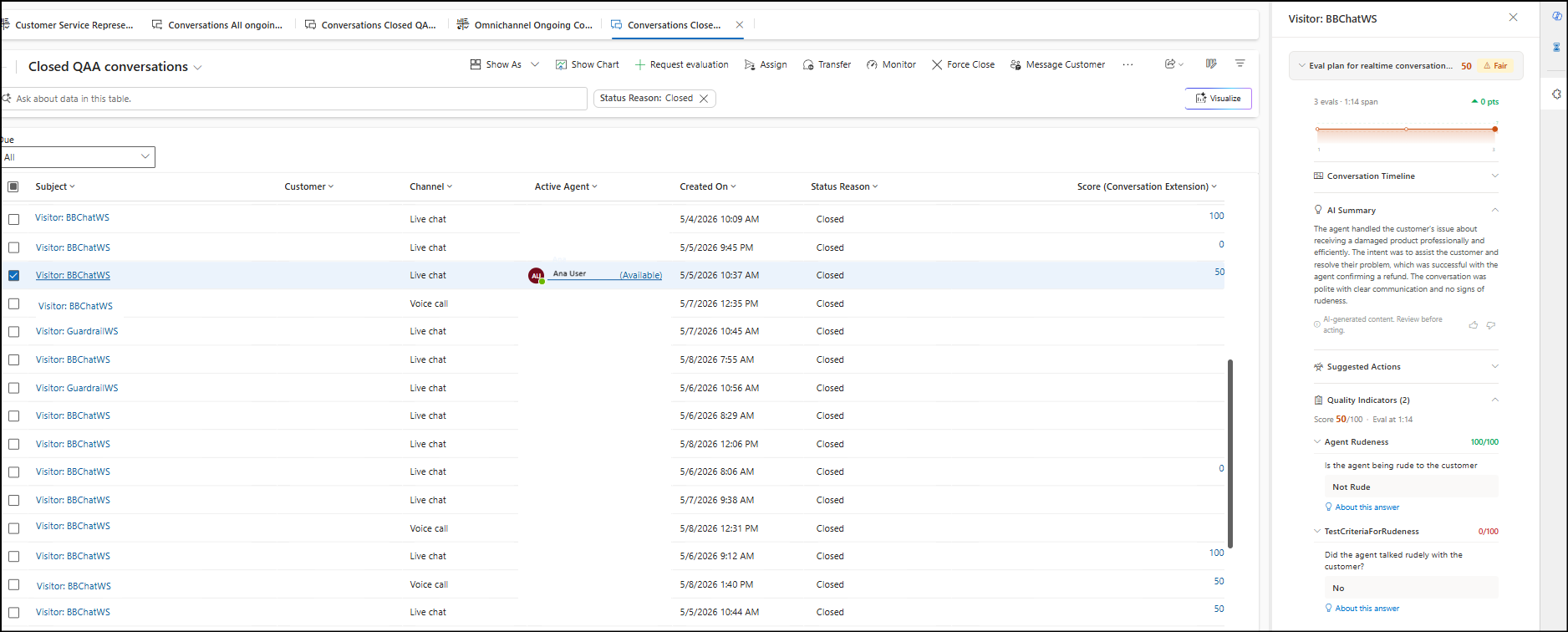
The Closed QAA conversations page shows all the closed conversations with details of Subject, Customer, Channel, Active Agent, Created on, Status reason, and Score.
When you select the score, the side pane appears which shows the quality score trendline, AI Summary, quality indicators, and a description of the evaluation.
Additionally, if you open a closed conversation, you see the details of the conversation. Besides the quality score trendline, you see the conversation transcripts with embedded coaching nudges for full context, which helps you understand how representative actions impacted quality outcomes.
The Ongoing QAA conversations shows similar details as Closed QAA conversations.
Manage quality and coaching skills as a service representative
Quality and coaching skills provide real-time guidance to help service representatives improve customer interactions as they happen in Copilot Service workspace. It enables representatives to receive contextual recommendations and adjust their responses during live conversations.
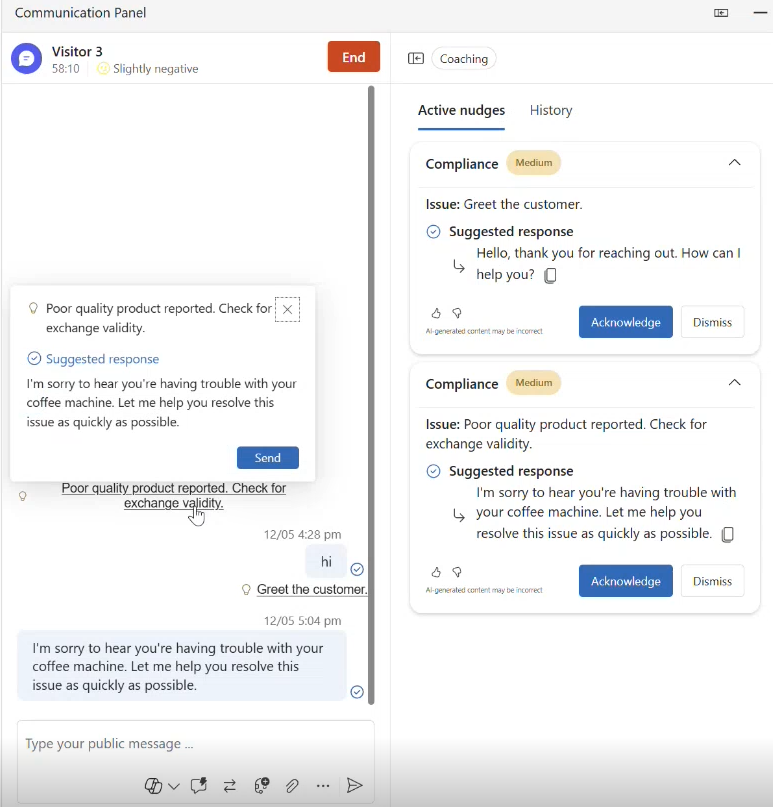
Coaching nudges are displayed inline within the conversation when predefined conditions are triggered. Use these nudges to adjust tone, improve responses, or follow recommended practices during customer interactions.
Use the Consult pane to view all coaching nudges generated during the conversation. Review guidance without leaving the active conversation workflow.