Note
Access to this page requires authorization. You can try signing in or changing directories.
Access to this page requires authorization. You can try changing directories.
| Enabled for | Public preview | General availability |
|---|---|---|
| Admins, makers, marketers, or analysts, automatically | - |  Jul 31, 2026
 |
Business value
You can turn project tasks into executable Field Service work orders and bill only what matters, giving your project teams clear delivery visibility and reducing downstream surprises.
Feature details
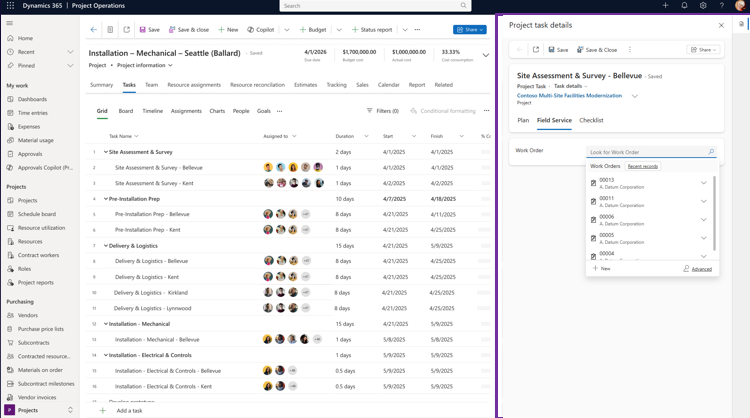
This feature enhances the Dynamics 365 Field Service and Dynamics 365 Project Operations integration by enabling your project and field teams to create Field Service work orders directly from project tasks or linking existing work orders to specific project tasks. Anchoring work orders to a specific project task establishes a clear connection between planned project scope and field execution from the start. This gives dispatchers and technicians clear context for why and when work should occur, reducing ambiguity, preventing out-of-sequence execution, and minimizing the risk of work being performed against the wrong scope.
Linking work orders at the task level enables task-based billing in Dynamics 365 Project Operations for Field Service execution. With task-based billing, contract rules apply at the project task level, so only selected tasks are billed under a given contract line. This supports mixed billing models within a single project and ensures invoicing reflects contractual scope rather than all project activity.
This feature is only available when you enable the Dynamics 365 Field Service and Project Operations integration.
Geographic areas
Visit the Explore Feature Geography report for Microsoft Azure areas where this feature is planned or available.
Language availability
Visit the Explore Feature Language report for information on this feature's availability.
Related content
Create a work order from a project task in Project Operations (docs)