Note
Access to this page requires authorization. You can try signing in or changing directories.
Access to this page requires authorization. You can try changing directories.
Event schema sets retain earlier schema definitions when you save a new version. Versions use incrementing numbers, such as version 1, version 2, and version 3, rather than semantic versions.
Use the version history to inspect an earlier definition or compare two versions. Viewing an older version doesn't make it the latest version, restore it, or change the version used by a producer, consumer, or eventstream.
Prerequisites
- Read access to the event schema set. See Permissions.
- A schema with at least two saved versions for comparison. To try the workflow, import the three versions from the device telemetry example.
View a schema version
Open the event schema set from its workspace, or expand it on the Event schema registry page in Real-Time hub.
Open the schema you want to inspect.
You see the version history for the schema in the right pane. By default, you see the latest version of the schema. In this example, it's version 2.
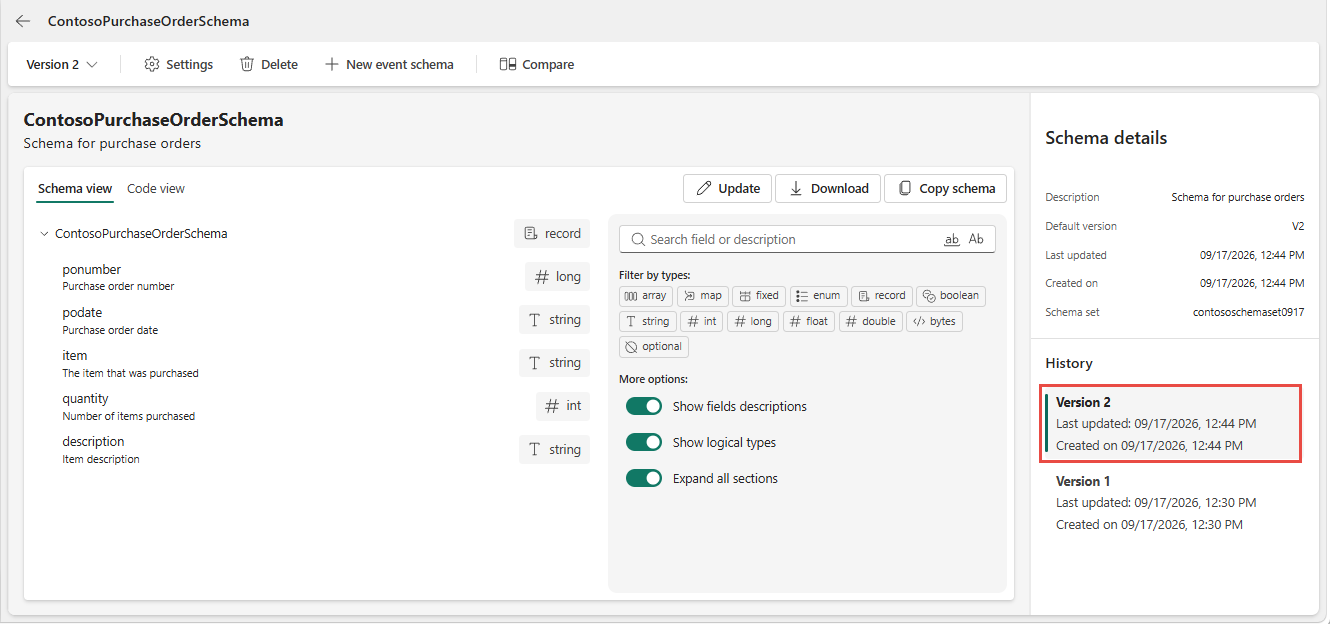
Select another version to view its definition. In this example, version 1 is selected. You can select a version in the History section or by using the version drop-down at the top of the schema view. Version 2 added an extra field named description to the schema.
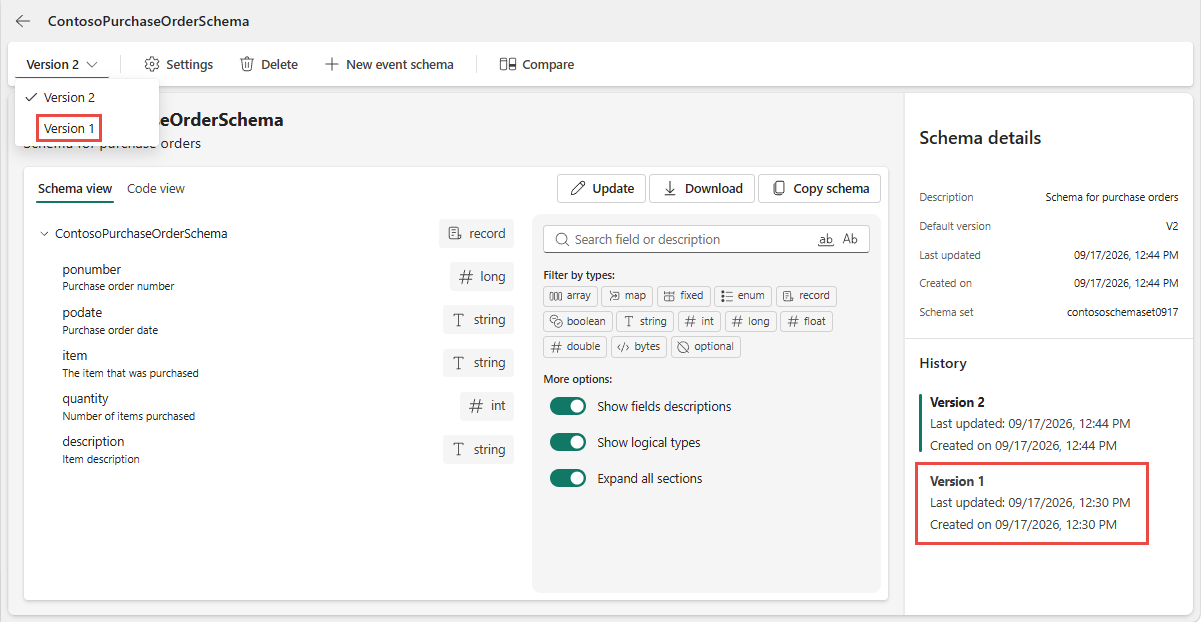
Select the latest version to return to the current definition.
Compare schema versions
Open the schema that you want to compare.
View the version history of the schema in the right pane.
On the ribbon, select Compare.

In the Compare changes page, you can compare versions by using the drop-down lists at the top. Review the side-by-side definitions and the highlighted differences. Check added or removed fields, changed types, defaults, and nested structures. In the following example, version 1 is compared with version 2.
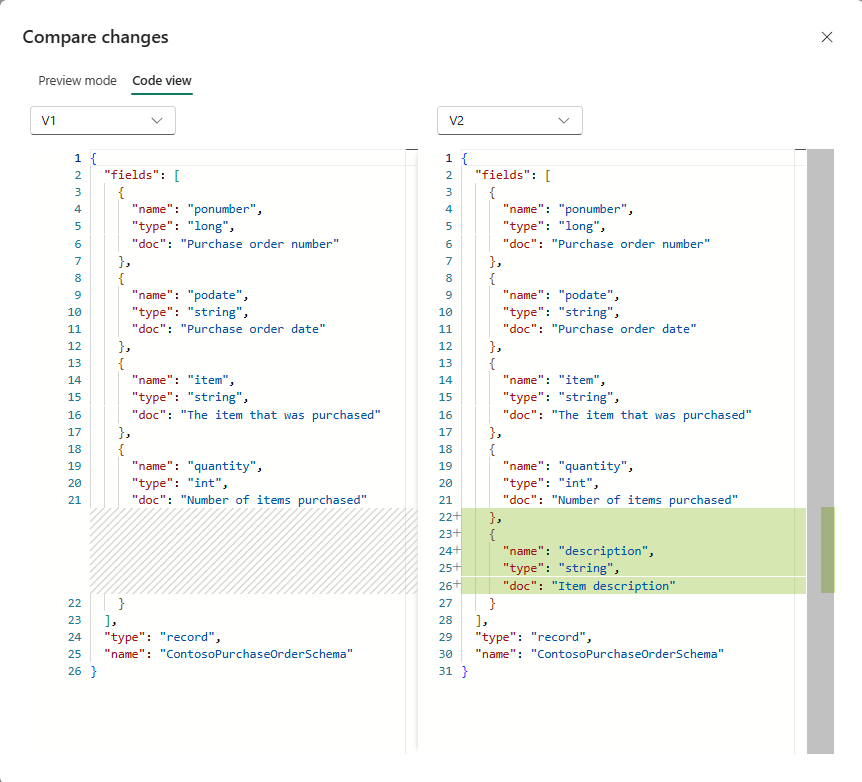
To see the comparisons in non-JSON mode, switch to the Preview mode tab.
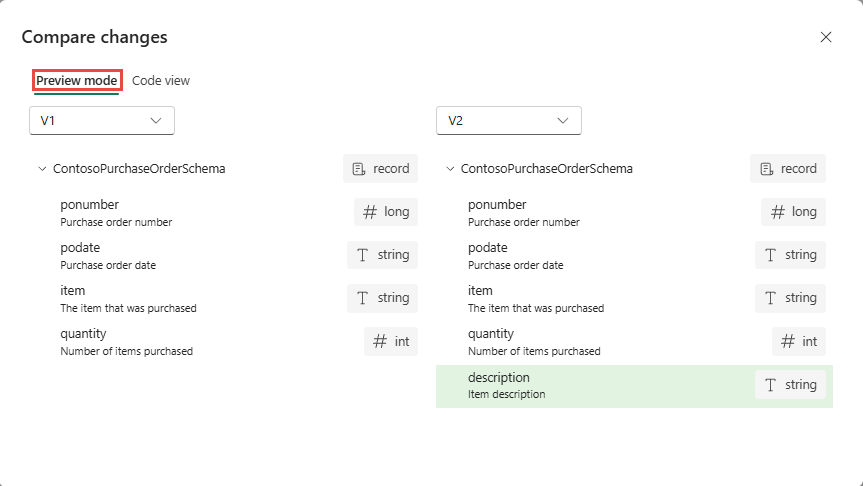
Close the comparison when you're finished reviewing by selecting X in the top-right corner.
Important
A comparison shows differences; it isn't a compatibility check. Compatibility policy controls aren't exposed in the UI. Test changes with the producers and consumers that use the schema before adopting a new version.

Create a new version
To save a changed definition, update the event schema. The update creates a later version and preserves earlier definitions.
An earlier version isn't an editable replacement for the latest version. If you need a definition that resembles an earlier one, treat it as a new schema change and review its impact. Selecting a version in the history isn't a pipeline rollback operation.