Note
Access to this page requires authorization. You can try signing in or changing directories.
Access to this page requires authorization. You can try changing directories.
When you work with Real-Time Dashboards, a tile might display an error instead of a visual. These errors are categorized to help you understand the type of issue and determine next steps. Each error type indicates a different stage in the query, data retrieval, or rendering process where the failure occurred.
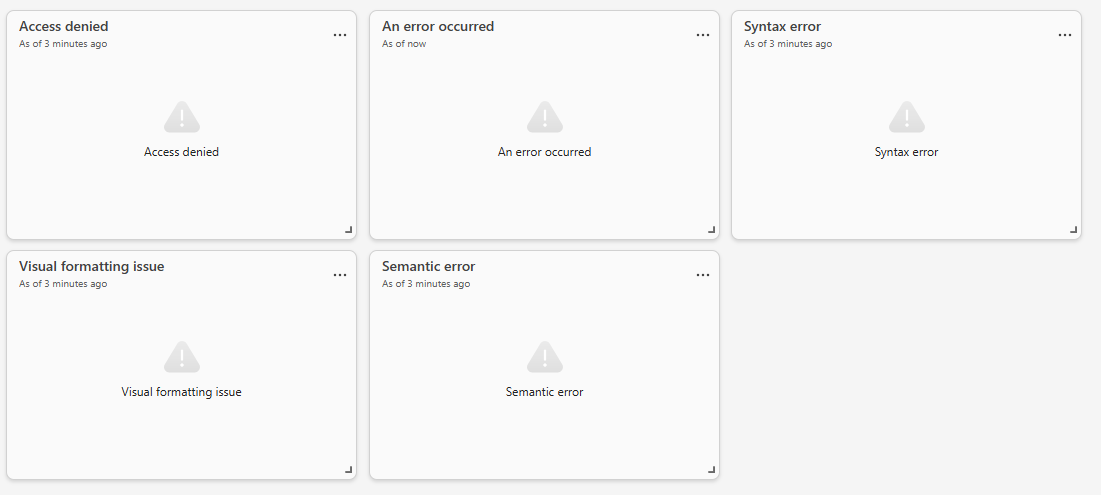
Understand tile error types
The following section describes common tile error categories, what they mean, and general ways to address them.
Access denied
The tile can't access or retrieve data from the underlying data source. This error occurs when the user lacks permission to access the data source.
What to do:
- Verify the data source exists and is reachable.
- Check that you have permission to access the data source.
- Try refreshing after confirming availability.
Syntax error
The query used in the tile contains invalid syntax and can't be parsed. This error occurs after editing a query or when creating a new tile.
What to do:
- Review the query for syntax problems, such as missing operators or invalid expressions.
- Validate the query in the query editor.
- Revert recent changes if the error appeared after modification.
Semantic error
The query is syntactically valid but uses invalid references or logic. This error occurs when the query refers to non-existent tables, columns, or incompatible data types.
What to do:
- Ensure referenced tables and columns exist.
- Check for renamed or deleted objects.
- Validate query logic and data types.
- Update the query to match the current schema.
Network error
The connection between the dashboard and backend services failed. This error occurs due to temporary connectivity issues or service interruptions.
What to do:
- Check your network connection.
- Refresh the dashboard.
- Retry after a short time if the issue is transient.
- If persistent, check service health or contact support.
Visual formatting issue
The tile can't render the visual due to configuration or formatting problems. This problem occurs when the query runs successfully but the visual fails to display correctly.
What to do:
- Review visual settings, such as field assignments and formatting rules.
- Ensure required fields are included.
- Simplify or reset the visual configuration.
- Recreate the visual if needed.
An error occurred
A general error occurred that doesn't fit the above categories. This catch-all error can occur for various reasons, such as unexpected exceptions or unhandled cases.
What to do:
- Check for more details in the error message.
- Review recent changes to the tile, query, or data source.
- Try refreshing the dashboard.
- If the problem persists, contact support with the error details.
Get more details from error messages
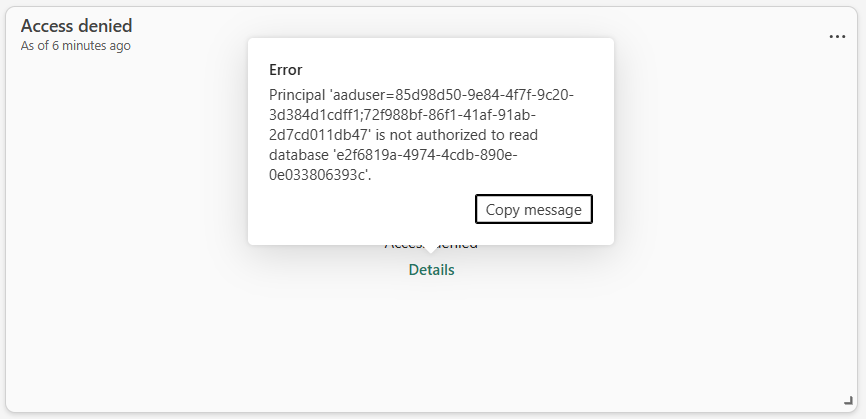
When a tile error occurs, hover over the tile to expose the details button. Select this button to get more information about the error, including error codes and messages that can help identify the root cause.
For example:
General troubleshooting approach
If you're unsure how to proceed:
- Refresh the dashboard to rule out temporary problems.
- Check other tiles:
- If multiple tiles fail, there's possibly a data source or service problem.
- If one tile fails, there's likely a query or configuration problem.
- Review recent changes:
- Query edits
- Data source updates
- Permission changes
- Validate the query in the editor where possible.
- Contact your administrator or data owner if the problem involves access or shared resources.