Note
Access to this page requires authorization. You can try signing in or changing directories.
Access to this page requires authorization. You can try changing directories.
We’re introducing new improvements to cloud update in the Microsoft 365 Apps admin center to help you better monitor, manage, and troubleshoot updates for Microsoft 365 Apps across your tenant. This article highlights the changes we’re enabling and what you can expect as they roll out. Check back for updates as we continue to add new capabilities, and follow the Microsoft 365 Roadmap for the latest feature announcements and release timing.
New profile assignment and channel experience
Note
This experience is rolling out to customers May 2026 - June 2026.
We’re introducing a new profile assignment and channel management experience in cloud update. This new approach gives you a simpler way to onboard devices, manage profiles, and move devices between update channels. It also reduces manual steps and makes the experience easier to scale across your organization.
What’s new
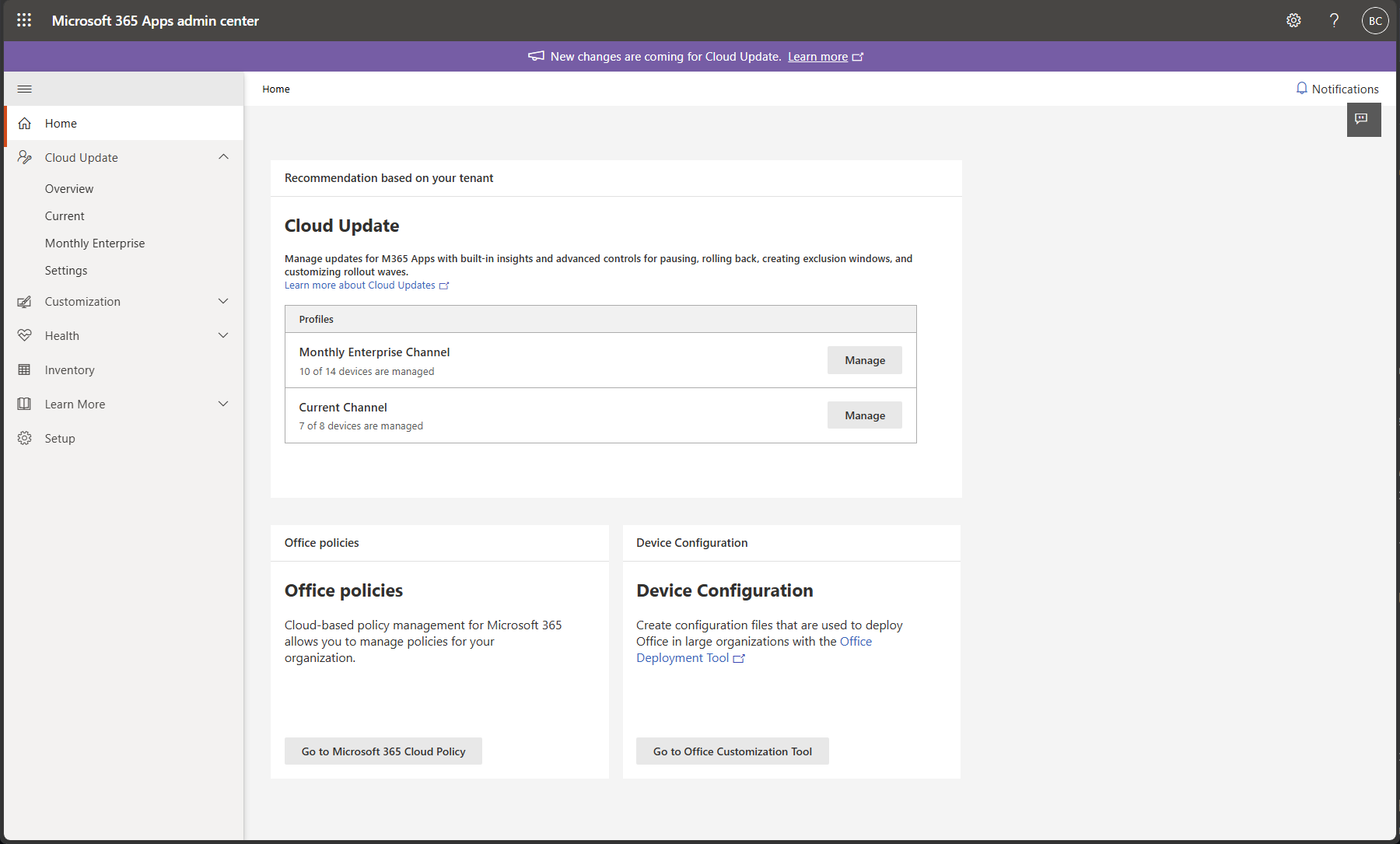
The home page now gives you a view of your available cloud update profiles, their management state, and quick access to each profile’s settings.
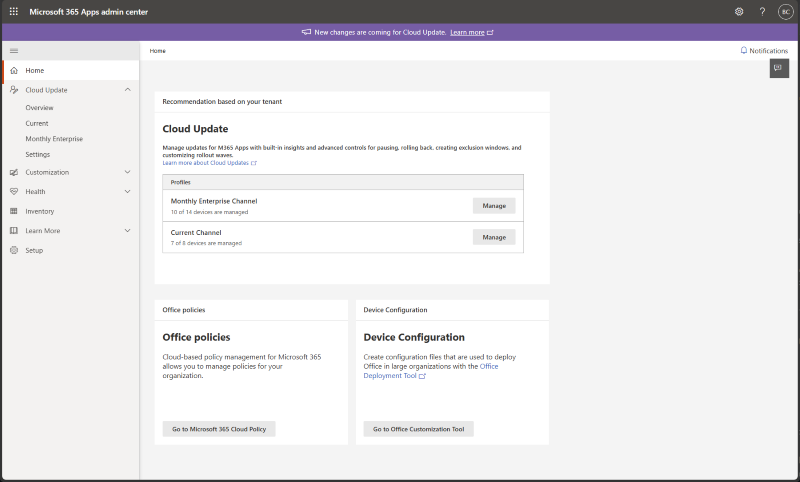
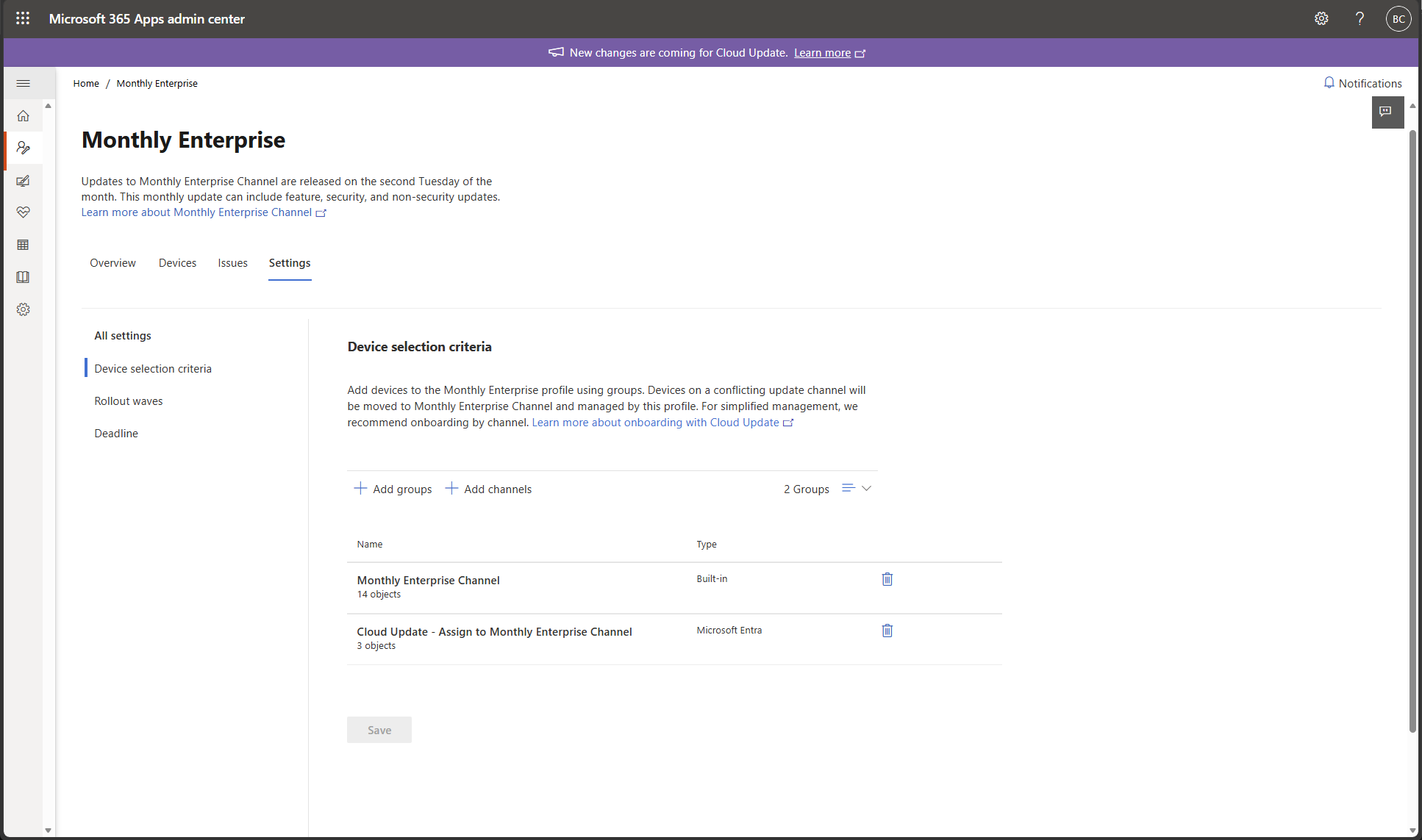
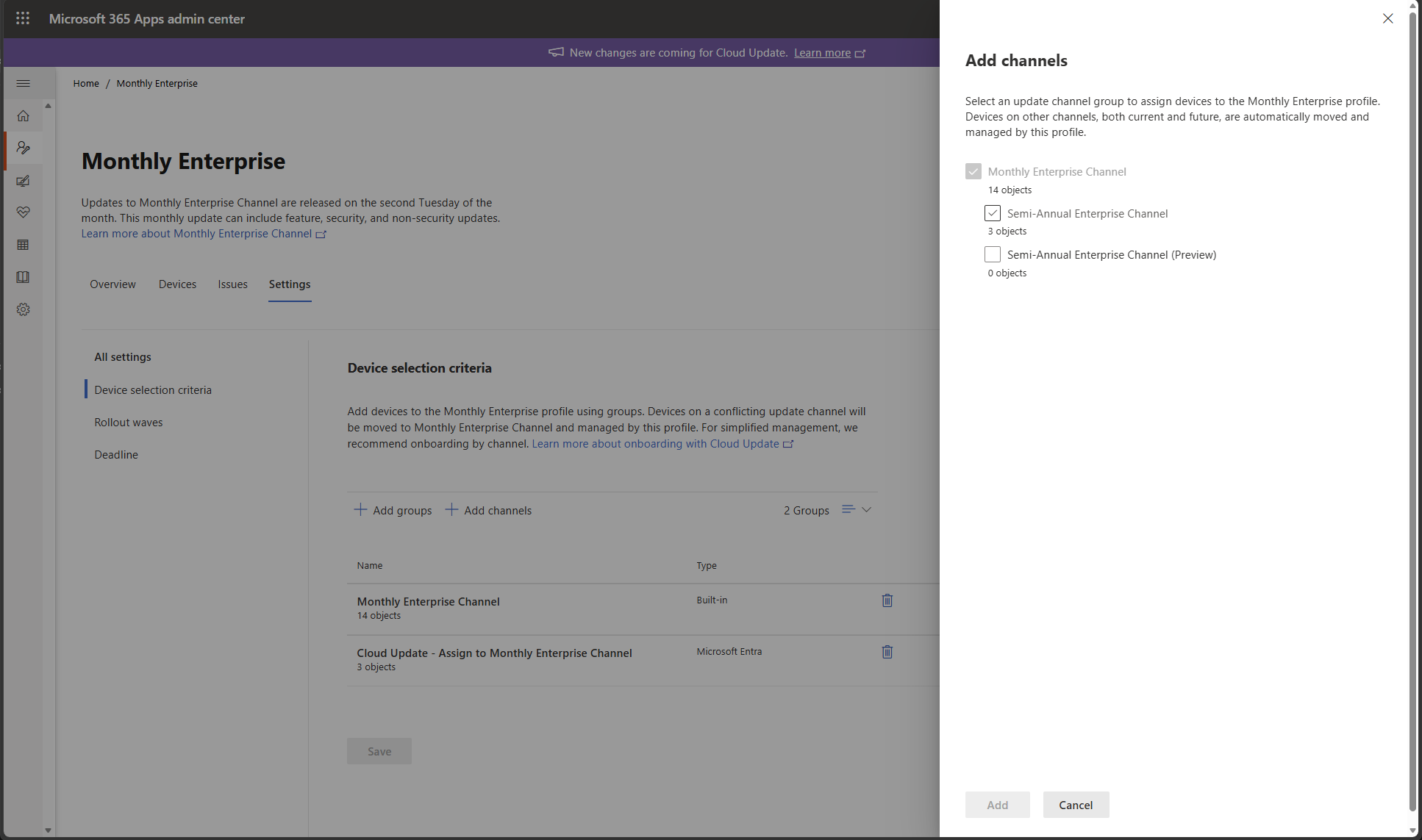
Profiles are now activated through group assignment, giving you a more flexible way to define which devices each profile manages. You can assign profiles by using Microsoft Entra groups or built-in channel groups.
Devices that aren't included in a current assignment, or that are removed from all profile assignments, automatically offboard from cloud update. The automatic offboarding helps keep device management aligned with your intended scope over time.
Device selection criteria is a new profile-level setting that brings profile membership into one place. On this page, you choose the group assignments for each profile. Those assignments determine which devices cloud update manages.
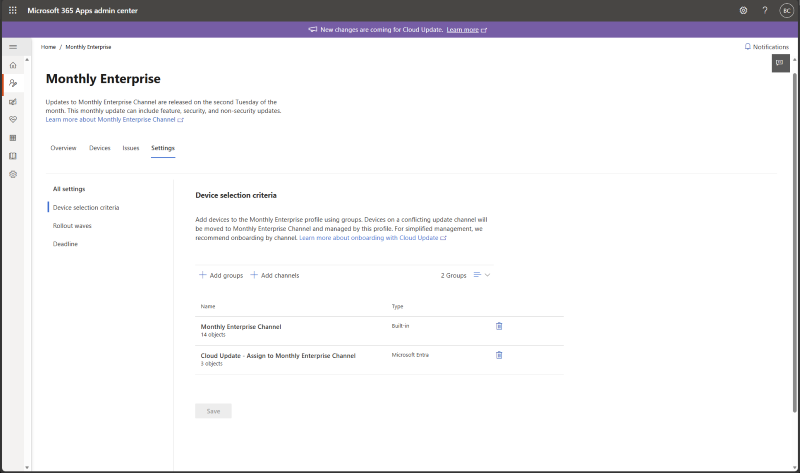
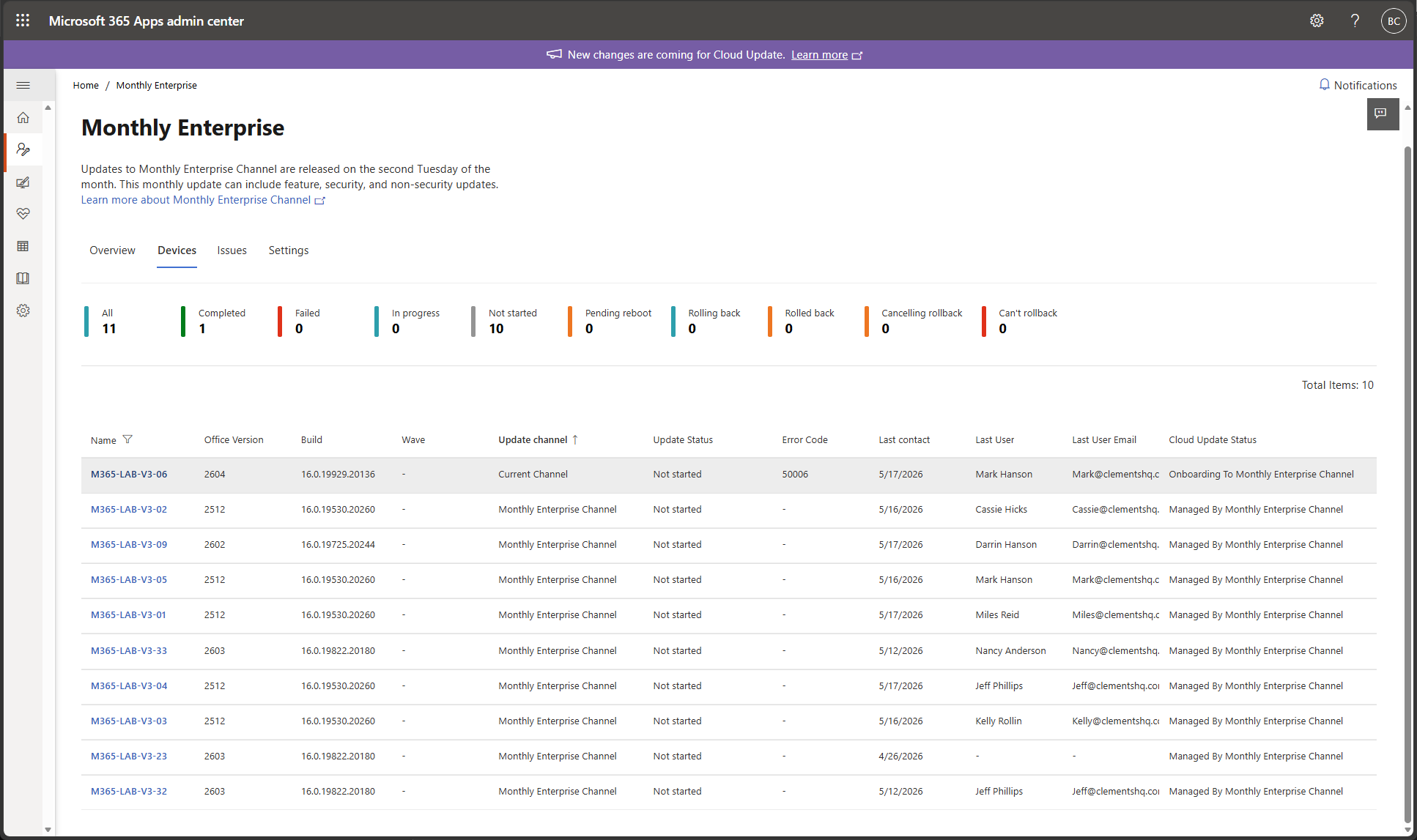
Profile assignment now also determines a device’s update channel. If an assigned device isn't already on the channel associated with the profile, cloud update moves it automatically and delivers ongoing enforcement. Profile assignment replaces the previous Switch device update channel control in Inventory.
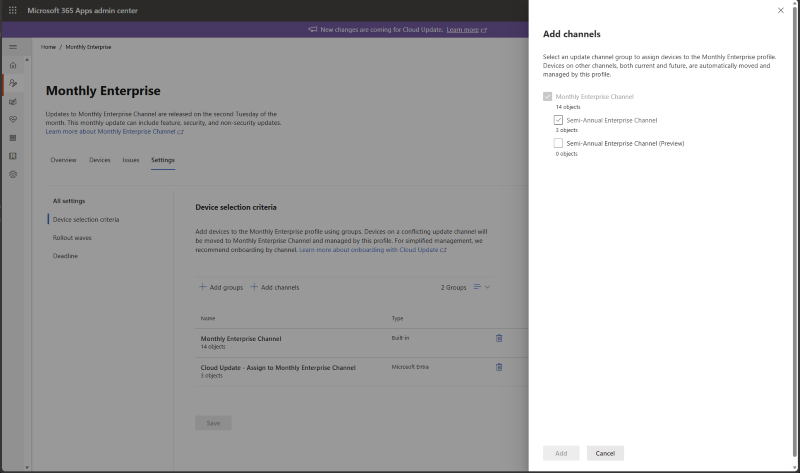
Built-in channel groups make it easier to manage devices at scale. You can use them to quickly onboard all devices on a specific channel and to move devices from one channel to another with ongoing enforcement.
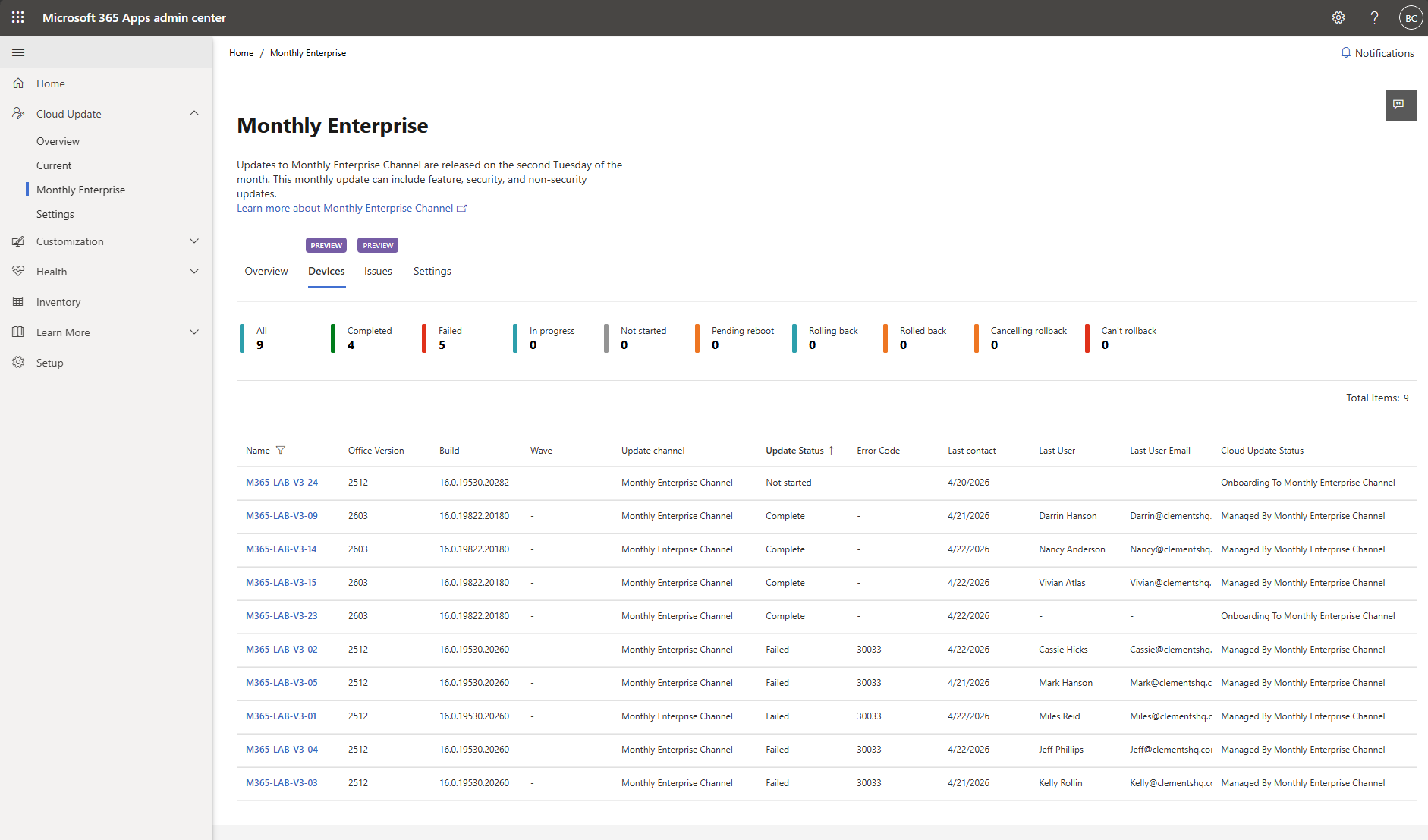
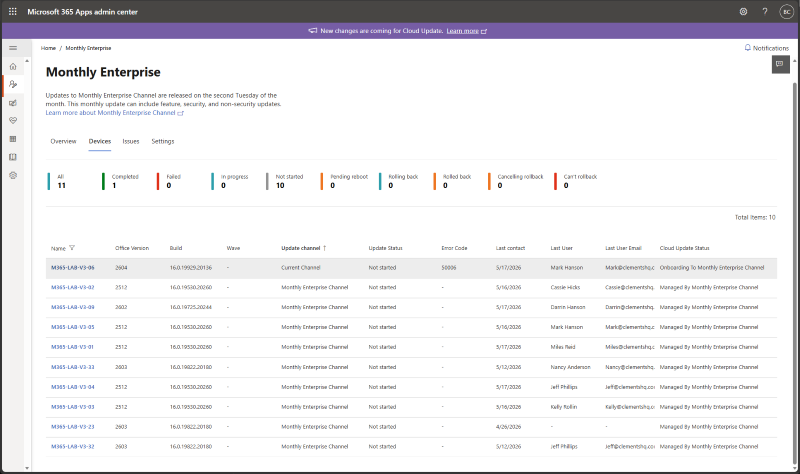
You can now track channel moves from the Devices tab for each profile, making it easier to monitor progress as devices are brought into scope.
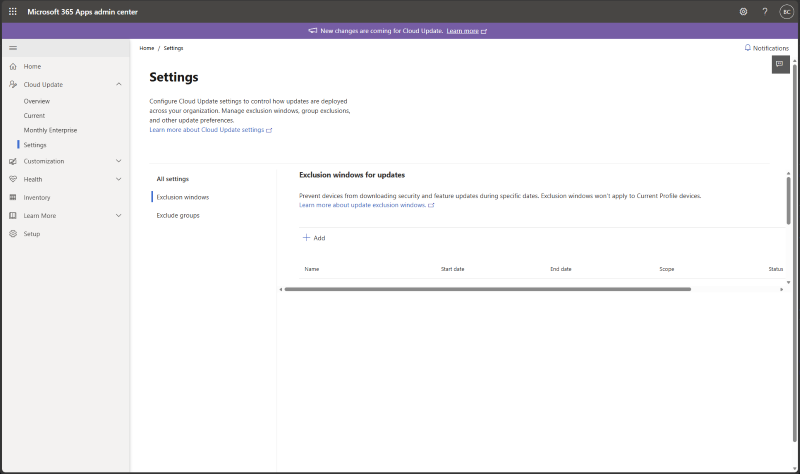
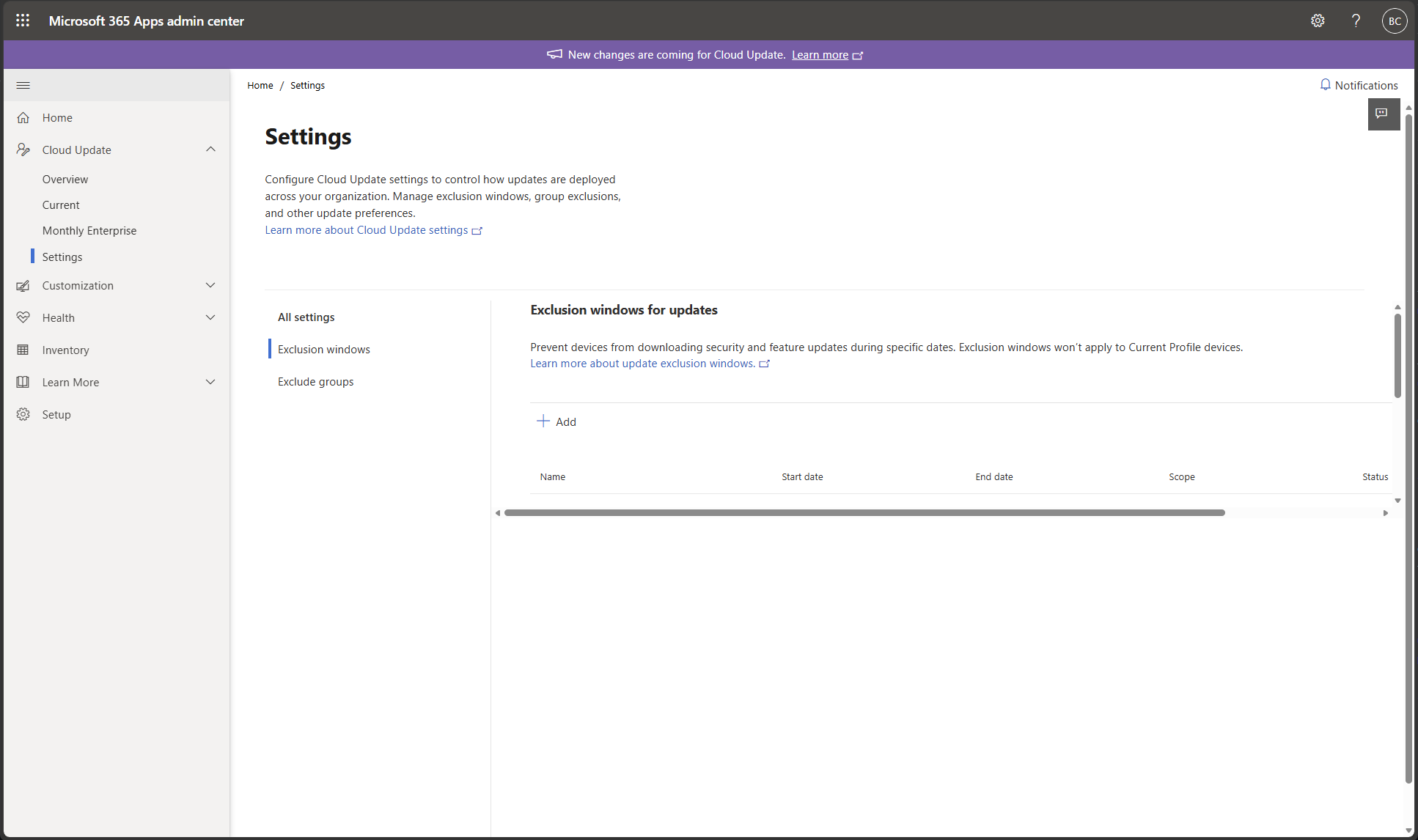
Tenant settings, including exclusion windows and exclude groups, are now available under a dedicated Settings page in the cloud update navigation. The Settings page gives you a more centralized place to manage shared settings across profiles.
What admins can expect
- New cloud update customers: Profiles remain inactive until you assign one or more Microsoft Entra groups or built-in channel groups. Devices aren't brought under management until a profile has an assignment.
- Existing cloud update customers: Existing profiles stay active after the update, and cloud update continues managing devices without extra setup. Each active profile is migrated with its corresponding built-in channel group. Existing exclusions, rollout waves, pause controls, and rollback settings continue to apply.
- Switch device update channel: The Inventory control is removed. To move devices to a different channel, assign a Microsoft Entra group or a built-in channel group to the profile for that channel.
Update Health
Note
This experience is rolling out to customers in May 2026.
Update health is a new feature rolling out for cloud update, designed to make it easier for you to identify and resolve update issues for Microsoft 365 Apps in your organization. While many update problems are temporary and resolve as devices retry automatically, update health helps you quickly spot devices that are repeatedly failing, understand what’s preventing the update from applying, and help resolve these issues to keep your environment secure and compliant.
A new update health card is available on the overview tab for each cloud update profile. This card summarizes update issues for devices managed by the corresponding profile and highlights any active issues that may require attention. This makes it easy to confirm at a glance whether updates are progressing as expected or if a subset of devices are falling behind.
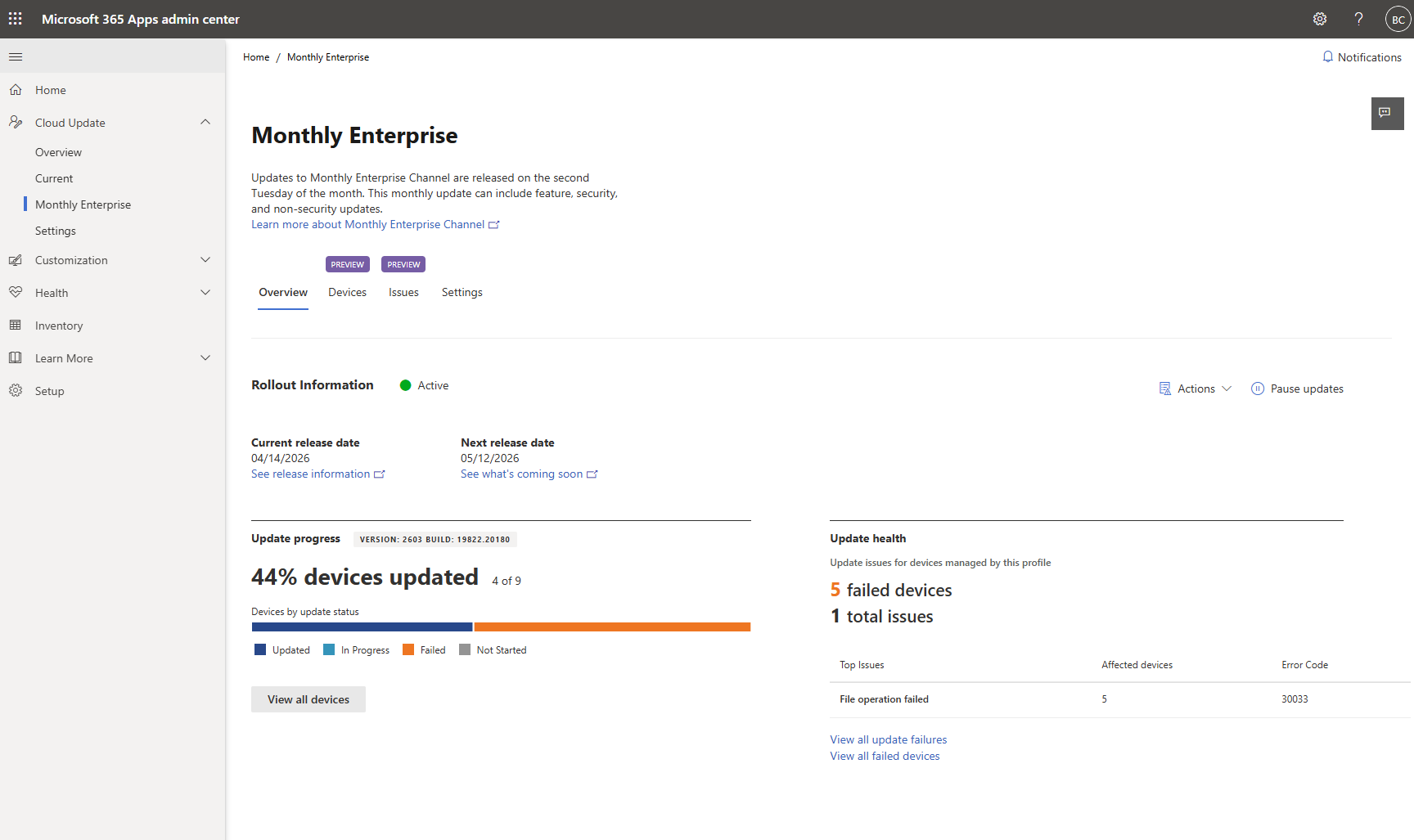
The Issues tab (available for each cloud update profile) provides an aggregated view of update issues detected across devices in that profile. For each issue, you see the number of affected devices, the associated error code, and a description of what the error means, helping you quickly understand impact, identify trends, and prioritize what to fix first. Selecting an issue opens a details pane with the impacted device list, an option to export that list, and a link to our troubleshooting article for Office updates.
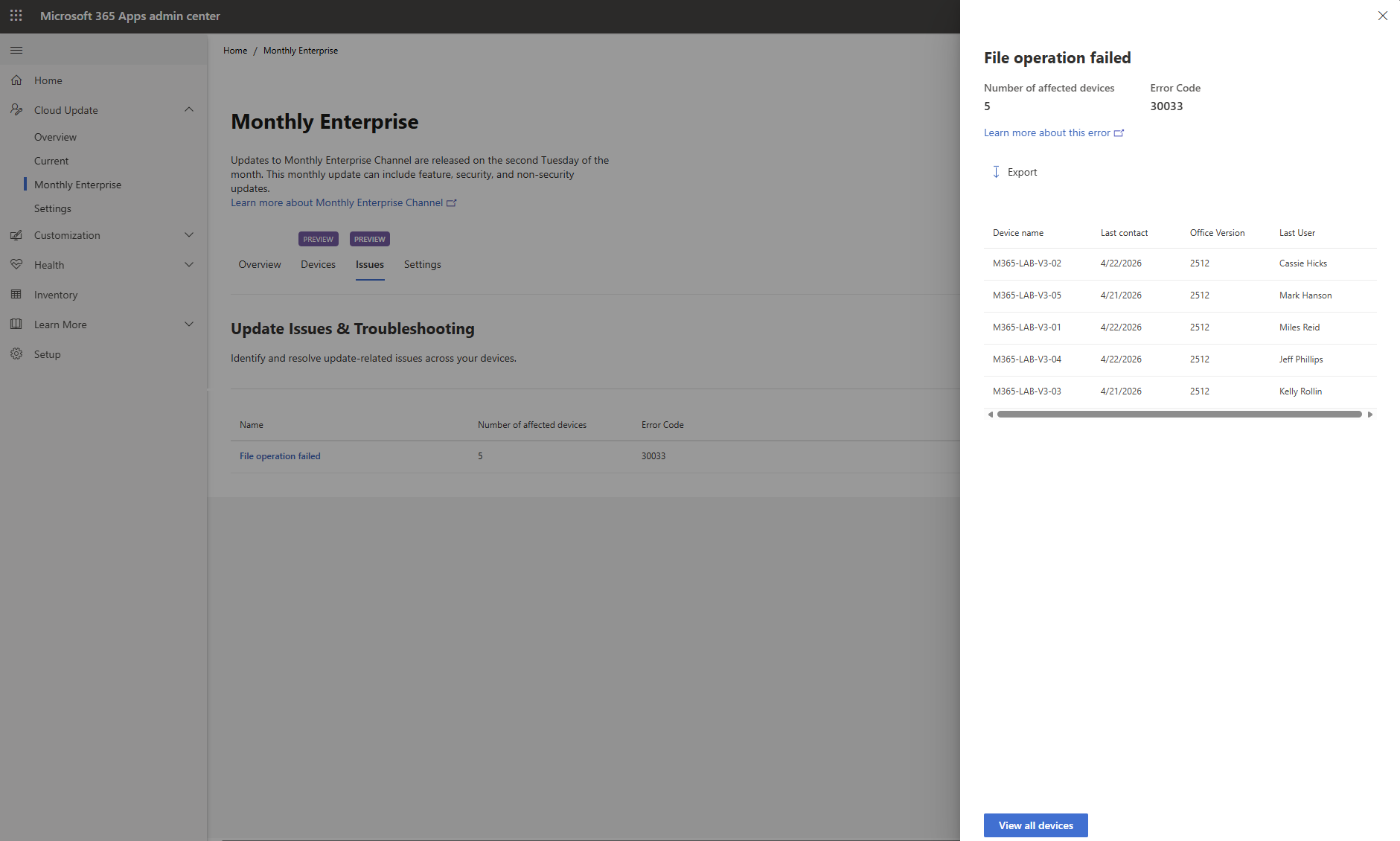
The Devices tab (also available for each profile) provides insights for all managed devices in that profile. It includes sort and filter controls to help you narrow in on what matters most. For example, devices that are on a specific update channel or version, devices that are assigned to a particular rollout wave, or devices that are currently blocked or failing. This makes it easier to validate rollout progress, find outliers, and focus troubleshooting on the right set of devices.