Note
Access to this page requires authorization. You can try signing in or changing directories.
Access to this page requires authorization. You can try changing directories.
Important
Personal sync connectors are currently in preview and available to a limited set of customers.
Personal sync connectors for Microsoft 365 Copilot enable users to access information from external data sources directly within their Copilot experience. Microsoft provides default personal sync connectors that integrate with popular services and tools. While these connectors enhance Copilot's capabilities by extending its knowledge base, organizations might need to control their availability for security, compliance, or governance reasons.
Admins manage personal sync connectors in the Microsoft 365 admin center under Copilot > Connectors, where the connectors appear as Microsoft-enabled sync connectors. The following image shows personal sync connectors in the Your connections list in the Microsoft 365 admin center.

Admins can:
- Control which connectors are available. The connectors are enabled for the tenant by default. An admin can turn a connector off so it no longer appears for users. Disabling a connector entirely stops synchronization and deletes the indexed content for that connector for all users.
- Limit availability to specific Microsoft Entra ID groups by choosing Add staging in the Staged Rollout column.
- View adoption stats for each connector such as how many users connected.
Prerequisites
The connector management capability requires the following prerequisites:
- Administrator role: Global Administrator or AI Administrator permissions
Admin experience and controls
Microsoft-published personal sync connectors are enabled by default for a tenant unless admins disable them. Admins can manage Copilot connectors in the Microsoft 365 admin center by choosing Copilot connectors > Your connections.
Note
Admin review window
When a Microsoft-published personal sync connector first appears in the admin center, it's available only to admins for at least seven calendar days before it's available to users. During this window, admins can:
- Review the connector.
- Disable it if it doesn't meet organizational requirements.
- Configure staged rollout.
If a connector is disabled during this window, it isn't made available to users.
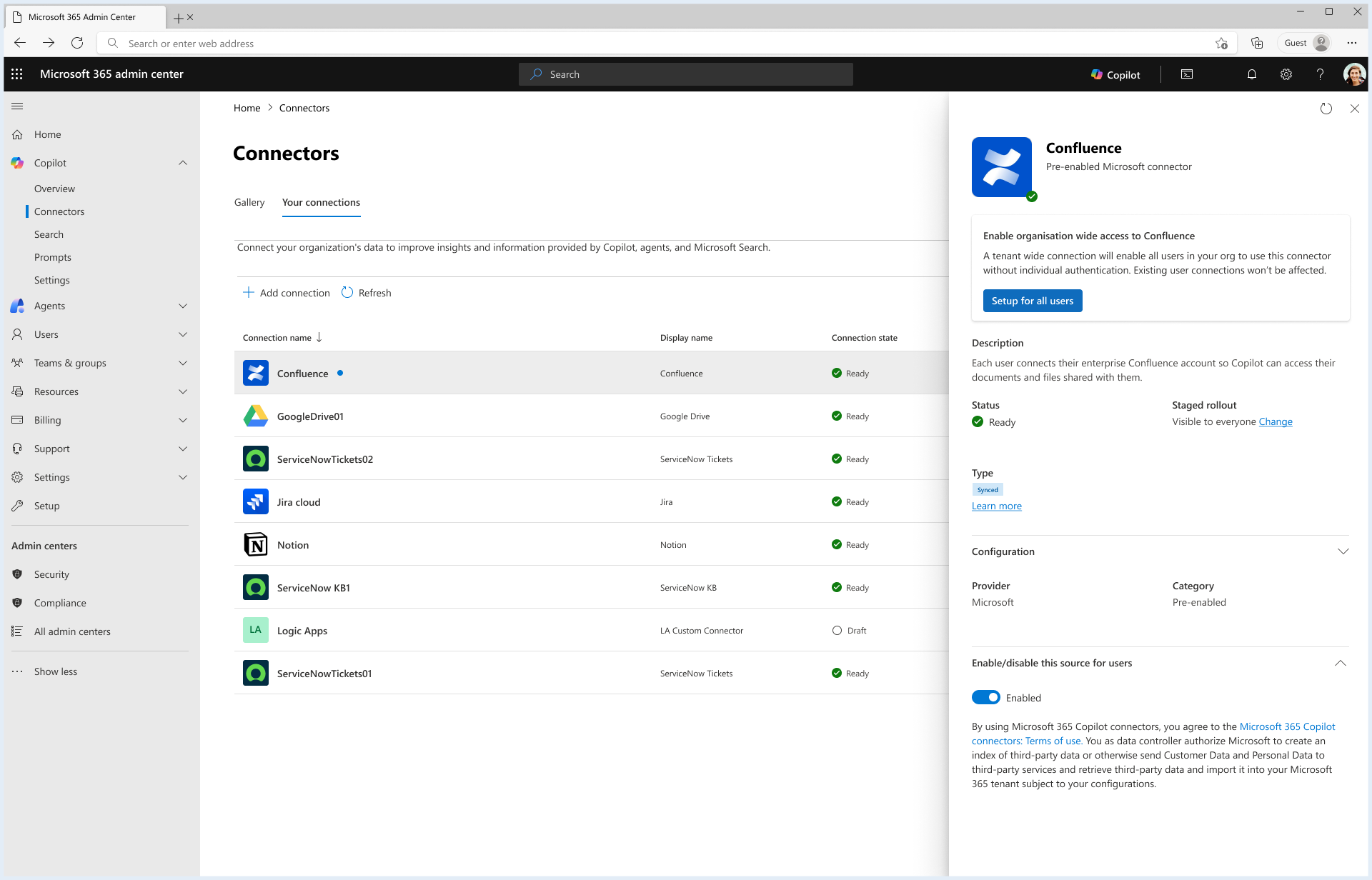
The following image shows the connector pane for the Confluence personal sync connector.
Security and compliance
The following security and compliance features apply to personal sync connectors:
- Connections use the user's own identity, and permissions are enforced by the source system. Users only see content they can already access in the source.
- Authentication uses three-legged OAuth 2.0 (delegated) over encrypted connections. OAuth tokens are stored securely, and the user can revoke access at any time by disconnecting.
- Content is indexed per user with no cross-user access.
- Only content within the connector's lookback window (approximately 90 days) is indexed.
- When a user disconnects or an admin disables the connector, the indexed content is deleted and synchronization stops.
FAQs
How are personal sync connectors different from tenant-configured synced connectors?
Admins configure tenant configuration synced connectors and index data for the whole organization. Users set up personal configuration sync connectors with their own credentials and consent. These connectors synchronize only that user's content, which only that user can retrieve. If both a tenant synced connection and a personal sync connection exist for the same source, Copilot serves results from the tenant connection, and the source appears as a single entry.
Can I use both tenant configured and personal configured sync connectors in my tenant for the same data source?
While both tenant configuration and personal configuration sync connectors can coexist in your tenant, an individual user can only access one of these. For example,
- If a tenant configuration exists for Confluence for all users in your tenant, then no user in the tenant can configure or use the personal connector for Confluence.
- If a tenant configuration exists for Confluence with Staging (or limited rollout), then users who are within the staged rollout of tenant configuration can't use the personal connector for Confluence. Other users who don't have access to the admin-configured connector can use the personal sync connector.
How are personal sync connectors different from federated connectors?
Federated connectors retrieve content live at query time without indexing it. Personal sync connectors synchronize and index content into Microsoft Graph. Both operate at the user level with the user's own credentials.
Why can't Copilot find content I just added?
Newly created or changed items can take up to about 15 minutes to appear because of the incremental sync interval. Content might also be missing if it's outside the connector's scope, older than the lookback window, or still being indexed during the first full sync after you connect.