Note
Access to this page requires authorization. You can try signing in or changing directories.
Access to this page requires authorization. You can try changing directories.
Note
This article describes features used in agents or agent flows powered by the standard harness.
Note
- Create a prompt with Copilot is now Prompt assistant.
- The functionality remains the same.
Prompt builder is the authoring tool for creating AI prompts within Microsoft Power Platform. A better written prompt generalizes well and leads to better outcomes. To help you move faster and reduce the time spent writing prompts from scratch, you can now use prompt assistant to draft your prompts directly within the tool. Prompt assistant provides intelligent suggestions based on your intent, helping you frame effective prompts while applying prompt engineering best practices. Whether you're designing prompts for summarizing data or generating natural language responses, prompt assistant gives you a high-quality starting point aligned with your solution goals.
This feature empowers makers of all skill levels to create reliable and well-structured prompts quickly, accelerating your agent, app, or workflow development. It also helps you focus on business outcomes instead of prompt syntax. You can benefit from a prompt assistant prompt draft on all the prompt builder surfaces.
Use prompt assistant with prompt builder
To access prompt assistant in prompt builder, follow these steps:
Sign in to Copilot Studio, Power Apps, or Power Automate.
Depending on the app you're signed in to, do one of the following:
(Copilot Studio) Select Tools > New tool > Prompt.
(Power Apps or Power Automate) Select AI hub > Prompts > Build your own prompt.
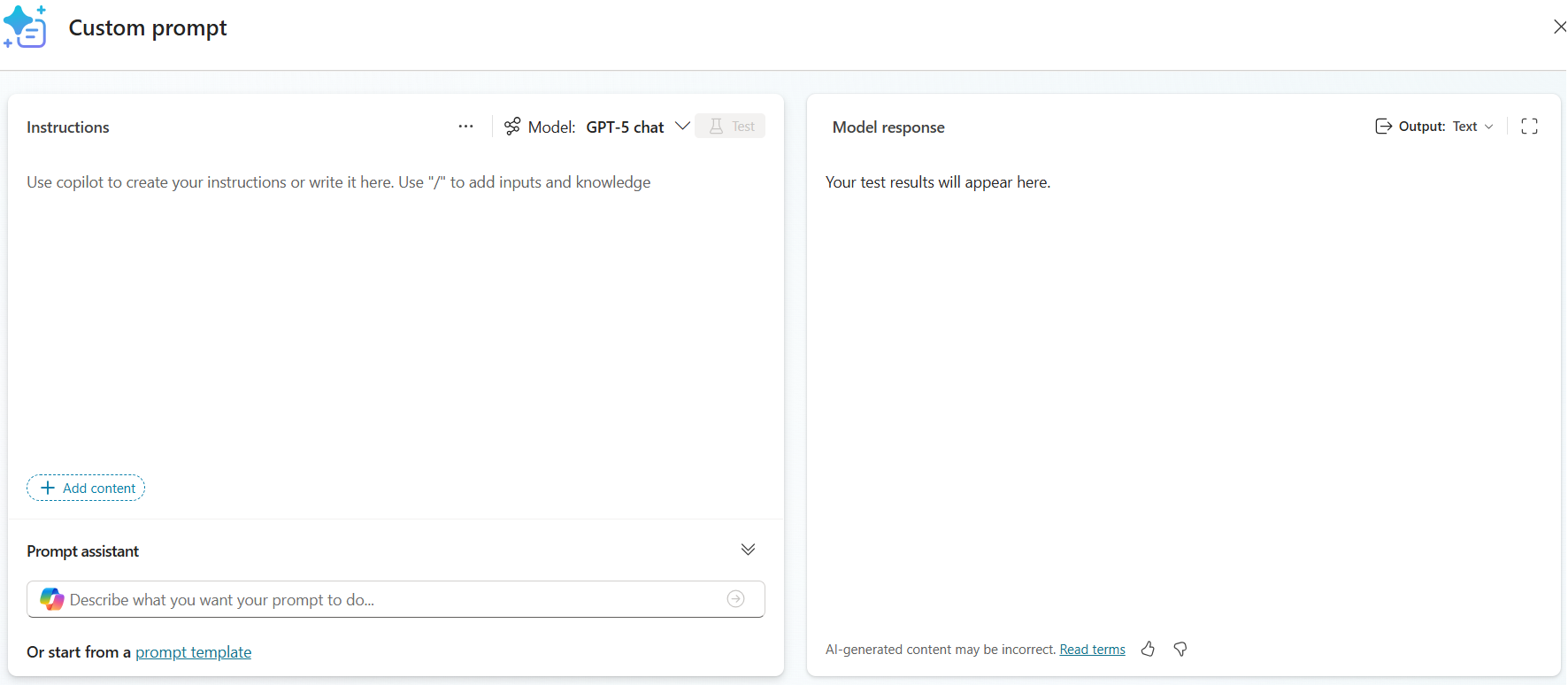
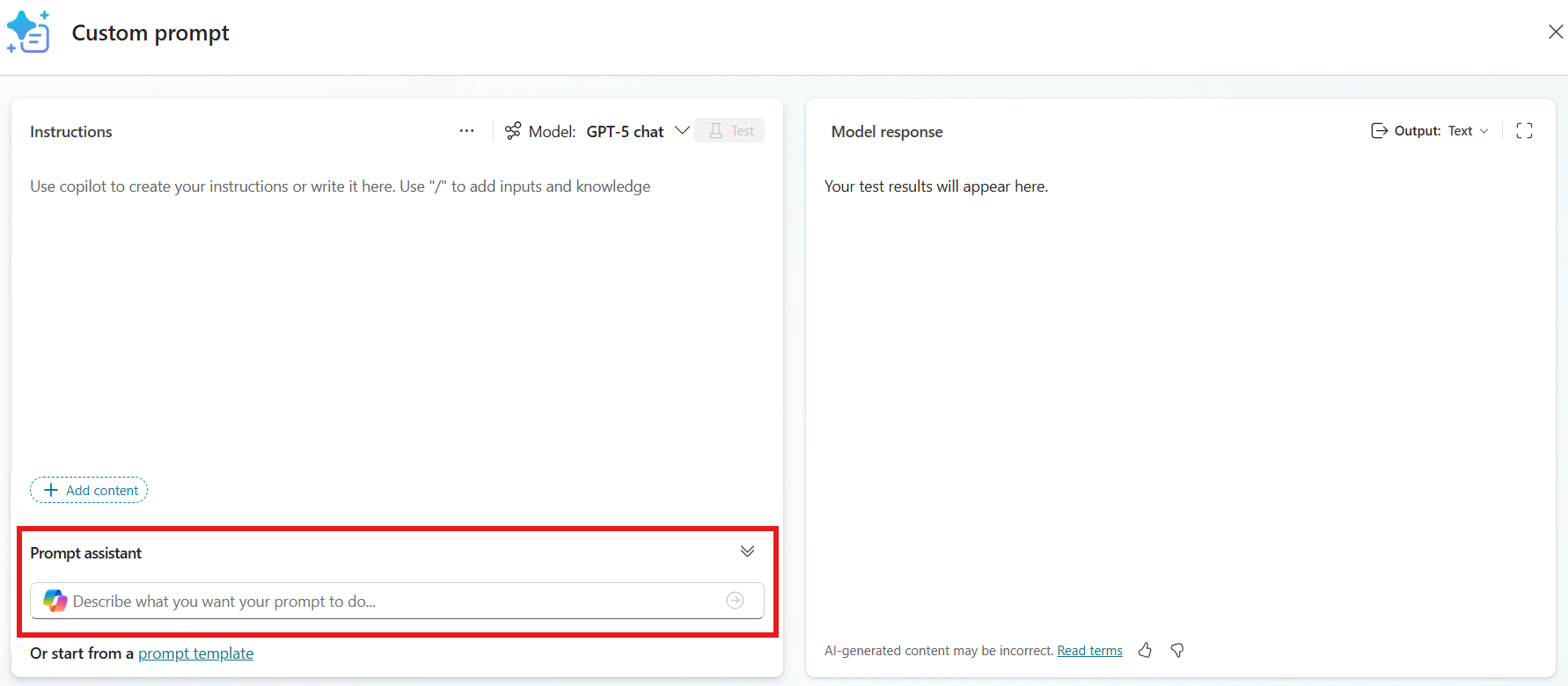
In the Prompt assistant section, type your intent and select Submit.
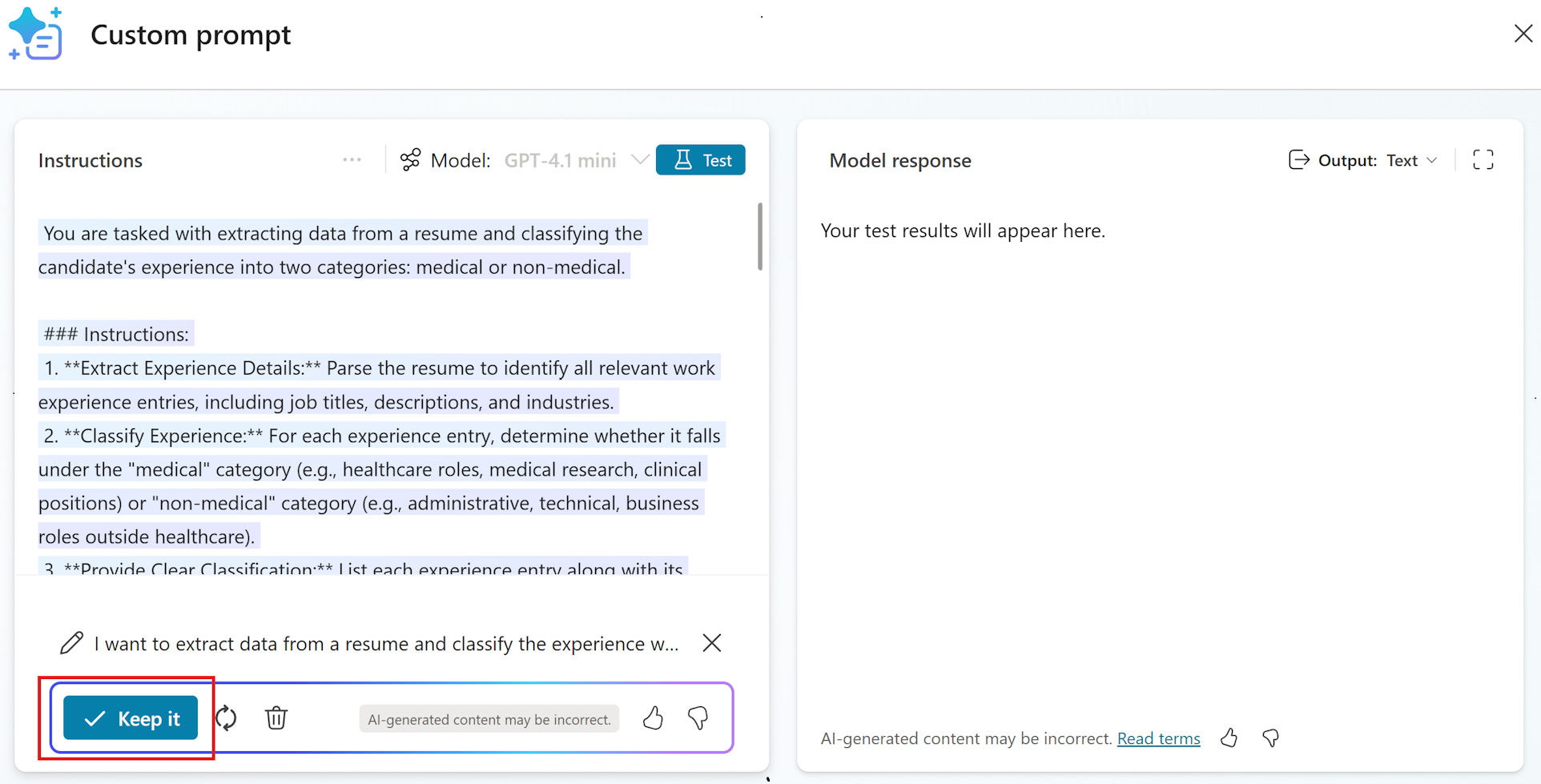
Prompt assistant suggests a draft prompt based on your intent.
Review the suggested prompt and select Keep it.
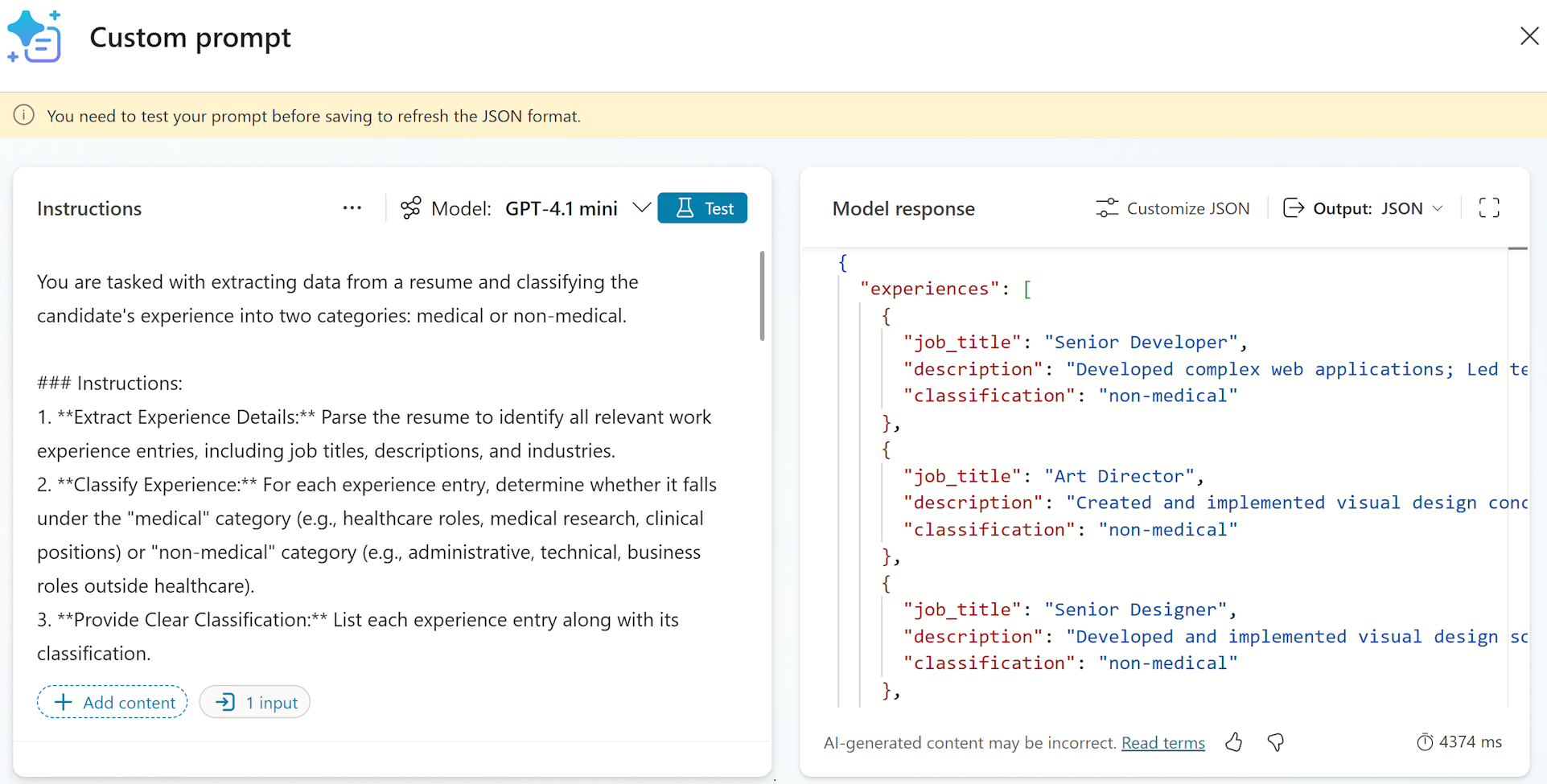
Edit the suggested draft from prompt assistant as per your need, and test the prompt outcomes.
Supported languages
The following list of supported languages for prompts in the prompt assistant feature is subject to be updated:
Arabic, Chinese (Simplified), Czech (Czech Republic), Danish (Denmark), Dutch (Netherlands), English (United States), Finnish (Finland), French (France), German (Germany), Greek (Greece), Hebrew, Italian (Italy), Japanese (Japan), Korean (Korea), Norwegian (Norway), Polish (Poland), Portuguese (Brazil), Russian (Russia), Spanish (Spain), Swedish (Sweden), Thai (Thailand), Turkish (Türkiye)
GPT model used
When you describe what you want your prompt to do using prompt assistant, the default GPT model is used. This default model is subject to change. Learn more in Model version and settings.
If you select Keep it, then choose another GPT model and select Test. The selected GPT model is used for your test.
FAQ
This section contains frequently asked questions and their answers.
Can the prompt assistant feature generate grounded prompts?
Prompt assistant can't generate grounded prompts yet.
Can the prompt assistant feature improve my own draft?
Prompt assistant can't improve an existing prompt. It can only be used in generating new drafts.
What happens if I write my prompt description in a language that the prompt assistant feature doesn't support?
If you enter text in a language that isn't supported, prompt assistant defaults to English for both instructions and the generated output.
What are the description length requirements in the prompt assistant feature?
When submitting what you want your prompt to do in the prompt assistant feature, your description must be between four (4) and 500 characters.