Note
Access to this page requires authorization. You can try signing in or changing directories.
Access to this page requires authorization. You can try changing directories.
Important
As of October 2026, this content is archived and no longer maintained. Information on this page may not reflect the latest product plans, features, or guidance. For current roadmap information across Dynamics 365, Power Platform, Dataverse, Microsoft 365, and Copilot, visit the roadmap. Continue to use Microsoft Learn for authoritative product guidance and documentation.
| Enabled for | Public preview | General availability |
|---|---|---|
| Admins, makers, marketers, or analysts, automatically | - |  May 26, 2025 |
Business value
You can save time when you get help from Copilot to fix a cloud or agent flow save error. With the time you save, you can focus on building instead of troubleshooting.
Feature details
Diagnosing save or publish errors can disrupt your workflow. To help with this disruption, Microsoft is bringing its proven runtime troubleshooting experience to design time.
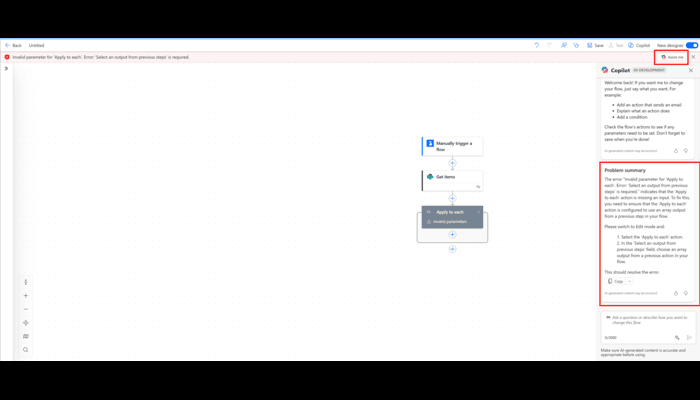
When you save or publish a flow, whether you're building an agent flow in Microsoft Copilot Studio or a cloud flow in the Power Automate portal, Copilot is just a click away. If an error occurs, an Assist me button appears in the message bar. Select the button to open the Copilot pane, where Copilot reviews your flow and the error details. It gives you clear, step-by-step guidance to resolve the issue so you can get back to building faster.
Geographic areas
Visit the Explore Feature Geography report for Microsoft Azure areas where this feature is planned or available.
Language availability
Visit the Explore Feature Language report for information on this feature's availability.
Related content
Troubleshoot a cloud flow (docs)