Note
Access to this page requires authorization. You can try signing in or changing directories.
Access to this page requires authorization. You can try changing directories.
Microsoft Engage Center Learning offers WorkshopPLUS, an in-depth, expert-led service that helps you learn more about your Microsoft technologies. Schedule these in-person or remotely, or view them later.
There are two types of WorkshopPLUS offerings: closed and open. Closed WorkshopPLUS title is delivered for a specific customer as a private event for their organization. Open WorkshopPLUS title is delivered to participants who may be from different organizations.
These services may be recommended to you in your proactive recommendations or can be viewed in the Microsoft Engage Center Learning.
Find scheduled WorkshopPLUS titles
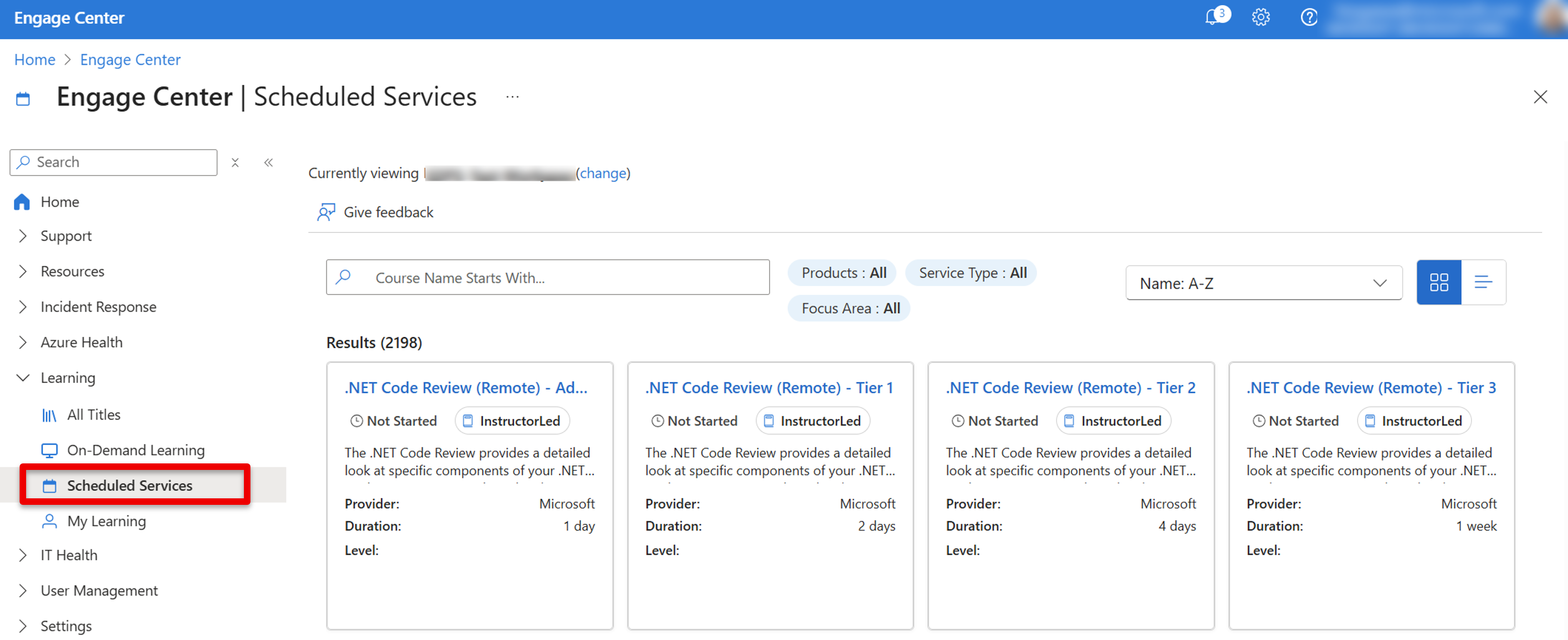
From the left navigation menu, locate the Learning section, then select the Scheduled Services tab.
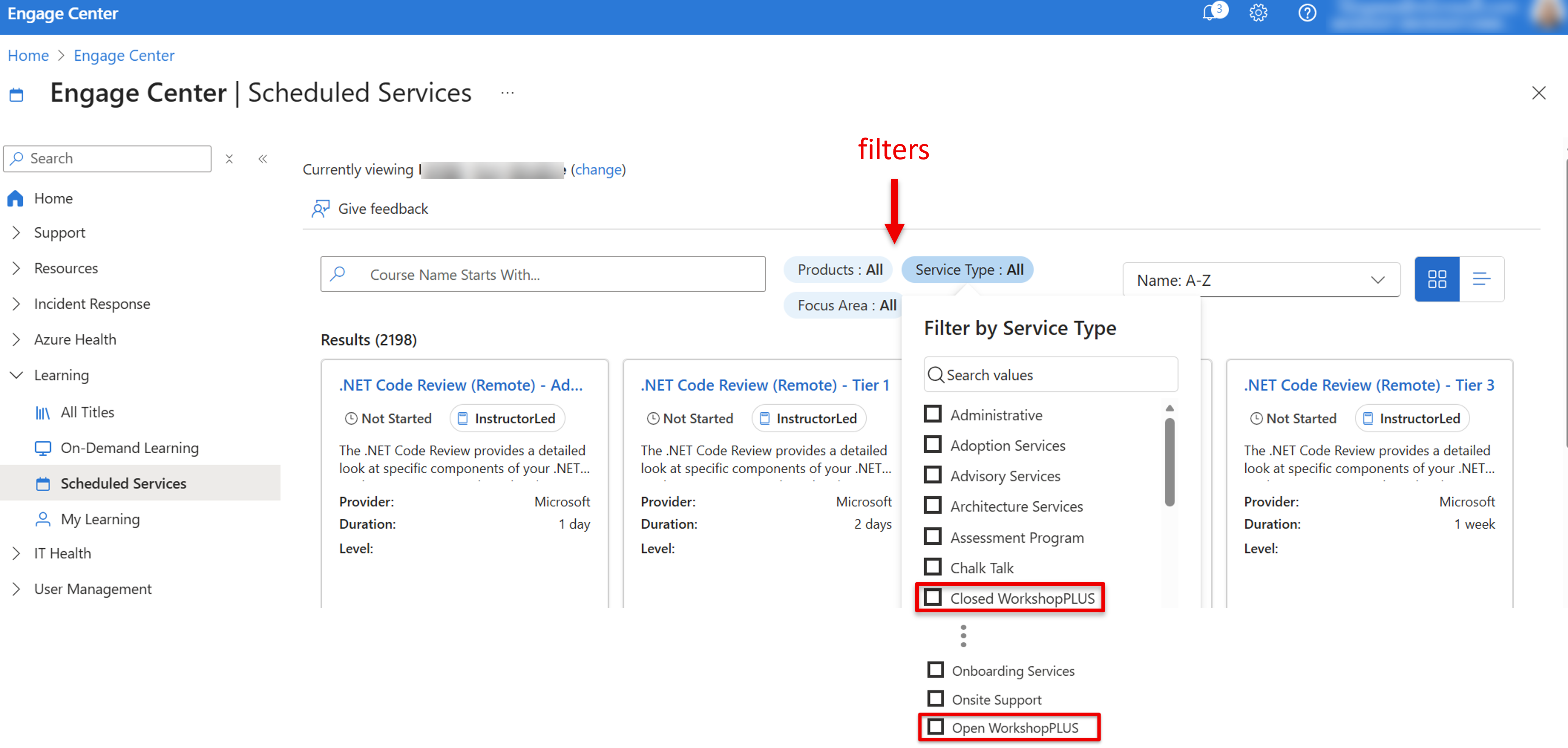
You can filter Service Type by Closed WorkshopPLUS and/or Open WorkshopPLUS to view WorkshopPLUS courses. You can also filter by product and focus area to discover what's relevant to you.
Schedule your WorkshopPLUS
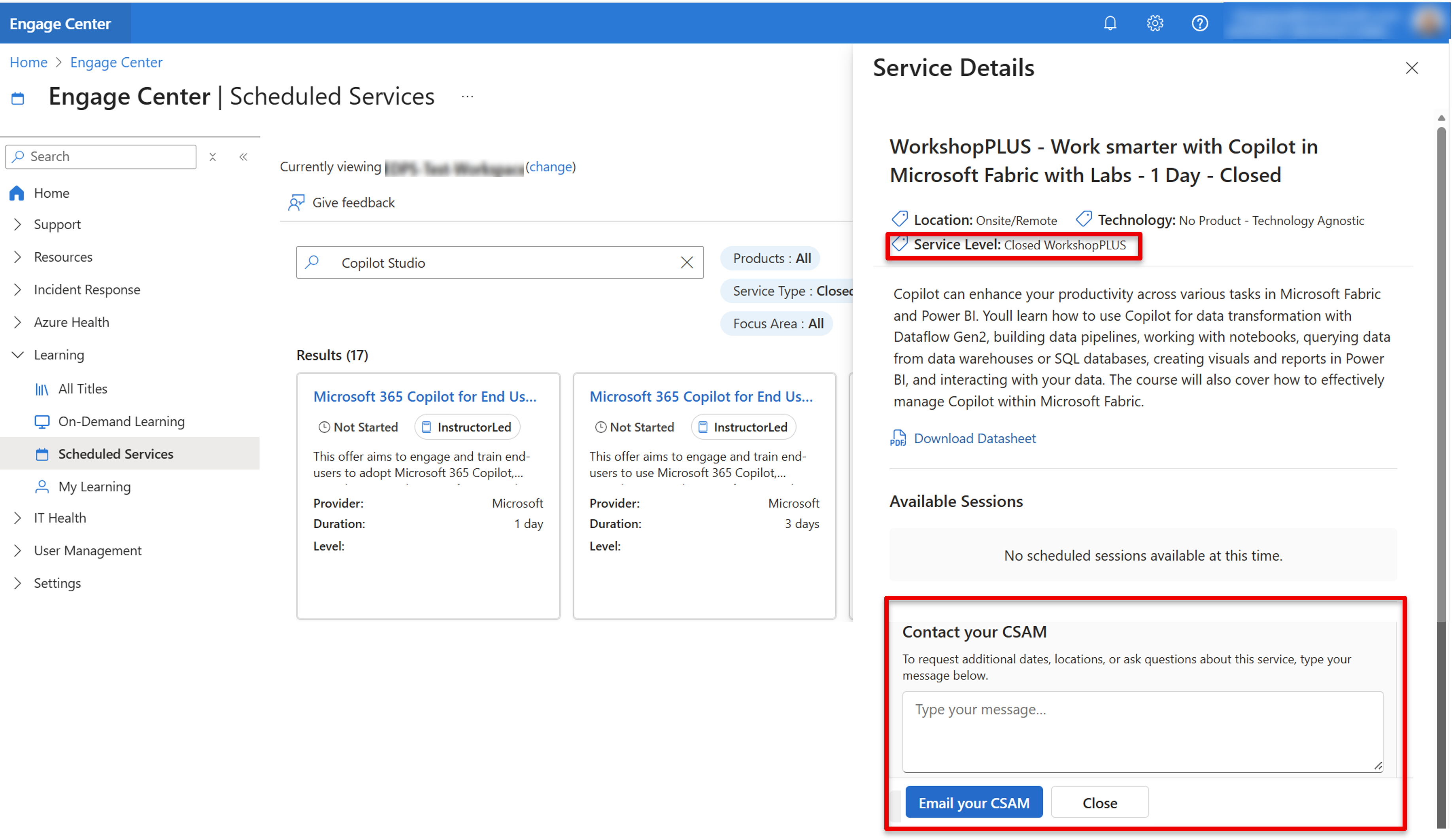
Select the title of the WorkshopPLUS you are interested in. You can view the course descriptions, timing, and formats. You can also download a datasheet.
To request enrollment for a WorkshopPLUS, type your message in the Contact your CSAM message box and select the Email your CSAM button.
Prepare for WorkshopPLUS sessions with hands-on labs
If your WorkshopPLUS sessions include hands-on labs, we recommend you visit Unlock your WorkshopPLUS hands-on lab experience to learn how to access labs and redeem training keys. The process helps you enjoy seamless entry to your labs and maximize the value of your WorkshopPLUS training.