Note
Access to this page requires authorization. You can try signing in or changing directories.
Access to this page requires authorization. You can try changing directories.
Applies to:  SQL Server
SSIS Integration Runtime in Azure Data Factory
SQL Server
SSIS Integration Runtime in Azure Data Factory
This document focuses on the best practices to use existing SSIS packages to work with Data warehouse in Fabric platform.
Introduction
Microsoft Fabric is a comprehensive analytics platform that covers every aspect of an organization’s data estate. One of its key experiences is Fabric Data Warehouse, which serves as a simplified SaaS solution for a fully transactional warehouse. It stores data in OneLake using an open format called Delta Parquet, ensuring that data can be accessed by other experiences within Fabric and other client applications that connect using SQL drivers.
Microsoft Fabric, as an analytics platform, exclusively supports authentication through Microsoft Entra ID for users and Service Principals (SPNs). This deliberate choice ensures centralized and identity-based security, aligning with modern security practices. So, SQL authentication and other authentication methods aren't supported in Fabric Data Warehouse within the Fabric ecosystem.
Integration with Fabric Data Warehouse
Microsoft SQL Server Integration Services (SSIS) is a component of the Microsoft SQL Server database that is an ETL solution. SSIS is widely used by enterprise customers to perform ETL on premises by many customers.
Two key modifications are required in SSIS package to work seamlessly with Fabric Data Warehouse, outlined as follows.
Authentication
If you're using SQL Authentication or Windows Authentication, reconfigure it to utilize Microsoft Entra ID User or Service Principal Name (SPN). Keep in mind that if you’re using a User account, multifactor authentication (MFA) must be disabled, as SSIS doesn't support pop-up prompts. It also needs respective drivers as mentioned below:
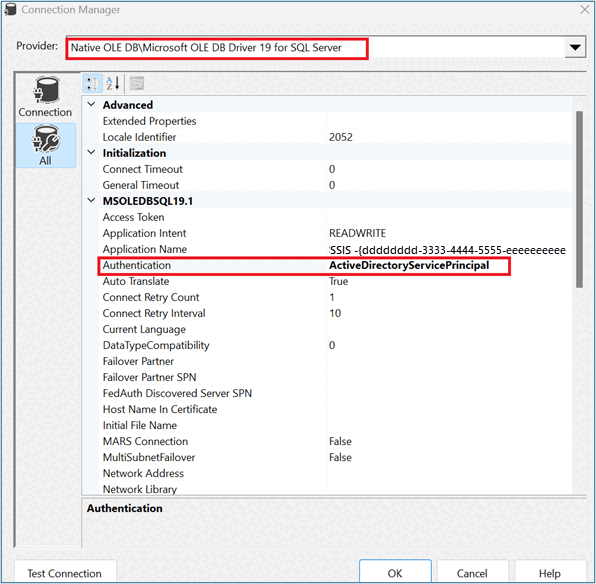
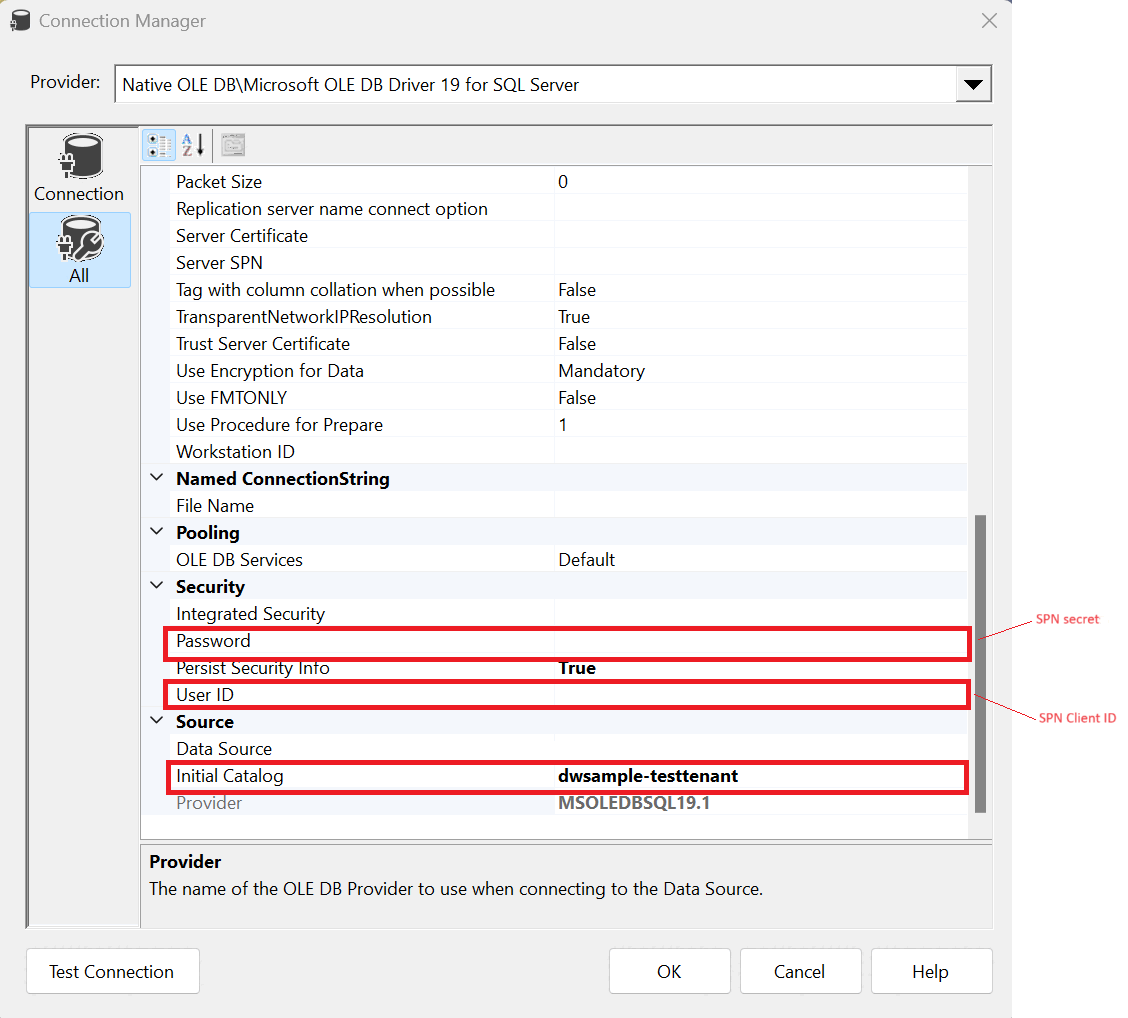
To use OLEDB connection manager:
- Install OLE DB Driver for SQL Server version that supports Microsoft Entra ID
- Set Authentication to ActiveDirectoryServicePrincipal or ActiveDirectoryPassword.
- OLEDB only works for Execute SQL Task, doesn't work for OLE DB Destination.
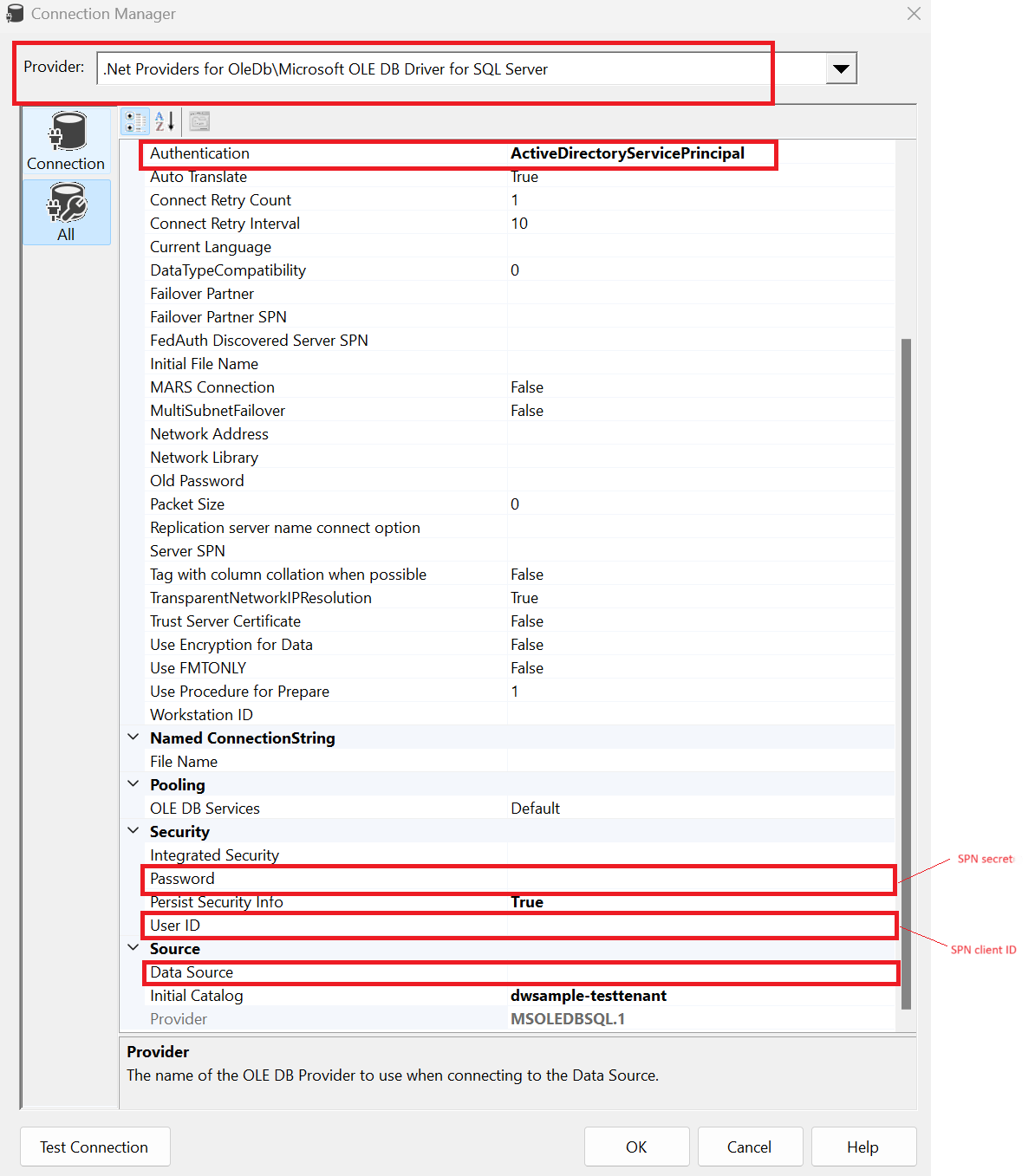
To use ADO.NET connection manager:
- Use Microsoft OLE DB provider for SQL Server for .NET Framework Data Provider for OLE DB.
- Set Authentication to ActiveDirectoryServicePrincipal or ActiveDirectoryPassword.
File ingestion
The Fabric Data Warehouse recommends utilizing the native T-SQL command ‘COPY INTO’ for efficient data insertion into the warehouse. So, any DFT operations that currently rely on Fast Insert Mode or BCP IN scripts should be replaced with the COPY INTO statement by utilizing Execute SQL Task.
SSIS writing data into Data Warehouse in Fabric
It's a common ETL scenario where data is read from different sources like transactional databases, network file shares, local/network etc., perform transformation steps and write back to a designated DW like a SQL server, synapse dedicated pool or any other SQL compliant data store (like shown below in the diagram).
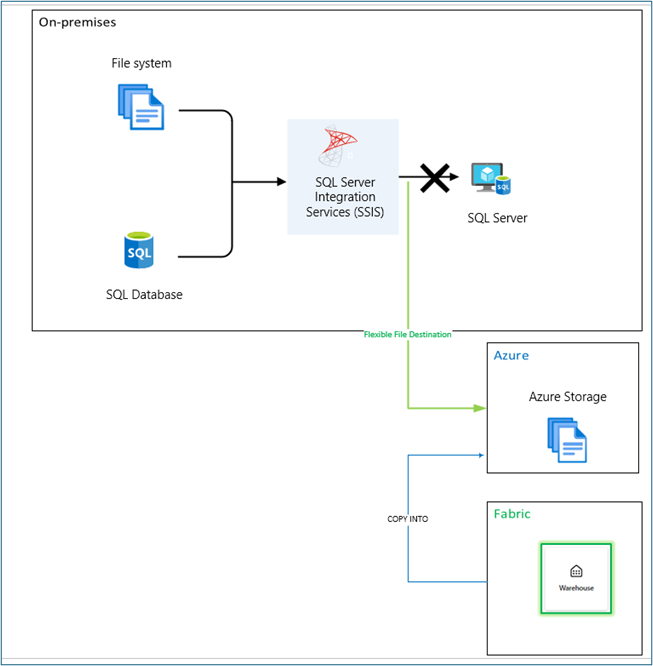
In order to make same SSIS package to write to Fabric Data Warehouse, First, update the authentication to Microsoft Entra ID based if not already used. Second, temporarily stage the data in an ADLS Gen2. Then pass the path to COPY INTO command in Execute SQL Task.
Flexible File Destination component enables an SSIS package to write data to Azure Data Lake Storage Gen2 (ADLS Gen2). Inside Data Flow task, after loading and transformation, add a Flexible File Destination, in which you can define destination file name and location in ADLS Gen2.


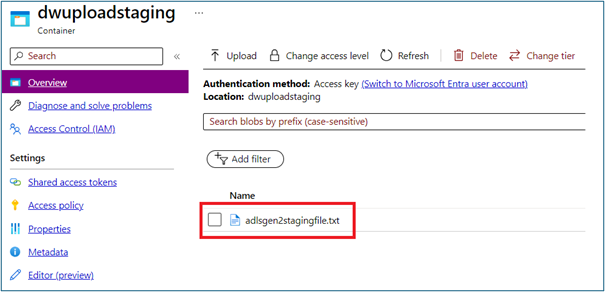
Data landed in Azure Data Lake Storage (ADLS) Gen2 can be ingested into Warehouse using COPY statement directly via Execute SQL Task.
For example:
COPY INTO <table_name>
FROM 'https://<Your_storage_account>.dfs.core.windows.net/<folder>/'
WITH (
    FILE_TYPE = 'CSV',
    CREDENTIAL=(IDENTITY= 'Storage Account Key', SECRET= '<Your_account_key>'),
    FIELDQUOTE = '"',
    FIELDTERMINATOR=',',
    ROWTERMINATOR='0x0A',
    ENCODING = 'UTF8'
)

More detail instructions refer to Ingest data into your Warehouse using the COPY statement.
Known limitations
Fabric data Warehouse supports a subset of T-SQL data types and not all T-SQL all commands are currently supported. Your packages might be failed due to unsupported features. For details, please check Data types in Warehouse and T-SQL surface area.
References
T-SQL surface area - Microsoft Fabric | Microsoft Learn
Options to get data into the Lakehouse - Microsoft Fabric | Microsoft Learn
Ingesting data into the warehouse - Microsoft Fabric | Microsoft Learn