Exercise – Use rules and automate agent management
In this exercise, you learn how to use Agent Management Rules to apply governance and lifecycle controls across AI agents at scale using bulk administrative actions. Instead of manually reviewing and taking action on agents individually, you can use these rules to streamline management. Running these rules helps maintain compliance, ownership accountability, and deployment consistency across agents.
By default the following rules are available for governance:
Install Microsoft agents
Reassign ownerless agents created with Agent Builder to manager
Block agents that are confirmed compromised
For more information on these rules, see Agent Management Rules documentation.
Before you run these rules, you must:
Identify agents that meet the defined conditions
Review the impacted agents
Apply governance actions to affected agents in bulk
Run the agent management rule
In this task, you run the rule to reassign ownerless agents created with Agent Builder to a manager.
Go to Microsoft 365 admin center.
In the left navigation pane, select Agents > Settings.
Select Agent management rules.
Select Reassign ownerless agents created with Agent Builder to manager rule.
In the Pending agents tab, review the agents that meet the rule conditions and are updated by the rule.
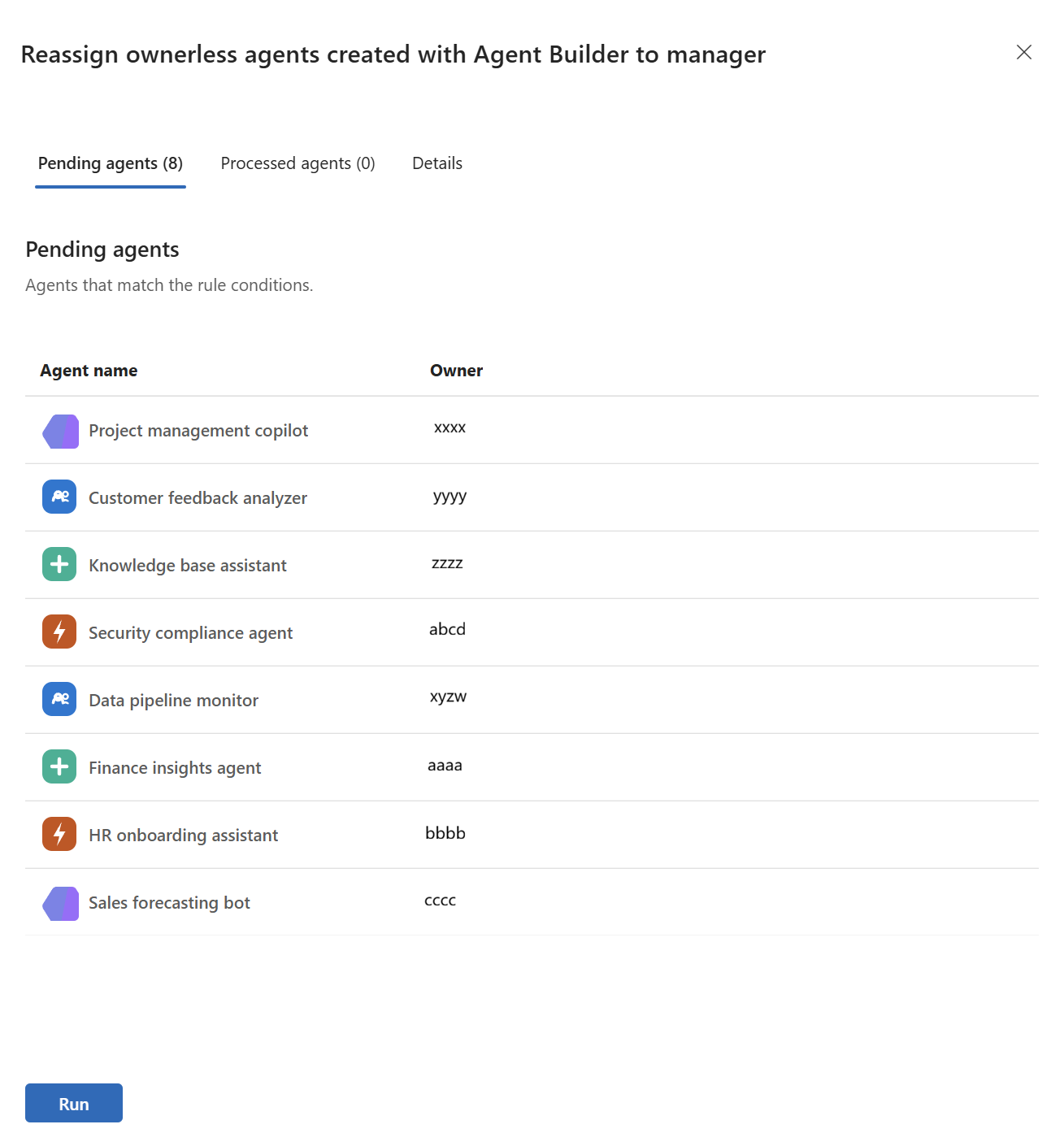
Select Run.
Select the Processed agents tab to view the agents that were assigned to a manager as the owner.
