Configure GitHub notifications
Github.com notifications provide updates about the activity that you've subscribed to. You can use the notifications inbox to customize, triage, and manage your updates.
You can choose to subscribe to notifications for:
- A conversation in a specific issue, pull request, or gist.
- All activity in a repository or team discussion.
- CI activity, such as the status of workflows in repositories set up with GitHub Actions.
- Repository issues, pull requests, releases, security alerts, or discussions (if enabled).
By default, you automatically watch all repositories you create and own by your personal account and subscribe to conversations when you have:
- Not disabled automatic watching for repositories or teams you've joined in your notification settings.
- Been assigned to an issue or pull request.
- Opened a pull request, issue, or created a team discussion post.
- Commented on a thread.
- Subscribed to a thread manually by clicking Watch or Subscribe.
- Had your username @mentioned.
- Changed the thread's state by closing an issue or merging a pull request.
- Had a team you're a member of @mentioned.
Tip
To unsubscribe from conversations, you can change your notification settings or directly unsubscribe or unwatch activity on GitHub.com. For more information, see "Managing your subscriptions."
Notification settings
Click on the notification icon in the upper-right corner of any page.
Click on the notification settings under the list of repositories in the left sidebar.
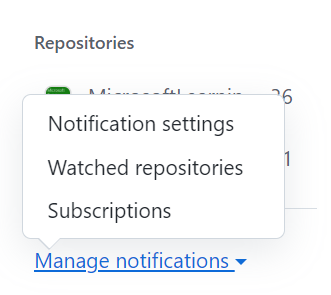
On the notifications settings page, choose how you receive notifications.
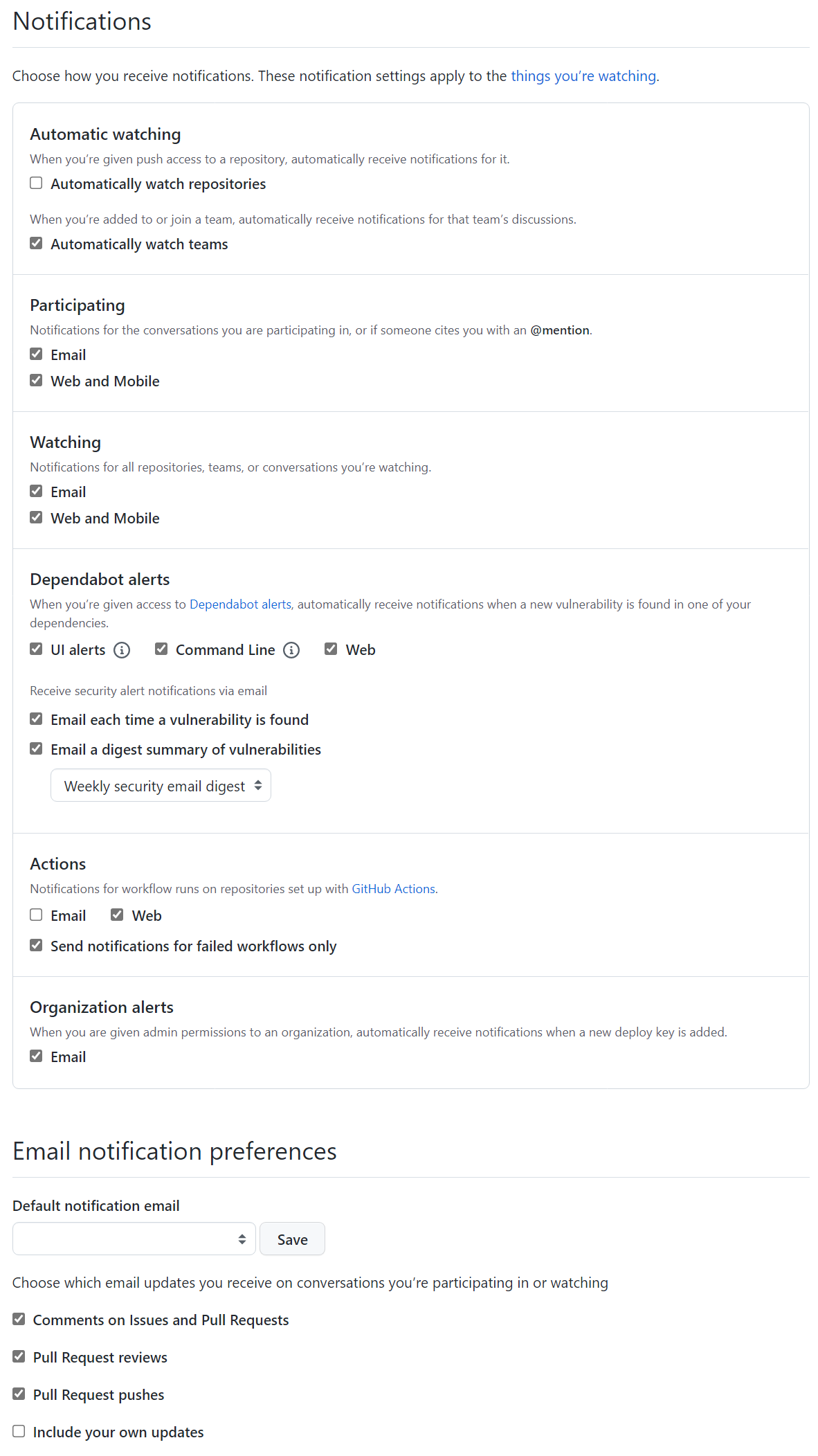
Note that, from this page, you can configure notifications for GitHub Actions using GitHub and email channels. By default, they are generated for failed workflows only, but you have the option of including successful ones or disabling them altogether.
For more information, see: