Deploy Azure Container Registry with geo-replication
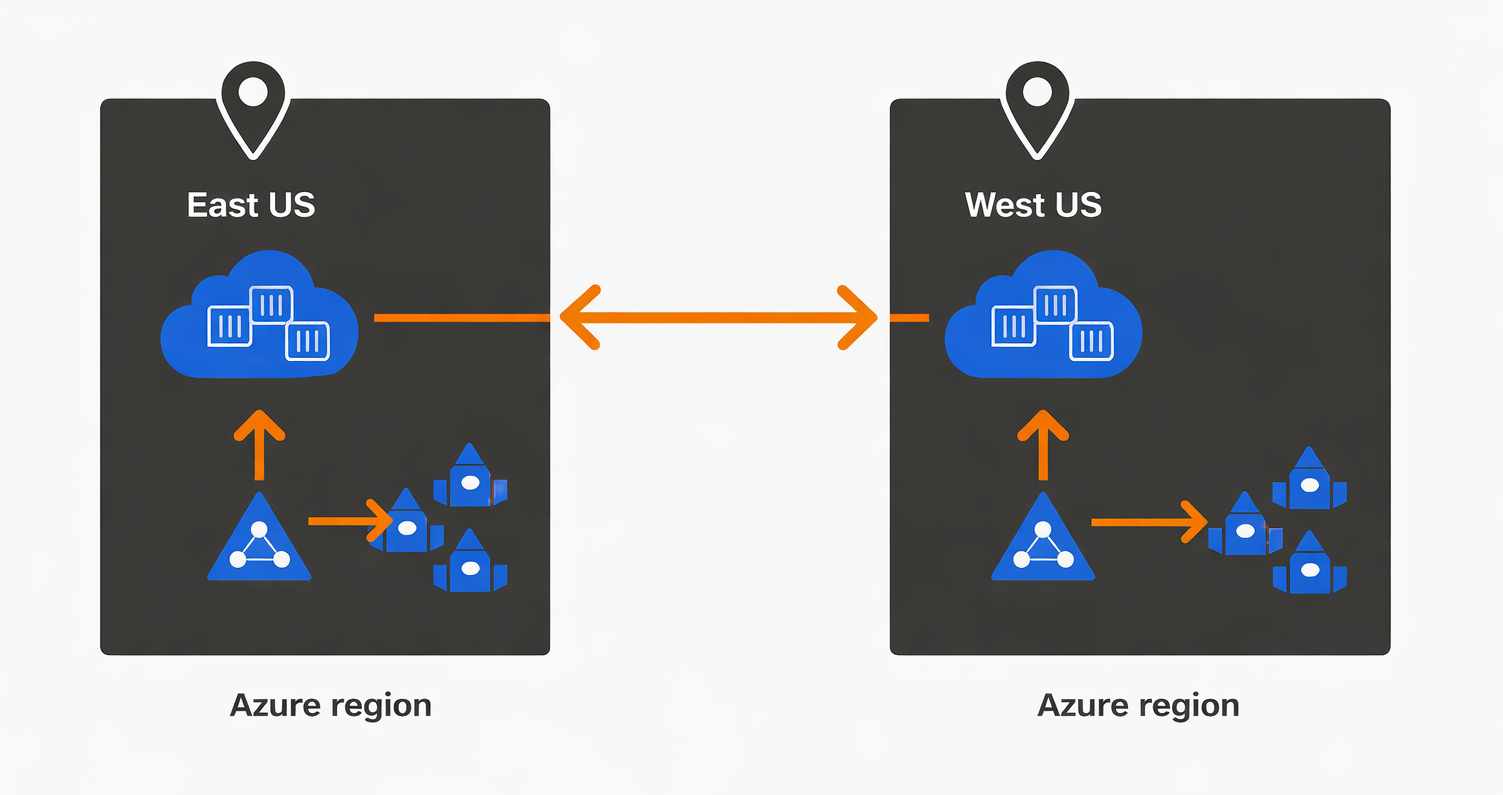
AI models deployed for inference typically run inside Docker containers that package the model files, runtime dependencies, and serving infrastructure into a portable unit. When your Microsoft Foundry compute clusters need to deploy these containers, they pull the images from Azure Container Registry (ACR) over the network. In a single-region deployment, compute clusters in East US pull container images from an ACR instance also in East US with latencies around 10-15 milliseconds. However, this changes when you deploy a secondary hub in West US for failover—if that West US hub tries to pull images from the East US registry during a regional outage, the pulls fail completely because the registry is unavailable.
Geo-replication solves this problem by automatically synchronizing container images across multiple ACR instances in different Azure regions. When you enable geo-replication on an ACR Premium registry and add West US as a replica location, Azure creates a fully functional ACR instance in West US and keeps it synchronized with your primary registry. Any image you push to the primary registry in East US replicates to the West US instance within minutes, and compute clusters in each region pull from their local replica with minimal latency. Building on this foundation, you need to understand registry tier requirements and replication configuration to optimize your multi-region AI infrastructure.
Registry tier selection for production workloads
Azure Container Registry offers three service tiers with different capabilities and cost structures. Basic tier provides 10 GB of included storage with storage and egress charges, suitable for individual developers experimenting with small model containers in a single region. Basic registries don't support geo-replication, so they can't participate in multi-region resilience strategies—you must maintain separate registries in each region and manually push images to all of them, increasing deployment complexity and the risk of version mismatches between regions.
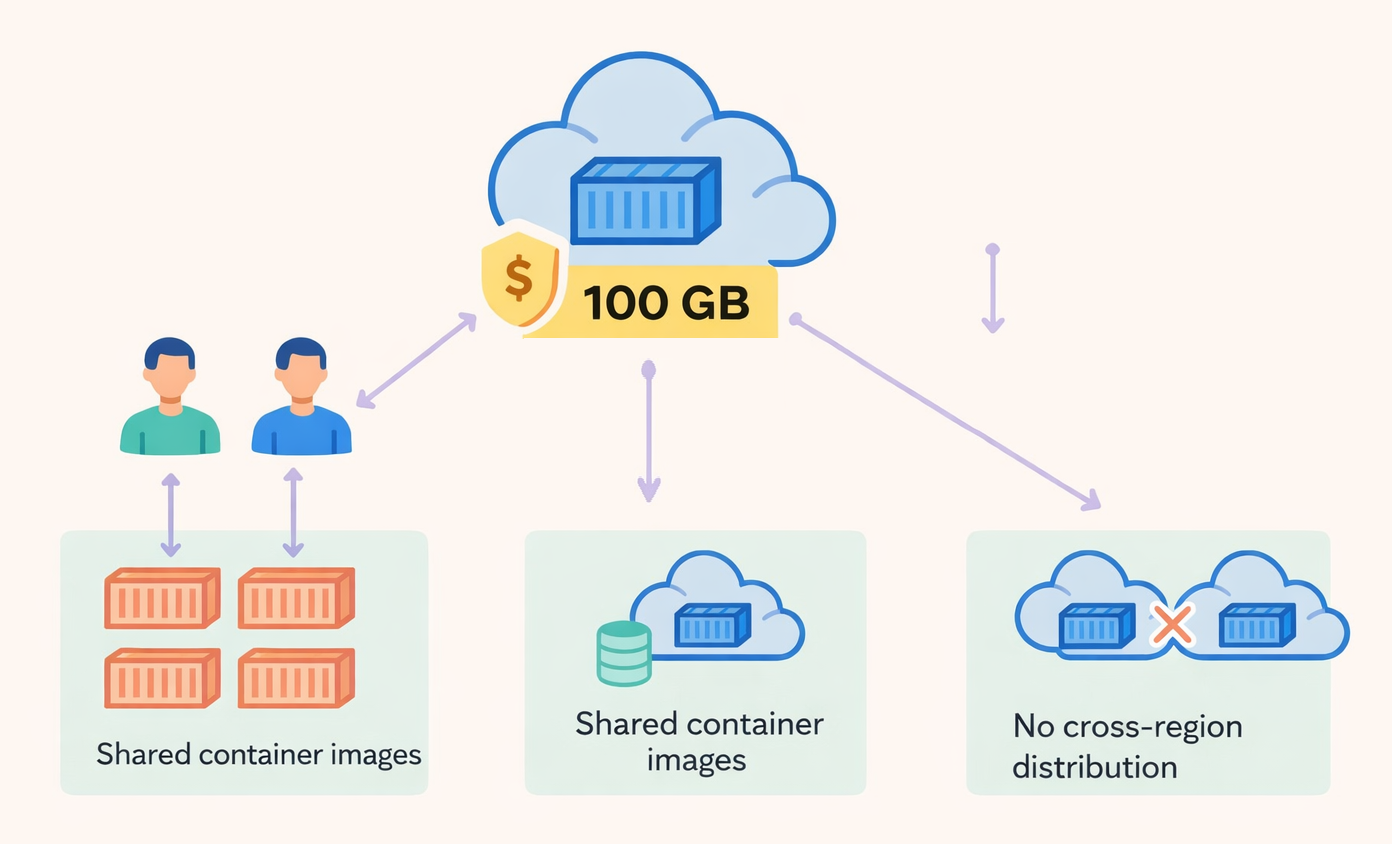
Standard tier increases included storage to 100 GB with the same storage and egress overage charges, appropriate for team development and testing environments where multiple developers share container images but don't need cross-region distribution. Like Basic tier, Standard lacks geo-replication support, making it unsuitable for production multi-region deployments where automatic synchronization is required to maintain consistency across regional hubs.
Premium tier unlocks geo-replication along with 500 GB of included storage, content trust for image signing, and private link support for network isolation. At the same time, Premium tier provides free egress within the same region for replicated images, meaning your West US compute clusters don't incur bandwidth charges when pulling from the West US replica—this can offset the higher base cost for workloads that frequently deploy or update container images. Organizations deploying production AI infrastructure across multiple regions should default to Premium tier because the geo-replication capability becomes essential for maintaining availability during regional failures.
Configuring geo-replication for model distribution
When you create a Premium registry, you specify the primary region where Azure deploys the registry control plane and initial storage. To add geo-replication, you select more Azure regions through the Azure portal replication blade or using Azure CLI commands. Azure provisions a complete registry replica in each selected region including storage, network infrastructure, and image serving capabilities. The replication happens automatically and asynchronously—when you push a new model container image to the primary registry, Azure detects the push event and initiates replication to all configured replicas.
Replication latency depends on image size and network conditions between regions but typically completes within 5-15 minutes for images under 5 GB. During this replication window, the image exists in the primary registry but not yet in all replicas, so compute clusters in secondary regions pulling immediately after a push may fail to find the image. Your deployment automation should account for this propagation delay by polling the secondary region's registry API to verify image availability before triggering compute cluster deployments, or implement retry logic that tolerates temporary image-not-found errors during the replication window.
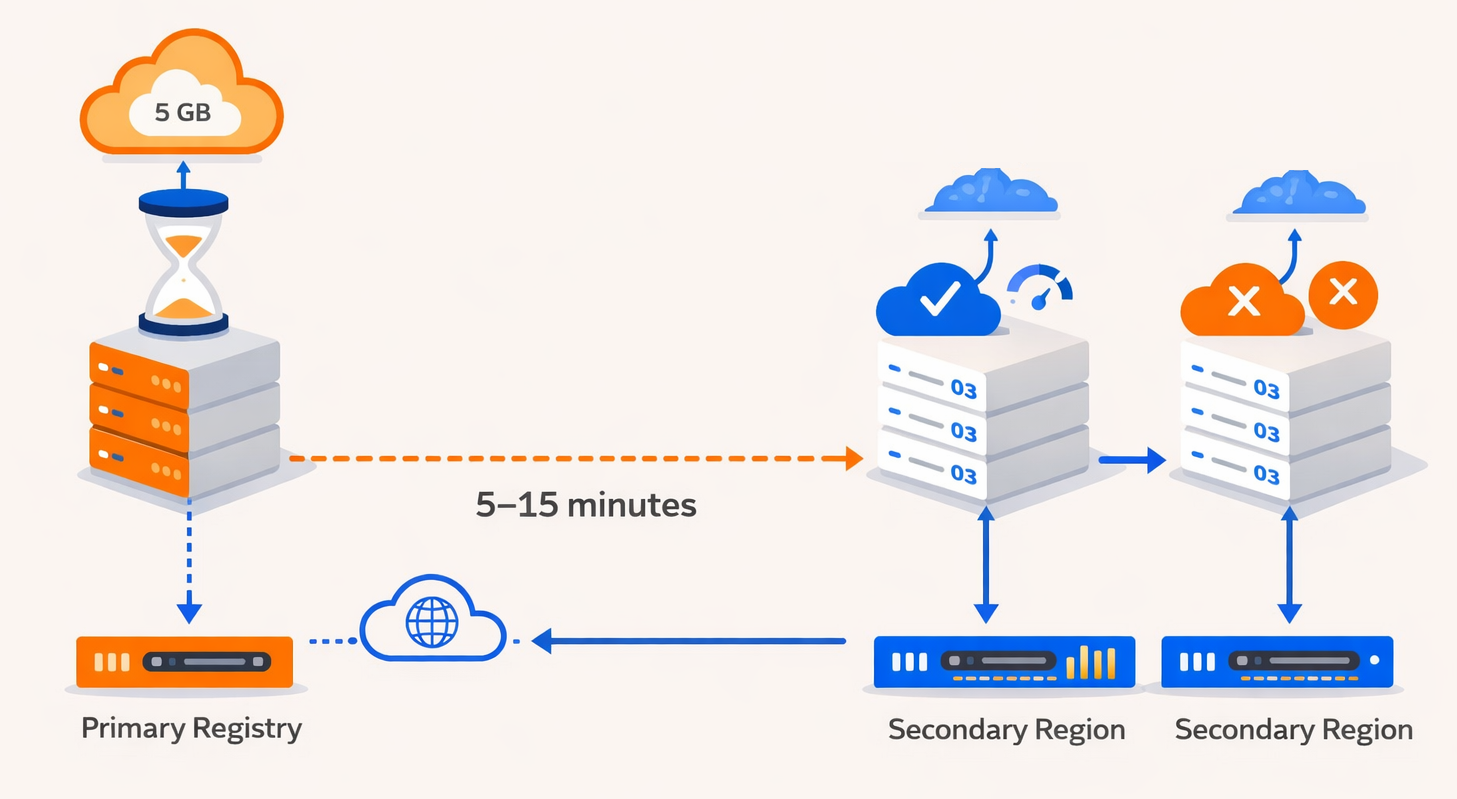
Consider what happens when you push a 10-GB model container image to your primary registry in East US. The push completes to local storage in seconds, and Azure immediately begins replicating to your West US replica. While replication proceeds, compute clusters in East US can pull and deploy the new image within milliseconds. Compute clusters in West US attempting to pull during the 10-15 minute replication window receive not-found errors until replication completes, after which they can pull locally with the same low latency as East US clusters. This behavior influences your blue-green deployment strategies—you should complete image verification in the primary region before promoting the new version to secondary regions, ensuring the image is fully replicated and tested before global rollout.
Integration with Microsoft Foundry compute resources
Microsoft Foundry hubs specify which container registry to use when creating compute clusters for training or inference workloads. When you configure a hub in East US and select an ACR Premium registry with geo-replication enabled, the hub automatically uses the primary registry endpoint. The compute clusters in that hub pull images from the primary registry's East US location with minimal latency. For your secondary hub in West US, you specify the same ACR Premium registry, and Azure automatically routes image pulls from that hub's compute clusters to the nearest replica—in this case, the West US replication instance.
Automatic routing happens transparently through Azure's internal networking and service discovery mechanisms. Your application code and deployment scripts use the same registry URL (for example, contoso.azurecr.io/model:v2) regardless of which region's compute cluster performs the pull. Azure Container Registry resolves the request to the appropriate regional replica based on the requesting resource's location, providing optimal performance without requiring complex DNS configurations or manual endpoint management.
With this understanding of container registry geo-replication and its integration with Microsoft Foundry hubs, you have the complete foundation for implementing resilient multi-region AI infrastructure. Now that you understand how hubs coordinate AI resources, how geo-redundant storage protects training data, and how replicated container registries distribute model images, you're ready to implement these patterns in a hands-on exercise that validates your infrastructure's resilience capabilities.
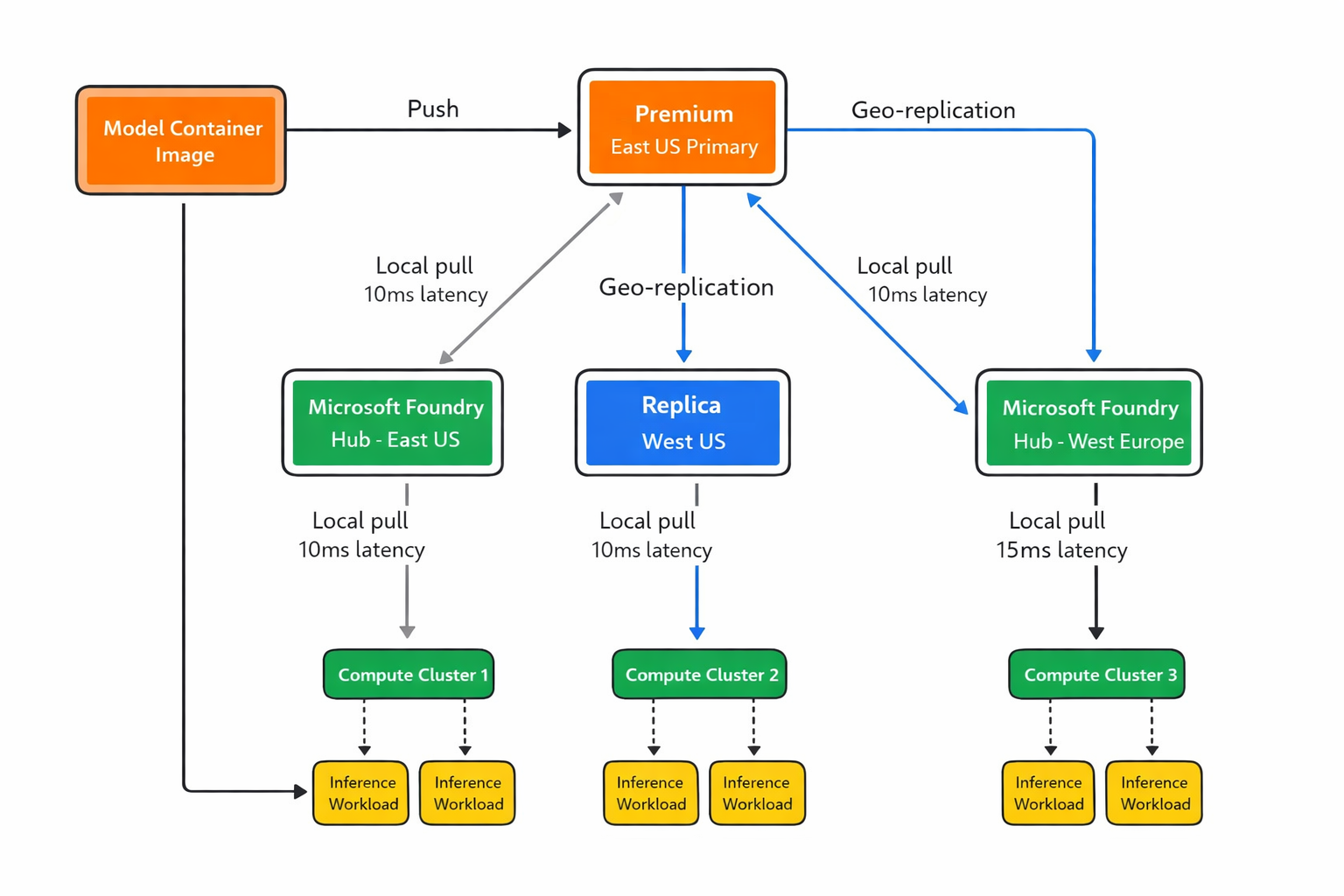
Azure Container Registry geo-replication topology showing automatic image synchronization from primary registry to regional replicas and optimized local pulls from compute clusters in each region
More resources
- Azure Container Registry geo-replication - Configuration guide for enabling multi-region replication with Premium tier registries
- ACR service tiers comparison - Detailed feature and pricing comparison across Basic, Standard, and Premium tiers