Configure export policy for NFS or dual-protocol volumes
Learn to configure export policy to control access to an Azure NetApp Files volume that uses the NFS protocol (NFSv3 and NFSv4.1) or the dual protocol (NFSv3 and SMB, or NFSv4.1 and SMB).
- You can create up to five export policy rules.
- Once created, you can modify details of the export policy rule.
- The modifiable fields are:
- IP address (For example, x.x.x.x)
- CIDR range (A subnet range; for example, 0.0.0.0/0)
- IP address comma separated list (For example, x.x.x.x, y.y.y.y)
- Access level
- Export policy rule order
Configure the policy
To create an export policy rule, specify the following information:
| Field | Description |
|---|---|
| Index | Use to specify the index number for the rule. An export policy can consist of up to five rules. Rules are evaluated according to their order in the list of index numbers. Rules with lower index numbers are evaluated first. For example, the rule with index number 1 is evaluated before the rule with index number 2. |
| Allowed Clients | Specify the value in one of the following formats: IPv4 address (Example: 10.1.12.24), IPv4 address with a subnet mask expressed as a number of bits (Example: 10.1.12.10/4), Comma-separated IP addresses. You can enter multiple host IPs or subnet masks in a single rule by separating them with commas. The length limit is 4096 characters. (Example: 10.1.12.25,10.1.12.28,10.1.12.29,10.1.12.10/4) |
| Access | Select one of the following access types: No Access, Read & Write, Read Only |
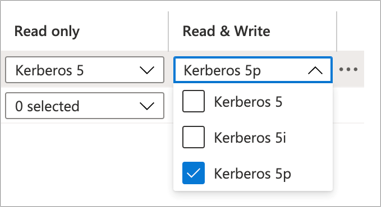
| Read-only and Read/Write | If you use Kerberos encryption with NFSv4.1, follow the instructions in Configure NFSv4.1 Kerberos encryption. For performance impact of Kerberos, see Performance impact of Kerberos on NFSv4.1 volumes.
|
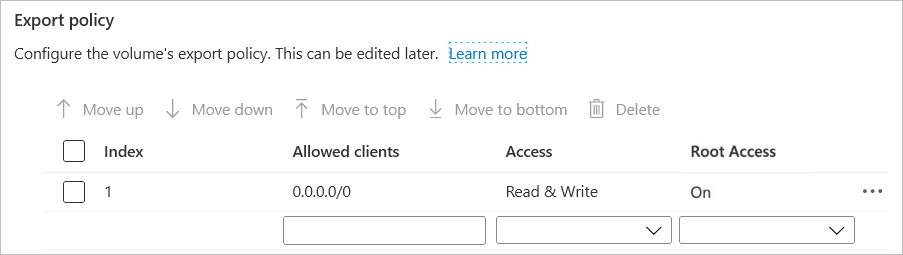
| Root Access | Specify whether the root account can access the volume. By default, Root Access is set to On, and the root account has access to the volume. This option is not available for NFSv4.1 Kerberos volumes.
|
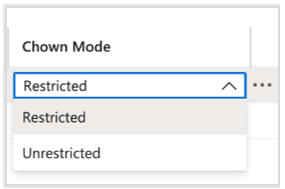
| Chown Mode | Modify the change ownership mode as needed to set the ownership management capabilities of files and directories. Options: Restricted (default) - Only the root user can change ownership. Unrestricted - Non-root users can change ownership for files and directories that they own.
|