Introduction
Your executive update is due Friday. The facts are spread across a tracker, meeting notes, and messages. You need to turn them into a brief you can trust, then repeat the work next month.
In this module, you explore how to use the Microsoft Copilot app to prepare a monthly executive review, with Project Atlas as a worked example. The workflow has five steps: decide, gather, create, check, and repeat. Choose suitable help, verify sources, use a workspace for recurring context, and carry checked findings into a deliverable. Use only the capabilities the task needs.
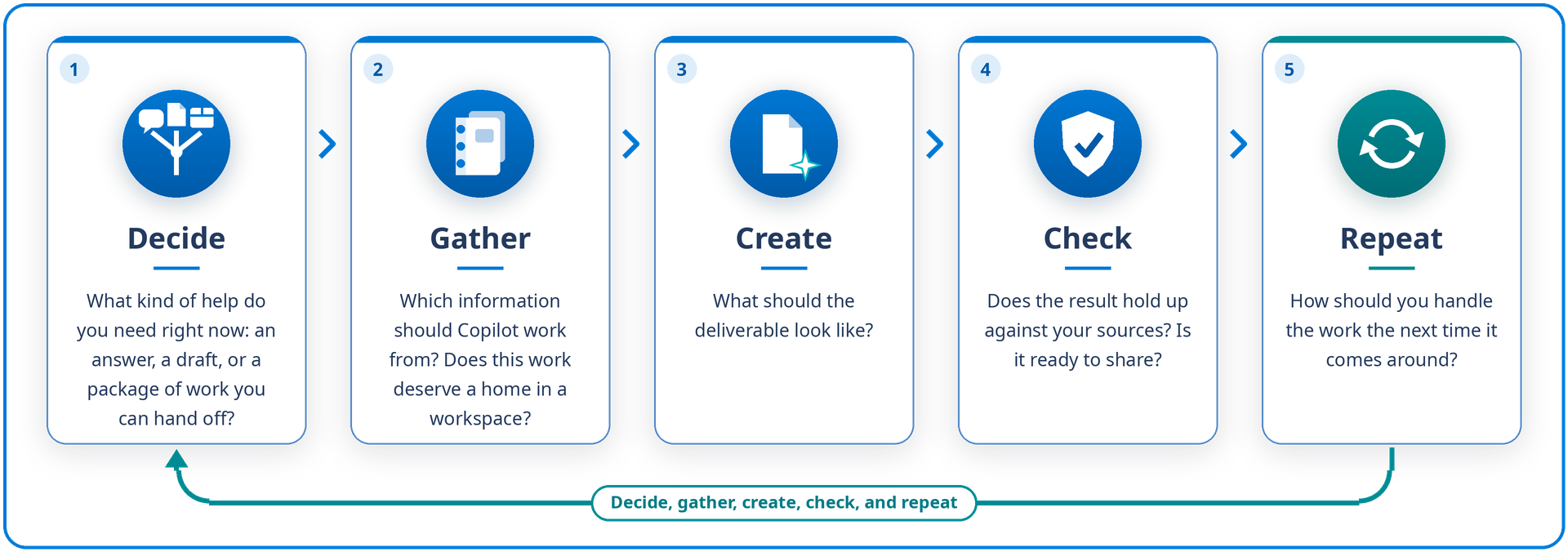
The Project Atlas examples illustrate the workflow. Apply the same approach to customer briefings, supplier comparisons, and other work that draws on several sources.
Learning objectives
By the end of this module, you can:
- Choose the kind of Copilot help that fits a task, and redirect work that heads in the wrong direction.
- Bring the right context into a task, and verify key claims against their sources.
- Decide where recurring work belongs (references in Chat, a project, or a workspace), then build a workspace by curating its references and instructions and diagnosing answers that miss something.
- Work from a workspace over time: organize conversations, catch up on the work, analyze across sources, create from it, and give collaborators the right access.
- Create a deliverable that fits its audience, and check accuracy and access before you share it.
- Choose the simplest approach for the next round of work, from a reused or scheduled prompt to Cowork, Code, or Autopilot.
Before you begin
Note
Copilot features roll out gradually, so names, menus, and available controls might differ from the examples. You might see Notebooks instead of Workspaces. If a described control isn't available, use the alternative provided or read the example without performing the steps.
You should understand Copilot work context, agents, data protection, and prompting with context, goal, source, and expectations. For a refresher, see Get ready to work with Microsoft Copilot.
If you want to try the examples in your own environment, you need:
- A work or school account with a Microsoft Copilot license and access to Chat and Workspaces in the Copilot app.
- Word with OneDrive or SharePoint storage.
- Copilot Pages if you want to try the Page-based drafting examples.
Availability varies by license, organizational settings, and rollout. You can read the examples without running them. You recognize when Cowork, Code, and Autopilot fit the work but don't run them, so access to these capabilities isn't required. Code and Autopilot are Frontier previews.