Note
Access to this page requires authorization. You can try signing in or changing directories.
Access to this page requires authorization. You can try changing directories.
You don't need to turn your app into a chatbot to add an AI feature. In this tutorial, you add a Summarize button to a small note editor. The app keeps the original text and displays an AI-generated draft alongside it.
You use C#, WinUI 3, and Foundry Local. The Foundry Local SDK runs the model inside your app process. You don't need an Azure subscription, an API key, a separate local web server, or a Copilot+ NPU.
You create your own project and copy the complete code blocks from the topics into the named files. No sample repository or source-code download is required.
What you build
LocalNotes lets you enter a short note, prepare a local model, and generate a summary. The sample focuses on one feature: it doesn't save notes, manage documents, or send content to a cloud service.
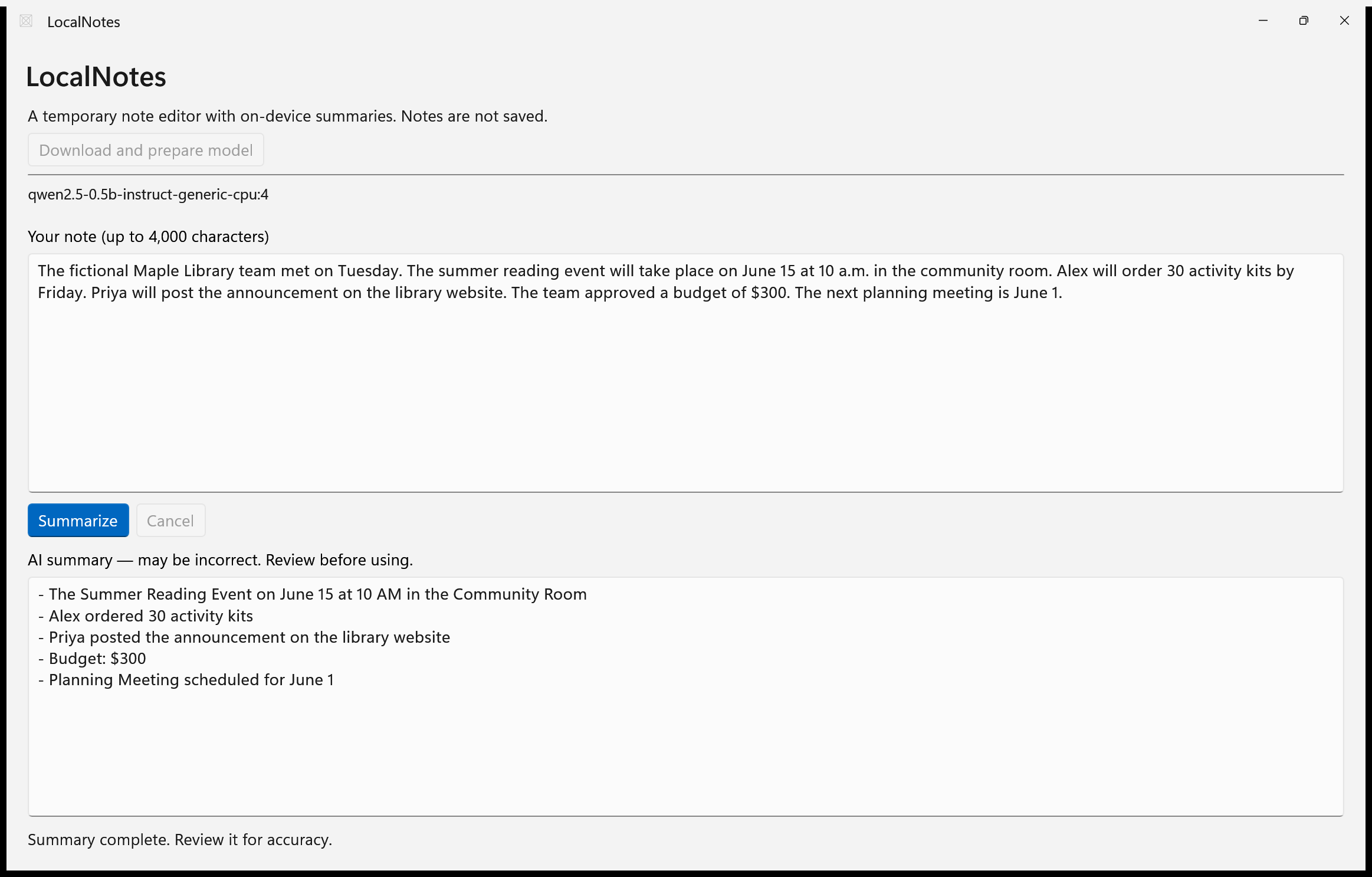
You add three pieces to the app:
| Piece | Responsibility |
|---|---|
| A summarization service | Prepare the model and generate text locally. |
| A view model | Coordinate progress, cancellation, and recoverable errors. |
| A page | Keep the note editable and show the summary separately. |
If you already have a WinUI 3 app, reuse the service and connect it to your existing view model. You don't need to replace your navigation, storage, or app architecture.
What you learn
- Add a local AI SDK to an existing Windows app.
- Ask before downloading a model and show setup progress.
- Keep the UI responsive while generating a bounded response.
- Cancel generation without replacing the user's original text.
- Check output quality, failure behavior, and offline inference.
The walkthrough follows the same build-and-inspect approach as the WinUI Notes tutorial and the AI-assisted WinUI tutorial. Here, AI is a feature inside the app, not a tool you need to write it.
Prerequisites
Complete Quick start: Create your first WinUI 3 app first. For this tutorial, use:
- Windows 11, version 24H2 (build 26100) or later, on an x64 or Arm64 PC.
- Developer Mode enabled.
- The .NET 10 SDK and WinUI templates to create the project. For editing and running it, use Visual Studio 2026 with the WinUI application development workload, or your editor and the Windows App Development CLI (
winapp). - Internet access for NuGet restore and initial model and runtime-component downloads.
- Enough disk space and memory for the model you select. Check its current download size and license in the Foundry Local model catalog.
The tutorial uses the CPU variant of Qwen2.5 0.5B, with approximately 878 MB of cached model files in the validated run. Allow additional space for application and runtime dependencies. The CPU choice is deliberate: you can try the feature without an NPU or a dedicated AI accelerator.
A small model is useful for learning the integration, but it can omit facts or follow formatting instructions poorly. Test a model against your app's actual content before choosing it for production.
Important
Local inference doesn't mean zero network activity during setup. Model acquisition and runtime-component downloads use the network. This sample doesn't upload notes or summaries and doesn't fall back to a cloud model. Review the Foundry Local privacy and diagnostic information and the selected model's terms before distributing your app.