Märkus.
Juurdepääs sellele lehele nõuab autoriseerimist. Võite proovida sisse logida või kausta vahetada.
Juurdepääs sellele lehele nõuab autoriseerimist. Võite proovida kausta vahetada.
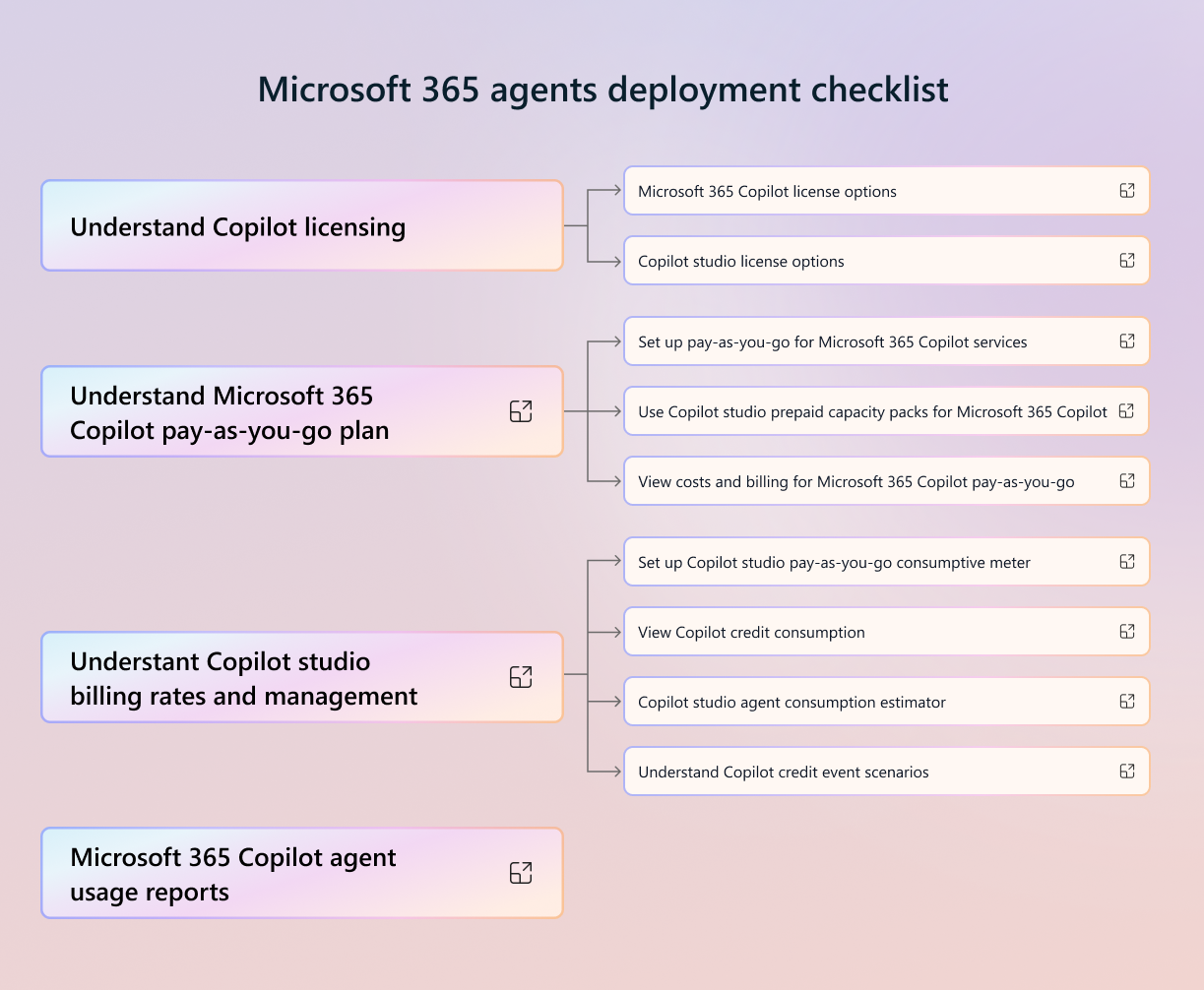
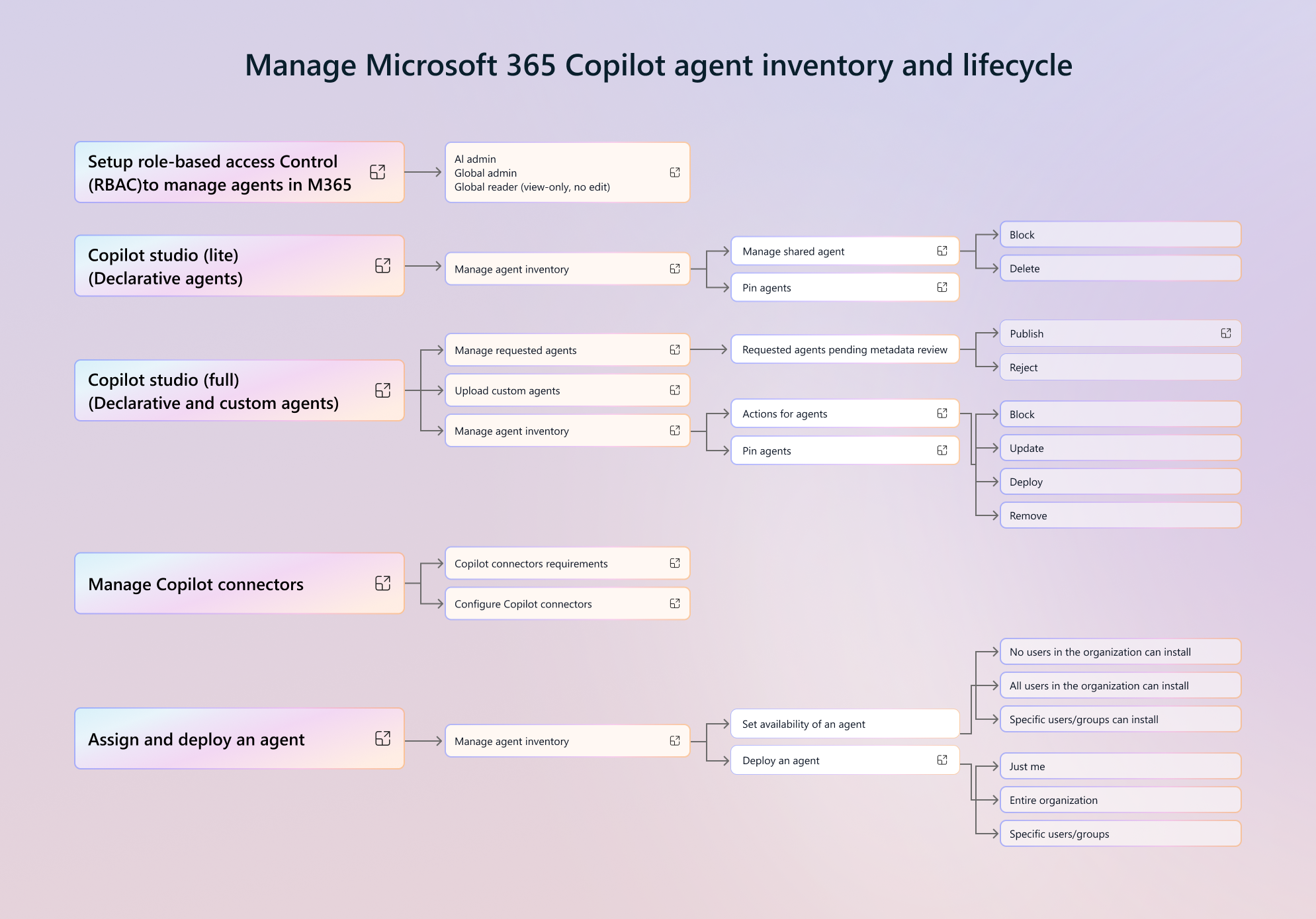
To help understand the structure and flow of the Microsoft 365 Copilot Agent Management Essentials checklist, you can view the visual guide. This mind map provides a graphical representation of the key concepts and actions outlined in the checklist, making it easier to understand relationships between sections and navigate the framework at a glance.
Each branch of the mind map corresponds to a major heading in the checklist, with subbranches breaking down detailed steps, considerations, and best practices. By presenting the content visually, the mind map serves as a quick reference tool for planning, implementing, and validating Copilot agents within your organization.
An image of the relevant portion of the mind map is included in each section of this article. However, to view the entire mind map and access the related links, download the Microsoft 365 Copilot agents visual guide PDF.
Download: Microsoft 365 Copilot agents visual guide PDF
Manage Microsoft 365 Copilot agent access and availability policies
Agent policies refer to the tenant settings you can make as an administrator in the Copilot Control System within Microsoft 365 admin center. Choose how you manage access to agents, as well as share and publish agents. For more information, see Microsoft 365 agents deployment checklist.

Choose the right Copilot Studio experience
Members of your organization can create agents using different methods that allow different capabilities. For more information, see Microsoft 365 agents deployment checklist.
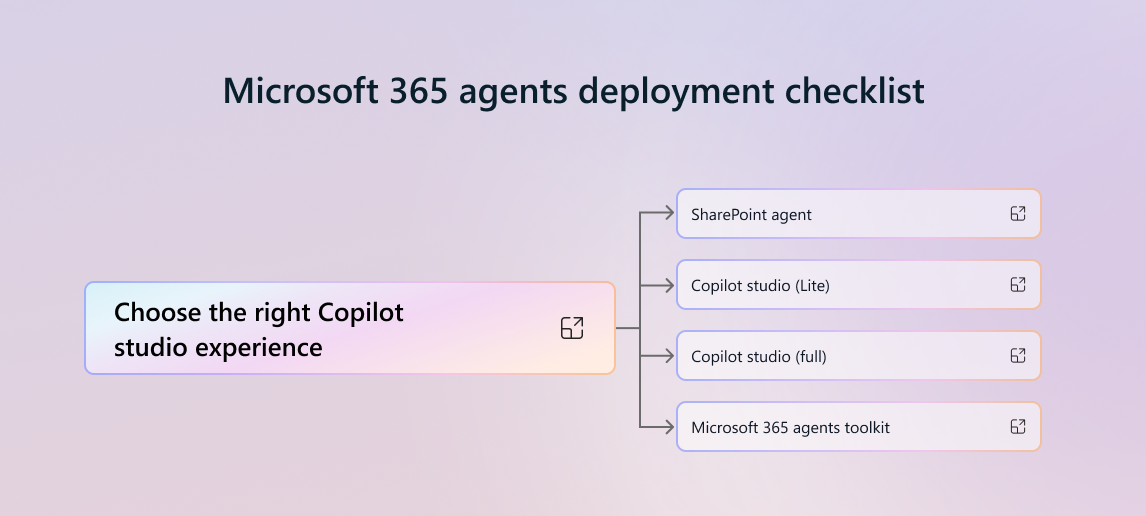
Create agents in Agent Builder
Members of your organization can create declarative agents that they can share across your organization using Agent Builder. For more information, see Microsoft 365 agents deployment checklist.

Understand application lifecycle management with Copilot Studio
Application lifecycle management (ALM) is the lifecycle management of applications and agents, which includes governance development and maintenance. For more information, see Microsoft 365 agents deployment checklist.

Create agents in Copilot Studio
When you need to provide powerful AI assistants that retrieve real-time insights and act on behalf of users, as well as create specialized workflows, you can use Copilot Studio to create custom agents. For more information, see Microsoft 365 agents deployment checklist.

Manage Microsoft 365 Copilot agent inventory and lifecycle
You can manage your organization’s available agents in the Copilot Control System (CCS) within Microsoft 365 admin center. For more information, see Microsoft 365 agents deployment checklist.
Manage Data Access - Data security, compliance, and governance
Effective governance and security are essential for managing Copilot agents across your enterprise. For more information, see Microsoft 365 agents deployment checklist.

Manage pay-as-you-go billing and Copilot Capacity Pack
The Microsoft 365 Copilot pay-as-you-go plan offers a flexible and cost-effective way for organizations to access Copilot services. For more information, see Microsoft 365 agents deployment checklist.