Märkus.
Juurdepääs sellele lehele nõuab autoriseerimist. Võite proovida sisse logida või kausta vahetada.
Juurdepääs sellele lehele nõuab autoriseerimist. Võite proovida kausta vahetada.
Intune offers integrated reports to view detailed status for Windows driver updates for devices assigned to Windows Driver update policies. To use these reports, you must first configure the prerequisites and policies that support data collection from devices. These reports are applicable to Windows 10 and Windows 11.
Before you begin
- Ensure your environment meets the requirements in Manage Windows driver updates.
Accessing driver updates reports
The data in the Intune reports for Windows Driver update policies is used only for these reports and doesn't appear in other Intune reports. The following reports are available:
- Windows Driver updates summary
- Windows Driver updates report
- Windows Driver update failures
Select a tab to learn more about each report.
The Windows Driver updates summary report provides an overview of the status of driver updates across all your Windows Driver update policies.
To access the Windows Driver updates summary report:
- In the Microsoft Intune admin center, select Reports > Windows Updates.
- Select the Summary tab and find the Windows Driver updates section:
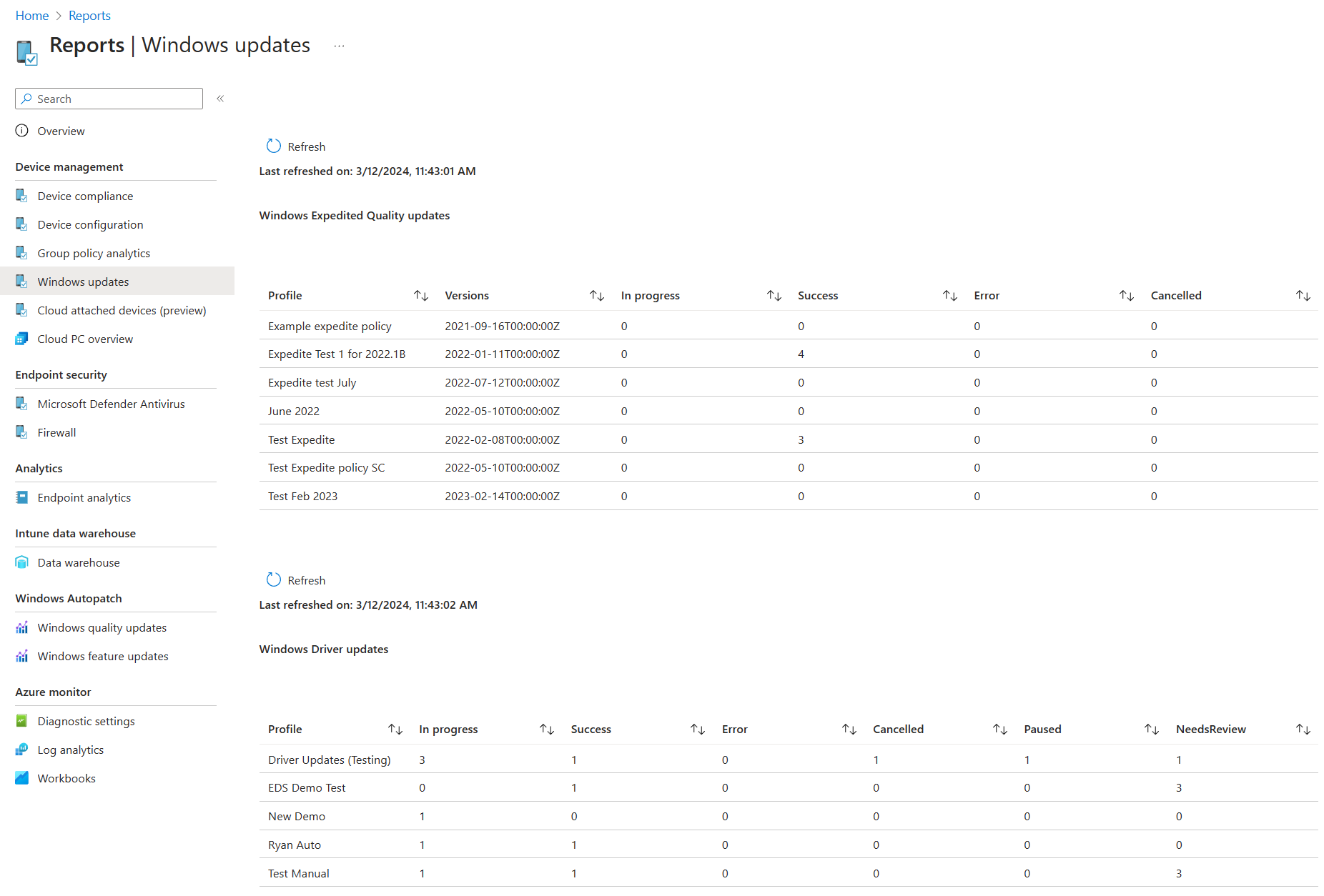
This report shows the status of driver updates for each policy. It displays the number of devices that are up-to-date (Success), failed (Error), paused (Paused), etc. for the driver updates in that policy. However, each device is only represented once in a single status column, based on the worst status across all of the updates that apply to that device.
Intune ranks the following statuses in order of priority, from best (Success) to worst (NeedsReview):
- Success: All applicable driver updates have installed successfully.
- In progress: At least one update remains in progress, and none have been paused, failed, or worse.
- Paused: At least one update has been paused, but none have failed to install, been cancelled, or are pending review.
- Error: At least one update failed to install, but none are cancelled or pending review.
- Cancelled: At least one update has been declined, but none are pending review.
- NeedsReview: One or more updates are new to the policy and pending review to approve or decline.
For example: A policy might have three applicable driver updates for an assigned device. If one of the three fails to install on that device while the other two updates install successfully, the device is identified by adding one to the Error column. Once all three updates install successfully, the device is represented by adding one to the Success column and reducing the count of the Error column by one.
This report doesn't support drilling in for more details about devices, driver updates, or policy details.
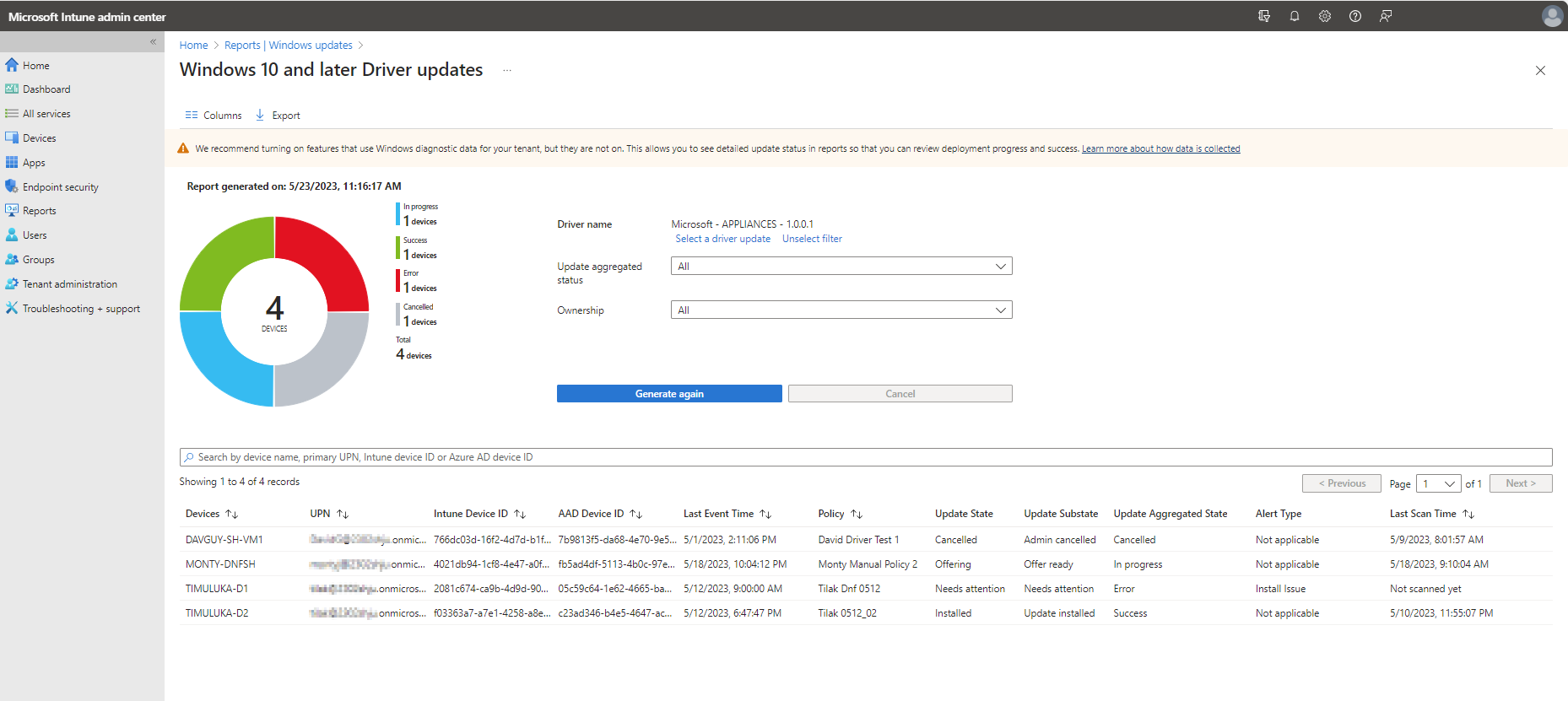
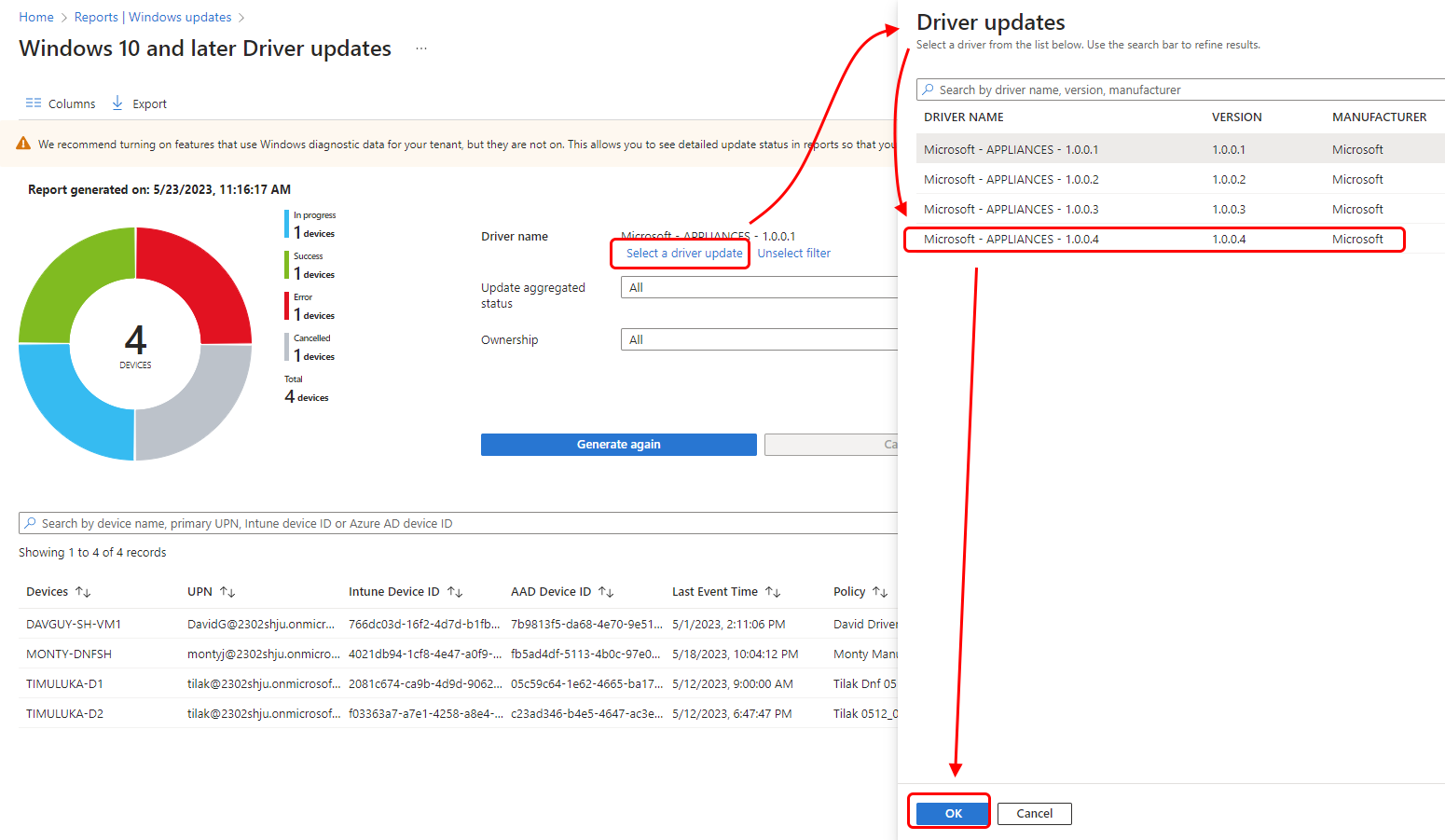
Data retention
As devices across all your updates policies install the latest versions of a driver update, older driver update versions that are no longer needed by any device drops off the driver updates list. However, this isn't necessarily an immediate event. Reporting data for driver updates remains available until the end of a data retention period is reached. This period is six months since the last time an event for the update is received.
- If the update is approved and all applicable devices have installed the update, then six months after the last device updates is status, the update is removed from reporting details.
- Similarly, if an update is paused and shows no activity for the retention period, that update is also dropped from reporting details after six months. After an updates data ages out, if a paused update that remains applicable to a device is reapproved, subsequent status for that update begins to appear in reports. Previous data that aged out of reports won't be restored or available.