Märkus.
Juurdepääs sellele lehele nõuab autoriseerimist. Võite proovida sisse logida või kausta vahetada.
Juurdepääs sellele lehele nõuab autoriseerimist. Võite proovida kausta vahetada.
Microsoft Copilot Studio is a graphical, low-code studio for building and managing AI-powered agents and workflows. Build agents and workflows, connect them to your organization's data and systems, and publish them to the channels where your users already work.
Note
The app creation experience in Copilot Studio is in preview. Learn more in Apps overview.
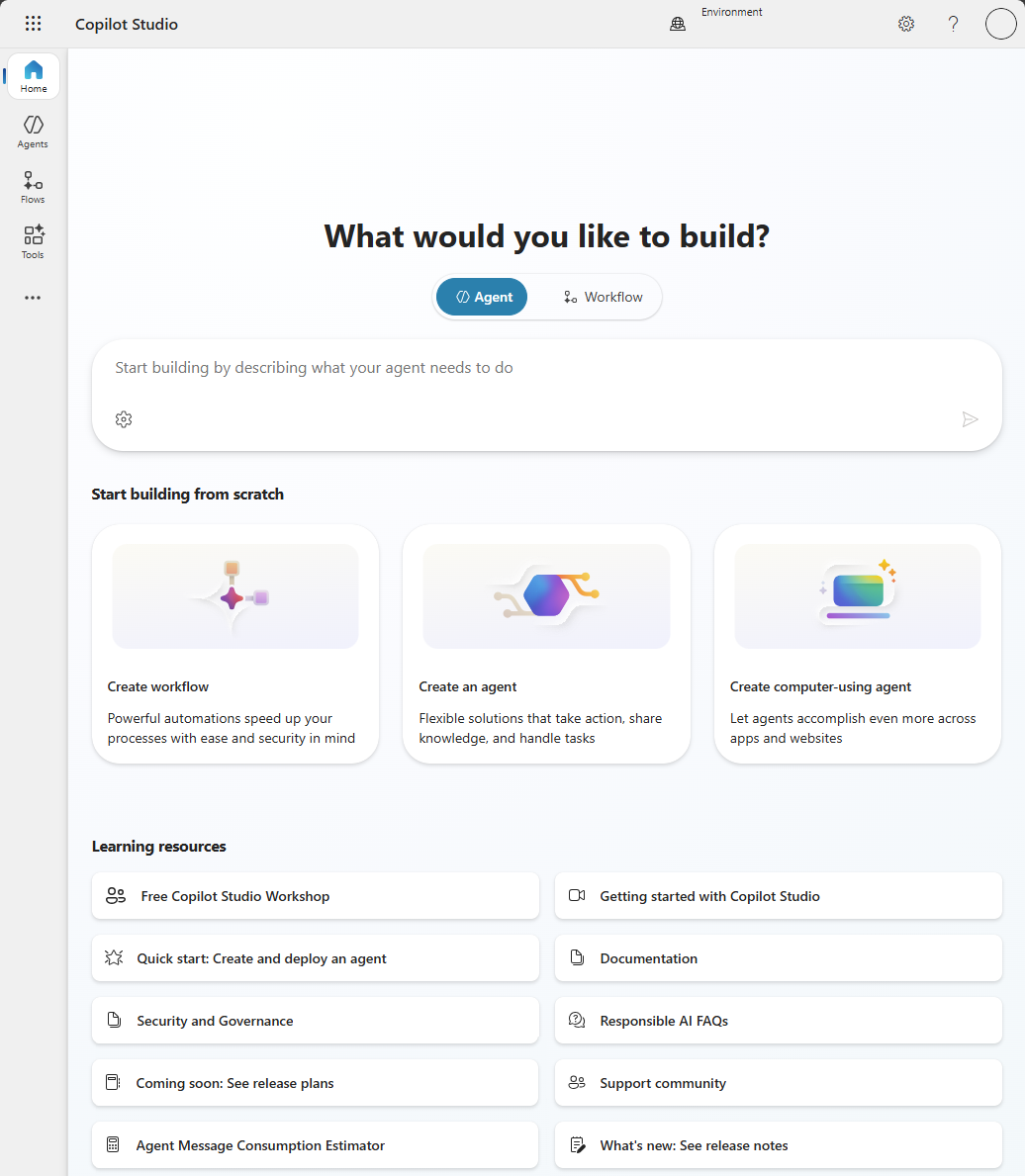
Copilot Studio brings agent and workflow creation and management into a single studio, so you can design a complete business solution—and let those pieces work together—without switching tools. Because it's low-code, you can build capable solutions without an extensive technical background, while still giving professional makers the depth they need. Connect to other data sources through prebuilt or custom connectors to create and coordinate sophisticated logic across your solution.
What you can build
Copilot Studio supports several building blocks. Use them on their own, or combine them to automate an end-to-end business process. They can also collaborate—for example, a workflow can call an agent to complete a step.
Agents
An agent is an AI assistant that handles conversations and completes tasks. It follows the instructions you give it, draws on the knowledge sources you connect, and uses tools to take action—reasoning through a request and deciding the best next step based on its instructions and context. Agents can work with employees and customers in multiple languages across Microsoft Teams, Microsoft Copilot, websites, mobile apps, and other channels.
You can create an agent by describing it in plain language, then test it before you publish. Some agents can be given their own account so they can work proactively on tasks and take part in shared business processes, such as onboarding a new employee or coordinating a recurring meeting.
Learn more in Agents overview and Create an agent.
Workflows
A workflow is an automation you build with a drag-and-drop designer. Describe the automation you want, and Copilot Studio helps generate, configure, and validate it end to end. Each step can reason and act—combining agents, tools, and logic in a single flow—so you get the predictability of automation with the flexibility of AI. Workflows include built-in testing and human-in-the-loop controls for enterprise-ready automation.
Learn more in Workflows overview.
Agent flows
Agent flows are the established flow format in Copilot Studio, with an authoring experience similar to Power Automate but native to Copilot Studio. Run them as standalone automations, or attach one to an agent as a tool that returns results to the agent. Agent flows can run prompts, call agents, and include human review steps.
Learn more in Agent flows overview.
Choose a harness
Whatever you build runs on a harness—the engine that carries out the work behind the scenes. Your choice of harness affects how your agent or workflow reasons, how complex a task it can take on, what it can do out of the box, and how it's billed. Copilot Studio offers the following harnesses:
- The GitHub Copilot harness for reasoning-heavy, multi-step work and complex business processes.
- The standard harness for rule-based agents and structured, repeatable conversations.
- The Copilot chat harness for extending Microsoft Copilot Chat with your organization's knowledge.
Learn more in Agent harnesses overview.
Build with natural language (preview)
You don't have to start from a blank canvas. Describe the business goal you want to achieve, and Copilot Studio determines the right combination of agents and workflows to solve it. Refine the result through follow-up questions and edits in the same conversation, and create more than one asset in a single session—without choosing upfront or moving between designers.
How agents and workflows handle a request
Agents and workflows determine how to respond based on the harness they run on.
On the GitHub Copilot harness, what you build reasons from the instructions and knowledge you provide. It interprets the request, chooses the right tools, and works through the steps needed to complete the task—so you don't have to script every path. You can build agents and workflows powered by the GitHub Copilot harness.
For agents on the standard harness, the agent uses natural language understanding to match a request to the best topic—a portion of a conversation you design with connected steps, questions, and conditions. When a request falls outside your topics, the agent can still generate a conversational answer from its connected knowledge sources. Learn more in Create and edit topics and AI-based agent authoring overview.
The Copilot chat harness connects your enterprise knowledge to Microsoft Copilot Chat. Employees get answers grounded in your content without leaving their everyday Microsoft 365 experience.
Manage and operate your solutions
As you move from building to running solutions in production, Copilot Studio helps you monitor, govern, and improve them:
- Analytics — monitor performance, track custom metrics, and analyze session outcomes.
- Evaluations — validate quality with test sets and a shared grader library before and after you publish.
- Administration — inventory, secure, and manage agents across your organization, with role-based access and cost management. See Agent inventory.
Access Copilot Studio
Access Copilot Studio as a standalone web app at https://copilotstudio.microsoft.com.
Copilot Studio requires a modern web browser such as:
- Chrome version 91 (May 2021) or more recent
- Firefox version 89 (June 2021) or more recent
- Safari version 16.4 (March 2023) or more recent
Note
This article applies to multiple harnesses. The harness you use affects the billing, features, and capabilities of what you build.
For how usage is billed, see Overview of billing for agents powered by the GitHub Copilot harness and Licensing for agents powered by the standard harness.
Extend Microsoft Copilot
You can also use Copilot Studio to extend Microsoft Copilot with your own instructions, tools, and knowledge—customizing Microsoft Copilot for specific tasks and domain knowledge, or creating a standalone custom version of the Microsoft Copilot Chat experience. Learn more in Extend Microsoft Copilot with agents.
Accessibility
The agent authoring canvas is built for accessibility in accordance with Microsoft accessibility guidelines and supports standard navigational patterns.
Important information
Important
Microsoft Copilot Studio (1) is not intended or made available as a medical device for the diagnosis of disease or other conditions, or in the cure, mitigation, treatment or prevention of disease, or otherwise to be used as a component of any clinical offering or product, and no license or right is granted to use Microsoft Copilot Studio for such purposes, (2) is not designed or intended to be a substitute for professional medical advice, diagnosis, treatment, or judgment and should not be used as a substitute for, or to replace, professional medical advice, diagnosis, treatment, or judgment, and (3) should not be used for emergencies and does not support emergency calls. Any agent you create using Microsoft Copilot Studio is your own product or service, separate and apart from Microsoft Copilot Studio. You are solely responsible for the design, development, and implementation of your agent (including incorporation of it into any product or service intended for medical or clinical use) and for explicitly providing end users with appropriate warnings and disclaimers pertaining to use of your agent. You are solely responsible for any personal injury or death that may occur as a result of your agent or your use of Microsoft Copilot Studio in connection with your agent, including (without limitation) any such injuries to end users.