Märkus.
Juurdepääs sellele lehele nõuab autoriseerimist. Võite proovida sisse logida või kausta vahetada.
Juurdepääs sellele lehele nõuab autoriseerimist. Võite proovida kausta vahetada.
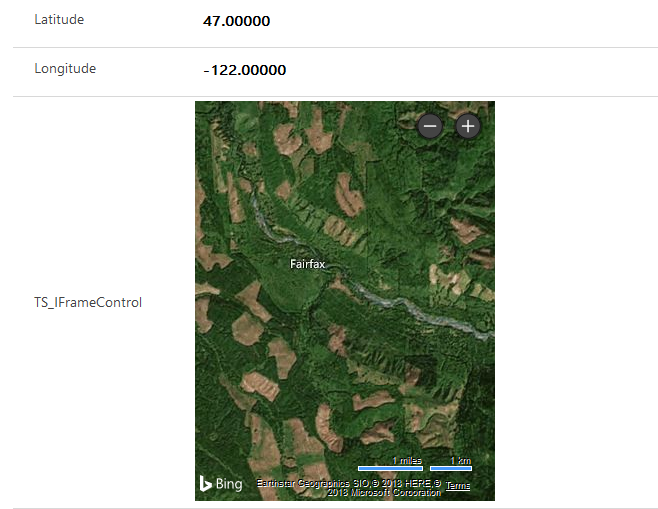
This sample shows how an IFRAME component binds latitude and longitude columns as input properties. Use it to display and update a Bing Map in Power Apps.
Available for
Model-driven and canvas apps
IFRAME component code
You can download the complete sample component from this GitHub repository.
Note
Power Apps component framework doesn't yet support composite columns, so you can't bind this component to the default latitude and longitude address columns. You need to bind the code component to a different floating-point field.
This sample component renders an IFRAME that displays a Bing Maps URL. The component is bound to two floating-point columns on the form. The component receives these columns as parameters and injects them into the IFRAME URL to update the Bing Map to the latitude and longitude of the provided inputs.
Update the Manifest file to include binding to two more columns on the form.
This change informs the Power Apps component framework that it needs to pass these bound columns to the component during initialization and whenever one of the values updates.
<property name="latitudeValue"
   display-name-key="Bing_Maps_Latitude_Value"
   description-key="latitude"
   of-type="FP"
   usage="bound"
   required="true" />
<property name="longitudeValue"
   display-name-key="Bing_Maps_Longitude_Value"
   description-key="longitude"
   of-type="FP"
   usage="bound"
   required="true" />
You might need to add more bound properties. The component configuration enforces this requirement when you bind the component to the form. You can configure this requirement by setting the required attribute of the property node in the component manifest. Set the value to false if you don't want to require the component property be bound to a field.
Update ComponentFramework.d.ts to add two columns to the IInputs interface. This is the format the Power Apps component framework uses to pass the field values. By adding these values to the IInputs interface, your TypeScript file can reference the values and compile successfully.
    export interface IInputs
    { latitudeValue: ComponentFramework.PropertyTypes.NumberProperty;
        longitudeValue: ComponentFramework.PropertyTypes.NumberProperty;
    }
The initial rendering generates an IFRAME element and appends it to the controls container. This IFRAME displays the Bing Map. The URL of the IFRAME is set to a Bing Map URL and includes the bound columns (latitudeValue and longitudeValue) in the URL to center the map at the provided location.
The updateView method is invoked whenever one of these columns updates on the form. This method updates the URL of the Bing Map IFRAME to use the new latitude and longitude values passed to the component. To view this component in runtime, bind the component to a field on the form like any other code component.
Related articles
Download sample components
How to use the sample components
Power Apps component framework manifest schema reference
Power Apps component framework API reference
Power Apps component framework overview