Note
Kailangan ng pahintulot para ma-access ang page na ito. Maaari mong subukang mag-sign in o magpalit ng mga direktoryo.
Ang pag-access sa pahinang ito ay nangangailangan ng pahintulot. Maaari mong subukang baguhin ang mga direktoryo.
This article explains how to use the About page to collect important details about your Defender for Identity workspace in Microsoft Defender. Before you begin, make sure you meet the Defender for Identity prerequisites.
Information shown on the Defender for Identity About page
To access the About page, in Microsoft Defender XDR, go to Settings and then Identities. Under General, select About.
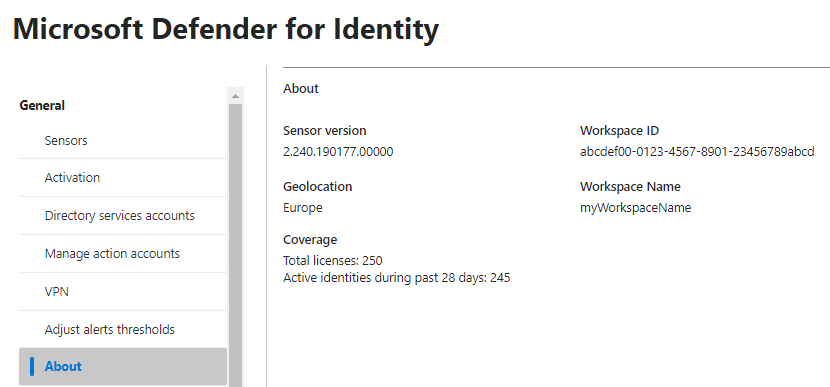
The About page provides the following details:
- Sensor version: The latest software version available for sensor updates.
- Geolocation: The geographic location of the workspace where your data is stored.
- Workspace ID: The identifier of your workspace.
- Workspace name: The name of your workspace.
- Total licenses: The total number of Microsoft Denfender for Identity licenses assigned to the tenant.
- Active identities during the past 28 days: The total number of on-premises identities that had activity detected by Defender for Identity.
This information can help you troubleshoot issues and open support tickets. You can also find your workspace name here. You need the workspace name to configure your proxy or firewall.