Note
Ang pag-access sa pahinang ito ay nangangailangan ng pahintulot. Maaari mong subukang mag-sign in o magpalit ng mga direktoryo.
Ang pag-access sa pahinang ito ay nangangailangan ng pahintulot. Maaari mong subukang baguhin ang mga direktoryo.
Learn how to install ML.NET Model Builder to add machine learning to your .NET applications.
Prerequisites
- The latest .NET SDK
- Visual Studio Code editor
- The C# DevKit
Limitations
- ML.NET Model Builder Extension currently only works on Visual Studio on Windows.
Install Model Builder
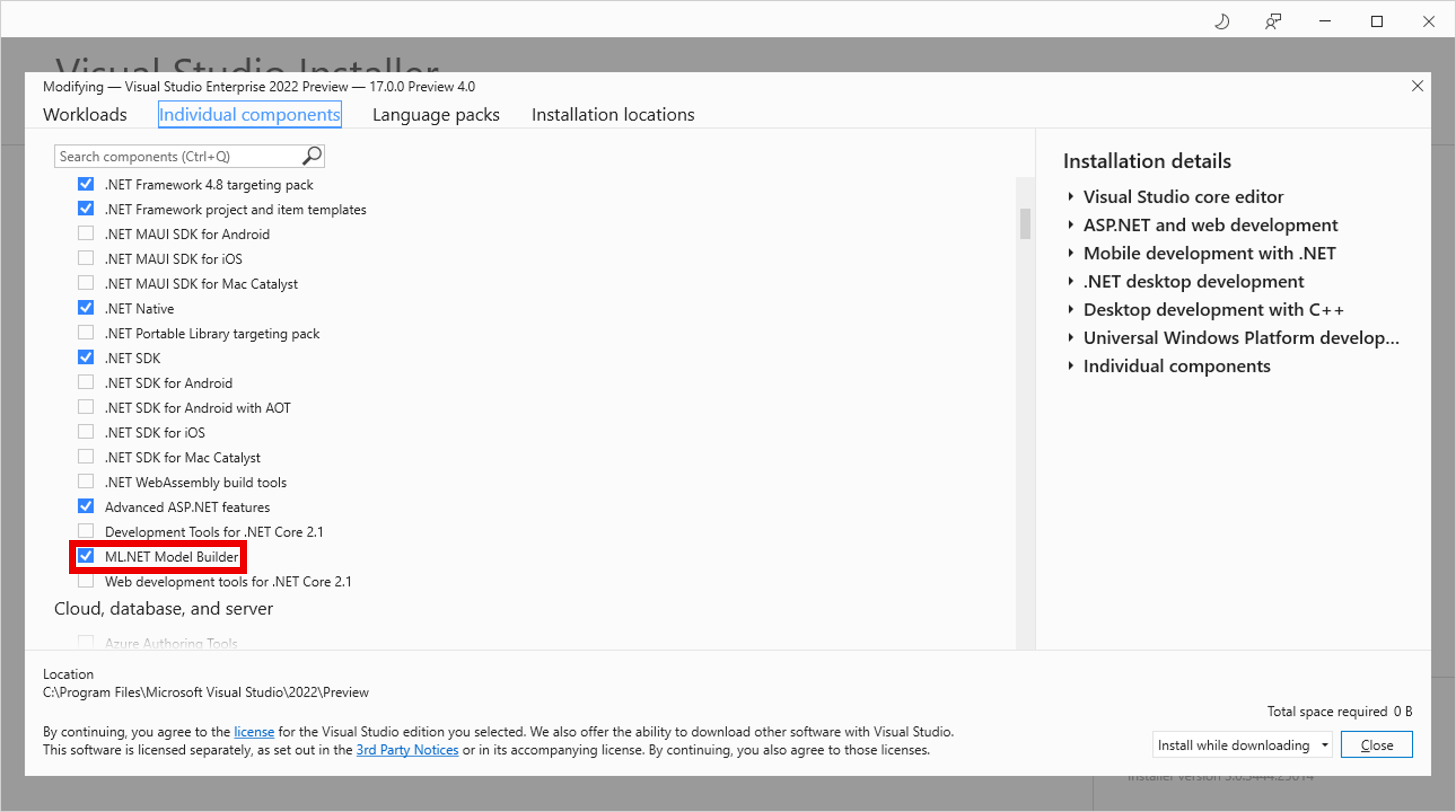
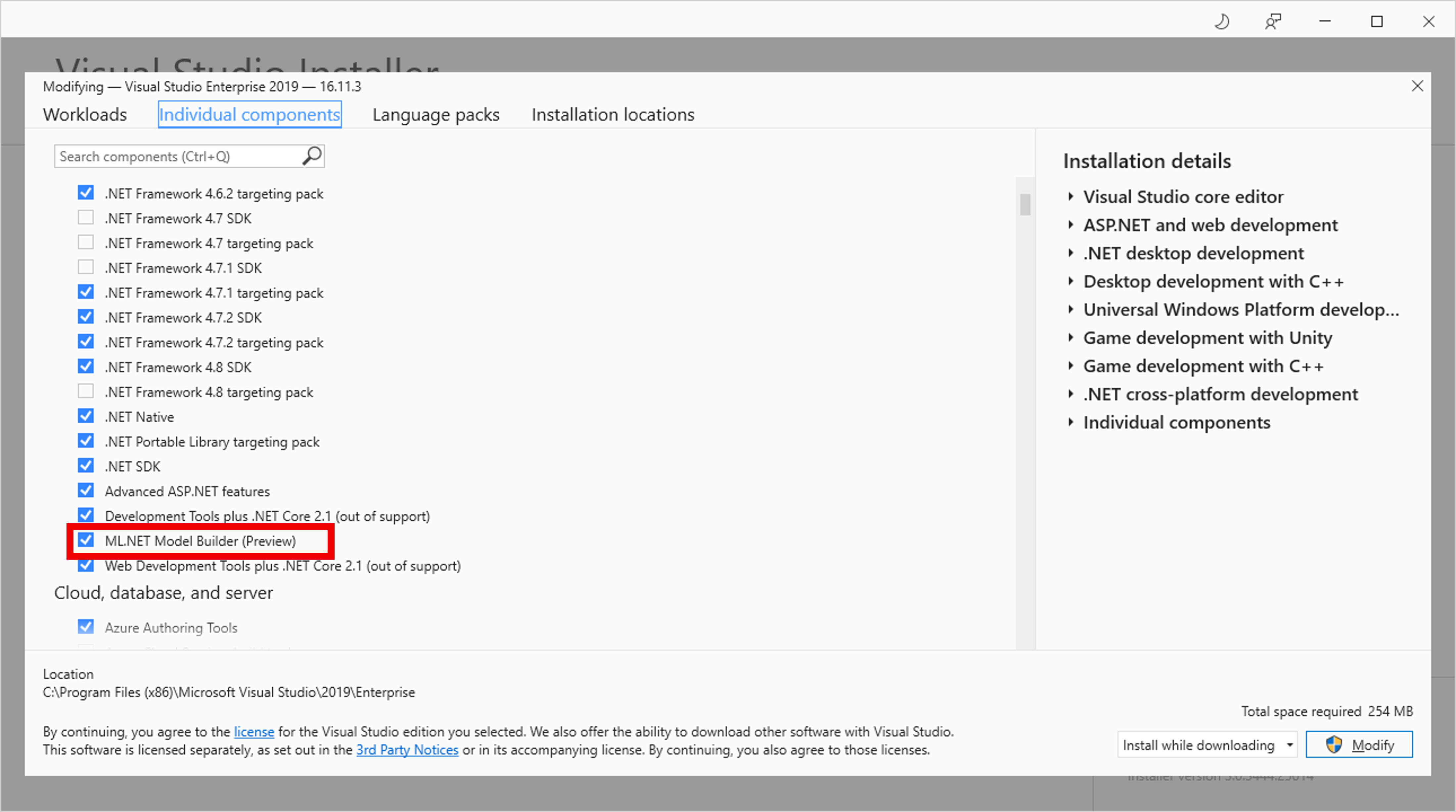
ML.NET Model builder is built into Visual Studio. To enable it:
Open the Visual Studio Installer.
Select Modify to modify your current version of Visual Studio.
In the Visual Studio Installer, select the Individual components tab.
From the list of .NET components, check the ML.NET Model Builder checkbox.
Uninstall Model Builder
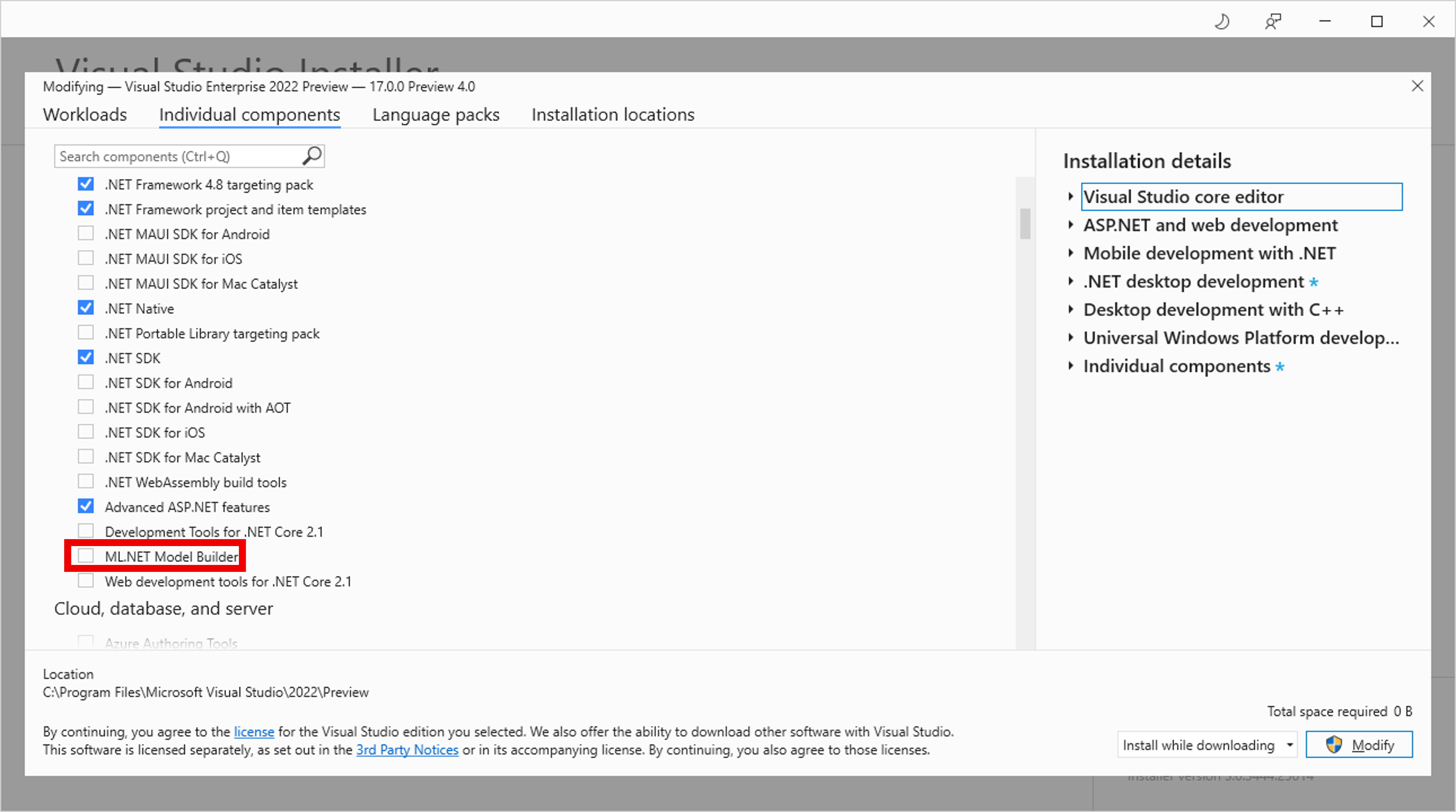
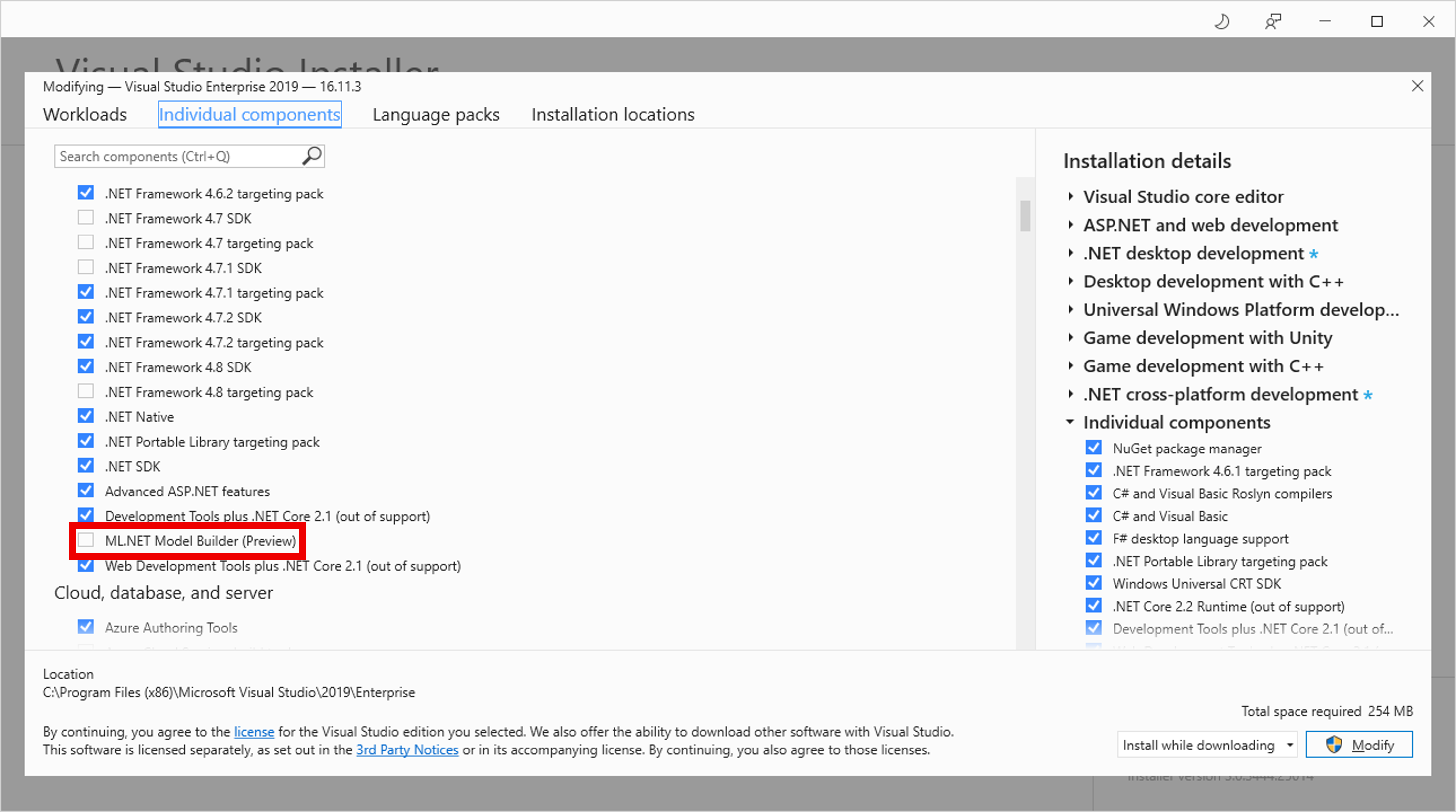
ML.NET Model builder is built into Visual Studio. To disable it:
Open the Visual Studio Installer.
Select Modify to modify your current version of Visual Studio.
In the Visual Studio Installer, select the Individual components tab.
From the list of .NET components, uncheck the ML.NET Model Builder checkbox.
Upgrade Model Builder
Model Builder automatically updates when there's a new version.
However, if you'd prefer to manually install the latest version, either download it from Visual Studio Marketplace or use the Extensions Manager in Visual Studio. See how to update a Visual Studio extension for more information.
Makipagtulungan sa amin sa GitHub
Ang pinagmulan para sa content na ito ay mahahanap sa GitHub, kung saan maaari ka ring lumikha at sumuri ng mga isyu at mga pull request. Para sa higit pang impormasyon, tingnan ang aming gabay sa contributor.
