Note
Ang pag-access sa pahinang ito ay nangangailangan ng pahintulot. Maaari mong subukang mag-sign in o magpalit ng mga direktoryo.
Ang pag-access sa pahinang ito ay nangangailangan ng pahintulot. Maaari mong subukang baguhin ang mga direktoryo.
The DevTools Network tool allows you to monitor network traffic and change network conditions of your application, from within Visual Studio Code:
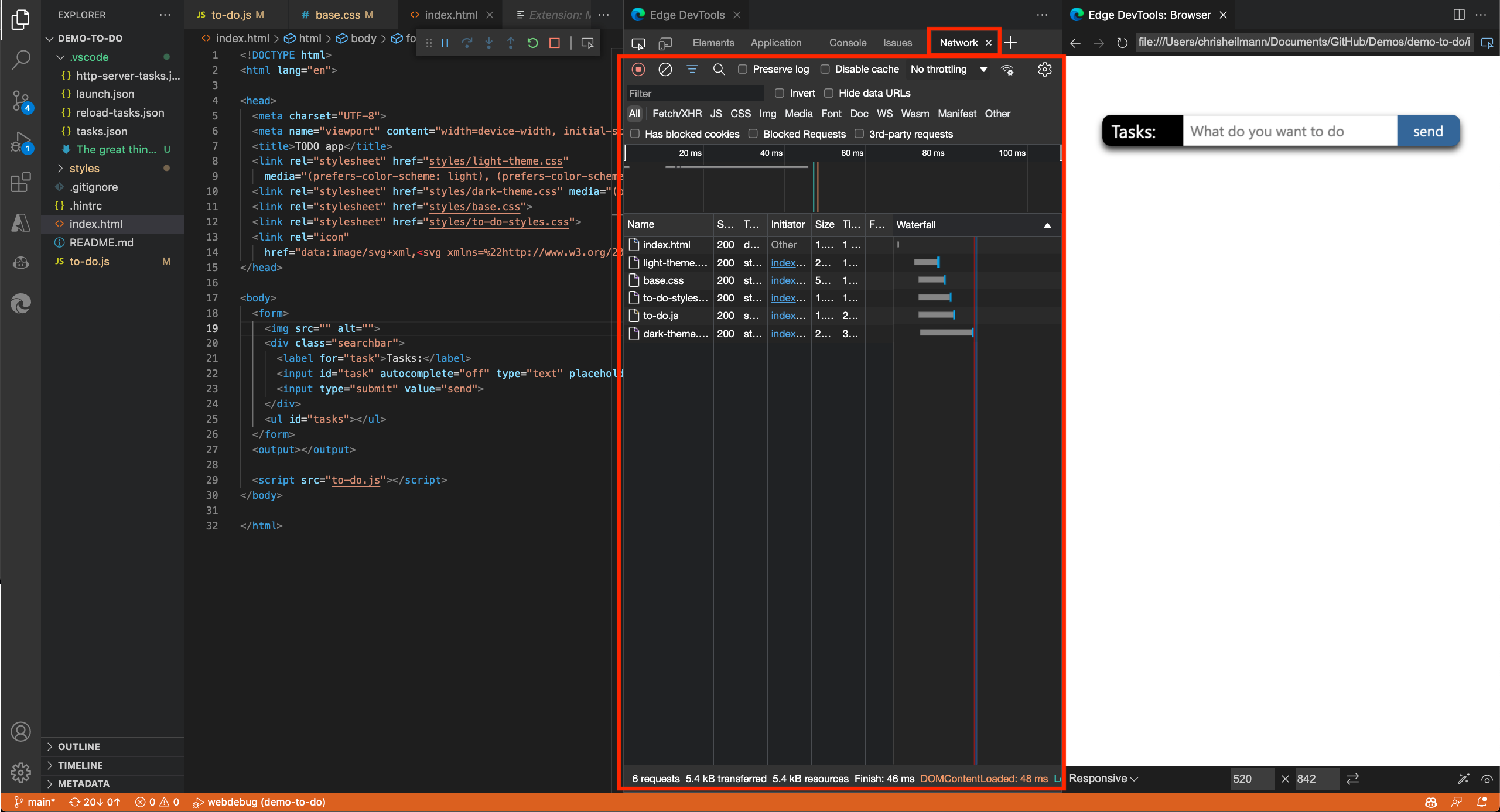
Use the Network tool to:
Analyze the network traffic and find out why some resources aren't loaded.
Simulate different network conditions, such as being offline or having a slow connection.
Disable any caching that might make it hard to debug your application.
Simulate different user agents to see how your product appears to a search engine bot or a browser that you can't test in.
For more information about the Network tool in DevTools, see Inspect network activity.