Note
Ang pag-access sa pahinang ito ay nangangailangan ng pahintulot. Maaari mong subukang mag-sign in o magpalit ng mga direktoryo.
Ang pag-access sa pahinang ito ay nangangailangan ng pahintulot. Maaari mong subukang baguhin ang mga direktoryo.
In-app notifications allow users to receive notifications in the notification center and as a notification toast. For more information, see In-app notifications in model-driven apps. In Power Apps mobile, toast notifications appear one at a time.
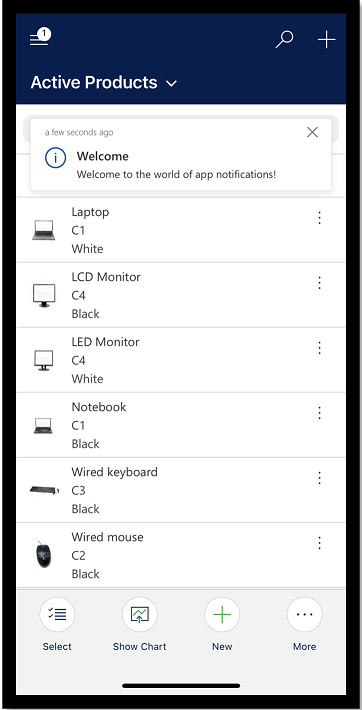
Access notifications
To access notifications in Power Apps mobile, go to site map and then select the bell icon.
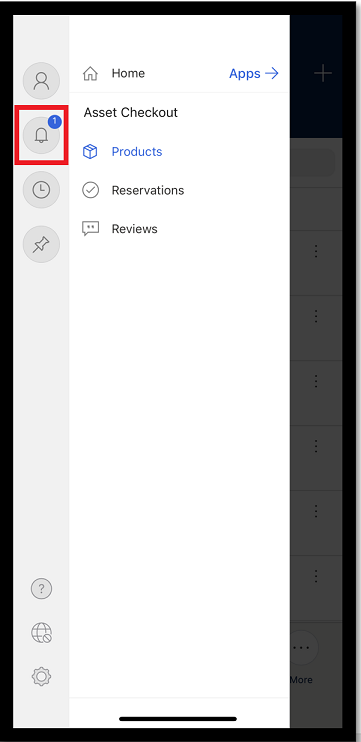
The notification center opens which displays all your notifications.
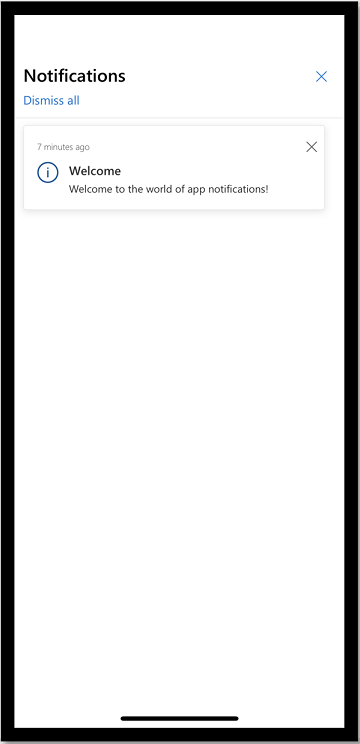
To dismiss and delete a notification, select the close X button on a notification. Or, select Dismiss all to dismiss and delete all notifications.
Turn toast notifications on or off
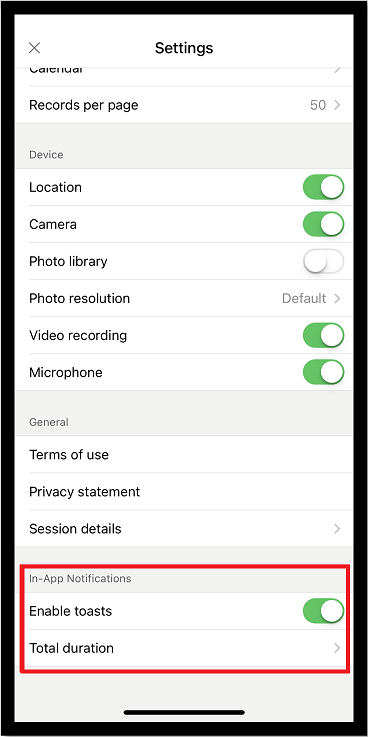
To turn toast notifications on or off, from the site map, go to Settings
Under In-App Notifications, go to the Enable toasts and move the toggle to on or off.
If you've enabled toast notifications, then select Total duration and enter how long you want the toast to appear.