פיתוח אפליקציית צ'אט מבוססת ראייה
עצה
עיין בכרטיסייה טקסט ותמונות לפרטים נוספים!
כדי לפתח אפליקציית לקוח העוסקת בצ'אטים מבוססי ראייה באמצעות מודל רב-מודרני, באפשרותך להשתמש באותם טכניקות בסיסיות המשמשות עבור צ'אטים מבוססי טקסט. דרוש לך חיבור אל נקודת הקצה שבה המודל פרוס, ואתה משתמש בנקודות קצה אלה כדי לשלוח בקשות המורכבות מהודעות למודל ולעבד את התגובות.
ההבדל המרכזי הוא שההנחיות לצ'אט מבוסס חזון כוללות הודעות משתמש מרובות חלקים שמכילות גם פריט תוכן טקסטואלי וגם פריט תוכן תמונה .
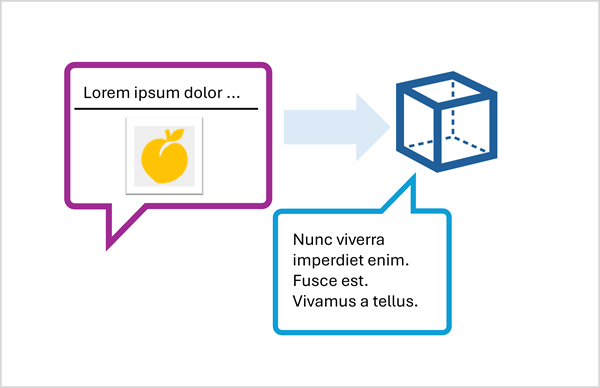
הגיש הנחיה מבוססת תמונה באמצעות Responses API
לכלול תמונה בהנחיה באמצעות Responses API, לציין כתובת URL לקובץ תמונה מבוסס רשת, או לטעון תמונה מקומית ולקודד את הנתונים שלה בפורמט Base64 ולהגיש כתובת URL בפורמט data:image/jpeg;base64,{image_data} (להחליף "jpeg" ב-"png" או פורמטים אחרים לפי הצורך).
הדוגמה הבאה לפייתון מראה כיצד להגיש תמונה בהנחיה באמצעות API של Responses :
# Read the image data from a local file
image_path = Path("dragon-fruit.jpeg")
image_format = "jpeg"
with open(image_path, "rb") as image_file:
    image_data = base64.b64encode(image_file.read()).decode("utf-8")

data_url = f"data:image/{image_format};base64,{image_data}" # You can also use a web URL

# Send the image data in a prompt to the model
response = client.responses.create(
    model="gpt-4.1",
    input=[
        {"role": "developer", "content": "You are an AI assistant for chefs planning recipes."},
        {"role": "user", "content": [
            { "type": "input_text", "text": "What desserts could I make with this?"},
            { "type": "input_image", "image_url": data_url}
        ] }
    ]
)
print(response.output_text)
שלח הנחיה מבוססת תמונה באמצעות ממשק ה-API ChatCompletions
כאשר משתמשים בנקודת הקצה של Azure OpenAI כדי להגיש הנחיות למודלים שאינם תומכים ב-API של תגובות , ניתן להשתמש ב-API של CatCompletions ; ככה:
# Read the image data from a local file
image_path = Path("orange.jpeg")
image_format = "jpeg"
with open(image_path, "rb") as image_file:
    image_data = base64.b64encode(image_file.read()).decode("utf-8")

data_url = f"data:image/{image_format};base64,{image_data}" # You can also use a web URL

# Send the image data in a prompt to the model
response = client.chat.completions.create(
    model="Phi-4-multimodal-instruct",
    messages=[
        {"role": "system", "content": "You are an AI assistant for chefs planning recipes."},
        { "role": "user", "content": [
            { "type": "text", "text": "What can I make with this fruit?"},
            { "type": "image_url", "image_url": {"url": data_url}}
        ] }
    ]
)
print(response.choices[0].message.content)