Catatan
Akses ke halaman ini memerlukan otorisasi. Anda dapat mencoba masuk atau mengubah direktori.
Akses ke halaman ini memerlukan otorisasi. Anda dapat mencoba mengubah direktori.
Dalam artikel ini, Anda menggunakan Bicep untuk membuat aplikasi fungsi di Azure dalam paket Konsumsi Fleksibel, bersama dengan sumber daya Azure yang diperlukan. Aplikasi fungsi menyediakan konteks eksekusi tanpa server untuk eksekusi kode fungsi Anda. Aplikasi ini menggunakan ID Microsoft Entra dengan identitas terkelola untuk menyambungkan ke sumber daya Azure lainnya.
Menyelesaikan quickstart ini akan memerlukan biaya kecil, beberapa sen USD atau kurang di akun Azure Anda.
Bicep adalah bahasa pemrogram khusus domain (DSL) yang menggunakan sintaks deklaratif untuk menyebarkan sumber daya Azure. Bicep menyediakan sintaks ringkas, keamanan tipe yang andal, dan dukungan untuk penggunaan ulang kode. Bicep menawarkan pengalaman penulisan terbaik untuk solusi infrastructure-as-code di Azure.
Setelah membuat aplikasi fungsi, Anda dapat menyebarkan kode proyek Azure Functions ke aplikasi tersebut. Langkah penyebaran kode terakhir berada di luar cakupan artikel panduan cepat ini.
Prasyarat
Akun Azure
Sebelum memulai, Anda memerlukan akun Azure dengan langganan aktif. Buat akun secara gratis.
Tinjau ulang file Bicep
File Bicep yang digunakan dalam panduan memulai cepat ini berasal dari Templat Panduan Memulai Cepat Azure.
/* This Bicep file creates a function app running in a Flex Consumption plan
that connects to Azure Storage by using managed identities with Microsoft Entra ID. */

//********************************************
// Parameters
//********************************************

@description('Primary region for all Azure resources.')
@minLength(1)
param location string = resourceGroup().location

@description('Language runtime used by the function app.')
@allowed(['dotnet-isolated','python','java', 'node', 'powerShell'])
param functionAppRuntime string = 'dotnet-isolated' //Defaults to .NET isolated worker

@description('Target language version used by the function app.')
@allowed(['3.10','3.11', '7.4', '8.0', '9.0', '10', '11', '17', '20'])
param functionAppRuntimeVersion string = '8.0' //Defaults to .NET 8.

@description('The maximum scale-out instance count limit for the app.')
@minValue(40)
@maxValue(1000)
param maximumInstanceCount int = 100

@description('The memory size of instances used by the app.')
@allowed([2048,4096])
param instanceMemoryMB int = 2048

@description('A unique token used for resource name generation.')
@minLength(3)
param resourceToken string = toLower(uniqueString(subscription().id, location))

@description('A globally unique name for your deployed function app.')
param appName string = 'func-${resourceToken}'

//********************************************
// Variables
//********************************************

// Generates a unique container name for deployments.
var deploymentStorageContainerName = 'app-package-${take(appName, 32)}-${take(resourceToken, 7)}'

// Key access to the storage account is disabled by default
var storageAccountAllowSharedKeyAccess = false

// Define the IDs of the roles we need to assign to our managed identities.
var storageBlobDataOwnerRoleId  = 'b7e6dc6d-f1e8-4753-8033-0f276bb0955b'
var storageBlobDataContributorRoleId = 'ba92f5b4-2d11-453d-a403-e96b0029c9fe'
var storageQueueDataContributorId = '974c5e8b-45b9-4653-ba55-5f855dd0fb88'
var storageTableDataContributorId = '0a9a7e1f-b9d0-4cc4-a60d-0319b160aaa3'
var monitoringMetricsPublisherId = '3913510d-42f4-4e42-8a64-420c390055eb'

//********************************************
// Azure resources required by your function app.
//********************************************

resource logAnalytics 'Microsoft.OperationalInsights/workspaces@2023-09-01' = {
  name: 'log-${resourceToken}'
  location: location
  properties: any({
    retentionInDays: 30
    features: {
      searchVersion: 1
    }
    sku: {
      name: 'PerGB2018'
    }
  })
}

resource applicationInsights 'Microsoft.Insights/components@2020-02-02' = {
  name: 'appi-${resourceToken}'
  location: location
  kind: 'web'
  properties: {
    Application_Type: 'web'
    WorkspaceResourceId: logAnalytics.id
    DisableLocalAuth: true
  }
}

resource storage 'Microsoft.Storage/storageAccounts@2023-05-01' = {
  name: 'st${resourceToken}'
  location: location
  kind: 'StorageV2'
  sku: { name: 'Standard_LRS' }
  properties: {
    accessTier: 'Hot'
    allowBlobPublicAccess: false
    allowSharedKeyAccess: storageAccountAllowSharedKeyAccess
    dnsEndpointType: 'Standard'
    minimumTlsVersion: 'TLS1_2'
    networkAcls: {
      bypass: 'AzureServices'
      defaultAction: 'Allow'
    }
    publicNetworkAccess: 'Enabled'
  }
  resource blobServices 'blobServices' = {
    name: 'default'
    properties: {
      deleteRetentionPolicy: {}
    }
    resource deploymentContainer 'containers' = {
      name: deploymentStorageContainerName
      properties: {
        publicAccess: 'None'
      }
    }
  }
}

resource userAssignedIdentity 'Microsoft.ManagedIdentity/userAssignedIdentities@2023-01-31' = {
  name: 'uai-data-owner-${resourceToken}'
  location: location
}

resource roleAssignmentBlobDataOwner 'Microsoft.Authorization/roleAssignments@2022-04-01' = {
  name: guid(subscription().id, storage.id, userAssignedIdentity.id, 'Storage Blob Data Owner')
  scope: storage
  properties: {
    roleDefinitionId: subscriptionResourceId('Microsoft.Authorization/roleDefinitions', storageBlobDataOwnerRoleId)
    principalId: userAssignedIdentity.properties.principalId
    principalType: 'ServicePrincipal'
  }
}

resource roleAssignmentBlob 'Microsoft.Authorization/roleAssignments@2022-04-01' = {
  name: guid(subscription().id, storage.id, userAssignedIdentity.id, 'Storage Blob Data Contributor')
  scope: storage
  properties: {
    roleDefinitionId: subscriptionResourceId('Microsoft.Authorization/roleDefinitions', storageBlobDataContributorRoleId)
    principalId: userAssignedIdentity.properties.principalId
    principalType: 'ServicePrincipal'
  }
}

resource roleAssignmentQueueStorage 'Microsoft.Authorization/roleAssignments@2022-04-01' = {
  name: guid(subscription().id, storage.id, userAssignedIdentity.id, 'Storage Queue Data Contributor')
  scope: storage
  properties: {
    roleDefinitionId: subscriptionResourceId('Microsoft.Authorization/roleDefinitions', storageQueueDataContributorId)
    principalId: userAssignedIdentity.properties.principalId
    principalType: 'ServicePrincipal'
  }
}

resource roleAssignmentTableStorage 'Microsoft.Authorization/roleAssignments@2022-04-01' = {
  name: guid(subscription().id, storage.id, userAssignedIdentity.id, 'Storage Table Data Contributor')
  scope: storage
  properties: {
    roleDefinitionId: subscriptionResourceId('Microsoft.Authorization/roleDefinitions', storageTableDataContributorId)
    principalId: userAssignedIdentity.properties.principalId
    principalType: 'ServicePrincipal'
  }
}

resource roleAssignmentAppInsights 'Microsoft.Authorization/roleAssignments@2022-04-01' = {
  name: guid(subscription().id, applicationInsights.id, userAssignedIdentity.id, 'Monitoring Metrics Publisher')
  scope: applicationInsights
  properties: {
    roleDefinitionId: subscriptionResourceId('Microsoft.Authorization/roleDefinitions', monitoringMetricsPublisherId)
    principalId: userAssignedIdentity.properties.principalId
    principalType: 'ServicePrincipal'
  }
}

//********************************************
// Function app and Flex Consumption plan definitions
//********************************************

resource appServicePlan 'Microsoft.Web/serverfarms@2024-04-01' = {
  name: 'plan-${resourceToken}'
  location: location
  kind: 'functionapp'
  sku: {
    tier: 'FlexConsumption'
    name: 'FC1'
  }
  properties: {
    reserved: true
  }
}

resource functionApp 'Microsoft.Web/sites@2024-04-01' = {
  name: appName
  location: location
  kind: 'functionapp,linux'
  identity: {
    type: 'UserAssigned'
    userAssignedIdentities: {
      '${userAssignedIdentity.id}':{}
      }
    }
  properties: {
    serverFarmId: appServicePlan.id
    httpsOnly: true
    siteConfig: {
      minTlsVersion: '1.2'
    }
    functionAppConfig: {
      deployment: {
        storage: {
          type: 'blobContainer'
          value: '${storage.properties.primaryEndpoints.blob}${deploymentStorageContainerName}'
          authentication: {
            type: 'UserAssignedIdentity'
            userAssignedIdentityResourceId: userAssignedIdentity.id
          }
        }
      }
      scaleAndConcurrency: {
        maximumInstanceCount: maximumInstanceCount
        instanceMemoryMB: instanceMemoryMB
      }
      runtime: {
        name: functionAppRuntime
        version: functionAppRuntimeVersion
      }
    }
  }
  resource configAppSettings 'config' = {
    name: 'appsettings'
    properties: {
        AzureWebJobsStorage__accountName: storage.name
        AzureWebJobsStorage__credential : 'managedidentity'
        AzureWebJobsStorage__clientId: userAssignedIdentity.properties.clientId
        APPINSIGHTS_INSTRUMENTATIONKEY: applicationInsights.properties.InstrumentationKey
        APPLICATIONINSIGHTS_AUTHENTICATION_STRING: 'ClientId=${userAssignedIdentity.properties.clientId};Authorization=AAD'
      }
  }
}
File penyebaran ini membuat sumber daya Azure ini diperlukan oleh aplikasi fungsi yang terhubung dengan aman ke layanan Azure:
- Microsoft.Web/sites: membuat aplikasi fungsi Anda.
- Microsoft.Web/serverfarms: membuat paket hosting Flex Consumption tanpa server untuk aplikasi Anda.
- Microsoft.Storage/storageAccounts: membuat akun Azure Storage, yang diperlukan oleh Functions.
- Microsoft.Insights/components: membuat instans Application Insights untuk memantau aplikasi Anda.
- Microsoft.OperationalInsights/workspaces: membuat ruang kerja yang diperlukan oleh Application Insights.
- Microsoft.ManagedIdentity/userAssignedIdentities: membuat identitas terkelola yang ditetapkan pengguna yang digunakan oleh aplikasi untuk mengautentikasi dengan layanan Azure lainnya menggunakan Microsoft Entra.
- Microsoft.Authorization/roleAssignments: membuat penetapan peran ke identitas terkelola yang ditetapkan pengguna, yang memberi aplikasi akses hak istimewa paling sedikit saat menyambungkan ke layanan Azure lainnya.
Pertimbangan penyebaran:
- Akun penyimpanan digunakan untuk menyimpan data aplikasi penting, termasuk paket penyebaran kode aplikasi. Penyebaran ini membuat akun penyimpanan yang diakses menggunakan autentikasi Microsoft Entra ID serta identitas terkelola. Akses identitas diberikan berdasarkan prinsip izin minimal.
- File Bicep default untuk membuat aplikasi C# yang menggunakan .NET 8 dalam proses terisolasi. Untuk bahasa lain, gunakan
functionAppRuntimeparameter danfunctionAppRuntimeVersionuntuk menentukan bahasa dan versi tertentu untuk menjalankan aplikasi Anda. Pastikan untuk memilih bahasa pemrograman Anda di bagian atas artikel.
Menerapkan file Bicep
Simpan file Bicep sebagai main.bicep ke penyimpanan lokal komputer Anda.
Sebarkan file Bicep menggunakan Azure CLI atau Azure PowerShell.
az group create --name exampleRG --location <SUPPORTED_REGION>
az deployment group create --resource-group exampleRG --template-file main.bicep --parameters functionAppRuntime=dotnet-isolated functionAppRuntimeVersion=8.0
az group create --name exampleRG --location <SUPPORTED_REGION> az deployment group create --resource-group exampleRG --template-file main.bicep --parameters functionAppRuntime=java functionAppRuntimeVersion=17az group create --name exampleRG --location <SUPPORTED_REGION> az deployment group create --resource-group exampleRG --template-file main.bicep --parameters functionAppRuntime=node functionAppRuntimeVersion=20az group create --name exampleRG --location <SUPPORTED_REGION> az deployment group create --resource-group exampleRG --template-file main.bicep --parameters functionAppRuntime=python functionAppRuntimeVersion=3.11az group create --name exampleRG --location <SUPPORTED_REGION> az deployment group create --resource-group exampleRG --template-file main.bicep --parameters functionAppRuntime=powerShell functionAppRuntimeVersion=7.4Dalam contoh ini, ganti
<SUPPORTED_REGION>dengan wilayah yang mendukung paket Konsumsi Flex.Setelah penyebaran selesai, Anda akan melihat pesan yang menunjukkan penyebaran berhasil.
Validasi penyebaran
Gunakan Azure CLI atau Azure PowerShell untuk memvalidasi penyebaran.
az resource list --resource-group exampleRG
Kunjungi halaman sambutan aplikasi fungsional
Gunakan output dari langkah validasi sebelumnya untuk mengambil nama unik yang dibuat untuk aplikasi fungsi Anda.
Buka browser dan masukkan URL berikut: <https://<appName.azurewebsites.net>. Pastikan untuk mengganti <\appName> dengan nama unik yang dibuat untuk aplikasi fungsi Anda.
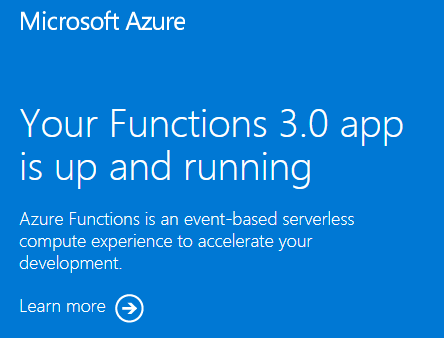
Saat Anda mengunjungi URL, Anda akan melihat halaman seperti ini:
Membersihkan sumber daya
Sekarang setelah Anda menyebarkan aplikasi fungsi dan sumber daya terkait ke Azure, dapat melanjutkan ke langkah berikutnya menerbitkan kode proyek ke aplikasi Anda. Jika tidak, gunakan perintah ini untuk menghapus sumber daya, saat Anda tidak lagi membutuhkannya.
az group delete --name exampleRG
Anda juga dapat menghapus sumber daya dengan menggunakan portal Microsoft Azure.
Langkah berikutnya
Anda sekarang dapat menyebarkan proyek kode ke sumber daya aplikasi fungsi yang Anda buat di Azure.
Anda dapat membuat, memverifikasi, dan menyebarkan proyek kode ke aplikasi fungsi baru Anda dari lingkungan lokal ini: