Catatan
Akses ke halaman ini memerlukan otorisasi. Anda dapat mencoba masuk atau mengubah direktori.
Akses ke halaman ini memerlukan otorisasi. Anda dapat mencoba mengubah direktori.
Penting
Saat ini, PowerShell Durable Task SDK tidak tersedia.
Dalam panduan cepat ini, Anda mempelajari cara untuk:
- Kloning dan siapkan proyek sampel Durable Task Scheduler.
- Sebarkan aplikasi pekerja dan klien untuk Azure Container Apps menggunakan Azure Developer CLI.
- Verifikasi penyebaran menggunakan aliran log Azure Container Apps.
- Tinjau status dan riwayat orkestrasi melalui dasbor Durable Task Scheduler.
Prasyarat
Sebelum Anda mulai:
- Pastikan Anda memiliki .NET 8 SDK atau yang lebih baru.
- Pasang Docker. Docker diperlukan untuk membuat gambar kontainer selama penyebaran.
- Instal Azure Developer CLI
- Klon Durable Task Scheduler GitHub repositori tersebut untuk menggunakan contoh memulai cepat.
- Pastikan Anda memiliki Python 3.9+ atau yang lebih baru.
- Pasang Docker. Docker diperlukan untuk membuat gambar kontainer selama penyebaran.
- Instal Azure Developer CLI
- Klon Durable Task Scheduler GitHub repositori tersebut untuk menggunakan contoh memulai cepat.
- Pastikan Anda memiliki Java 8 atau 11.
- Pasang Docker. Docker diperlukan untuk membuat gambar kontainer selama penyebaran.
- Instal Azure Developer CLI
- Klon Durable Task Scheduler GitHub repositori tersebut untuk menggunakan contoh memulai cepat.
- Pastikan Anda memiliki Node.js 22 atau yang lebih baru.
- Pasang Docker. Docker diperlukan untuk membuat gambar kontainer selama penyebaran.
- Instal Azure Developer CLI
- Klon Durable Task Scheduler GitHub repositori tersebut untuk menggunakan contoh memulai cepat.
Menyiapkan proyek
Di jendela terminal baru, dari direktori hasil kloning Azure-Samples/Durable-Task-Scheduler, pindah ke contoh rantai fungsi.
cd /samples/durable-task-sdks/dotnet/FunctionChaining
cd /samples/durable-task-sdks/python/function-chaining
cd /samples/durable-task-sdks/java/function-chaining
cd /samples/durable-task-sdks/javascript/function-chaining
Menyebarkan menggunakan Azure Developer CLI
Azure Developer CLI (azd) menyediakan semua infrastruktur Azure yang diperlukan dan menyebarkan aplikasi pekerja dan klien dalam satu perintah.
Jalankan
azd upuntuk menyediakan infrastruktur dan menyebarkan aplikasi ke Azure Container Apps dalam satu perintah.azd upSaat diminta di terminal, berikan parameter berikut.
Parameter Deskripsi Nama Lingkungan Awalan untuk grup sumber daya yang dibuat untuk menampung semua sumber daya di Azure. Lokasi Azure Lokasi Azure untuk sumber daya Anda. Langganan Azure Layanan langganan Azure untuk sumber daya Anda. Proses ini mungkin perlu waktu untuk diselesaikan. Saat perintah
azd upselesai, output CLI menampilkan dua tautan portal Azure untuk memantau kemajuan penyebaran. Keluaran juga menunjukkan bagaimanaazd up- Membuat dan mengonfigurasi semua sumber daya Azure yang diperlukan melalui file Bicep yang disediakan di direktori
./inframenggunakanazd provision. Setelah disediakan oleh Azure Developer CLI, Anda dapat mengakses sumber daya ini melalui portal Azure. File yang menyediakan sumber daya Azure meliputi:main.parameters.jsonmain.bicep-
appDirektori sumber daya yang diatur oleh fungsionalitas - Pustaka referensi
coreyang berisi modul-modul Bicep yang digunakan oleh templatazd
- Menyebarkan kode menggunakan
azd deploy
Output yang diharapkan
Packaging services (azd package) (✓) Done: Packaging service client - Image Hash: {IMAGE_HASH} - Target Image: {TARGET_IMAGE} (✓) Done: Packaging service worker - Image Hash: {IMAGE_HASH} - Target Image: {TARGET_IMAGE} Provisioning Azure resources (azd provision) Provisioning Azure resources can take some time. Subscription: SUBSCRIPTION_NAME (SUBSCRIPTION_ID) Location: West US 2 You can view detailed progress in the Azure portal: https://portal.azure.com/#view/HubsExtension/DeploymentDetailsBlade/~/overview/id/%2Fsubscriptions%SUBSCRIPTION_ID%2Fproviders%2FMicrosoft.Resources%2Fdeployments%2FCONTAINER_APP_ENVIRONMENT (✓) Done: Resource group: GENERATED_RESOURCE_GROUP (1.385s) (✓) Done: Container Apps Environment: GENERATED_CONTAINER_APP_ENVIRONMENT (54.125s) (✓) Done: Container Registry: GENERATED_REGISTRY (1m27.747s) (✓) Done: Container App: SAMPLE_CLIENT_APP (21.39s) (✓) Done: Container App: SAMPLE_WORKER_APP (24.136s) Deploying services (azd deploy) (✓) Done: Deploying service client - Endpoint: https://SAMPLE_CLIENT_APP.westus2.azurecontainerapps.io/ (✓) Done: Deploying service worker - Endpoint: https://SAMPLE_WORKER_APP.westus2.azurecontainerapps.io/ SUCCESS: Your up workflow to provision and deploy to Azure completed in 10 minutes 34 seconds.- Membuat dan mengonfigurasi semua sumber daya Azure yang diperlukan melalui file Bicep yang disediakan di direktori
Mengonfirmasi keberhasilan penyebaran
Di portal Azure, periksa bahwa orkestrasi sedang berjalan dengan sukses.
Salin nama grup sumber daya dari output terminal.
Masuk ke portal Microsoft Azure dan cari nama grup sumber daya tersebut.
Dari halaman gambaran umum grup sumber daya, pilih sumber daya aplikasi kontainer klien.
Pilih Pemantauan>Aliran Log.
Pastikan aplikasi wadah sampel mencatat tugas berantai fungsi.
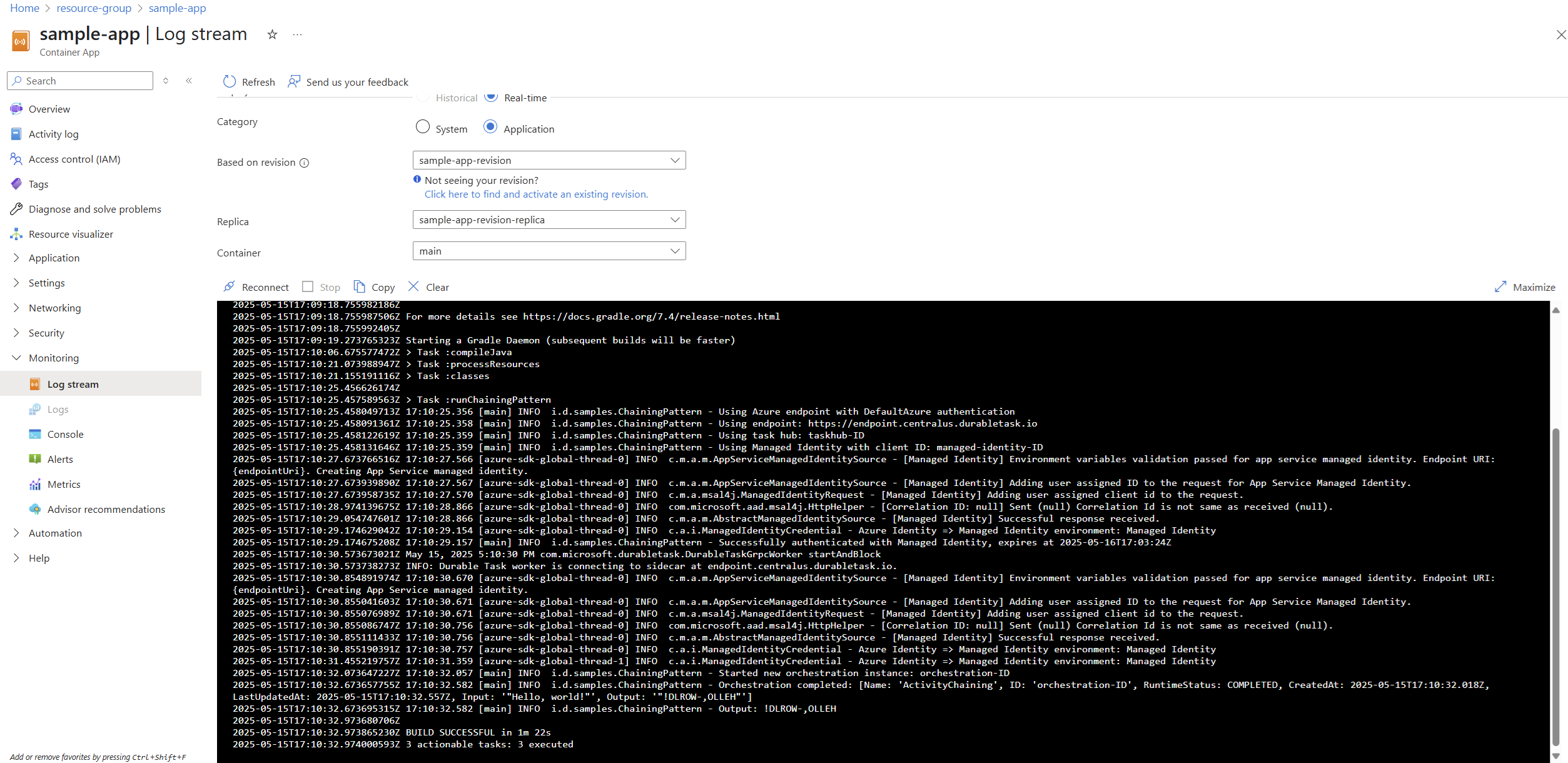
Salin nama grup sumber daya dari output terminal.
Masuk ke portal Microsoft Azure dan cari nama grup sumber daya tersebut.
Dari halaman gambaran umum grup sumber daya, pilih sumber daya aplikasi kontainer klien.
Pilih Pemantauan>Aliran Log.
Konfirmasikan bahwa kontainer klien mencatat tugas penautan fungsi.
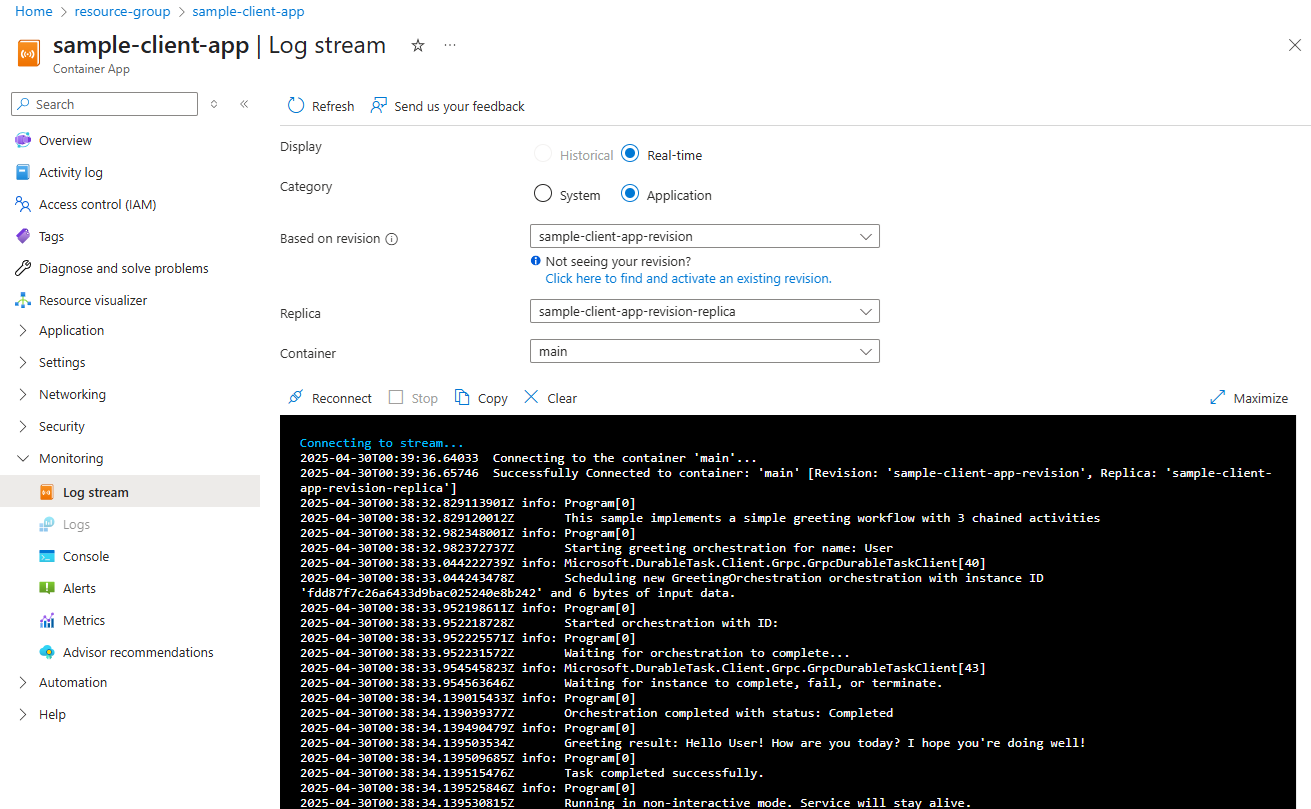
Navigasi kembali ke halaman grup sumber daya untuk memilih
workerkontainer.Pilih Pemantauan>Aliran Log.
Pastikan bahwa kontainer pekerja mencatat tugas penautan fungsi.
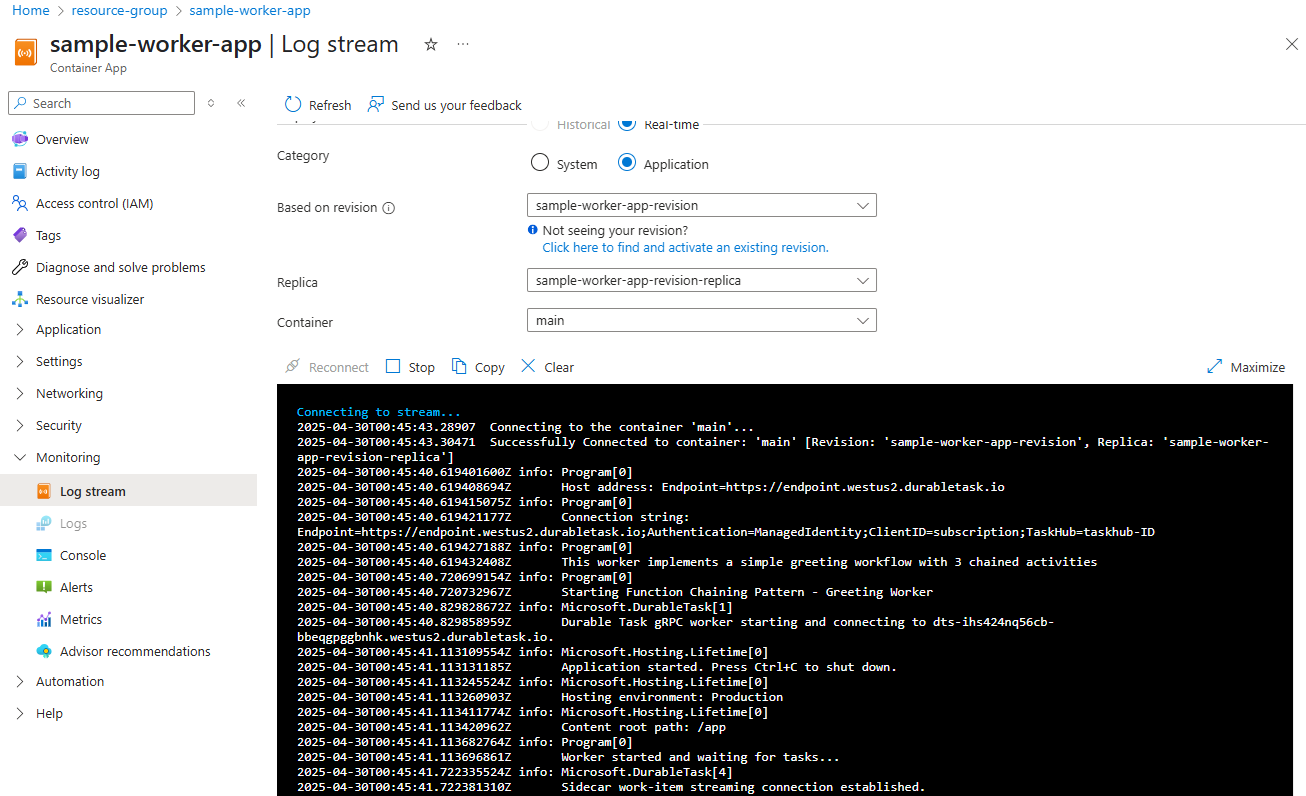
Anda juga dapat meninjau status orkestrasi dan riwayat menggunakan dasbor Durable Task Scheduler. Untuk informasi selengkapnya, lihat Dasbor Durable Task Scheduler.
Memahami kode
Proyek dari klien
Proyek dari Klien:
- Menggunakan logika string koneksi yang sama dengan pekerja
- Menerapkan penjadwal orkestrasi berurutan yang:
- Menjadwalkan 20 instans orkestrasi, satu per satu
- Menunggu 5 detik di antara penjadwalan setiap orkestrasi
- Melacak semua instans orkestrasi dalam daftar
- Menunggu semua orkestrasi selesai sebelum keluar
- Menggunakan pengelogan standar untuk menampilkan kemajuan dan hasil
// Schedule 20 orchestrations sequentially
for (int i = 0; i < TotalOrchestrations; i++)
{
    // Create a unique instance ID
    string instanceName = $"{name}_{i+1}";

    // Schedule the orchestration
    string instanceId = await client.ScheduleNewOrchestrationInstanceAsync(
        "GreetingOrchestration",
        instanceName);

    // Wait 5 seconds before scheduling the next one
    await Task.Delay(TimeSpan.FromSeconds(IntervalSeconds));
}

// Wait for all orchestrations to complete
foreach (string id in allInstanceIds)
{
    OrchestrationMetadata instance = await client.WaitForInstanceCompletionAsync(
        id, getInputsAndOutputs: false, CancellationToken.None);
}
Proyek Pekerja
Proyek Pekerja berisi:
- GreetingOrchestration.cs: Menentukan fungsi orkestrator dan aktivitas dalam satu file
- Program.cs: Menyiapkan host pekerja dengan penanganan string koneksi yang sesuai
Implementasi Pengaturan Orkestrasi
Orkestrasi secara langsung memanggil setiap aktivitas secara berurutan menggunakan metode standar CallActivityAsync :
public override async Task<string> RunAsync(TaskOrchestrationContext context, string name)
{
    // Step 1: Say hello to the person
    string greeting = await context.CallActivityAsync<string>(nameof(SayHelloActivity), name);

    // Step 2: Process the greeting
    string processedGreeting = await context.CallActivityAsync<string>(nameof(ProcessGreetingActivity), greeting);

    // Step 3: Finalize the response
    string finalResponse = await context.CallActivityAsync<string>(nameof(FinalizeResponseActivity), processedGreeting);

    return finalResponse;
}
Setiap aktivitas diimplementasikan sebagai kelas terpisah yang dihiasi dengan [DurableTask] atribut :
[DurableTask]
public class SayHelloActivity : TaskActivity<string, string>
{
    // Implementation details
}
Pekerja menggunakan Microsoft.Extensions.Hosting untuk manajemen siklus hidup yang tepat:
var builder = Host.CreateApplicationBuilder();
builder.Services.AddDurableTaskWorker()
    .AddTasks(registry => {
        registry.AddAllGeneratedTasks();
    })
    .UseDurableTaskScheduler(connectionString);
var host = builder.Build();
await host.StartAsync();
Client
Proyek dari Klien:
- Menggunakan logika string koneksi yang sama dengan pekerja
- Menerapkan penjadwal orkestrasi berurutan yang:
- Menjadwalkan 20 instans orkestrasi, satu per satu
- Menunggu 5 detik di antara penjadwalan setiap orkestrasi
- Melacak semua instans orkestrasi dalam daftar
- Menunggu semua orkestrasi selesai sebelum keluar
- Menggunakan pengelogan standar untuk menampilkan kemajuan dan hasil
# Schedule all orchestrations first
instance_ids = []
for i in range(TOTAL_ORCHESTRATIONS):
    try:
        # Create a unique instance name
        instance_name = f"{name}_{i+1}"
        logger.info(f"Scheduling orchestration #{i+1} ({instance_name})")

        # Schedule the orchestration
        instance_id = client.schedule_new_orchestration(
            "function_chaining_orchestrator",
            input=instance_name
        )

        instance_ids.append(instance_id)
        logger.info(f"Orchestration #{i+1} scheduled with ID: {instance_id}")

        # Wait before scheduling next orchestration (except for the last one)
        if i < TOTAL_ORCHESTRATIONS - 1:
            logger.info(f"Waiting {INTERVAL_SECONDS} seconds before scheduling next orchestration...")
        await asyncio.sleep(INTERVAL_SECONDS)
# ...
# Wait for all orchestrations to complete
for idx, instance_id in enumerate(instance_ids):
    try:
        logger.info(f"Waiting for orchestration {idx+1}/{len(instance_ids)} (ID: {instance_id})...")
        result = client.wait_for_orchestration_completion(
            instance_id,
            timeout=120
        )
Pekerja
Implementasi Pengaturan Orkestrasi
Orkestrasi secara langsung memanggil setiap aktivitas secara berurutan menggunakan fungsi standar call_activity :
# Orchestrator function
def function_chaining_orchestrator(ctx, name: str) -> str:
    """Orchestrator that demonstrates function chaining pattern."""
    logger.info(f"Starting function chaining orchestration for {name}")

    # Call first activity - passing input directly without named parameter
    greeting = yield ctx.call_activity('say_hello', input=name)

    # Call second activity with the result from first activity
    processed_greeting = yield ctx.call_activity('process_greeting', input=greeting)

    # Call third activity with the result from second activity
    final_response = yield ctx.call_activity('finalize_response', input=processed_greeting)

    return final_response
Setiap aktivitas diimplementasikan sebagai fungsi terpisah:
# Activity functions
def say_hello(ctx, name: str) -> str:
    """First activity that greets the user."""
    logger.info(f"Activity say_hello called with name: {name}")
    return f"Hello {name}!"

def process_greeting(ctx, greeting: str) -> str:
    """Second activity that processes the greeting."""
    logger.info(f"Activity process_greeting called with greeting: {greeting}")
    return f"{greeting} How are you today?"

def finalize_response(ctx, response: str) -> str:
    """Third activity that finalizes the response."""
    logger.info(f"Activity finalize_response called with response: {response}")
    return f"{response} I hope you're doing well!"
Pekerja menggunakan DurableTaskSchedulerWorker untuk manajemen siklus hidup yang tepat:
with DurableTaskSchedulerWorker(
    host_address=host_address,
    secure_channel=endpoint != "http://localhost:8080",
    taskhub=taskhub_name,
    token_credential=credential
) as worker:

    # Register activities and orchestrators
    worker.add_activity(say_hello)
    worker.add_activity(process_greeting)
    worker.add_activity(finalize_response)
    worker.add_orchestrator(function_chaining_orchestrator)

    # Start the worker (without awaiting)
    worker.start()
Aplikasi kontainer sampel berisi kode pekerja dan klien.
Client
Kode klien:
- Menggunakan logika string koneksi yang sama dengan pekerja
- Menerapkan penjadwal orkestrasi berurutan yang:
- Menjadwalkan 20 instans orkestrasi, satu per satu
- Menunggu 5 detik di antara penjadwalan setiap orkestrasi
- Melacak semua instans orkestrasi dalam daftar
- Menunggu semua orkestrasi selesai sebelum keluar
- Menggunakan pengelogan standar untuk menampilkan kemajuan dan hasil
// Create client using Azure-managed extensions
DurableTaskClient client = (credential != null
    ? DurableTaskSchedulerClientExtensions.createClientBuilder(endpoint, taskHubName, credential)
    : DurableTaskSchedulerClientExtensions.createClientBuilder(connectionString)).build();

// Start a new instance of the registered "ActivityChaining" orchestration
String instanceId = client.scheduleNewOrchestrationInstance(
        "ActivityChaining",
        new NewOrchestrationInstanceOptions().setInput("Hello, world!"));
logger.info("Started new orchestration instance: {}", instanceId);

// Block until the orchestration completes. Then print the final status, which includes the output.
OrchestrationMetadata completedInstance = client.waitForInstanceCompletion(
        instanceId,
        Duration.ofSeconds(30),
        true);
logger.info("Orchestration completed: {}", completedInstance);
logger.info("Output: {}", completedInstance.readOutputAs(String.class))
Pekerja
Orkestrasi secara langsung memanggil setiap aktivitas secara berurutan menggunakan metode standar callActivity :
DurableTaskGrpcWorker worker = (credential != null
    ? DurableTaskSchedulerWorkerExtensions.createWorkerBuilder(endpoint, taskHubName, credential)
    : DurableTaskSchedulerWorkerExtensions.createWorkerBuilder(connectionString))
    .addOrchestration(new TaskOrchestrationFactory() {
        @Override
        public String getName() { return "ActivityChaining"; }

        @Override
        public TaskOrchestration create() {
            return ctx -> {
                String input = ctx.getInput(String.class);
                String x = ctx.callActivity("Reverse", input, String.class).await();
                String y = ctx.callActivity("Capitalize", x, String.class).await();
                String z = ctx.callActivity("ReplaceWhitespace", y, String.class).await();
                ctx.complete(z);
            };
        }
    })
    .addActivity(new TaskActivityFactory() {
        @Override
        public String getName() { return "Reverse"; }

        @Override
        public TaskActivity create() {
            return ctx -> {
                String input = ctx.getInput(String.class);
                StringBuilder builder = new StringBuilder(input);
                builder.reverse();
                return builder.toString();
            };
        }
    })
    .addActivity(new TaskActivityFactory() {
        @Override
        public String getName() { return "Capitalize"; }

        @Override
        public TaskActivity create() {
            return ctx -> ctx.getInput(String.class).toUpperCase();
        }
    })
    .addActivity(new TaskActivityFactory() {
        @Override
        public String getName() { return "ReplaceWhitespace"; }

        @Override
        public TaskActivity create() {
            return ctx -> {
                String input = ctx.getInput(String.class);
                return input.trim().replaceAll("\\s", "-");
            };
        }
    })
    .build();

// Start the worker
worker.start();
Client
Kode klien:
- Menggunakan logika string koneksi yang sama dengan pekerja
- Menerapkan penjadwal orkestrasi berurutan yang:
- Menjadwalkan 20 instans orkestrasi, satu per satu
- Menunggu 5 detik di antara penjadwalan setiap orkestrasi
- Melacak semua instans orkestrasi dalam daftar
- Menunggu semua orkestrasi selesai sebelum keluar
- Menggunakan pengelogan standar untuk menampilkan kemajuan dan hasil
const TOTAL_ORCHESTRATIONS = Number(process.env.TOTAL_ORCHESTRATIONS ?? 20);
const INTERVAL_SECONDS = Number(process.env.ORCHESTRATION_INTERVAL ?? 5);

const orchestrationIds = [];

for (let index = 0; index < TOTAL_ORCHESTRATIONS; index += 1) {
    const orchestrationInput = `${baseName}_${index + 1}`;

    const instanceId = await client.scheduleNewOrchestration(
        "functionChainingOrchestrator",
        orchestrationInput
    );

    orchestrationIds.push(instanceId);

    if (index < TOTAL_ORCHESTRATIONS - 1) {
        await sleep(INTERVAL_SECONDS * 1000);
    }
}

for (const instanceId of orchestrationIds) {
    const state = await client.waitForOrchestrationCompletion(instanceId, true, 120);
}
Pekerja
Implementasi Pengaturan Orkestrasi
Orkestrasi secara langsung memanggil setiap aktivitas secara berurutan menggunakan metode standar callActivity :
const functionChainingOrchestrator = async function* functionChainingOrchestrator(ctx, name) {
    const greeting = yield ctx.callActivity(sayHello, name);
    const processedGreeting = yield ctx.callActivity(processGreeting, greeting);
    const finalResponse = yield ctx.callActivity(finalizeResponse, processedGreeting);

    return finalResponse;
};
Setiap aktivitas diimplementasikan sebagai fungsi terpisah:
const sayHello = async (_ctx, name) => {
    const safeName = typeof name === "string" && name.length ? name : "User";
    return `Hello ${safeName}!`;
};

const processGreeting = async (_ctx, greeting) => {
    const value = typeof greeting === "string" ? greeting : "Hello User!";
    return `${value} How are you today?`;
};

const finalizeResponse = async (_ctx, response) => {
    const value = typeof response === "string" ? response : "Hello User! How are you today?";
    return `${value} I hope you're doing well!`;
};
Pekerja menggunakan createAzureManagedWorkerBuilder untuk manajemen siklus hidup yang tepat:
worker = getWorkerBuilder()
    .addOrchestrator(functionChainingOrchestrator)
    .addActivity(sayHello)
    .addActivity(processGreeting)
    .addActivity(finalizeResponse)
    .build();

await worker.start();
Membersihkan sumber daya
Setelah selesai menguji, hapus sumber daya yang disebarkan:
azd down