Nóta
Aðgangur að þessari síðu krefst heimildar. Þú getur prófað aðskrá þig inn eða breyta skráasöfnum.
Aðgangur að þessari síðu krefst heimildar. Þú getur prófað að breyta skráasöfnum.
In Real-Time Intelligence, you interact with your data in the context of eventhouses, databases, and tables. A single workspace can hold multiple Eventhouses, an eventhouse can hold multiple databases, and each database can hold multiple tables.
In this article, you learn how to create a new KQL database. Once your KQL database has data, you can proceed to query your data using Kusto Query Language in a KQL queryset.
Prerequisites
Create a new KQL database
To create a new KQL database, in the Eventhouse explorer either:
Select Eventhouse then New database +
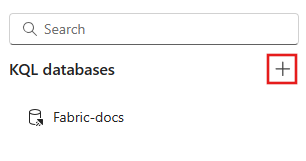
Under KQL Databases select +
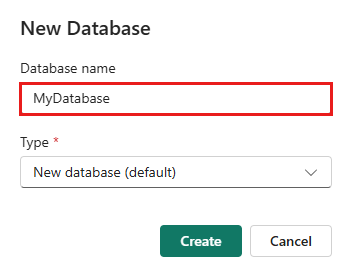
Enter your database name, select your database type, either New database (default) or New shortcut database (follower), then select Create. For information about follower databases, see Create a database shortcut.
Note
The database name can contain alphanumeric characters, underscores, periods, and hyphens. Special characters aren't supported.
The KQL database is created within the context of the selected eventhouse. You can also Create an empty table.
Explore your KQL database with the embedded KQL queryset
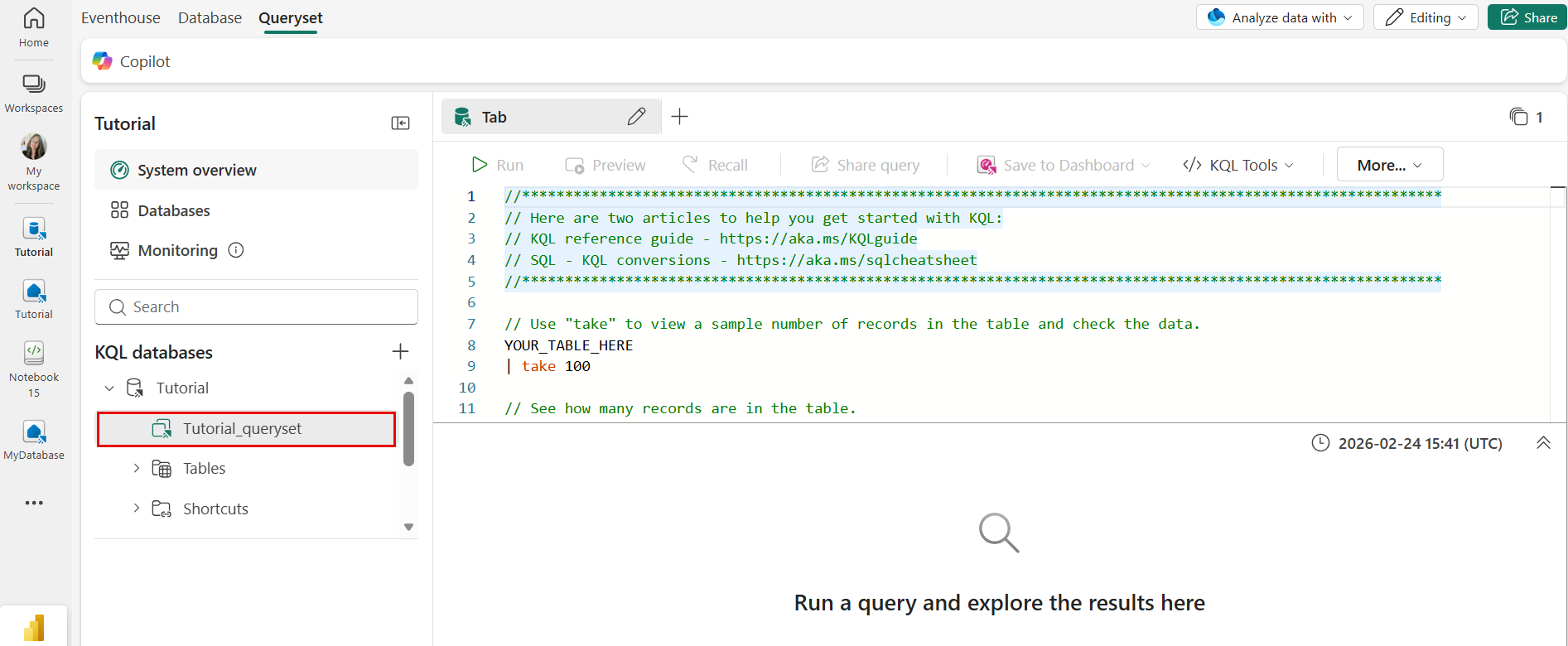
When you create a new KQL database, an attached environment is automatically created to explore and manage the KQL database using KQL queries.
To access the embedded KQL queryset, select the KQLdatabasename_queryset item from your KQL database object tree.
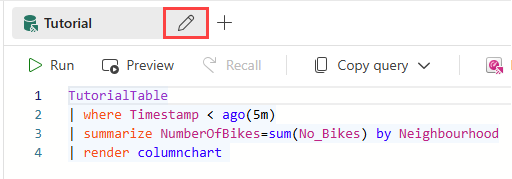
To rename the query environment, select the Pencil icon next to its name, and enter a new name.
Tip
You can also analyze data with an SQL analytics endpoint or create a standalone KQL queryset.