Nóta
Aðgangur að þessari síðu krefst heimildar. Þú getur prófað aðskrá þig inn eða breyta skráasöfnum.
Aðgangur að þessari síðu krefst heimildar. Þú getur prófað að breyta skráasöfnum.
Important
Starting February 2026, new customers can't create projects in Microsoft Dynamics Lifecycle Services for Microsoft Dynamics 365 Finance, Microsoft Dynamics 365 Human Resources, Microsoft Dynamics 365 Supply Chain Management, and Microsoft Dynamics 365 Project Operations. New customers should use the Power Platform admin center instead. For more information, see Lifecycle Services project creation freeze.
Applies To: Project Operations Integrated with ERP
Use Lifecycle Services to manage your Dynamics 365 Project Operations environments. Complete the following steps to create a new Lifecycle Services project.
- Go to Lifecycle Services and select Sign in by using the account that you used to subscribe.
- If prompted, accept the legal and privacy terms.
- Select the plus sign ( + ) to create a new project.
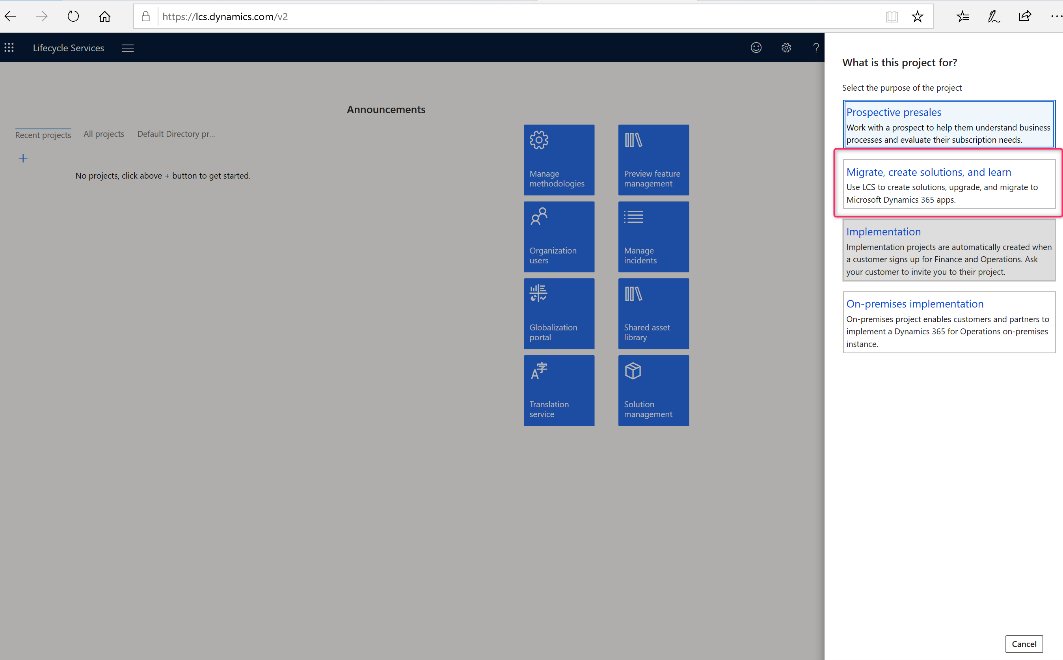
- For preview purposes, select Migrate, create solutions, and learn project type.
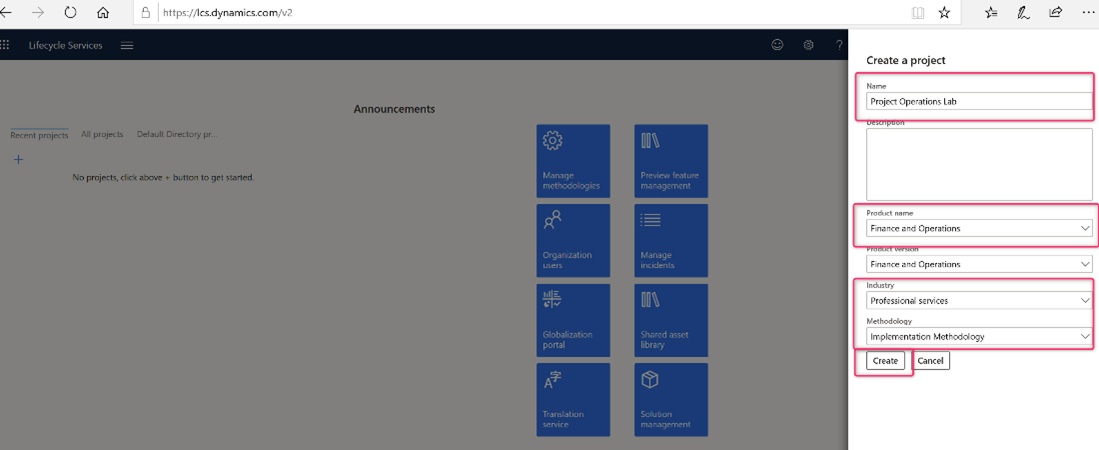
- Enter a name for the project.
- Select Finance and operations as the product name, and select the industry and methodology.
- Select Create.
Use this Lifecycle Services project to deploy your Project Operations environment.