Nota
L'accesso a questa pagina richiede l'autorizzazione. È possibile provare ad accedere o modificare le directory.
L'accesso a questa pagina richiede l'autorizzazione. È possibile provare a modificare le directory.
Use the support channels listed in this article to report issues, ask questions, or share feedback related to the Microsoft Teams developer platform, Microsoft 365 Copilot agents, and feature requests. Choose the option that best fits your need:
- Product support and service issues
- Developer community forums
- Report issues
- Documentation feedback
- Feature request and general help
Product support and service issues
Go to the Azure portal or Microsoft 365 admin center for any business-critical issues that need SLA-based support.
| Product support | How to Contact |
|---|---|
| Microsoft Teams product issues and failures | If you have a Premier support contract for  Microsoft 365, go to the Microsoft 365 admin center and use the Support menu to open a service request.
 |
| Azure portal help and support | If you have a paid Azure subscription, go to the Azure portal to create a support request. |
| General questions about Teams | For general Teams questions, post your query in the
Microsoft Teams Community. Select Ask a question to start conversing. |
| Partner Center support | For Partner Center issues (example: app submissions, account setup, or publishing workflows), use the Partner Center AI Assistant to report problems or contact support. |
Developer community forums
Use community forums to ask development-related questions, share solutions, and collaborate with other developers building agents and conversational experiences for Teams and Microsoft 365 Copilot. To learn more, see agents in Teams. 📢 Read the latest announcements and join the conversation with community members and platform engineers!
The following community forums are the primary way developers interact with Microsoft and other experts for Teams and Microsoft 365 Copilot development. These channels are monitored by Microsoft teams and community moderators, and are the recommended first place to ask development-related questions.
| Community Forums | How to connect |
|---|---|
|
Microsoft Q&A |
Ask questions and connect with other developers for building Teams agents, apps, or workflows using developer tools and APIs. Select Ask a question, and add the Microsoft Teams tag to your question. You can also Sign in to follow to stay updated. Use the Microsoft 365 Copilot Development tag to ask questions, connect with other developers, and submit answers. |
 GitHub
 |
Discuss issues related to Microsoft Teams Docs, Samples, and Microsoft Teams JavaScript client library using the teams-developer-support tag. |
|
Teams Developer Community |
Select Start a Discussion to begin a conversation. Browse recent and popular posts to find solutions, and use the MICROSOFT TEAMS tag to get relevant responses. |
|
Microsoft Power Platform Community Forums |
Community forums for getting help, sharing knowledge, and connecting with experts across Power Platform products. |
Report issues
Use the following community channels to report SDK, samples, or platform issues.
| Community help channels | Where to report |
|---|---|
| Platform outages | Check if your issue is already reported under Teams platform outages before raising a new one. |
| Samples | Submit issues for samples in the Microsoft Teams Samples repository. |
| Microsoft 365 Agents Toolkit |
|
| TeamsJS (Tabs) | Submit issues and feature requests to the Teams JavaScript client library (TeamsJS). Select New issue or browse existing issues using the teams-developer-support tag. |

Documentation feedback
Use the community help channels to submit documentation issues, feedback, or contribute improvements. Documentation feedback is reviewed regularly by the Microsoft documentation team and helps improve future updates.
| Community help channels | How to provide feedback |
|---|---|
| Documentation issues | Go to bottom of the article and select Open a documentation issue in the Platform Docs feedback section.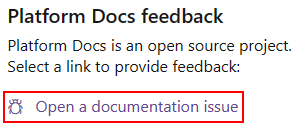
You can also rate the article under Was this page helpful? at the top-right corner by selecting Yes or No, and share what worked well or what could be improved. |
| Documentation updates | Select Edit at the top right of the article you want to update, and submit a pull request to the
Microsoft Teams documentation GitHub repository. 
|
Feature request and general help
Share feature ideas, ask questions, or let us know about your experience with the Teams developer platform.
| Community channel | How to contact |
|---|---|
| Features suggestions | Post new feature suggestions or vote on the existing ones on the  Microsoft Teams feedback portal.
 |
| General questions | For general questions about the Teams developer platform, contact us. We recommend using the community channels listed in this article first and email only when other options aren't suitable. |
| Feedback interview | Your feedback is valuable. If you're interested to share your experience with our documentation, community responses, or Teams Store publishing process, feel free to book a slot. |
See also
Collabora con noi su GitHub
L'origine di questo contenuto è disponibile in GitHub, in cui è anche possibile creare ed esaminare i problemi e le richieste pull. Per ulteriori informazioni, vedere la guida per i collaboratori.