重要
MCP および API プラグインは、 宣言型エージェント内のアクションとしてサポートされます。 これらは、Microsoft 365 Copilot のスタンドアロン エクスペリエンスとして有効になっていません。
API プラグインは、OpenAPI 仕様の REST API を Microsoft 365 Copilot に接続する宣言型エージェントのカスタム アクションです。 このガイドでは、 TypeSpec と Microsoft 365 Agents Toolkit を使用して、宣言型エージェントに API プラグインを追加する方法を示します。
前提条件
- Copilot 拡張性オプションの要件で指定されている要件
- 既存の REST API (このチュートリアルでは JSON プレースホルダー API を使用します)
- Visual Studio Code
- Microsoft 365 Agents Toolkit
- Microsoft 365 Agents Toolkit と TypeSpec for Microsoft 365 Copilot を使用して作成されたエージェント
ヒント
最適な結果を得るには、生成する API が、「 Copilot の拡張に OpenAPI ドキュメントを効果的にする方法」で詳しく説明されているガイドラインに従っていることを確認してください。
VS Code で API プラグイン プロジェクトを設定する
この記事では、Microsoft 365 Agents Toolkit と TypeSpec を使用して作成された宣言型エージェント プロジェクトが既にあることを前提としています。 そのプロジェクトに API プラグインを追加するには、TypeSpec で REST API 操作を定義し、エージェントをプロビジョニングします。 次のセクションでは、各操作について説明します。
- エージェント プロジェクトがまだない場合は、「 宣言型エージェントの作成」に従って作成します。 プロンプトが表示されたら、[Microsoft 365 Copilot の TypeSpec で開始する] を選択します。
- Visual Studio Code でエージェント プロジェクトを開き、プロジェクトのルートで
main.tspファイルを開きます。 - 次のセクションに示すように、
main.tspに操作を追加して API プラグインを定義します。 完了したら、「 カスタム アクションのプロビジョニングとテスト」の説明に従ってエージェントをプロビジョニングします。
GET操作の追加
開始するには、すべての投稿アイテムを一覧表示する GET 操作を追加します。
main.tsp ファイルを開き、次の内容を含む新しい名前空間PostsAPIMyAgent名前空間を追加します。
// Omitted for brevity
namespace MyAgent {
  // Omitted for brevity
  @service
  @server("https://jsonplaceholder.typicode.com")
  @actions(#{
    nameForHuman: "Posts APIs",
    descriptionForHuman: "Manage blog post items with the JSON Placeholder API.",
    descriptionForModel: "Read, create, update and delete blog post items with the JSON Placeholder API."
  })
  namespace PostsAPI {

    /**
     * List all blog post items.
     */
    @route("/posts")
    @get op listPosts(): PostItem[];

    /**
     * Structure of a blog post item.
     */
    model PostItem {
      /**
       * The ID of the user who created the post.
       */
      userId: integer;

      /**
       * The ID of the post.
       */
      @visibility(Lifecycle.Read)
      id: integer;

      /**
       * The title of the post.
       */
      title: string;

      /**
       * The body of the post.
       */
      body: string;
    }
  }
  // Omitted for brevity
}
このコードは、 PostItem モデルと REST API GET /postsを定義します。
クエリ パラメーターを使用した GET 操作の追加
前の例の GET 操作は、パラメーターを受け取りません。 ユーザー ID によるフィルター処理を有効にするには、 GET 操作をオプションのクエリ パラメーターで更新して、ユーザー ID で結果をフィルター処理します。
main.tsp ファイルを開き、既存のlistPosts操作を次の内容に置き換えます。
/**
 * List all blog post items.
  * @param userId The ID of the user who created the post. If not provided, all posts will be returned.
  */
@route("/posts")
@get op listPosts(@query userId?: integer): PostItem[];
listPostsに追加された @query userId? パラメーターは、REST API を GET /posts?userId={userId} に更新します。
GET操作にアダプティブ カードを追加する
listPosts操作にアダプティブ カードを追加すると、生成された応答の引用のレンダリング方法が変更されます。
appPackage ディレクトリに post-カード.json という名前の新しいファイルを作成し、次の内容を追加します。
{
  "type": "AdaptiveCard",
  "$schema": "http://adaptivecards.io/schemas/adaptive-card.json",
  "version": "1.5",
  "body": [
    {
      "type": "Container",
      "$data": "${$root}",
      "items": [
        {
          "type": "TextBlock",
          "text": "**${if(title, title, 'N/A')}**",
          "wrap": true
        },
        {
          "type": "TextBlock",
          "text": "${if(body, body, 'N/A')}",
          "wrap": true
        }
      ]
    }
  ],
  "actions": [
    {
      "type": "Action.OpenUrl",
      "title": "Read More",
      "url": "https://www.bing.com/search?q=https://jsonplaceholder.typicode.com/posts/${id}"
    }
  ]
}
次のコード スニペットに示すように、 main.tsp ファイルを開き、 @card デコレーターを listPosts 操作に追加します。
/**
 * List all blog post items.
  * @param userId The ID of the user who created the post. If not provided, all posts will be returned.
  */
@route("/posts")
@card(#{ dataPath: "$", file: "post-card.json", properties: #{ title: "$.title" } })
@get op listPosts(@query userId?: integer): PostItem[];
POST操作の追加
main.tsp ファイルを開き、PostsAPI名前空間内に次のコンテンツを追加します。
/**
 * Create a new blog post item.
 * @param post The post item to create.
 */
@route("/posts")
@post op createPost(@body post: PostItem): PostItem;
このコードは、新しいブログ投稿を作成する REST API POST /postsを定義します。
PATCH操作の追加
main.tsp ファイルを開き、PostsAPI名前空間内に次のコンテンツを追加します。
/**
 * Updates a blog post item.
 * @param id The ID of the post to update.
 * @param post The updated post item.
 */
@route("/posts/{id}")
@patch op updatePost(@path id: integer, @body post: PostItem): PostItem;
このコードは、既存のブログ投稿を更新する REST API PATCH /posts/{id}を定義します。
DELETE操作の追加
main.tsp ファイルを開き、PostsAPI名前空間内に次のコンテンツを追加します。
/**
 * Deletes a blog post item.
 * @param id The ID of the post to delete.
 */
@route("/posts/{id}")
@delete op deletePost(@path id: integer): void;
このコードは、既存のブログ投稿を削除する REST API DELETE /posts/{id}を定義します。
カスタム アクションのプロビジョニングとテスト
Microsoft 365 エージェント ツールキットのライフサイクル ウィンドウを使用してエージェントとその API プラグインをプロビジョニングし、Microsoft 365 Copilot でカスタム アクションをテストします。
- 左側のアクティビティ バーにある Microsoft 365 Agents Toolkit アイコンを選択します。
- [ ライフサイクル ] ウィンドウで、[ プロビジョニング] を選択します。
- プロビジョニングが完了するのを待ってから、ブラウザーで https://m365.cloud.microsoft/ を開きます。
- エージェントのリストからエージェントを選択します。
- 次のプロンプトを使用してエージェントをテストするか、独自のプロンプトを試してください。
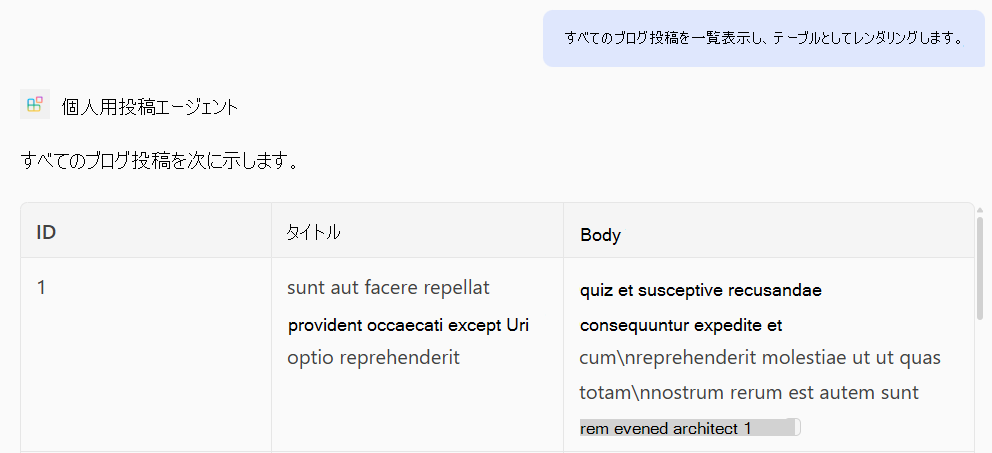
GET 操作のテスト
プロンプト: "すべてのブログ投稿を一覧表示し、表として表示します。"
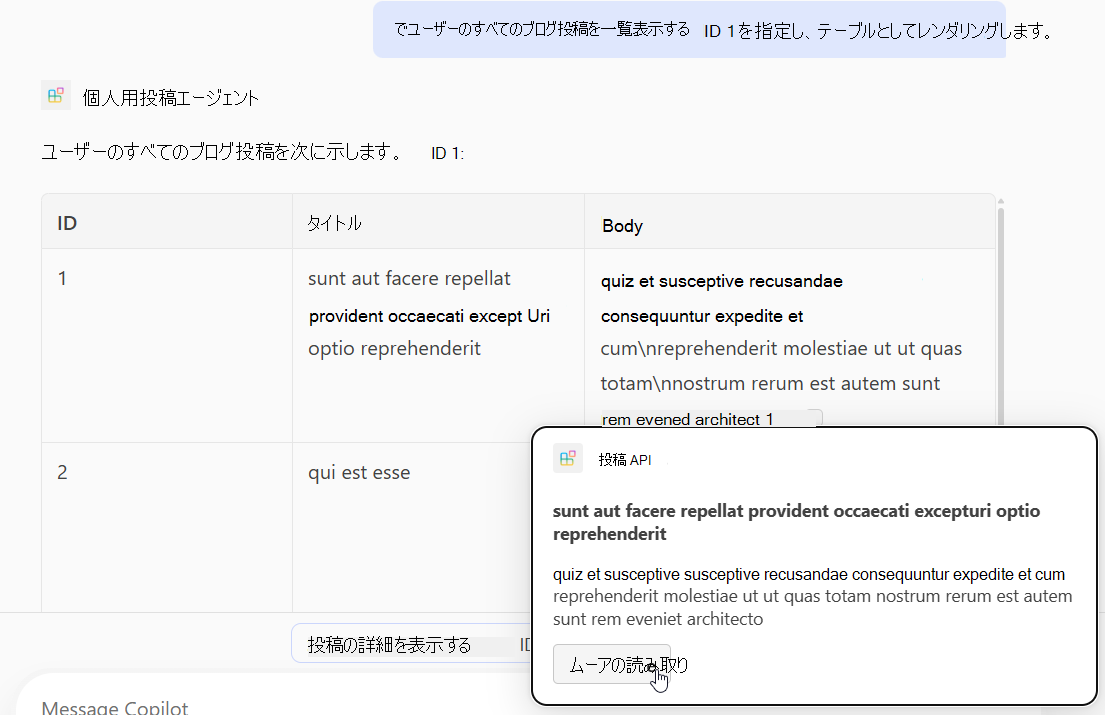
プロンプト: "ID 1 のユーザーのブログ投稿をすべて一覧表示し、テーブルとして表示します。"
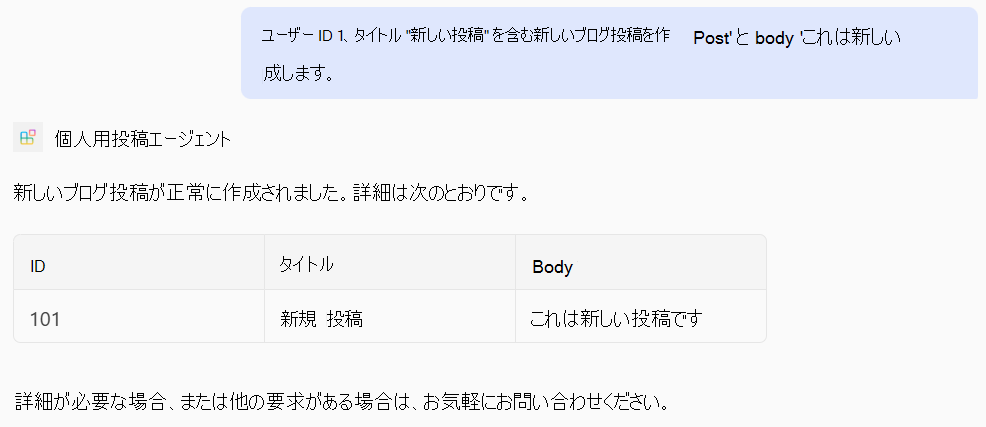
POST 操作をテストする
プロンプト: "ユーザーID 1、タイトルを '新しい投稿'、本文を 'これは新しい投稿です' にして、新しいブログ投稿を作成してください。"
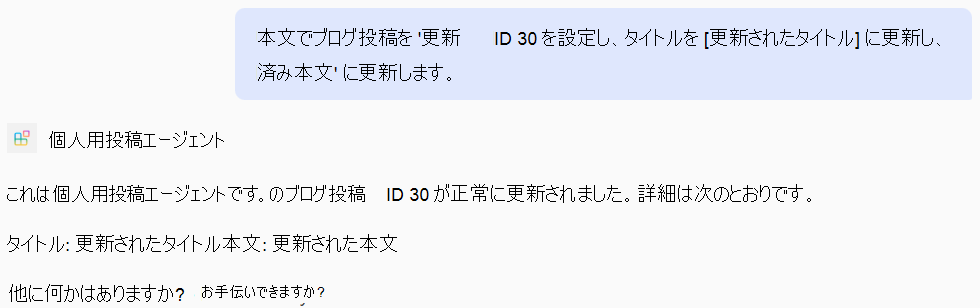
PATCH 操作のテスト
プロンプト: "ブログ投稿を ID 30 に更新し、タイトルを '更新されたタイトル' に、本文を '更新された本文' に更新します。"
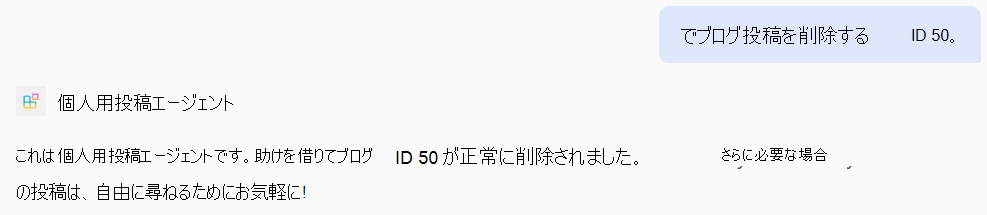
DELETE 操作のテスト
プロンプト: "ID 50 のブログ投稿を削除してください。"
完全な main.tsp ファイルの例
以下は、GET、POST、PATCH、DELETE 操作が追加された完全な main.tsp ファイルの例です。
import "@typespec/http";
import "@typespec/openapi3";
import "@microsoft/typespec-m365-copilot";

using TypeSpec.Http;
using TypeSpec.M365.Copilot.Actions;
using TypeSpec.M365.Copilot.Agents;

@agent(
  "My Posts Agent",
  "Declarative agent focusing on blog posts management."
)

@instructions("""
  You should help users with blog posts management.
  You can read, create, update and delete blog post items.
  You can also search for blog posts by user ID.
""")

@conversationStarter(#{
  title: "List Blog Posts",
  text: "List all blog posts and render them as a table."
})

@conversationStarter(#{
  title: "Lists a user's blog posts",
  text: "List all blog posts for the user with ID 1 and render them as a table."
})

@conversationStarter(#{
  title: "Delete a blog post",
  text: "Delete the blog post with ID 50."
})

@conversationStarter(#{
  title: "Update a blog post",
  text: "Update the blog post with ID 30 and update the title to 'Updated Title' and body to 'Updated Body'."
})

@conversationStarter(#{
  title: "Create a blog post",
  text: "Create a new blog post with user ID 1, title 'New Post' and body 'This is a new post'."
})

@conversationStarter(#{
  title: "Get a blog post",
  text: "Get all the details about the blog post with ID 10."
})

namespace MyAgent {
  @service
  @server("https://jsonplaceholder.typicode.com")
  @actions(#{
    nameForHuman: "Posts APIs",
    descriptionForHuman: "Manage blog post items on JSON Placeholder APIs.",
    descriptionForModel: "Read, create, update and delete blog post items on the JSON Placeholder APIs."
  })
  namespace PostsAPI {
    /**
     * List all blog post items.
     * @param userId The ID of the user who created the post. If not provided, all posts will be returned.
     */
    @route("/posts")
    @card(#{ dataPath: "$", file: "post-card.json", properties: #{ title: "$.title" } })
    @get op listPosts(@query userId?: integer): PostItem[];

    /**
     * Get a blog post item by ID.
     */
    @route("/posts/{id}")
    @card(#{ dataPath: "$", file: "post-card.json", properties: #{ title: "$.title" } })
    @get op getPost(@path id: integer): PostItem;

    /**
     * Create a new blog post item.
     * @param post The post item to create.
     */
    @route("/posts")
    @post op createPost(@body post: PostItem): PostItem;

    /**
     * Updates a blog post item.
     * @param id The ID of the post to update.
     * @param post The updated post item.
     */
    @route("/posts/{id}")
    @patch op updatePost(@path id: integer, @body post: PostItem): PostItem;

    /**
     * Deletes a blog post item.
     * @param id The ID of the post to delete.
     */
    @route("/posts/{id}")
    @delete op deletePost(@path id: integer): void;

    model PostItem {
      /**
       * The ID of the user who created the post.
       */
      userId: integer;

      /**
       * The ID of the post.
       */
      @visibility(Lifecycle.Read)
      id: integer;

      /**
       * The title of the post.
       */
      title: string;

      /**
       * The body of the post.
       */
      body: string;
    }
  }
}