構成された範囲からランダムなミリ秒単位で応答を遅延させます。 HTTP 要求と STDIO 通信の両方をサポートします。
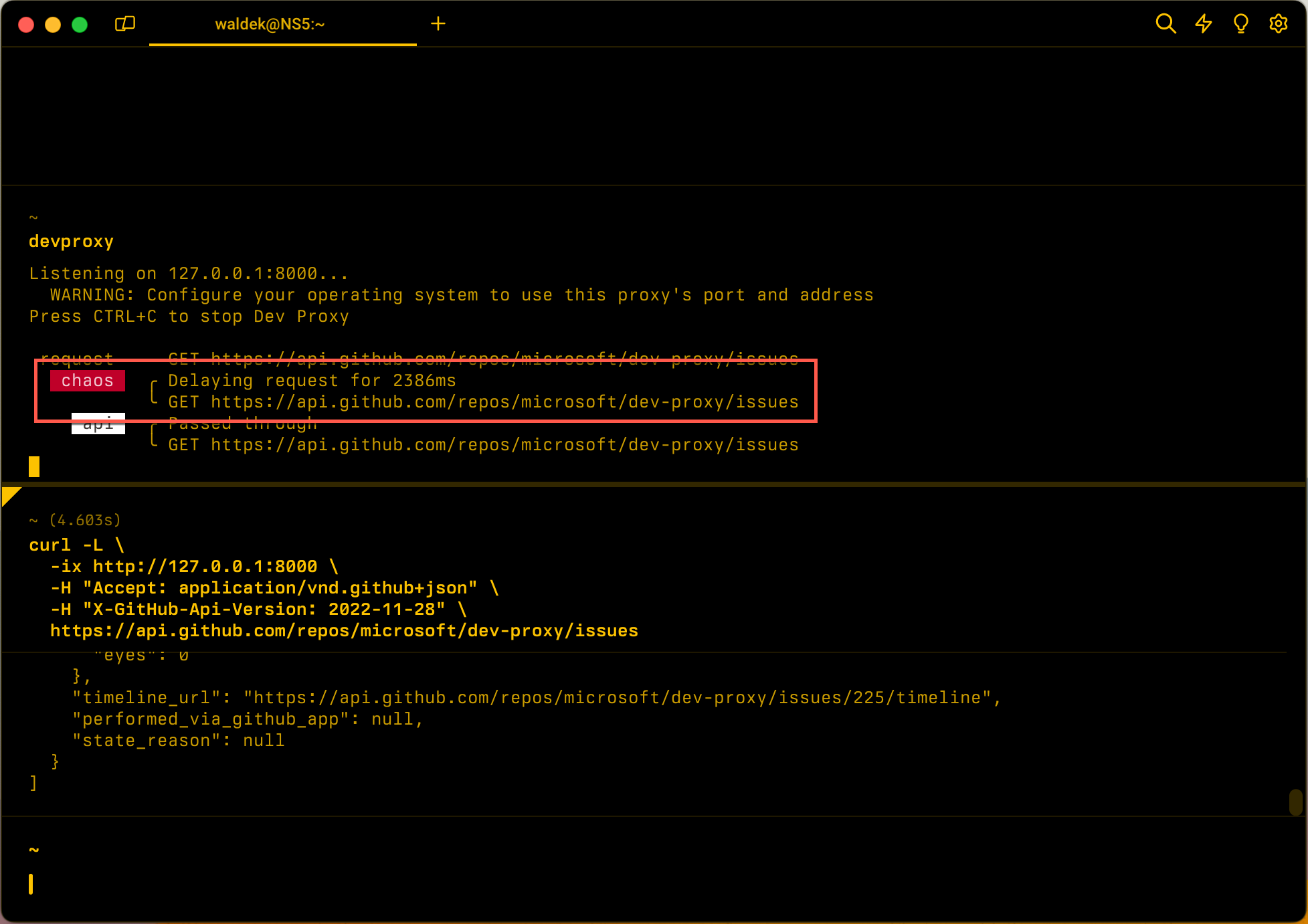
構成の例
{
  "$schema": "https://raw.githubusercontent.com/dotnet/dev-proxy/main/schemas/v4.0.0/rc.schema.json",
  "plugins": [
    {
      "name": "LatencyPlugin",
      "enabled": true,
      "pluginPath": "~appFolder/plugins/DevProxy.Plugins.dll",
      "configSection": "latencyPlugin"
    }
  ],
  "latencyPlugin": {
    "$schema": "https://raw.githubusercontent.com/dotnet/dev-proxy/main/schemas/v4.0.0/latencyplugin.schema.json",
    "minMs": 200,
    "maxMs": 10000
  }
}
構成プロパティ
| 財産 | 形容 | デフォルト |
|---|---|---|
minMs |
要求に追加される遅延の最小量 (ミリ秒単位)。
maxMs以下にする必要があります。 |
0 |
maxMs |
要求に追加された遅延の最大量 (ミリ秒単位)。 | 5,000 |
コマンド ライン オプション
何一つ
解説
開発プロキシは、起動時にプラグインの構成を検証します。
minMsがmaxMsより大きい場合、開発プロキシは起動せず、次に示すエラーが表示されます。
LatencyPlugin: minMs (500) must be less than or equal to maxMs (100).
固定遅延を追加するには、 minMs と maxMs を同じ値に設定します。
STDIO のサポート
stdioでを使用すると、プラグインによって stdout 応答に人為的な待機時間が追加されます。 待機時間のシミュレーションは、アプリケーションが低速のモデル コンテキスト プロトコル (MCP) サーバー応答やその他の STDIO ベースのツールを処理する方法をテストする場合に役立ちます。
STDIO の構成例
{
  "$schema": "https://raw.githubusercontent.com/dotnet/dev-proxy/main/schemas/v4.0.0/rc.schema.json",
  "plugins": [
    {
      "name": "LatencyPlugin",
      "enabled": true,
      "pluginPath": "~appFolder/plugins/DevProxy.Plugins.dll",
      "configSection": "latencyPlugin"
    },
    {
      "name": "MockStdioResponsePlugin",
      "enabled": true,
      "pluginPath": "~appFolder/plugins/DevProxy.Plugins.dll",
      "configSection": "mockStdioResponsePlugin"
    }
  ],
  "latencyPlugin": {
    "$schema": "https://raw.githubusercontent.com/dotnet/dev-proxy/main/schemas/v4.0.0/latencyplugin.schema.json",
    "minMs": 100,
    "maxMs": 500
  },
  "mockStdioResponsePlugin": {
    "$schema": "https://raw.githubusercontent.com/dotnet/dev-proxy/main/schemas/v4.0.0/mockstdioresponseplugin.schema.json",
    "mocksFile": "stdio-mocks.json"
  }
}
次に、以下を実行します。
devproxy stdio npx -y @modelcontextprotocol/server-filesystem
次のステップ
GitHub で Microsoft と共同作業する
このコンテンツのソースは GitHub にあります。そこで、issue や pull request を作成および確認することもできます。 詳細については、共同作成者ガイドを参照してください。

Dev Proxy