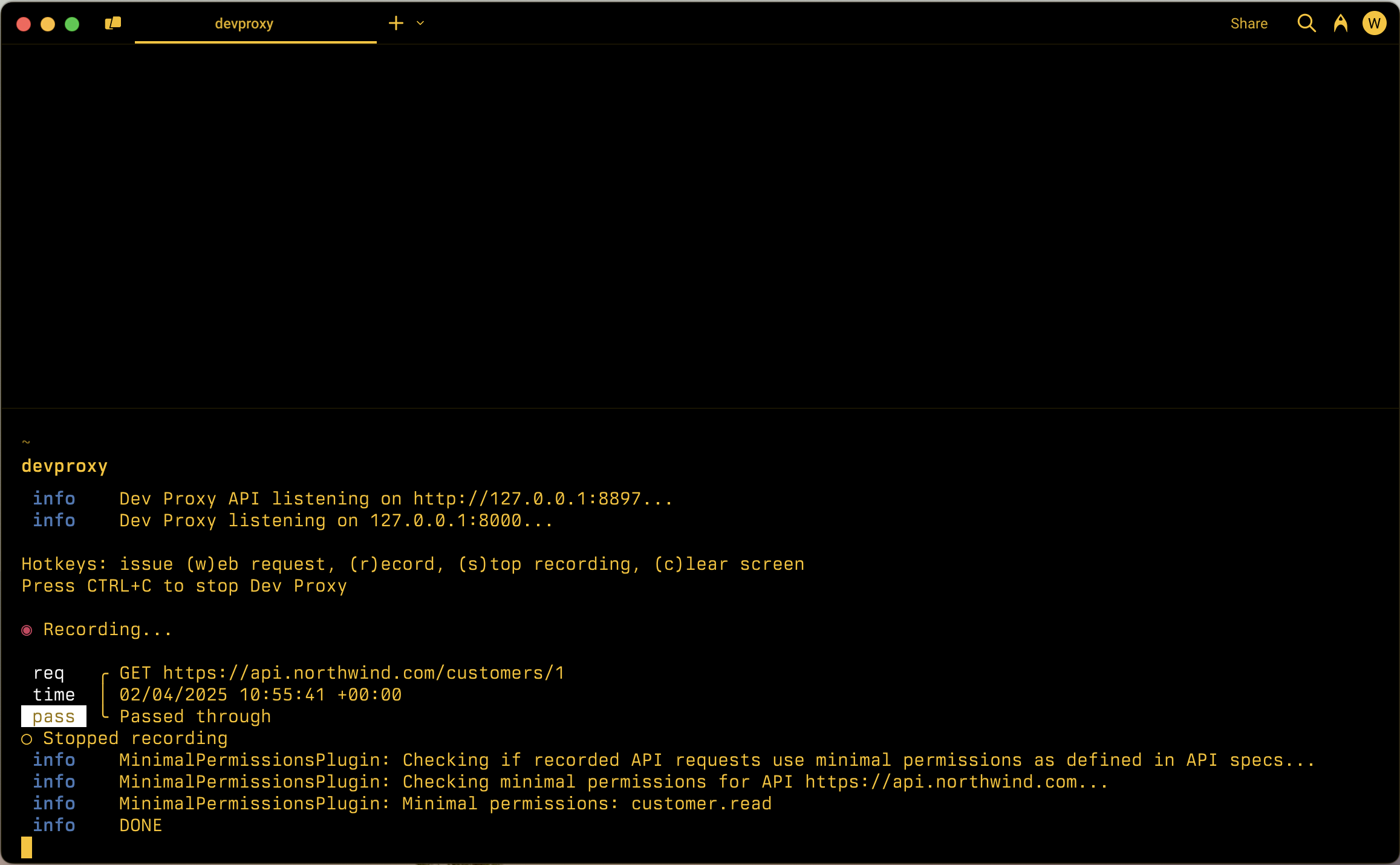
指定した API 操作を実行するために必要な最小限のアクセス許可を検出します。 指定したローカル フォルダーの API 情報を使用します。
構成の例
{
  "$schema": "https://raw.githubusercontent.com/dotnet/dev-proxy/main/schemas/v3.3.1/rc.schema.json",
  "plugins": [
    {
      "name": "MinimalPermissionsPlugin",
      "enabled": true,
      "pluginPath": "~appFolder/plugins/DevProxy.Plugins.dll",
      "configSection": "minimalPermissionsPlugin"
    }
  ],
  "minimalPermissionsPlugin": {
    "$schema": "https://raw.githubusercontent.com/dotnet/dev-proxy/main/schemas/v3.3.1/minimalpermissionsplugin.schema.json",
    "apiSpecsFolderPath": "./api-specs"
  }
}
構成プロパティ
| プロパティ | 説明 | 既定値 |
|---|---|---|
apiSpecsFolderPath |
API 仕様を使用したフォルダーへの相対パスまたは絶対パス | なし |
schemeName |
最小限のアクセス許可を決定するために使用されるセキュリティ スキーム定義の名前。 指定しない場合、プラグインは仕様の最初の oauth2 スキームから情報を読み取ります | なし |
コマンドライン オプション
なし
解説
MinimalPermissionsPlugin プラグインは、アプリが最小限のアクセス許可を使用して API を呼び出すかどうかを確認します。 アクセス許可を確認するために、プラグインは、指定されたローカル フォルダーにある API に関する情報を使用します。
API のアクセス許可を定義する
MinimalPermissionsPlugin プラグインは、OAuth で保護された API の OAuth アクセス許可の確認をサポートしています。 プラグインは、指定された API 仕様の情報を使用して、アプリで使用される API を呼び出すために必要な最小限のアクセス許可を計算します。
API のアクセス許可を定義するには、API の OpenAPI 定義に含めます。 次の例は、OpenAPI 定義で API のアクセス許可を定義する方法を示しています。
{
  "openapi": "3.0.1",
  "info": {
    "title": "Northwind API",
    "description": "Northwind API",
    "version": "v1.0"
  },
  "servers": [
    {
      "url": "https://api.northwind.com"
    }
  ],
  "components": {
    "securitySchemes": {
      "OAuth2": {
        "type": "oauth2",
        "flows": {
          "authorizationCode": {
            "authorizationUrl": "https://login.microsoftonline.com/common/oauth2/authorize",
            "tokenUrl": "https://login.microsoftonline.com/common/oauth2/token",
            "scopes": {
              "customer.read": "Grants access to ready customer info",
              "customer.readwrite": "Grants access to read and write customer info"
            }
          }
        }
      }
    },
    "schemas": {
      "Customer": {
        "type": "object",
        "properties": {}
      }
    }
  },
  "paths": {
    "/customers/{customers-id}": {
      "description": "Provides operations to manage a customer",
      "get": {
        "summary": "Get customer by ID",
        "operationId": "getCustomerById",
        "security": [
          {
            "OAuth2": [
              "customer.read"
            ]
          },
          {
            "OAuth2": [
              "customer.readwrite"
            ]
          }
        ],
        "responses": {
          "200": {
            "description": "OK",
            "content": {
              "application/json; charset=utf-8": {
                "schema": {
                  "$ref": "#/components/schemas/Customer"
                }
              }
            }
          }
        }
      },
      "patch": {
        "summary": "Update customer by ID",
        "operationId": "updateCustomerById",
        "security": [
          {
            "OAuth2": [
              "customer.readwrite"
            ]
          }
        ],
        "requestBody": {
          "required": true,
          "content": {
            "application/json": {
              "schema": {
                "$ref": "#/components/schemas/Customer"
              }
            }
          }
        },
        "responses": {
          "204": {
            "description": "No Content"
          }
        }
      },
      "parameters": [
        {
          "name": "customers-id",
          "in": "path",
          "required": true,
          "schema": {
            "type": "string"
          }
        }
      ]
    }
  },
  "x-ms-generated-by": {
    "toolName": "Dev Proxy",
    "toolVersion": "0.22.0"
  }
}
関連する部分は securitySchemes セクションで、API が使用する OAuth スコープを定義します。 次に、操作ごとに、必要なスコープを security セクションに含めます。
API 仕様の変数を置き換える
一部の API 仕様には、サーバー URL に変数が含まれている場合があります。 変数の使用は、さまざまな環境 (開発、ステージング、運用など)、API バージョン、テナントに対応するための一般的な方法です。 変数を含む URL は次のようになります。
openapi: 3.0.4
info:
  title: SharePoint REST API
  description: SharePoint REST API
  version: v1.0
servers:
  - url: https://{tenant}.sharepoint.com
    variables:
      tenant:
        default: contoso
MinimalPermissionsPlugin プラグインでは、API 仕様の内容内の変数の置き換えをサポートしています。 変数を置き換えるには、dev Proxy を --env オプションで起動し、変数名と値を指定します。 たとえば、 tenant 変数を contoso に置き換えるには、次のコマンドを使用します。
devproxy --env tenant=northwind
このコマンドは、API 仕様の tenant 変数を northwind値に置き換えます。 プラグインは、置き換えられた URL を使用して、アプリが API を呼び出すために最小限のアクセス許可を使用しているかどうかを確認します。
詳細
GitHub で Microsoft と共同作業する
このコンテンツのソースは GitHub にあります。そこで、issue や pull request を作成および確認することもできます。 詳細については、共同作成者ガイドを参照してください。

Dev Proxy