Note
ამ გვერდზე წვდომა ავტორიზაციას მოითხოვს. შეგიძლიათ სცადოთ შესვლა ან დირექტორიების შეცვლა.
ამ გვერდზე წვდომა ავტორიზაციას მოითხოვს. შეგიძლიათ სცადოთ დირექტორიების შეცვლა.
This article describes how to customize the Java project upgrade plan generated by GitHub Copilot modernization.
When you initiate an upgrade session, GitHub Copilot generates a plan.md file that outlines the steps and tasks required for the upgrade. This file serves as a blueprint for the upgrade process, which you can customize to better fit your project's needs.
After the tool generates the plan.md file, it automatically opens in the Visual Studio Code editor. At this stage, you can review and customize the plan to ensure it aligns with your specific upgrade goals.
Example plan.md file structure
The following sections describe a sample plan.md file structure in order to illustrate the customization points.
Key parameters
The following sections describe key parameters in the plan that you can modify.
Build tool command options
In the Available Tools section, the agent detects your build tools (Maven or Gradle) and JDK paths. If you need custom command-line parameters for build execution, add them to the Guidelines section.
Examples:
For Maven:
Use build options: -Dmaven.javadoc.skip=true -s "/path/to/custom/settings.xml"For Gradle:
Use build options: --info -Penv=production
Note
Replace the path with your actual settings file location as needed. The path shown is just an example.
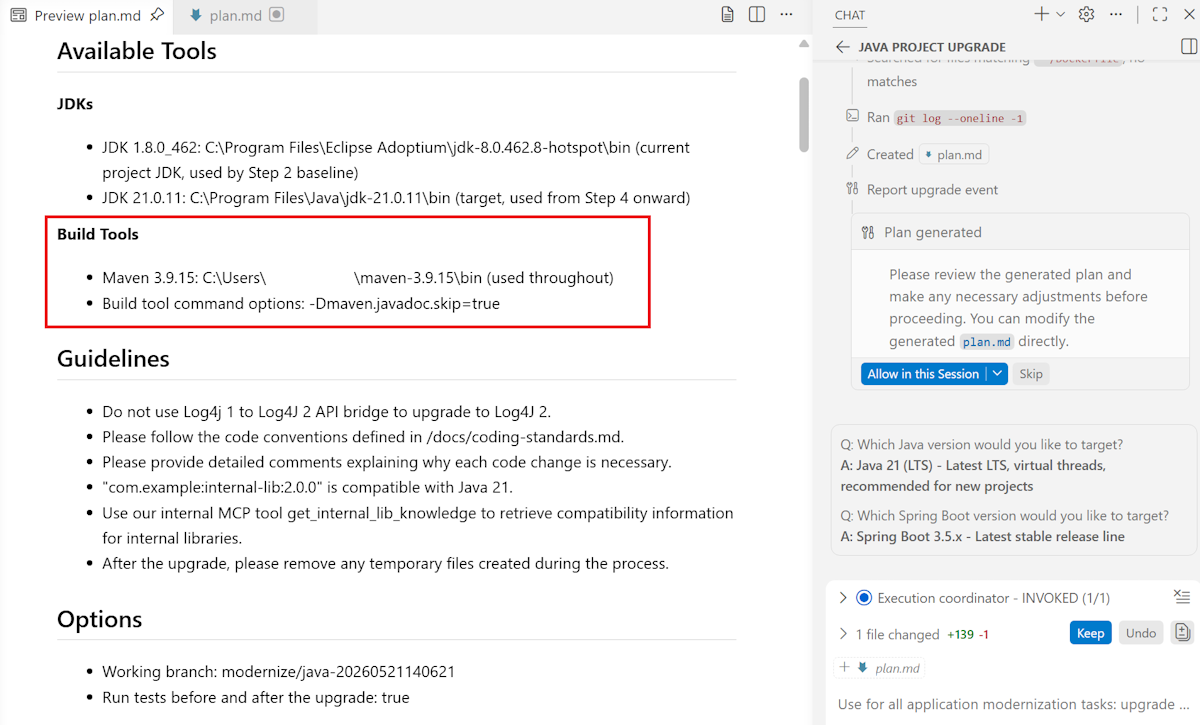
Customize upgrade goals and provide guidelines
In Java upgrade scenarios, you often need customization beyond standard JDK or framework upgrades - for example, to apply project-specific code changes or to update internal libraries the tool doesn't automatically detect. To support these needs, GitHub Copilot modernization now enables customization within the upgrade plan. This capability enables you to provide your own recipes, instructions, and inputs to guide the upgrade process. You can perform this customization by modifying the Upgrade Goals and Guidelines sections.
The Upgrade Goals section
In the Upgrade Goals section, specify more upgrade targets along with the objectives in your initial prompt. For example, if the primary task is to upgrade the project from Java 17 to Java 21, but the project also requires upgrading Log4j from 1.x to 2.x, list that requirement as an additional goal, as shown in the following example prompt:
## Upgrade Goals
- Upgrade from Java 17 to 21
- Upgrade org.apache.logging.log4j:* to 2.24.3
- Upgrade org.internal.lib to 2.0
The Guidelines section
The Guidelines section defines how Copilot should perform the upgrade. While the Upgrade Goals section focuses on what needs to be upgraded, the Guidelines section captures the methodology, conventions, tooling, and rules that guide Copilot's behavior during code transformation.
Include any instructions that help steer how Copilot modifies code, such as the following instructions:
- Guidance on which tools, recipes, or frameworks to use for code changes.
- Constraints or prohibitions on certain upgrade approaches.
- Code style or convention requirements.
- Links to internal files, documentation, or scripts the agent can access.
- Domain knowledge helpful for fixing errors or performing upgrades.
- Requirements for how the agent should annotate or comment on code changes.
- Cleanup instructions for temporary artifacts created during the upgrade process.
The content of this section can be plain text, hyperlinks, or references to local files as long as Copilot can access them.
Examples:
## Guidelines
- Do not use Log4j 1 to Log4J 2 API bridge to upgrade to Log4J 2.
- Please follow the code conventions defined in /xxx/bbb/rules.txt.
- Please provide detailed comments explaining why each code change is necessary.
- "com.example:internal-lib:2.0.0" is compatible with Java 21.
- Use our internal MCP tool get_internal_lib_knowledge to retrieve compatibility information for internal libraries.
- After the upgrade, please remove any temporary files created during the process, such as code modification scripts.