이 문서에서는 Bicep을 사용하여 필요한 Azure 리소스와 함께 Azure의 Flex 사용 계획에서 함수 앱을 만듭니다. 함수 앱은 함수 코드 실행에 대한 서버리스 실행 컨텍스트를 제공합니다. 앱은 관리 ID가 있는 Microsoft Entra ID를 사용하여 다른 Azure 리소스에 연결합니다.
이 빠른 시작을 완료하면 Azure 계정에서 몇 USD 센트 이하의 작은 비용이 발생합니다.
Bicep은 선언적 구문을 사용하여 Azure 리소스를 배포하는 DSL(도메인 특정 언어)입니다. 간결한 구문, 신뢰할 수 있는 형식 안전성 및 코드 다시 사용에 대한 지원을 제공합니다. Bicep은 Azure에서 코드형 인프라 솔루션에 대한 최고의 제작 환경을 제공합니다.
함수 앱을 만든 후 해당 앱에 Azure Functions 프로젝트 코드를 배포할 수 있습니다. 최종 코드 배포 단계는 이 빠른 시작 문서의 범위를 벗어납니다.
필수 구성 요소
Azure 계정
시작하기 전에 활성 구독이 포함된 Azure 계정이 있어야 합니다. 무료로 계정을 만듭니다.
Bicep 파일 검토
이 빠른 시작에서 사용되는 Bicep 파일은 Azure 빠른 시작 템플릿에서 가져온 것입니다.
/* This Bicep file creates a function app running in a Flex Consumption plan
that connects to Azure Storage by using managed identities with Microsoft Entra ID. */

//********************************************
// Parameters
//********************************************

@description('Primary region for all Azure resources.')
@minLength(1)
param location string = resourceGroup().location

@description('Language runtime used by the function app.')
@allowed(['dotnet-isolated','python','java', 'node', 'powerShell'])
param functionAppRuntime string = 'dotnet-isolated' //Defaults to .NET isolated worker

@description('Target language version used by the function app.')
@allowed(['3.10','3.11', '7.4', '8.0', '9.0', '10', '11', '17', '20'])
param functionAppRuntimeVersion string = '8.0' //Defaults to .NET 8.

@description('The maximum scale-out instance count limit for the app.')
@minValue(40)
@maxValue(1000)
param maximumInstanceCount int = 100

@description('The memory size of instances used by the app.')
@allowed([2048,4096])
param instanceMemoryMB int = 2048

@description('A unique token used for resource name generation.')
@minLength(3)
param resourceToken string = toLower(uniqueString(subscription().id, location))

@description('A globally unique name for your deployed function app.')
param appName string = 'func-${resourceToken}'

//********************************************
// Variables
//********************************************

// Generates a unique container name for deployments.
var deploymentStorageContainerName = 'app-package-${take(appName, 32)}-${take(resourceToken, 7)}'

// Key access to the storage account is disabled by default
var storageAccountAllowSharedKeyAccess = false

// Define the IDs of the roles we need to assign to our managed identities.
var storageBlobDataOwnerRoleId  = 'b7e6dc6d-f1e8-4753-8033-0f276bb0955b'
var storageBlobDataContributorRoleId = 'ba92f5b4-2d11-453d-a403-e96b0029c9fe'
var storageQueueDataContributorId = '974c5e8b-45b9-4653-ba55-5f855dd0fb88'
var storageTableDataContributorId = '0a9a7e1f-b9d0-4cc4-a60d-0319b160aaa3'
var monitoringMetricsPublisherId = '3913510d-42f4-4e42-8a64-420c390055eb'

//********************************************
// Azure resources required by your function app.
//********************************************

resource logAnalytics 'Microsoft.OperationalInsights/workspaces@2023-09-01' = {
  name: 'log-${resourceToken}'
  location: location
  properties: any({
    retentionInDays: 30
    features: {
      searchVersion: 1
    }
    sku: {
      name: 'PerGB2018'
    }
  })
}

resource applicationInsights 'Microsoft.Insights/components@2020-02-02' = {
  name: 'appi-${resourceToken}'
  location: location
  kind: 'web'
  properties: {
    Application_Type: 'web'
    WorkspaceResourceId: logAnalytics.id
    DisableLocalAuth: true
  }
}

resource storage 'Microsoft.Storage/storageAccounts@2023-05-01' = {
  name: 'st${resourceToken}'
  location: location
  kind: 'StorageV2'
  sku: { name: 'Standard_LRS' }
  properties: {
    accessTier: 'Hot'
    allowBlobPublicAccess: false
    allowSharedKeyAccess: storageAccountAllowSharedKeyAccess
    dnsEndpointType: 'Standard'
    minimumTlsVersion: 'TLS1_2'
    networkAcls: {
      bypass: 'AzureServices'
      defaultAction: 'Allow'
    }
    publicNetworkAccess: 'Enabled'
  }
  resource blobServices 'blobServices' = {
    name: 'default'
    properties: {
      deleteRetentionPolicy: {}
    }
    resource deploymentContainer 'containers' = {
      name: deploymentStorageContainerName
      properties: {
        publicAccess: 'None'
      }
    }
  }
}

resource userAssignedIdentity 'Microsoft.ManagedIdentity/userAssignedIdentities@2023-01-31' = {
  name: 'uai-data-owner-${resourceToken}'
  location: location
}

resource roleAssignmentBlobDataOwner 'Microsoft.Authorization/roleAssignments@2022-04-01' = {
  name: guid(subscription().id, storage.id, userAssignedIdentity.id, 'Storage Blob Data Owner')
  scope: storage
  properties: {
    roleDefinitionId: subscriptionResourceId('Microsoft.Authorization/roleDefinitions', storageBlobDataOwnerRoleId)
    principalId: userAssignedIdentity.properties.principalId
    principalType: 'ServicePrincipal'
  }
}

resource roleAssignmentBlob 'Microsoft.Authorization/roleAssignments@2022-04-01' = {
  name: guid(subscription().id, storage.id, userAssignedIdentity.id, 'Storage Blob Data Contributor')
  scope: storage
  properties: {
    roleDefinitionId: subscriptionResourceId('Microsoft.Authorization/roleDefinitions', storageBlobDataContributorRoleId)
    principalId: userAssignedIdentity.properties.principalId
    principalType: 'ServicePrincipal'
  }
}

resource roleAssignmentQueueStorage 'Microsoft.Authorization/roleAssignments@2022-04-01' = {
  name: guid(subscription().id, storage.id, userAssignedIdentity.id, 'Storage Queue Data Contributor')
  scope: storage
  properties: {
    roleDefinitionId: subscriptionResourceId('Microsoft.Authorization/roleDefinitions', storageQueueDataContributorId)
    principalId: userAssignedIdentity.properties.principalId
    principalType: 'ServicePrincipal'
  }
}

resource roleAssignmentTableStorage 'Microsoft.Authorization/roleAssignments@2022-04-01' = {
  name: guid(subscription().id, storage.id, userAssignedIdentity.id, 'Storage Table Data Contributor')
  scope: storage
  properties: {
    roleDefinitionId: subscriptionResourceId('Microsoft.Authorization/roleDefinitions', storageTableDataContributorId)
    principalId: userAssignedIdentity.properties.principalId
    principalType: 'ServicePrincipal'
  }
}

resource roleAssignmentAppInsights 'Microsoft.Authorization/roleAssignments@2022-04-01' = {
  name: guid(subscription().id, applicationInsights.id, userAssignedIdentity.id, 'Monitoring Metrics Publisher')
  scope: applicationInsights
  properties: {
    roleDefinitionId: subscriptionResourceId('Microsoft.Authorization/roleDefinitions', monitoringMetricsPublisherId)
    principalId: userAssignedIdentity.properties.principalId
    principalType: 'ServicePrincipal'
  }
}

//********************************************
// Function app and Flex Consumption plan definitions
//********************************************

resource appServicePlan 'Microsoft.Web/serverfarms@2024-04-01' = {
  name: 'plan-${resourceToken}'
  location: location
  kind: 'functionapp'
  sku: {
    tier: 'FlexConsumption'
    name: 'FC1'
  }
  properties: {
    reserved: true
  }
}

resource functionApp 'Microsoft.Web/sites@2024-04-01' = {
  name: appName
  location: location
  kind: 'functionapp,linux'
  identity: {
    type: 'UserAssigned'
    userAssignedIdentities: {
      '${userAssignedIdentity.id}':{}
      }
    }
  properties: {
    serverFarmId: appServicePlan.id
    httpsOnly: true
    siteConfig: {
      minTlsVersion: '1.2'
    }
    functionAppConfig: {
      deployment: {
        storage: {
          type: 'blobContainer'
          value: '${storage.properties.primaryEndpoints.blob}${deploymentStorageContainerName}'
          authentication: {
            type: 'UserAssignedIdentity'
            userAssignedIdentityResourceId: userAssignedIdentity.id
          }
        }
      }
      scaleAndConcurrency: {
        maximumInstanceCount: maximumInstanceCount
        instanceMemoryMB: instanceMemoryMB
      }
      runtime: {
        name: functionAppRuntime
        version: functionAppRuntimeVersion
      }
    }
  }
  resource configAppSettings 'config' = {
    name: 'appsettings'
    properties: {
        AzureWebJobsStorage__accountName: storage.name
        AzureWebJobsStorage__credential : 'managedidentity'
        AzureWebJobsStorage__clientId: userAssignedIdentity.properties.clientId
        APPINSIGHTS_INSTRUMENTATIONKEY: applicationInsights.properties.InstrumentationKey
        APPLICATIONINSIGHTS_AUTHENTICATION_STRING: 'ClientId=${userAssignedIdentity.properties.clientId};Authorization=AAD'
      }
  }
}
이 배포 파일은 Azure 서비스에 안전하게 연결하는 함수 앱에 필요한 이러한 Azure 리소스를 만듭니다.
- Microsoft.Web/sites: 함수 앱을 만듭니다.
- Microsoft.Web/serverfarms: 앱에 대한 서버리스 Flex 사용 호스팅 계획을 만듭니다.
- Microsoft.Storage/storageAccounts: Functions에 필요한 Azure Storage 계정을 만듭니다.
- Microsoft.Insights/components: 앱을 모니터링하기 위한 Application Insights 인스턴스를 만듭니다.
- Microsoft.OperationalInsights/workspaces: Application Insights에 필요한 작업 영역을 만듭니다.
- Microsoft.ManagedIdentity/userAssignedIdentities: Microsoft Entra를 사용하여 앱이 다른 Azure 서비스를 인증하는 데 사용하는 사용자가 할당한 관리 ID를 만듭니다.
- Microsoft.Authorization/roleAssignments: 다른 Azure 서비스에 연결할 때 앱에 최소 권한 액세스를 제공하는 사용자가 할당한 관리 ID에 대한 역할 할당을 만듭니다.
배포 고려 사항:
- 스토리지 계정은 애플리케이션 코드 배포 패키지를 포함하여 중요한 앱 데이터를 저장하는 데 사용됩니다. 이 배포는 Microsoft Entra ID 인증 및 관리 ID를 사용하여 액세스하는 스토리지 계정을 만듭니다. ID 액세스는 최소 권한 기준으로 부여됩니다.
- Bicep 파일은 격리된 프로세스에서 .NET 8을 사용하는 C# 앱을 만드는 것이 기본 설정입니다. 다른 언어의 경우
functionAppRuntime및functionAppRuntimeVersion매개 변수를 사용하여 앱을 실행할 특정 언어 및 버전을 지정합니다. 문서의 상단에서 프로그래밍 언어를 선택합니다.
Bicep 파일 배포
Bicep 파일을 main.bicep으로 로컬 컴퓨터에 저장합니다.
Azure CLI 또는 Azure PowerShell을 사용하여 Bicep 파일을 배포합니다.
az group create --name exampleRG --location <SUPPORTED_REGION>
az deployment group create --resource-group exampleRG --template-file main.bicep --parameters functionAppRuntime=dotnet-isolated functionAppRuntimeVersion=8.0
az group create --name exampleRG --location <SUPPORTED_REGION> az deployment group create --resource-group exampleRG --template-file main.bicep --parameters functionAppRuntime=java functionAppRuntimeVersion=17az group create --name exampleRG --location <SUPPORTED_REGION> az deployment group create --resource-group exampleRG --template-file main.bicep --parameters functionAppRuntime=node functionAppRuntimeVersion=20az group create --name exampleRG --location <SUPPORTED_REGION> az deployment group create --resource-group exampleRG --template-file main.bicep --parameters functionAppRuntime=python functionAppRuntimeVersion=3.11az group create --name exampleRG --location <SUPPORTED_REGION> az deployment group create --resource-group exampleRG --template-file main.bicep --parameters functionAppRuntime=powerShell functionAppRuntimeVersion=7.6이 예제에서는
<SUPPORTED_REGION>을(를) Flex 사용 계획을 지원하는 지역으로 바꿉니다.배포가 완료되면 배포에 성공했음을 나타내는 메시지가 표시됩니다.
배포 유효성 검사
Azure CLI 또는 Azure PowerShell을 사용하여 배포의 유효성을 검사합니다.
az resource list --resource-group exampleRG
함수 앱 홈페이지 방문
이전 유효성 검사 단계의 출력을 사용하여 함수 앱에 대해 만든 고유 이름을 검색합니다.
브라우저를 열고 다음 URL을 입력합니다. <https://<appName.azurewebsites.net>. <\appName>을 함수 앱에 대해 만든 고유한 이름으로 바꿔야 합니다.
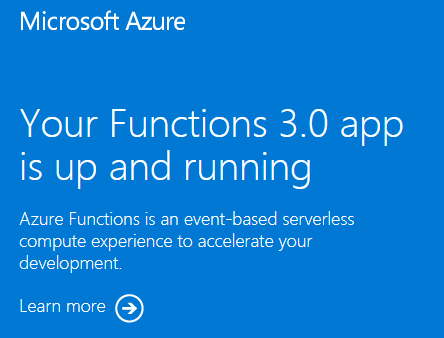
URL을 방문하면 다음과 같은 페이지가 표시됩니다.
리소스 정리
이제 Azure에 함수 앱과 관련 리소스를 배포했으므로 앱에 프로젝트 코드를 게시하는 다음 단계를 계속할 수 있습니다. 그렇지 않으면 더 이상 필요하지 않은 경우 이러한 명령을 사용하여 리소스를 삭제합니다.
az group delete --name exampleRG
Azure Portal을 사용하여 리소스를 제거할 수도 있습니다.
다음 단계
이제 Azure에서 만든 함수 앱 리소스에 코드 프로젝트를 배포할 수 있습니다.
다음 로컬 환경에서 코드 프로젝트를 만들고, 확인하고, 새 함수 앱에 배포할 수 있습니다.