Nata
Norint pasiekti šį puslapį, reikalingas leidimas. Galite pabandyti prisijungti arba pakeisti katalogus.
Norint pasiekti šį puslapį, reikalingas leidimas. Galite pabandyti pakeisti katalogus.
Ontology (preview) integrates with Fabric data agent (preview) to let you ask questions in natural language, and get answers grounded in the ontology's definitions and bindings.
Important
This feature is in preview.
Create data agent with ontology (preview) source
Follow these steps to create a new data agent that connects to your ontology (preview) item.
Go to your Fabric workspace and create a new data agent (preview) item named RetailOntologyAgent. For detailed instructions, see Create a Fabric data agent (preview).
Tip
If you don't see the data agent item type, make sure that it's enabled in your tenant as described in the tutorial prerequisites.
Add RetailSalesOntology as a data source for the data agent. For detailed instructions, see Create a Fabric data agent (preview).
When the agent is ready, it opens.
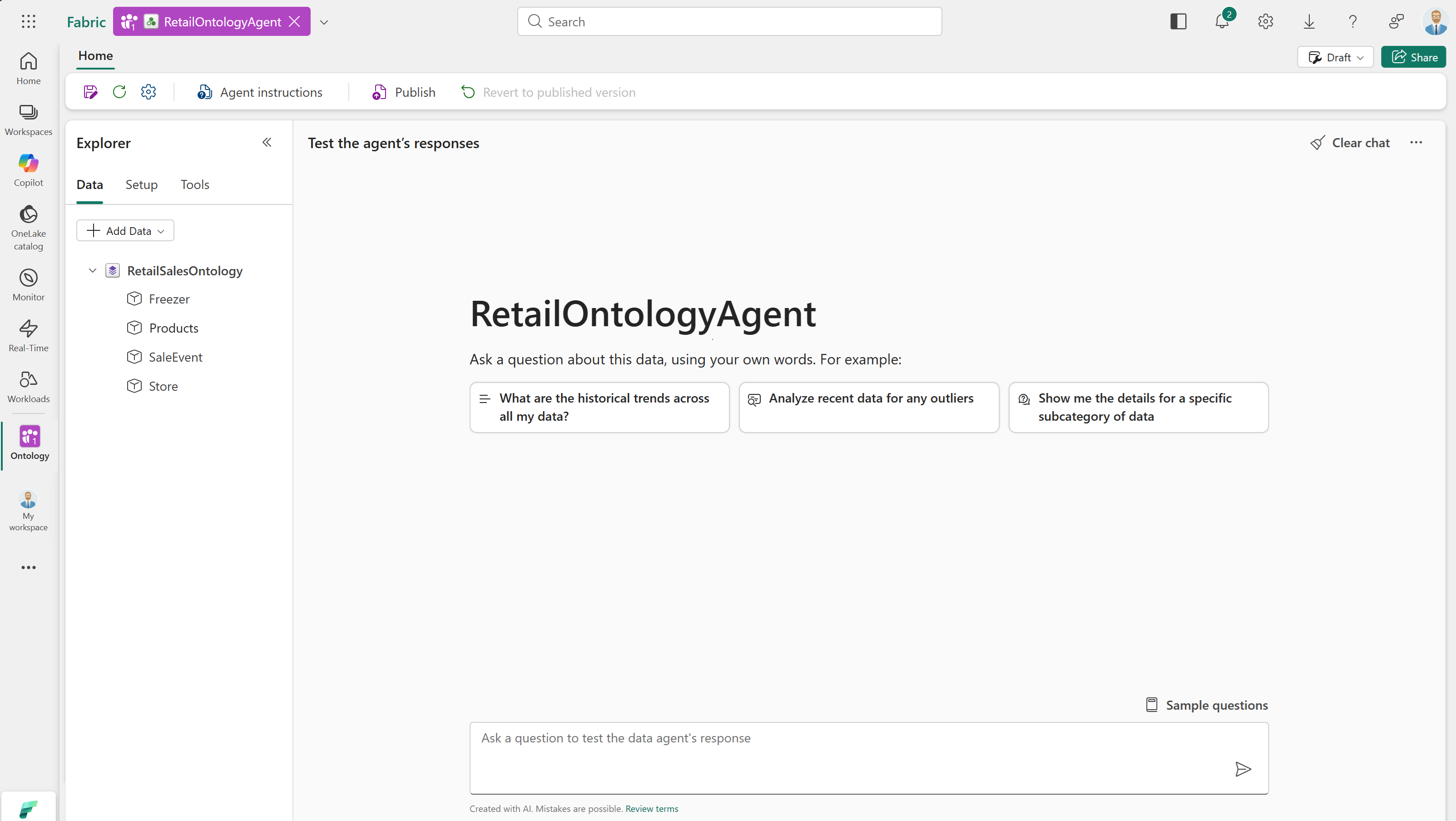
Provide agent instructions
Note
This step is added in response to a known issue affecting aggregation in queries.
Next, add a custom instruction to the agent.
Select Agent instructions from the menu ribbon.
At the bottom of the input box, add
Support group by in GQL. This instruction enables better aggregation across ontology data.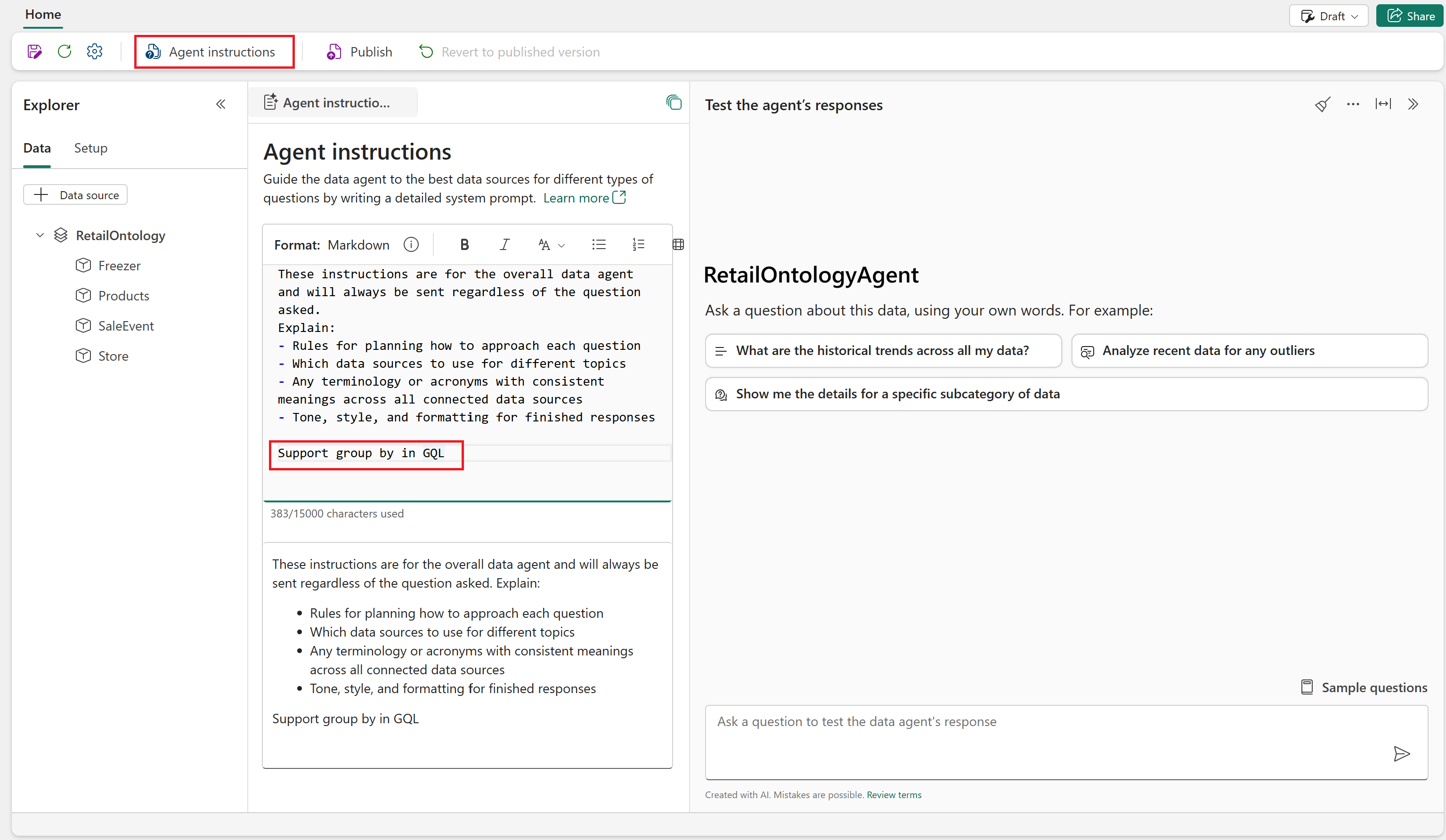
The instruction is applied automatically. Optionally, close the Agent instructions tab.
Query agent with natural language
Next, explore your ontology with natural language questions.
Start by entering these example prompts:
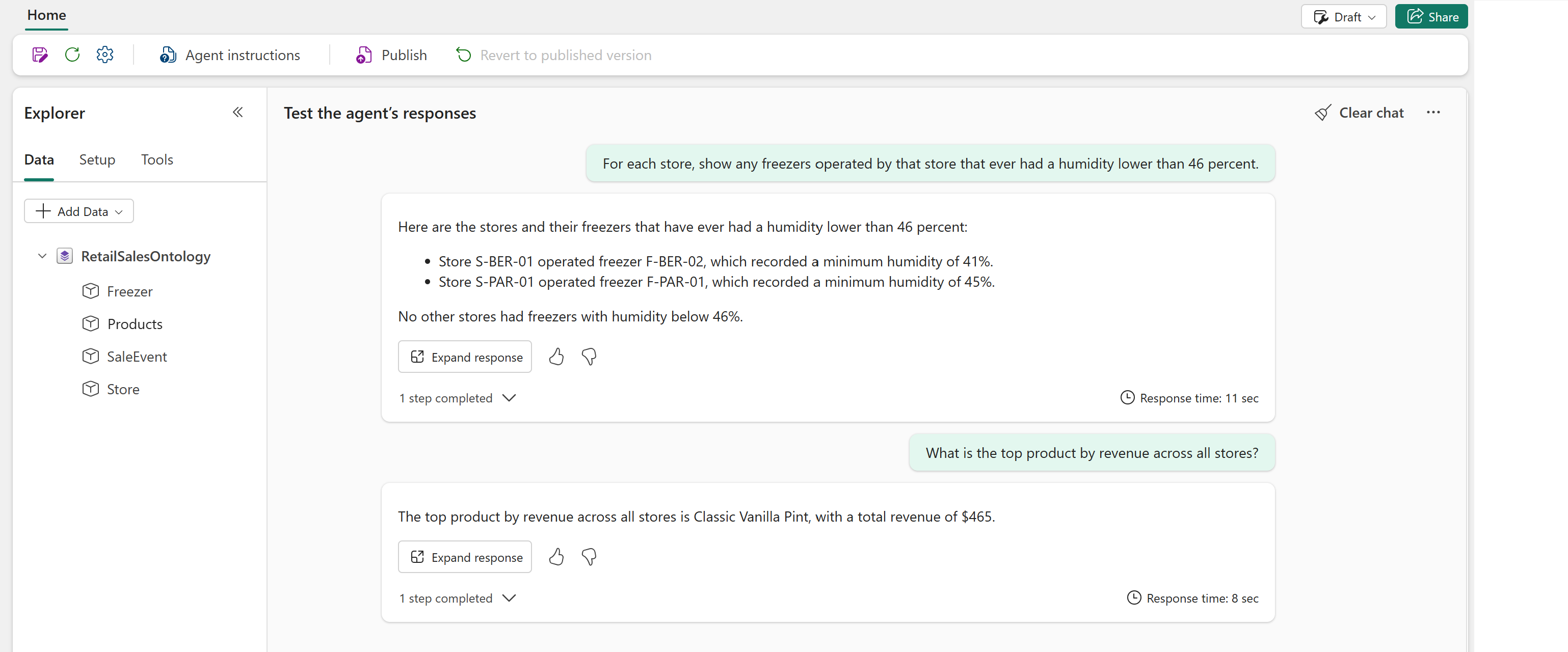
- For each store, show any freezers operated by that store that ever had a humidity lower than 46 percent.
- What is the top product by revenue across all stores?
Notice that the responses reference entity types (Store, Products, Freezer) and their relationships, not just raw tables.
Tip
If you see errors that say there's no data while running the example queries, wait a few minutes to give the agent more time to initialize. Then, run the queries again.
Continue exploring the data agent by trying out some prompts of your own.
Next steps
In this step, you explored your ontology by using natural language queries and answered business-level questions.
Next, continue to the tutorial conclusion.