Nata
Norint pasiekti šį puslapį, reikalingas leidimas. Galite pabandyti prisijungti arba pakeisti katalogus.
Norint pasiekti šį puslapį, reikalingas leidimas. Galite pabandyti pakeisti katalogus.
Important
You need to be part of the Frontier preview program to get early access to Microsoft Agent 365. Frontier connects you directly with Microsoft’s latest AI innovations. Frontier previews are subject to the existing preview terms of your customer agreements. As these features are still in development, their availability and capabilities may change over time.
Learn how to monitor agents using Microsoft Defender.
Important
This capability is rolling out in phases and the rollout is expected to complete by end of December.
Microsoft Defender
Agent 365 provides comprehensive observability in Microsoft Defender across all agent activities, allowing security teams to monitor and trace behaviors from a centralized location. This visibility supports proactive threat detection and response.
Key capabilities
Centralized monitoring: Tracks all agent activity in Defender for a unified view.
Out-of-the-box threat detections: Provides alerts on risky agent activities and user interactions.
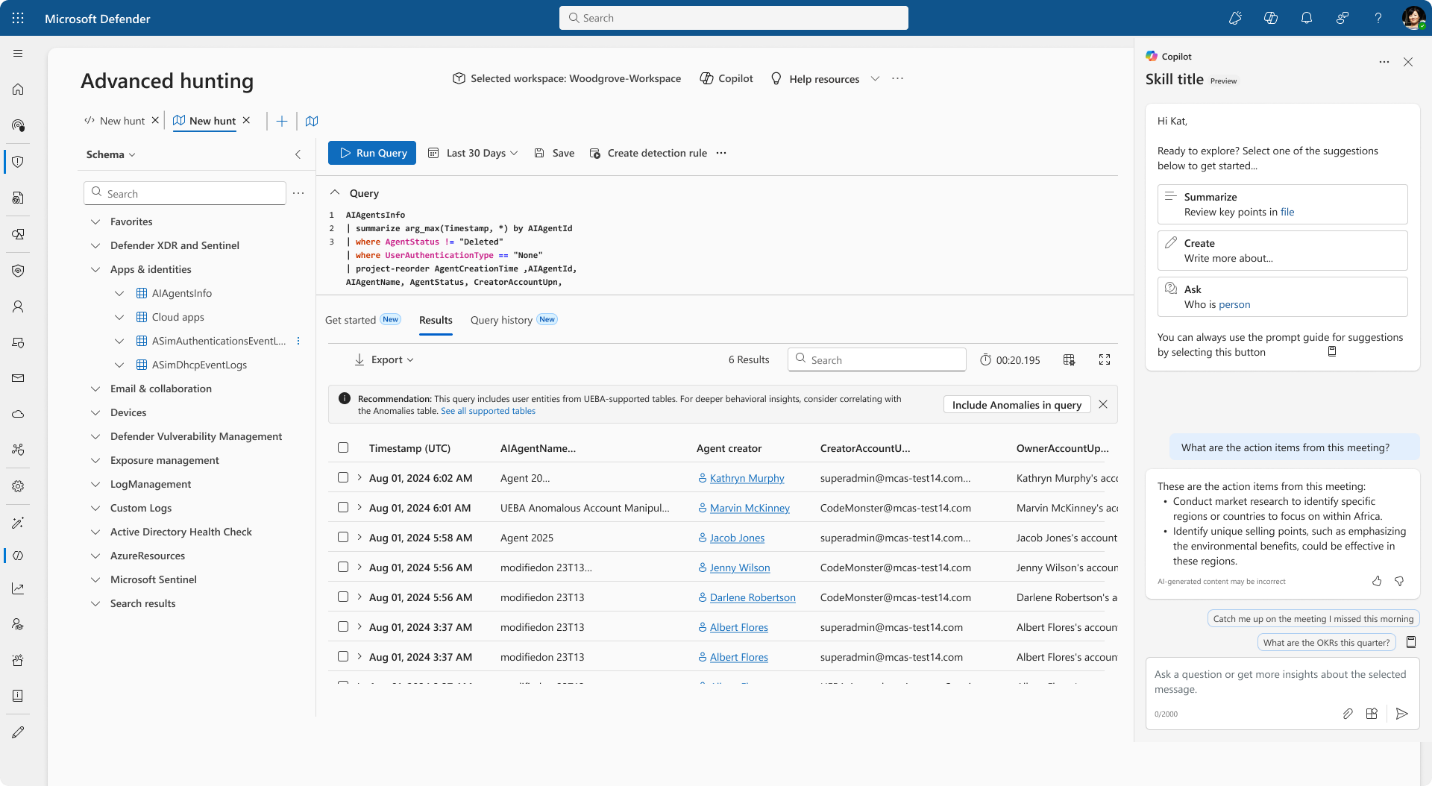
Proactive threat hunting: Security analysts can use Defender's advanced, query-based hunting capabilities to proactively identify suspicious patterns and anomalies. For more information, go to Proactively hunt for threats with advanced hunting in Microsoft Defender.
Prerequisites
Make sure that audit logs are set. For more information, go to Turn auditing on or off.
Make sure that Microsoft 365 connector is set correctly in Microsoft Defender. For more information, go to Get started - Microsoft Defender for Cloud Apps.
Configure admin access in Defender. For more information, go to Configure admin access - Microsoft Defender for Cloud Apps.
Supported agent types.
Note
Once the connector is set, alerts trigger automatically when risky agent activities occur. For more information on how to investigate incidents in Microsoft Defender, go to Investigate incidents in the Microsoft Defender portal.
How to use advanced hunting in Microsoft Defender
Open the Microsoft Defender portal.
- Go to Microsoft Defender XDR.
- Sign in with appropriate credentials to ensure you have the necessary role-based access. For example, you should be a security admin, or higher.
In the left navigation pane, select Hunting to open the Advanced hunting page.
Explore the schema.
- Use the Schema tab to view available tables, such as CloudAppEvents table.
- Select the vertical ellipsis next to a table name to view schema details, sample data, and retention information.
Use the query editor to write or paste in a Kusto Query Language (KQL) query.
Example:
CloudAppEvents
| where ActionType in ("InvokeAgent", "InferenceCall", "ExecuteToolBySDK", "ExecuteToolByGateway", "ExecuteToolByMCPServer")
Review results.
- Results appear in a table format.
- Export the results or use them to create custom detection rules.
Defender includes a set of out-of-the-box, detection rules that flag known threats and risky behaviors, ensuring real-time protection without manual configuration. These capabilities help organizations respond quickly to cyber threats and stay protected from risky activities involving agents.