Nata
Norint pasiekti šį puslapį, reikalingas leidimas. Galite pabandyti prisijungti arba pakeisti katalogus.
Norint pasiekti šį puslapį, reikalingas leidimas. Galite pabandyti pakeisti katalogus.
The flow savings feature lets you calculate how much time and/or money an agent flow is saving your organization. You can add a user-defined saving rule to each flow, which keeps track of savings on successful flow runs.
The following table describes key concepts related to savings in agent flows.
| Concept | Definition |
|---|---|
| Savings rule | Maker-defined baselines defining how to calculate money and time savings for an agent run, compared to when the task is not automated. |
| Savings | The amount of time or money saved, generated by the saving rule for the agent flow. |
Note
- Only solution-based agent flows can use savings rules.
- Only successful runs generate savings. Successful test runs don't generate savings.
- Environments with Dataverse for Teams can't use the savings feature.
Set up a savings rule
To set up a savings rule for your agent flow:
Go to your agent flow Overview page by selecting Flows in the left pane, then selecting your flow from the list.
The agent flow Overview page is displayed.
Select Savings on the Overview page action bar.
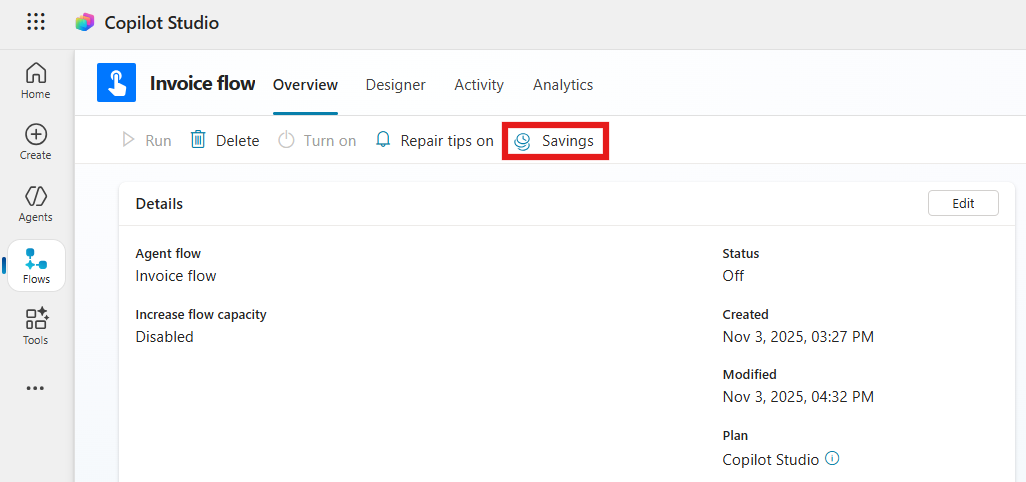
This opens the Savings dialog.
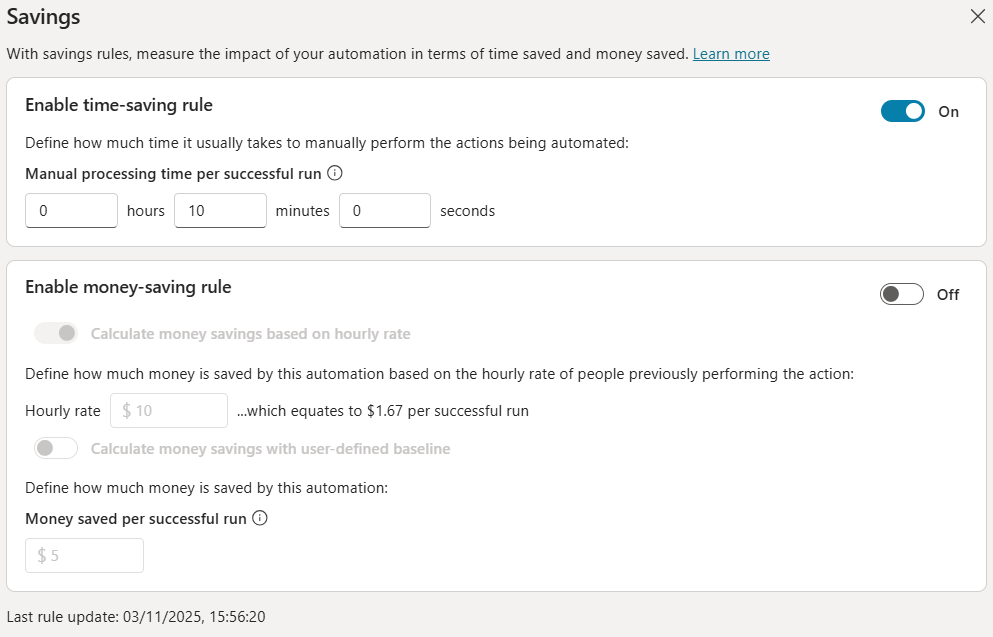
On the Savings dialog, edit time-saving and/or money-saving rules for the agent flow. When you are done, select Save.
Savings rules types
The following table describes details about the different types of savings rules.
| Saving rule | Definition |
|---|---|
| Time-saving rule | Define the manual processing time it usually takes to manually perform the actions being automated. |
| Money-saving rule based on hourly rate | The money-saving rule can be based on an hourly rate converting time-savings into money-savings. This mode is only available if a time-saving rule is enabled. |
| Money-saving rule with user-defined baseline | Define the amount of money saved by the actions being automated. |
Money-saving rule based on hourly rate
The money savings generated are rounded to the nearest whole number and don't include decimals.
For example:
- You define a time-saving baseline of 1 hour and 15 minutes per successful run.
- You define a money-saving rule with an hourly rate of $1/hour.
- The money-saving associated with the agent flow run should be $1.25 for a successful run (1.25 hours x $1 per hour). The savings are rounded to $1 however.
When savings are generated
Once you define a savings rule on an agent flow, every successful run of this flow contributes to generate savings. However, the savings don't immediately generate after the successful run. The savings amount for the agent is updated periodically.
Note
It can take up to one hour for a run to be accounted for in the savings amount of its agent flow.
Track the savings generated by your agent flow
You can view the savings generated by an agent flow on the flow details page.
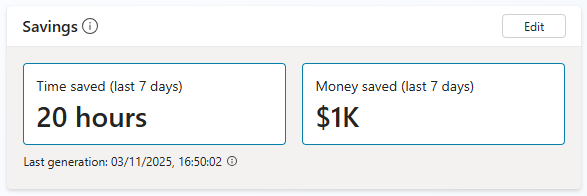
Runs which happened after the last generation time are not yet accounted for in terms of savings.
Permissions required to view and edit saving-rules
To view and edit a savings rule, you need a security role with privileges to the Saving Rule and the Flow Aggregation tables. For example, people with the Environment Maker role can view and edit savings rules on agent flows.
Frequently asked questions
Why is the hourly rate mode disabled in the money-rule section?
A money-saving rule can only use the hourly rate mode if a time-saving rule is also enabled.
Why is the money rule entirely disabled?
Your environment administrator blocked the usage of money rule in the environment. Money savings generated before the administrator decision remain unchanged, but no new money savings are generated.