Explore continuous delivery with GitHub Actions
GitHub Actions provide the mechanism for implementing software delivery workflows by using the capabilities of the GitHub platform. This would be the most optimal CI/CD approach for the organization in our sample scenario, considering its plans to use GitHub for its DevOps journey. In this unit, you'll learn about using GitHub Actions to build and run CI/CD workflows.
What are GitHub Actions?
In the context of GitHub, the term actions actually have a dual meaning. The first one (capitalized Actions) represents the GitHub service, which provided the ability to implement CI/CD workflows. The second one (lower case actions) designates reusable units that can be included in workflows to deliver a specific functionality, such as running scripts and executables, building and uploading artifacts, or setting up access to an Azure subscription.
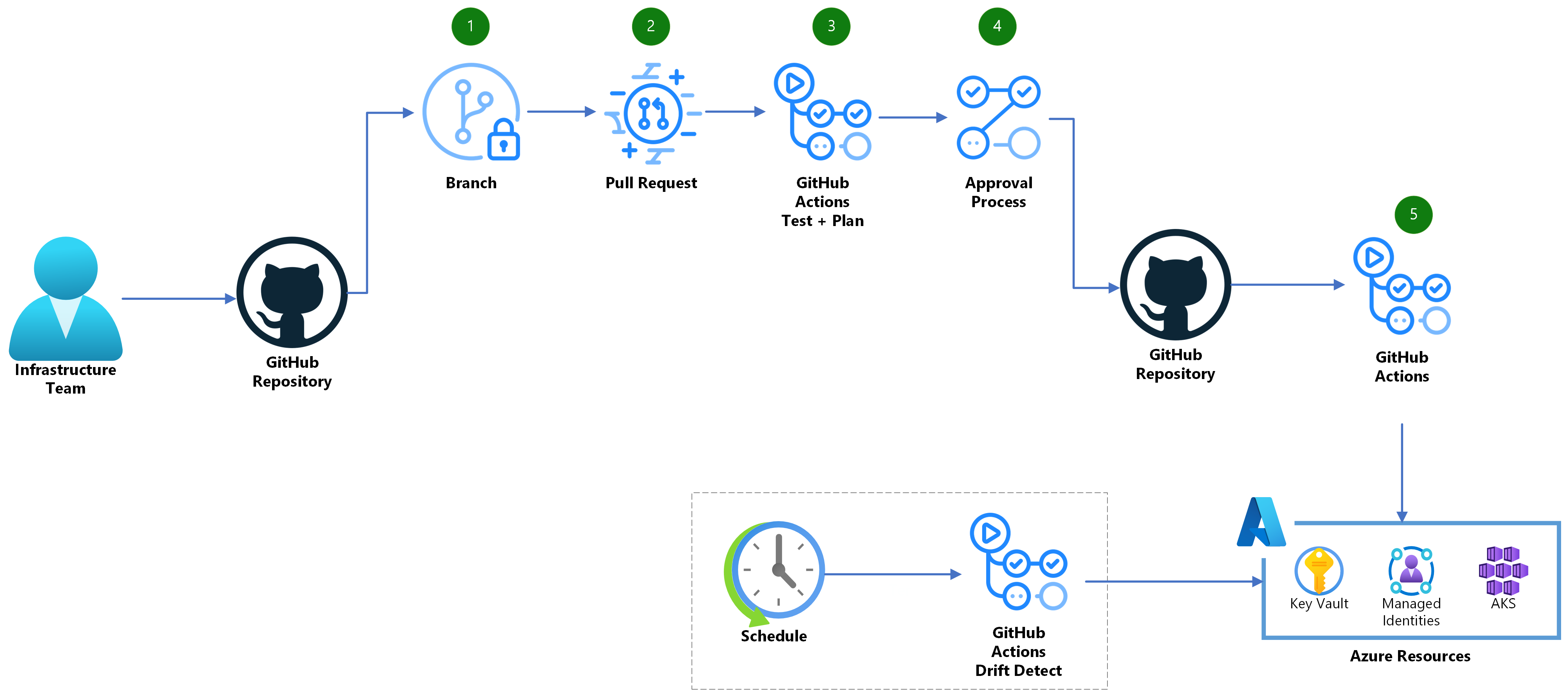
What are the main components of GitHub Actions?
The key components of GitHub Actions include:
- workflow: a sequence of steps stored in a YAML-formatted file. Workflows execute the steps once they're triggered either manually or (more frequently) automatically by repository-related activities, such as pushes or branch merges.
- job: a top element of a workflow. Jobs within a workflow can run in parallel or sequentially.
- step: a top element within a job. Each step is a task or action that performs a specific activity, such as running a script or building an artifact.
- action: a prebuild or custom-developed activity (as mentioned earlier). GitHub provides a marketplace where you can find a wide range of prebuilt actions.
- variable: a named value that allows you to store and reuse data across steps in a workflow. You can create your own custom variables or use any of the predefined, default environment variables automatically set within each workflow.
- secret: an encrypted variable that can be used to store sensitive data.
How to create a GitHub Actions workflow?
To create a GitHub Actions workflow, use the following steps:
- Create a repository. To implement GitHub Actions workflow, you'll need a GitHub account and a repository. By default, a new repository includes the default branch, typically named main.
- Create a .github/workflows directory. GitHub Actions workflows should reside in the .github/workflows directory in the repository root.
- Create a YAML file. GitHub Actions workflow has the YAML format. Its name is arbitrary, but the extension is expected to be set to .yml.
- Define the workflow in the YAML file and save the changes. The YAML file needs to include the workflow definition.
- Commit the saved file to the repository. To finalize the workflow changes, you need to execute commit, as with any file that is part of the repository. If you decide to author a workflow on your local computer (rather than by using the GitHub web interface), you would clone the repository after you create it, apply and commit changes locally, and then push them to GitHub.
Here's a simple example of a GitHub Actions workflow that displays a message Hello from GitHub Actions! once executed.
name: Simple GitHub Actions workflow

on: [push]

jobs:
  say_hello:
    runs-on: ubuntu-latest

    steps:
    - name: Checkout Repository
      uses: actions/checkout@v2

    - name: Run Build Script
      run: |
        echo "Hello, GitHub Actions!"
The first line of the workflow defines its name, which is displayed on the repository's Actions tab in the GitHub web interface. The on: [push] line designates the event, which triggers the workflow run (in this case, a push to any branch in the workflow's repository).
The workflow consists of a single job named say_hello, as indicated by the content following the jobs: line. The next line (runs-on: ubuntu-latest) determines the type of operating system that should be used to run the job. The choice is dependent on the tasks the job contains and, in this case, the job would run as well on any Windows-based operating system.
The job consists of two steps, as indicated by the content following the steps: line. The step syntax supports an optional name attribute, which might help understand the step's purpose when reviewing the workflow runs. The remainder of the syntax is dependent on the type of action that a given step is meant to carry out. In this example, the first step is checking out the current repository (which downloads the content of the repository to the system where the job is running), while the second one runs the echo command, which displays a friendly message.
To integrate the CI/CD functionality into GitHub Actions workflows, you would add a series of steps (in one or more jobs) that perform automated build, test, and deployment actions. Once the workflow execution is triggered, you could track its progress by navigating to the "Actions" tab in your GitHub repository.
Note
You will have a chance to work with more meaningful examples of GitHub Actions workflows that illustrate CI/CD integration in the lab of this module.