Nota
L-aċċess għal din il-paġna jeħtieġ l-awtorizzazzjoni. Tista’ tipprova tidħol jew tibdel id-direttorji.
L-aċċess għal din il-paġna jeħtieġ l-awtorizzazzjoni. Tista’ tipprova tibdel id-direttorji.
The Fabric Data Engineering VS Code extension supports managing your environments in VFS (Virtual File System) mode. With this mode, you can explore the environments in your workspace, inspect their details, update the configuration, and publish your changes—all inside VS Code.
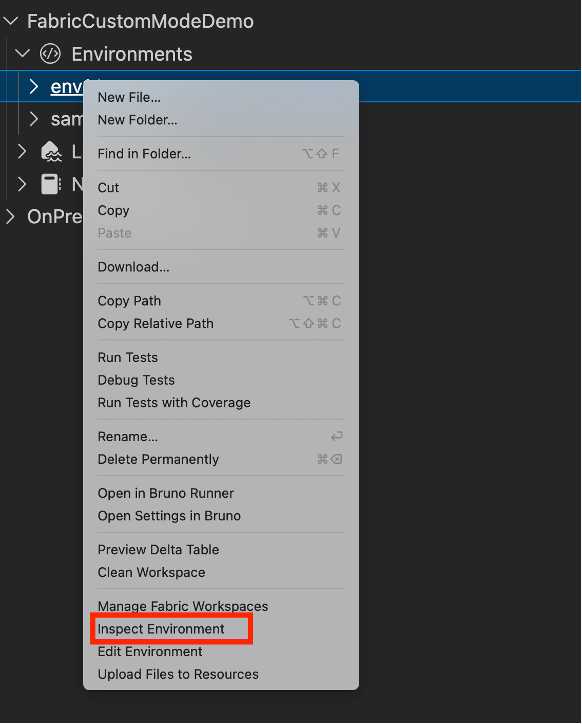
To explore environments, expand the Environments section to see the list of environments in the workspace. To inspect the details of an environment, right-click the environment and select Inspect Environment. This opens the environment details as a read-only .yml file in the VS Code editor.
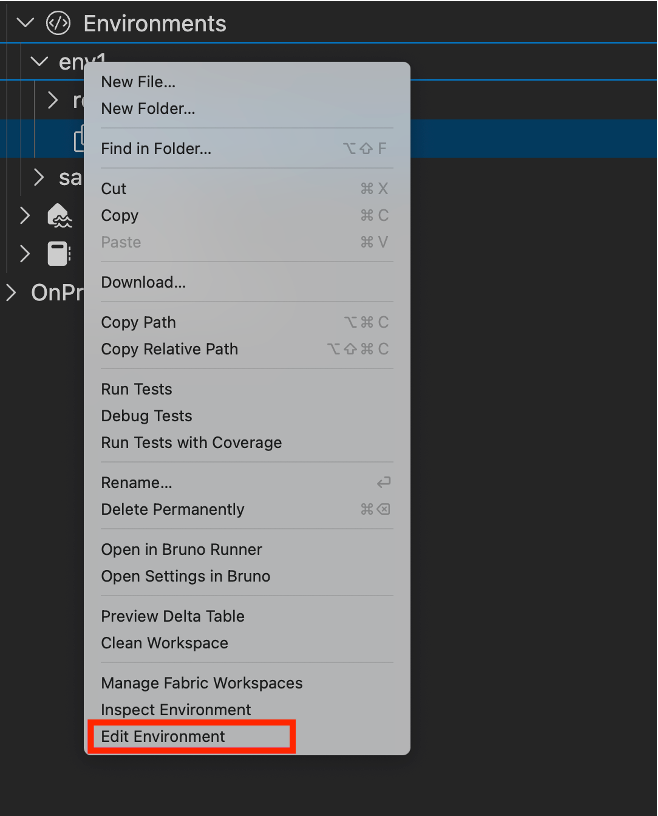
To change the environment configuration, right-click the environment and select Edit Environment. This opens an editable .yml file in the VS Code editor. A staging file named <environment_name>(staging).yml is generated to hold your unpublished changes.
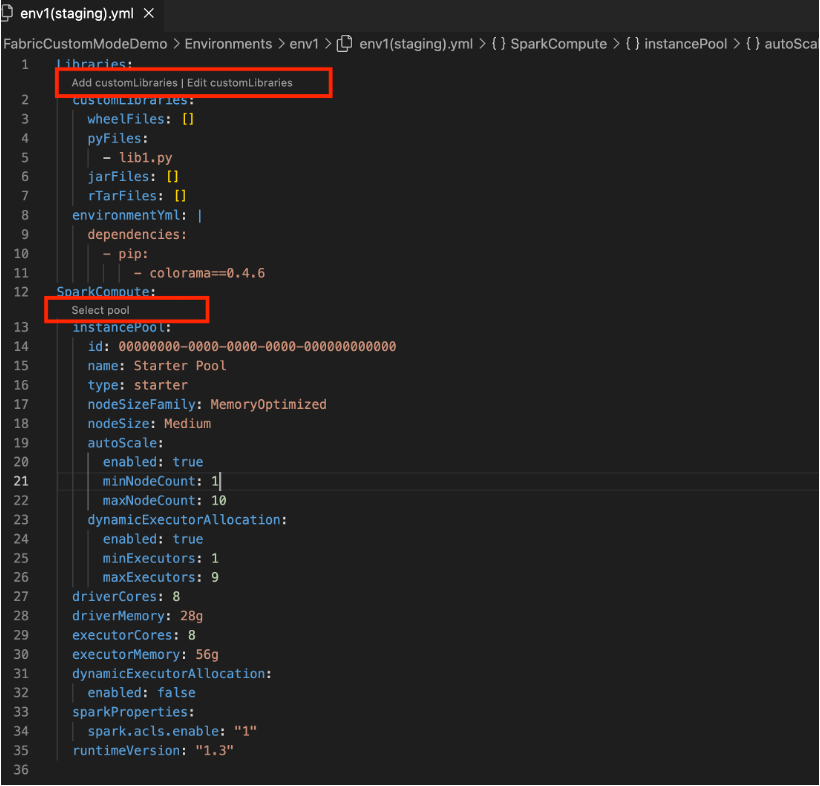
In the staging file, you can upload custom libraries by selecting the Add customLibraries code-lens link, switch the pool used by the environment by selecting the Select Pool code-lens link, and update other Spark configuration settings.
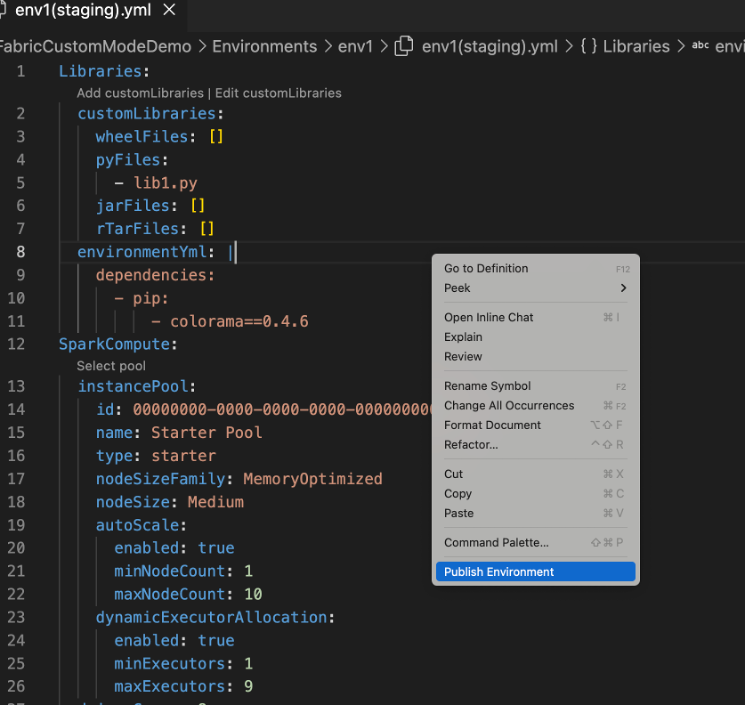
To publish your changes, right-click inside the editor and select Publish Environment. This publishes the changes to the remote environment. After the publish succeeds, the staging .yml file is deleted automatically.