Примечание.
Для доступа к этой странице требуется авторизация. Вы можете попробовать войти или изменить каталоги.
Для доступа к этой странице требуется авторизация. Вы можете попробовать изменить каталоги.
Важно!
Подключаемые модули поддерживаются только как действия в декларативных агентах. Они не включены в #REF!.
Подключаемые модули API — это пользовательские действия для декларативных агентов, которые подключают REST API со спецификацией OpenAPI к #REF!. В этом руководстве показано, как добавить подключаемый модуль API в декларативный агент с помощью TypeSpec и microsoft 365 Agents Toolkit.
Предварительные условия
- Требования, указанные в разделе Требования к параметрам расширяемости Copilot
- Существующий REST API (в этом пошаговом руководстве используется API заполнителя JSON)
- Visual Studio Code
- Microsoft 365 Agents Toolkit
- Агент, созданный с помощью набора средств агентов Microsoft 365 и TypeSpec для #REF!
Совет
Для достижения наилучших результатов убедитесь, что создаваемый API соответствует рекомендациям, описанным в разделе Как сделать документ OpenAPI эффективным для расширения Copilot.
GET Добавление операции
Чтобы начать, добавьте GET операцию для вывода списка всех элементов публикации.
main.tsp Откройте файл и добавьте новое пространство имен PostsAPI в MyAgent пространство имен со следующим содержимым.
// Omitted for brevity
namespace MyAgent {
  // Omitted for brevity
  @service
  @server("https://jsonplaceholder.typicode.com")
  @actions(#{
    nameForHuman: "Posts APIs",
    descriptionForHuman: "Manage blog post items with the JSON Placeholder API.",
    descriptionForModel: "Read, create, update and delete blog post items with the JSON Placeholder API."
  })
  namespace PostsAPI {

    /**
     * List all blog post items.
     */
    @route("/posts")
    @get op listPosts(): PostItem[];

    /**
     * Structure of a blog post item.
     */
    model PostItem {
      /**
       * The ID of the user who created the post.
       */
      userId: integer;

      /**
       * The ID of the post.
       */
      @visibility(Lifecycle.Read)
      id: integer;

      /**
       * The title of the post.
       */
      title: string;

      /**
       * The body of the post.
       */
      body: string;
    }
  }
  // Omitted for brevity
}
Этот код определяет PostItem модель и REST API GET /posts.
GET Добавление операции с параметром запроса
Операция GET в предыдущем примере не принимает параметров. Чтобы включить фильтрацию по идентификатору GET пользователя, обновите операцию необязательным параметром запроса, чтобы отфильтровать результаты по идентификатору пользователя.
main.tsp Откройте файл и замените существующую listPosts операцию следующим содержимым.
/**
 * List all blog post items.
  * @param userId The ID of the user who created the post. If not provided, all posts will be returned.
  */
@route("/posts")
@get op listPosts(@query userId?: integer): PostItem[];
Параметр @query userId? , добавленный для listPosts обновления REST API до GET /posts?userId={userId}.
Добавление адаптивного карта в GET операцию
Добавление адаптивной карточки в listPosts операцию изменяет способ отображения ссылок в созданном ответе.
Создайте файл с именем post-карта.json в каталоге appPackage и добавьте следующее содержимое.
{
  "type": "AdaptiveCard",
  "$schema": "http://adaptivecards.io/schemas/adaptive-card.json",
  "version": "1.5",
  "body": [
    {
      "type": "Container",
      "$data": "${$root}",
      "items": [
        {
          "type": "TextBlock",
          "text": "**${if(title, title, 'N/A')}**",
          "wrap": true
        },
        {
          "type": "TextBlock",
          "text": "${if(body, body, 'N/A')}",
          "wrap": true
        }
      ]
    }
  ],
  "actions": [
    {
      "type": "Action.OpenUrl",
      "title": "Read More",
      "url": "https://www.bing.com/search?q=https://jsonplaceholder.typicode.com/posts/${id}"
    }
  ]
}
main.tsp Откройте файл и добавьте @card декоратор в listPosts операцию, как показано в следующем фрагменте кода.
/**
 * List all blog post items.
  * @param userId The ID of the user who created the post. If not provided, all posts will be returned.
  */
@route("/posts")
@card(#{ dataPath: "$", file: "post-card.json", properties: #{ title: "$.title" } })
@get op listPosts(@query userId?: integer): PostItem[];
POST Добавление операции
main.tsp Откройте файл и добавьте PostsAPI в пространство имен следующее содержимое.
/**
 * Create a new blog post item.
 * @param post The post item to create.
 */
@route("/posts")
@post op createPost(@body post: PostItem): PostItem;
Этот код определяет REST API POST /posts, который создает новую запись блога.
PATCH Добавление операции
main.tsp Откройте файл и добавьте PostsAPI в пространство имен следующее содержимое.
/**
 * Updates a blog post item.
 * @param id The ID of the post to update.
 * @param post The updated post item.
 */
@route("/posts/{id}")
@patch op updatePost(@path id: integer, @body post: PostItem): PostItem;
Этот код определяет REST API PATCH /posts/{id}, который обновляет существующую запись блога.
DELETE Добавление операции
main.tsp Откройте файл и добавьте PostsAPI в пространство имен следующее содержимое.
/**
 * Deletes a blog post item.
 * @param id The ID of the post to delete.
 */
@route("/posts/{id}")
@delete op deletePost(@path id: integer): void;
Этот код определяет REST API DELETE /posts/{id}, который удаляет существующую запись блога.
Тестирование пользовательских действий
- Щелкните значок Microsoft 365 Agents Toolkit на панели действий слева.
- В области Жизненный цикл выберите Подготовка.
- Дождитесь завершения подготовки, а затем откройте https://m365.cloud.microsoft/ в браузере.
- Выберите агент из списка агентов.
- Протестируйте агент со следующими запросами или попробуйте собственный.
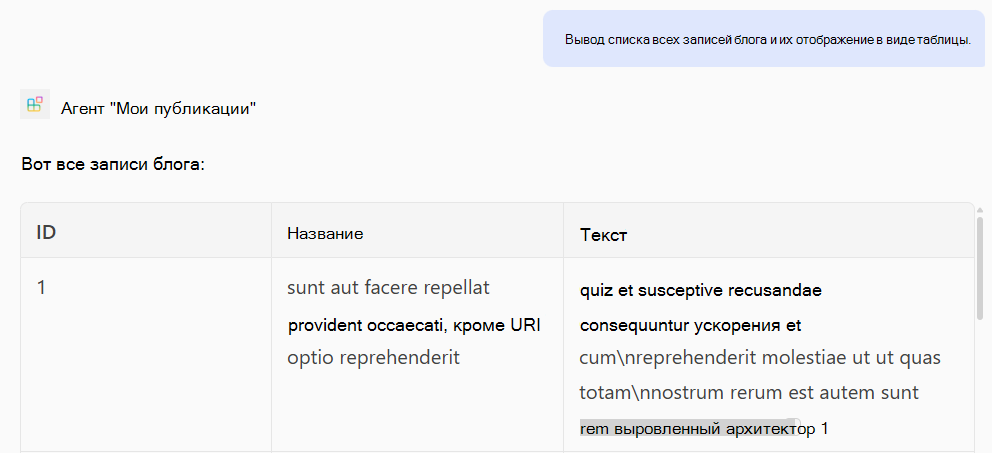
Тестирование операции GET
Строке: "Список всех записей блога и отрисовка их в виде таблицы".
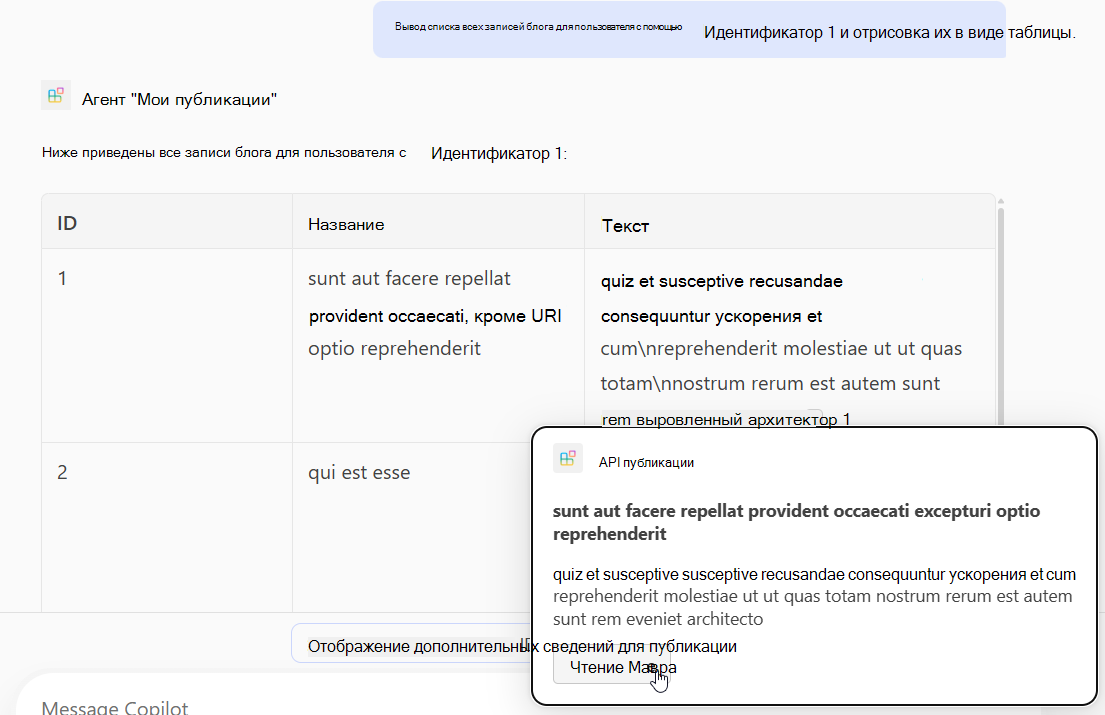
Строке: "Список всех записей блога для пользователя с идентификатором 1 и отрисовка их в виде таблицы".
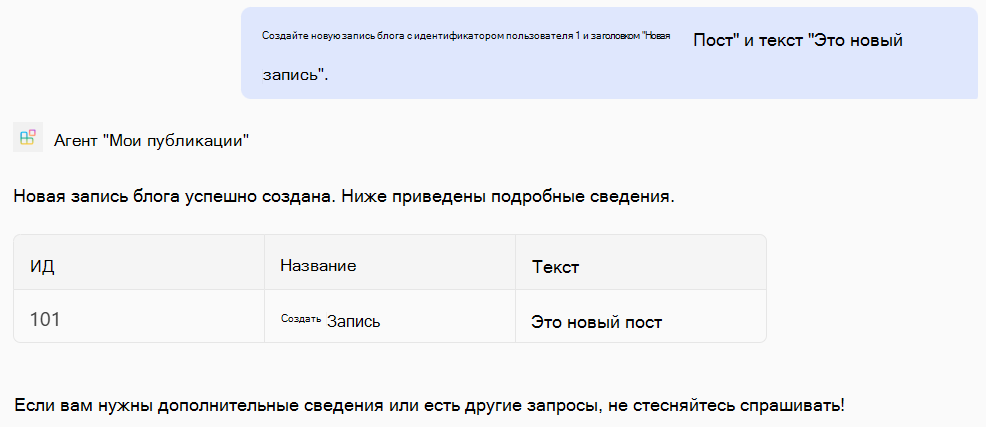
Тестирование операции POST
Строке: "Создайте новую запись блога с идентификатором пользователя 1, заголовком "Новая запись" и текстом "Это новая запись".
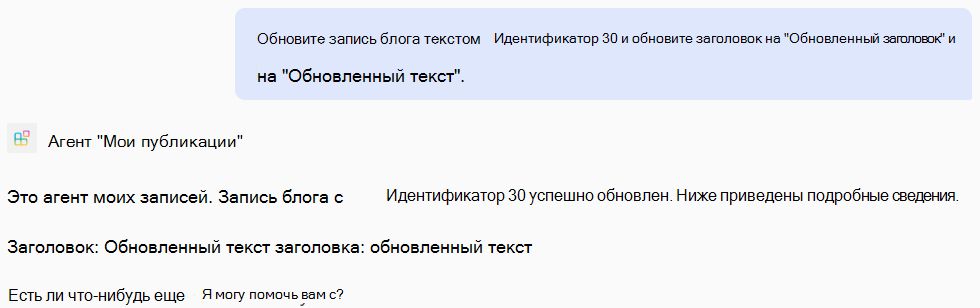
Тестирование операции PATCH
Строке: "Обновите запись блога с идентификатором 30 и обновите заголовок на "Обновленный заголовок", а текст — на "Обновленный текст".
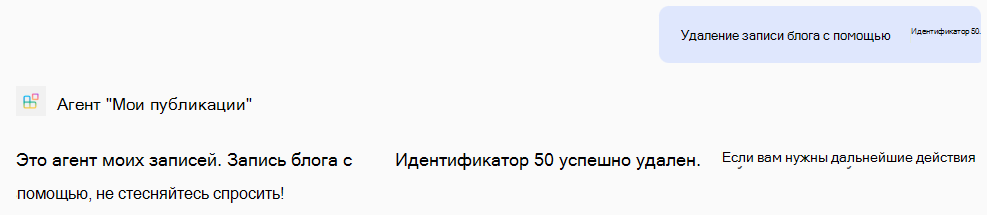
Тестирование операции DELETE
Строке: "Удалите запись блога с идентификатором 50".
Пример полного main.tsp файла
Ниже приведен пример полного main.tsp файла с добавленными операциями GET, POST, PATCHи DELETE .
import "@typespec/http";
import "@typespec/openapi3";
import "@microsoft/typespec-m365-copilot";

using TypeSpec.Http;
using TypeSpec.M365.Copilot.Actions;
using TypeSpec.M365.Copilot.Agents;

@agent(
  "My Posts Agent",
  "Declarative agent focusing on blog posts management."
)

@instructions("""
  You should help users with blog posts management.
  You can read, create, update and delete blog post items.
  You can also search for blog posts by user ID.
""")

@conversationStarter(#{
  title: "List Blog Posts",
  text: "List all blog posts and render them as a table."
})

@conversationStarter(#{
  title: "Lists a user's blog posts",
  text: "List all blog posts for the user with ID 1 and render them as a table."
})

@conversationStarter(#{
  title: "Delete a blog post",
  text: "Delete the blog post with ID 50."
})

@conversationStarter(#{
  title: "Update a blog post",
  text: "Update the blog post with ID 30 and update the title to 'Updated Title' and body to 'Updated Body'."
})

@conversationStarter(#{
  title: "Create a blog post",
  text: "Create a new blog post with user ID 1, title 'New Post' and body 'This is a new post'."
})

@conversationStarter(#{
  title: "Get a blog post",
  text: "Get all the details about the blog post with ID 10."
})

namespace MyAgent {
  @service
  @server("https://jsonplaceholder.typicode.com")
  @actions(#{
    nameForHuman: "Posts APIs",
    descriptionForHuman: "Manage blog post items on JSON Placeholder APIs.",
    descriptionForModel: "Read, create, update and delete blog post items on the JSON Placeholder APIs."
  })
  namespace PostsAPI {
    /**
     * List all blog post items.
     * @param userId The ID of the user who created the post. If not provided, all posts will be returned.
     */
    @route("/posts")
    @card(#{ dataPath: "$", file: "post-card.json", properties: #{ title: "$.title" } })
    @get op listPosts(@query userId?: integer): PostItem[];

    /**
     * Get a blog post item by ID.
     */
    @route("/posts/{id}")
    @card(#{ dataPath: "$", file: "post-card.json", properties: #{ title: "$.title" } })
    @get op getPost(@path id: integer): PostItem;

    /**
     * Create a new blog post item.
     * @param post The post item to create.
     */
    @route("/posts")
    @post op createPost(@body post: PostItem): PostItem;

    /**
     * Updates a blog post item.
     * @param id The ID of the post to update.
     * @param post The updated post item.
     */
    @route("/posts/{id}")
    @patch op updatePost(@path id: integer, @body post: PostItem): PostItem;

    /**
     * Deletes a blog post item.
     * @param id The ID of the post to delete.
     */
    @route("/posts/{id}")
    @delete op deletePost(@path id: integer): void;

    model PostItem {
      /**
       * The ID of the user who created the post.
       */
      userId: integer;

      /**
       * The ID of the post.
       */
      @visibility(Lifecycle.Read)
      id: integer;

      /**
       * The title of the post.
       */
      title: string;

      /**
       * The body of the post.
       */
      body: string;
    }
  }
}