Poznámka
Na prístup k tejto stránke sa vyžaduje oprávnenie. Môžete sa skúsiť prihlásiť alebo zmeniť adresáre.
Na prístup k tejto stránke sa vyžaduje oprávnenie. Môžete skúsiť zmeniť adresáre.
The terminal test reporter is the built-in implementation of status and progress reporting to the terminal (console). It's part of the core Microsoft.Testing.Platform (MTP) and doesn't require any additional NuGet packages.
Output modes
There are two output modes available:
Normal, the output contains the banner, reports full failures of tests, warning messages, and writes summary of the run.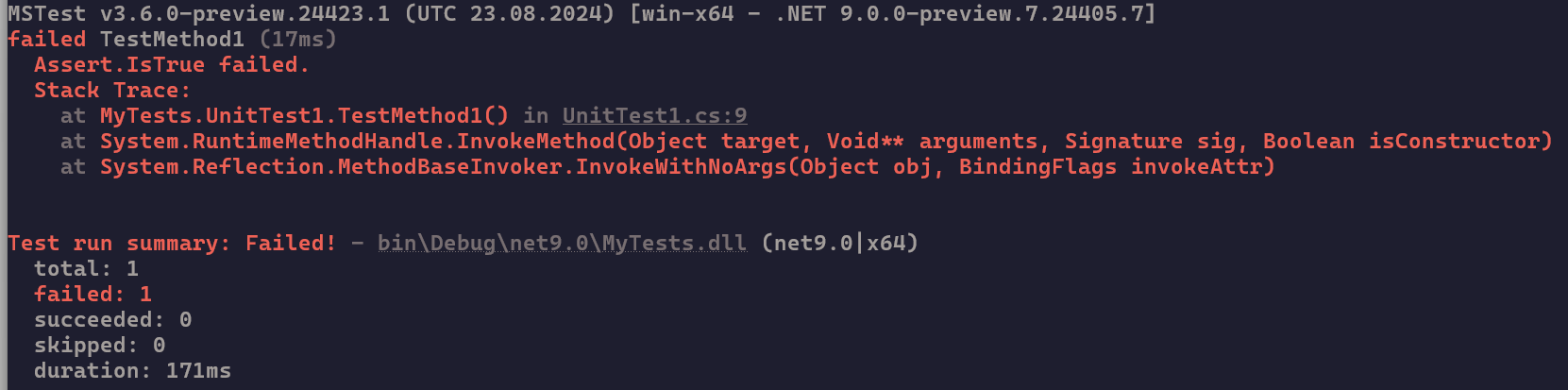
Detailed, the same asNormalbut it also reportsPassedtests.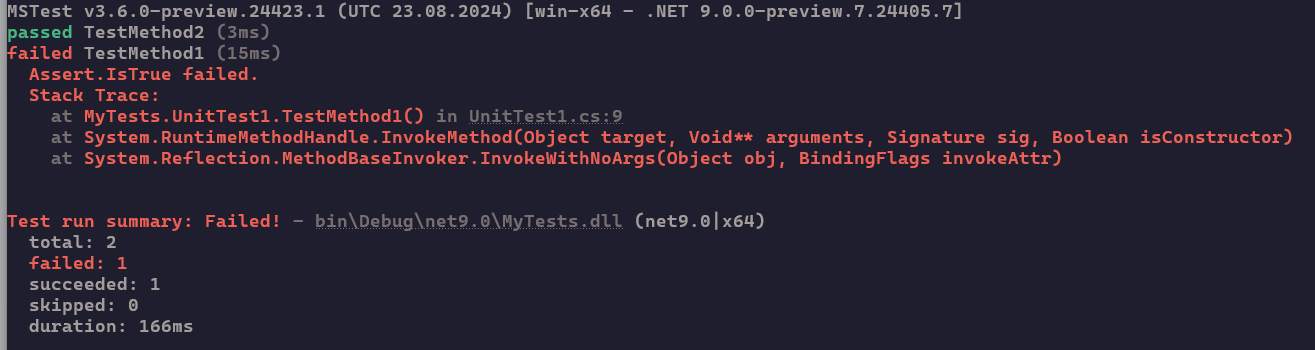
ANSI
Internally there are 2 different output formatters that auto-detect the terminal capability to handle ANSI escape codes.
- The ANSI formatter is used when the terminal is capable of rendering the escape codes.
- The non-ANSI formatter is used when the terminal can't handle the escape codes, when
--no-ansiis used, or when output is redirected.
The default is to auto-detect the capabilities.
Progress
A progress indicator is written to terminal. The progress indicator shows the number of passed tests, failed tests, and skipped tests, followed by the name of the tested assembly, its target framework, and architecture.

The progress bar is written based on the selected mode:
- ANSI, the progress bar is animated, sticking to the bottom of the screen and is refreshed every 500ms. The progress bar hides once test execution is done.
- non-ANSI, the progress bar is written to screen as is every 3 seconds. The progress remains in the output.
Direct console output and progress redraw
To animate the progress bar, the ANSI progress renderer takes control of the terminal cursor and repeatedly redraws the bottom of the screen. Any text that's written directly to stdout or stderr outside the test framework's capture path can be overwritten or removed during this redraw. For example, a Console.WriteLine call from assembly-level or session-level lifecycle code (such as a Before(Assembly) or Before(TestSession) hook), or from an extension, might flash briefly and then disappear when the progress bar refreshes.
This behavior is distinct from captured per-test standard output and standard error. Output that a test writes while it runs is captured by the framework and shown according to --show-stdout and --show-stderr, so the progress bar doesn't overwrite it.
If your code must write directly to the console and you need that output to remain visible, disable progress (--progress off in MTP 2.3.0+, or --no-progress in earlier versions). Alternatively, disable ANSI (--ansi off in MTP 2.3.0+, or --no-ansi in earlier versions) to use the non-ANSI progress output, which appends new lines instead of redrawing in place and doesn't overwrite prior direct output.
Options
| Option | MTP version | Description |
|---|---|---|
--no-progress |
— | Disables reporting progress to screen. Deprecated in MTP 2.3.0 in favor of --progress off. |
--progress |
2.3.0 | Controls whether progress is shown. Valid values are auto (default), on (also accepts true, enable, 1), and off (also accepts false, disable, 0). |
--no-ansi |
— | Disables outputting ANSI escape characters to screen. |
--ansi |
2.3.0 | Controls whether ANSI escape characters are emitted. Valid values are auto (default), on (also accepts true, enable, 1), and off (also accepts false, disable, 0). |
--output |
— | Specifies the output verbosity when reporting tests. Valid values are Normal and Detailed. Default is Normal. |
--show-stdout |
2.2.1 | Determines when to show captured standard output of a test. Valid values are All, Failed, and None. Default is All. |
--show-stderr |
2.2.1 | Determines when to show captured error output of a test. Valid values are All, Failed, and None. Default is All. |
Note
A dash (—) in the MTP version column marks core options that aren't tied to a specific version because they've been available since the platform's initial releases.
Note
Starting with MTP 2.3.0, when MTP detects that it runs inside an LLM or AI tool environment, it suppresses the startup banner and changes the default of --show-stdout and --show-stderr from All to Failed to reduce noise.
Spolupráca s nami v službe GitHub
Zdroj tohto obsahu nájdete v službe GitHub, kde môžete vytvárať a skúmať problémy a žiadosti o prijatie zmien. Ďalšie informácie nájdete v našom sprievodcovi prispievateľom.
